

You want to start a blog… but maybe you don’t know quite how. Enter: today’s guide to choosing the best blogging software for your needs.
There are so many different blogging software platforms out there, and it’s tough to decide which one offers the best blog software for you. Maybe you want a website where you can showcase your photography portfolio.
🔑 To pick the best blogging software, first nail down your long-term goals and budget. WordPress.org gives you the most control, flexibility, and room to grow. Other strong 2026 options include WordPress.com, Wix, Squarespace, Tumblr, Medium, Blogger, LinkedIn, Ghost, and Substack — each fitting different needs, experience levels, and monetization paths.
That will look quite different from a blog that’s primarily an online store. And, in turn, that will probably be totally unlike a blog that’s designed to build a large readership.
We’re going to go through 10 different options for blogging software you could use for your blog in 2026 — including current pricing for each, who they’re best for, and the major shifts (like Ghost, Substack, and WordPress.com’s April 2026 plugin changes) that affect your decision today.
Tip: Want to cut to the chase and get started right away? WordPress.org is my all-time favorite blogging platform. Go ahead and get your blog underway with my guide to starting a blog on your own.
You can use these quick links to jump straight to different sections of this post—or just keep reading.
10 Best Blogging Software Options to Consider (for Launching a Blog) in 2026
- Important Considerations When Choosing Blogging Software
- WordPress.org (aka Self-Hosted WordPress)
- WordPress.com (aka Hosted WordPress)
- Wix
- Squarespace
- Tumblr
- Medium
- Blogger
- Ghost
- Substack
- Which Blog Software is Best for You?
Disclosure: Please note that some of the links below are affiliate links and at no additional cost to you, I’ll earn a commission. Know that I only recommend products and services I’ve personally used and stand behind. When you use one of my affiliate links, the company compensates me, which helps me run this blog and keep my in-depth content free of charge for readers (like you).
Ready to Start Your Blog?
Check out my ultimate guide: How to Start a Blog (on the Side) Today.
Important Considerations When Choosing Blogging Software
Before you fixate on a particular type of software, it’s a good idea to think about these questions:
What’s Your Long-Term Vision for Your Blog?
If your blog’s a fun hobby—perhaps a fan site for your favorite TV show or a hiking blog (where you can give your friends hints about things like the best gifts for hikers and the best hiking boots on the market)—then you might want a free blogging platform that you can get started with pretty much instantly.
It may not offer loads of features or suit business bloggers, but it could be just right for you.
On the other hand, if you want to build a money-making blog that grows into a full business, you’ll need a platform that gives you the flexibility and power that you’ll want as your blog grows.
(Spoiler alert: That platform is WordPress.org, which we’ll come to first in our list.)
If you don’t yet have a clear vision for your blog, that’s fine, too.
You might want to take a look at my list of good reasons to blog … or you may simply want to try out some of the free blogging software below so you can experiment before settling on the blogging software that you want to use long-term.
How Much Does it Cost?
Let’s be honest: the price of blogging software must be considered.
Many bloggers are on a tight budget when they start — but you’ll want to ensure you’re getting good value over the long term, not just in the first few months of your blog.
Look carefully at what you’ll pay for your blogging software. Check things like:
- Is the initial price going to go up after your first year?
- Are you likely to want to upgrade your pricing plan for more features in the future?
- Will you have the features you need (e.g., eCommerce tools) at your chosen price point?
Some blogging software is quite cheap — or even free — when you’re just getting started. You might find that you end up paying well over the odds in the future, though, if you want to add lots of extra features to your site, so be sure to project your blogging costs out a bit.
What Kind of Site Do You Want?
Blogging software can be used to create many different types of websites, like:
- Portfolio sites: These are where you showcase your designs, art, writing, or similar. This can be a great way to get new clients. It’s easy to create a site like this on Squarespace or Wix.
- Static websites: where you have information that doesn’t change. Perhaps that’s for a local business you run, like a restaurant. Squarespace or Wix can be good options here, though you can use WordPress.org for this, too.
- Blogs with regularly updated content: You’ll want software that’s well-geared up to this and ideally designed for blogging. WordPress.com, WordPress.org, Tumblr, and Blogger are all good options here.
- Online stores that sell products: This requires special features to do things like manage inventory and accept payments. WordPress.org is likely your cheapest option here, as most hosted platforms charge a lot for eCommerce tools.
- Money-making websites that get income through affiliate marketing or advertising: You’ll need to check that your chosen blogging software a) allows this and b) makes it easy for you. Again, I recommend WordPress.org here, as there are no restrictions on advertising and affiliate links, and you can install free plugins to help manage those.
What Would Happen if Your Chosen Blogging Software Changes or Shuts Down?
Some blogging software locks you into a chosen platform, making it difficult to move your site elsewhere in the future.
This could be a problem if the company significantly changes its offerings, starts charging a lot more money, or even shuts down completely.
If you’re concerned about future-proofing your site, I recommend WordPress.org (also called “self-hosted WordPress”).
This open-source software won’t subject you to annual price rises — you don’t need to pay for WordPress.org’s software, only for your web hosting, and you can move your whole site to a new web host if you feel you’re paying too much.
10 Best Blogging Software Options to Use in 2026
There are loads of different options when it comes to blogging software. I’m going to run you through some of the most popular and explain what type of blog or website they’re best suited for.
1. WordPress.org (aka Self-Hosted WordPress)
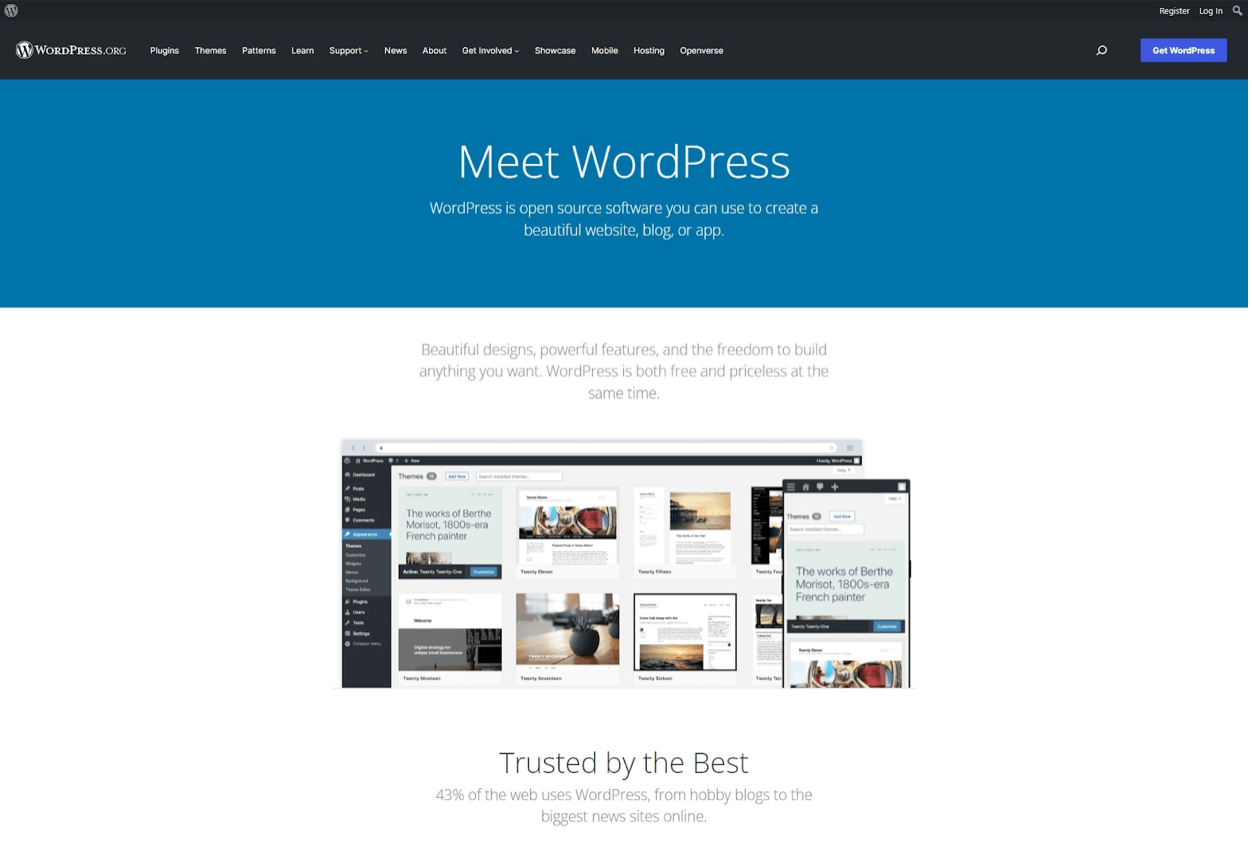
If you’re looking for the absolute best blog software, WordPress.org wins hands down. WordPress powers an incredible 43% of the web — and this percentage has been growing year on year. WordPress.org, also called self-hosted WordPress (or a self-hosted blog), offers a lot of power and control. You can customize your site however you like.
Most users do this with WordPress plugins and themes (both have free and paid options), though it’s certainly possible to customize your website’s code itself.
If you’re building a money-making blog, WordPress is almost certainly the best choice for you—as a quick aside, check out this guide about “how much bloggers make” for more. Their software has been going strong since 2003 and is set to be around for many more years to come.
It has a great reputation and a huge worldwide community, so it’s always easy to find help and support whenever needed.
Experts also agree that WordPress is the best blog software for SEO (search engine optimization). WordPress is designed to be “search engine friendly” so that Google and other search engines can easily find and rank your content.
Pricing of WordPress.org
WordPress.org’s software is completely free.
You will need to buy a domain name and web hosting in order to use it, though.
There are lots of cheap web hosts out there that run WordPress: my top recommendations are Dreamhost and Bluehost. (They’ll both include a free domain name if you’re paying for a year or more upfront.)
If you buy your domain name separately from your web hosting, most domain registrars will charge around $10-$15 per year for a .com domain.
Ready to Start Your Blog?
Check out my ultimate guide: How to Start a Blog (on the Side) Today.
Pros of WordPress.org
- WordPress.org is completely free to use — you never need to pay anything for the core software.
- WordPress.org is open-source software that thousands of people contribute to.
- There are loads of free and premium WordPress themes (designs) available. You can also pay a designer to make you a completely custom theme if you want.
- You can choose from thousands of useful WordPress plugins (add-ons) to give your blog extra features. Many of these are free.
- WordPress.org gives you full control and flexibility — you can monetize a WordPress site however you like. For instance, you could run ads, market affiliate products, and even set up an online store … all without paying anything extra.
- It’s easy to move your site to a new web host or domain in the future.
- The customization options are limitless. You could even learn to code your own plugins (or pay someone to create unique plugins for you) if you wanted to.
- There are lots of helpful tutorials about all aspects of WordPress. If you ever get stuck, you can just look on YouTube or Google — someone will have made a tutorial covering exactly what you need to know.
- You can easily find other bloggers using WordPress since it’s so popular. There are huge Facebook groups and online forums devoted to WordPress where you can get help with any questions and even ask for feedback about your website.
Cons of WordPress.org
- Most people find that WordPress.org has a little bit of a learning curve when you’re just getting started
- There’s no built-in technical support from WordPress.org itself, though your web host should be able to help get WordPress installed and keep it up to date.
- You’re responsible for website maintenance, such as updating your WordPress installation, themes, and plugins and running backups (though your web host may automate some of these tasks).
WordPress Add-Ons Available
WordPress has an incredible range of plugins available to download. These add extra features and functionality to your website.
For instance, you could use a plugin like WPForms to add a contact form. If you want to run an online store, the free plugin WooCommerce lets you set up inventory, take orders, and more.
Many plugins also have a premium (paid) version, which offers extra features.
Some premium plugins give your site impressive new functionality. For instance, you could create a private membership site using a plugin like AMember or WishlistMember.
Some of my favorite WordPress plugins are:
- Sucuri Security: This plugin keeps your site safe and secure and alerts you if any issues occur, such as malware appearing on your site.
- Yoast SEO: This plugin is packed with useful tools for improving your blog’s search engine optimization (SEO). Good SEO makes it easier for your blog posts to appear near the top of Google’s search results.
- WooCommerce: If you want to create an online store, WooCommerce is the most popular eCommerce platform in the world. It lets you sell products and take payments. You can use many extra plugins with WooCommerce, too, some free and some paid.
And those are just for starters! I’ve got a list of the best WordPress plugins you’ll want to check out, too.
Who is WordPress.org Best For?
WordPress is perfect for full-time or side bloggers who see their blog as a business — or who want it to have the potential to grow into a business at some stage.
It’s also a great option for charities and nonprofits, as many plugins can help with tasks like taking donations.
WordPress.org is hugely popular because it offers all the features you need at a great price and the freedom to do what you want with your website.
Other blogging software tends to limit how you can monetize (you might not be able to run ads at all) or places restrictions on what you can write about (you might not promote online gambling, for instance.)
Ready to Start Your Blog?
Check out my ultimate guide: How to Start a Blog (on the Side) Today.
2. WordPress.com (aka Hosted WordPress)
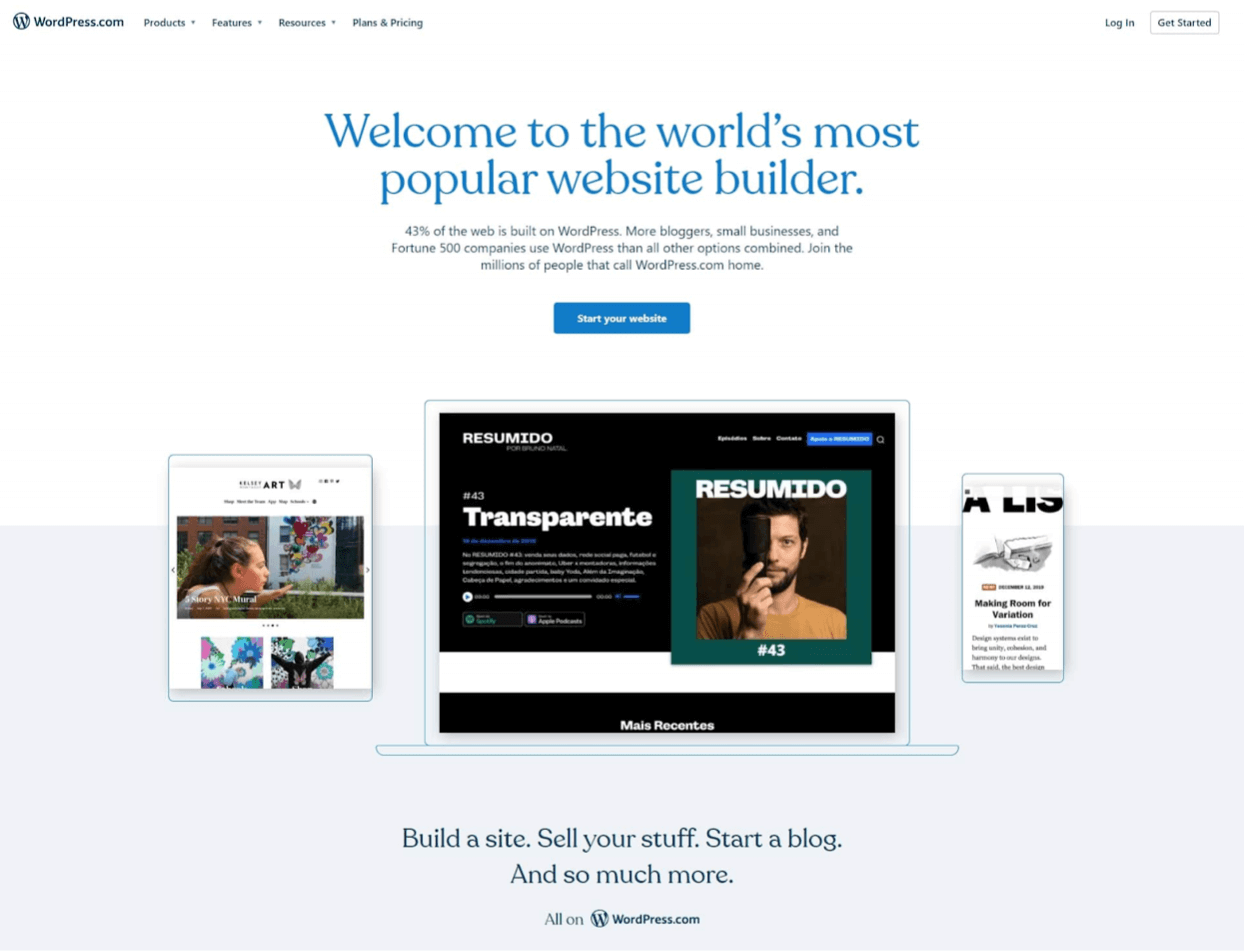
If you want to run a simple hobby blog or you’d like to try out WordPress without having to purchase a domain name or hosting, WordPress.com (also known as “hosted WordPress”) could be the perfect option.
New bloggers often get confused between the two types of WordPress. In brief, WordPress.ORG is free, open-source software, and it’s what people usually mean when they talk about “WordPress.”
WordPress.COM is commercial software based on WordPress.org. It doesn’t offer the same flexibility and freedom but comes with built-in hosting, so you don’t need to buy that separately.
If you want to know more, check out my article explaining the difference between WordPress.org and WordPress.com.
Pricing of WordPress.com
The basic level of WordPress.com is available for free. At this level, you’ll need to use a WordPress.com domain name (like yourname.wordpress.com) for your site. WordPress will also run ads on your site.
Beyond the free plan, WordPress.com costs from $9/month for the Personal plan up to $70/month for the Commerce plan (annual billing saves up to 55%). A big April 2026 change: themes and plugins are now available on all paid plans, including Personal — previously plugins required the Business tier.
This means it will be much more expensive than WordPress.org if you want to run even a simple online store.
Pros of WordPress.com
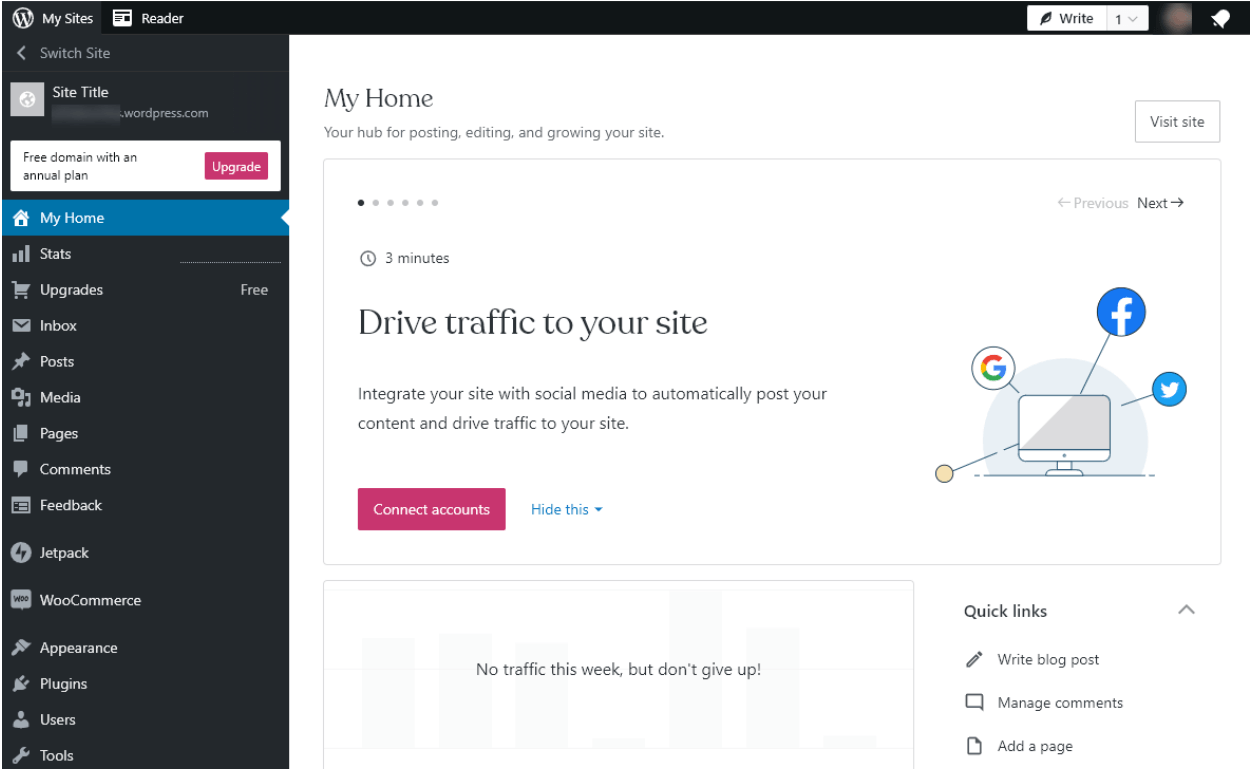
- Wordpress.com is based on the same core software as WordPress.org, giving you an excellent blogging solution.
- It’s easy to start with WordPress.com — you can set up a blog in just a few minutes.
- There’s no need to update WordPress, your plugins, or your themes — WordPress.com does that for you.
- WordPress.com has email support (at the Personal plan level or higher) plus live chat support (at the Premium plan level or higher) in case you get stuck at any point.
- The free option lets you try blogging at no cost, which could be all you need for a hobby blog.
Cons of WordPress.com
- You must use the Personal plan (or higher) to remove ads.
- You can’t upload your plugins and themes, only the ones that WordPress.com allows.
- If you want a full online store, you’ll need the Commerce plan at $70/month — though you can collect payments on lower-tier plans starting at $9/month.
- You’ll need to back up your site manually unless you’re paying for the Business plan ($25) or higher.
WordPress.com Add-Ons Available
As of April 2026, plugins and themes are available on ALL paid plans (starting at $9/month Personal) — previously plugins were locked behind the Business tier. This makes WordPress.com a much more competitive option for casual bloggers who want plugin flexibility without paying for self-hosting.
In general, you need to pay for most extras with WordPress.com, including the ability to collect payments, upload videos, use advanced SEO tools, and do more advanced technical things like uploading files to your site via SFTP and accessing your database.
Who is WordPress.com Best For?
WordPress.com is a good option if you’re happy with the free features or those at the Personal plan level.
(Once you’re paying $18/month or more for the Premium plan, you might be better off choosing WordPress.org with cheap web hosting like Dreamhost — which gives you total control for around $2.59/month.)
WordPress.com is best suited to hobby bloggers who want to get their blog up and running quickly and don’t need advanced features. It’s not a great option if you hope to make money from your blog.
It’s not a good option if you want to run your online store.
You can do that much more cheaply using WordPress.org and buying your web hosting, especially if you don’t need all the other features that come with WordPress.com’s eCommerce level.
3. Wix
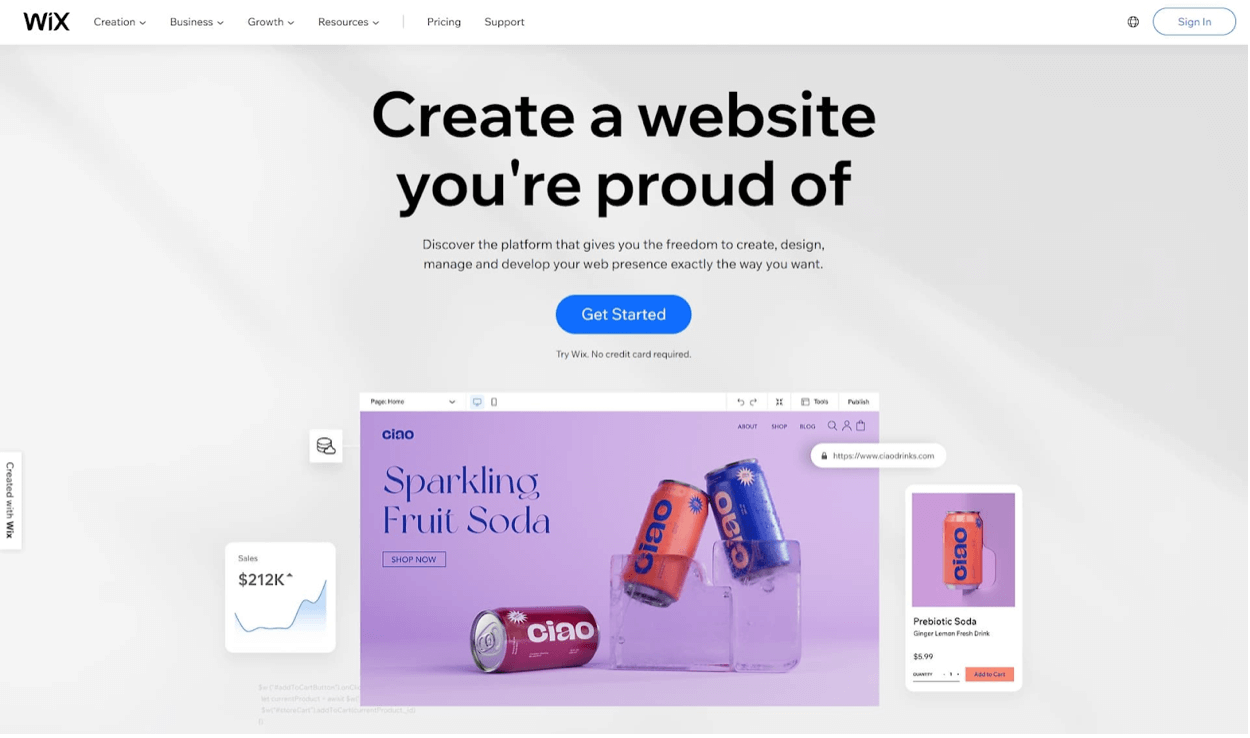
Wix is another popular website builder, coming third with 2.9% of the market share for content management systems — though that might not seem like much compared to WordPress, which has cornered 65.3% of the CMS market.
Wix is best for building static websites rather than blogs. Its drag-and-drop interface makes it quick and easy to get started, and it comes with 800 professionally designed templates.
Pricing of Wix
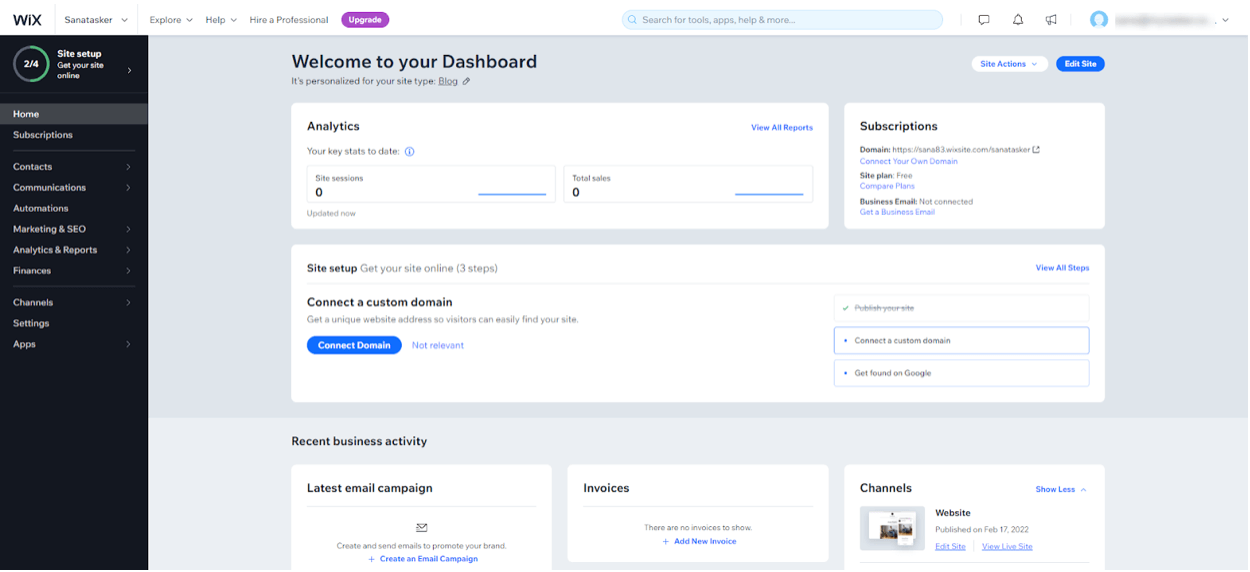
Though it’s quite limited, Wix has a free plan with only 500MB of storage space and 500MB of bandwidth. Your site will have a rather ugly URL like https://accountname.wixsite.com/siteaddress.
If you want more features and options, Wix’s “Light” plan for personal use costs $17/month.
That gives you additional features like more storage space, a free custom domain name, the ability to remove Wix ads, and a free SSL certificate.
Pros of Wix
- Wix’s free plan lets you create a simple website without paying anything.
- The drag-and-drop interface is easy to use, especially for beginners. You can have your site up and running quickly.
- Wix handles all updates and maintenance, so you don’t need to worry about those.
- It’s really quick to get started with Wix.
- Many add-ons are available even at the free level, such as including live chat and contact forms on your website. You can also pay for more complex add-ons.
Cons of Wix
- You can’t switch templates without starting over. This is one of the most frustrating features of Wix, as most other blogging software makes it easy to switch your template and keep all your content (words, images, videos, etc.) in place.
- Wix isn’t primarily designed for blogging and doesn’t offer all the features of WordPress when it comes to creating blog posts.
- Generally, Wix is more expensive than WordPress, especially if you want eCommerce features (Core plan from $29/month, Business plan $39/month, Business Elite $159/month).
Wix Add-Ons Available
Wix offers various pricing plans with different features. As with other website software, the more you pay, the more features you get.
For instance, you can pay $29/month or more (Core plan and up) for eCommerce features like the ability to list unlimited products, accept payments, and offer multiple currencies. The Business plan ($39/mo) and Business Elite ($159/mo) add more advanced commerce features.
The Wix App Marketplace also offers third-party apps to add to your Wix website. Many of these are free to install, though others can be expensive.
Who is Wix Best For?
Wix might be a good fit if you want more of a website than a blog — perhaps a site with occasional news updates.
You get a lot of guidance during the setup process (you can even opt to have your site built by Wix’s AI software), so it could also be a good platform if you’re new to creating websites.
Wix isn’t such a good fit for professional websites. You’ll likely find it too limiting. If you want an online store, Wix will probably be more expensive than using WooCommerce on a WordPress site.
4. Squarespace

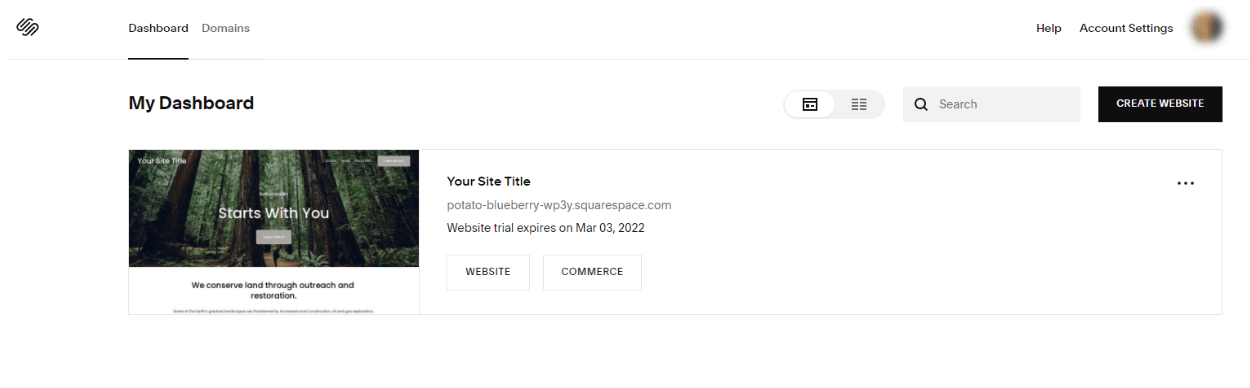
Squarespace is another popular website creation platform. It’s easy to use and comes with a range of designer templates, making it easy to create a great-looking website.
Everything is maintained and managed for you — including security, updates, and maintenance of this blog software.
Most people find Squarespace intuitive to use, plus you can rearrange and customize your chosen template easily.
Pricing of Squarespace
Squarespace doesn’t offer a free version (unlike WordPress and Wix), though you can take a 14-day free trial, which doesn’t require any credit card information.
Squarespace offers four annual-billed plans in 2026: Basic at $16/month, Core at $23/month, Plus at $39/month, and Advanced at $99/month. (Monthly billing without an annual commitment runs $25-$139/month.) The Basic plan now includes commerce capability with a 2% transaction fee on physical goods; Core and above remove that fee.
Pros of Squarespace
- It’s easy to build an attractive website — Squarespace users often say they find the interface “intuitive” to work with.
- Squarespace handles all maintenance of your website.
- You can add third-party extensions to your website (some are free, others require payment).
- The Squarespace platform is all-in-one, with hosting, backups, and even analytics included.
- You can access Squarespace support 24/7 through email and live chat.
Cons of Squarespace
- Month-by-month pricing is quite expensive — you can save money by paying annually, but that means coming up with a large lump sum before you’ve even started on your website.
- Squarespace doesn’t have very many extensions available (especially compared with WordPress).
- There aren’t any advanced marketing tools, particularly for things like SEO.
- You’re limited in how much you can customize your Squarespace templates.
Squarespace Add-Ons Available
The different Squarespace pricing plans offer a range of features, meaning the more you pay, the more functionality you’ll get.
For instance, “Advanced Commerce” offers special features like gift cards, subscriptions, advanced shipping, and abandoned cart recovery.
Squarespace also offers a small number of third-party extensions, many of them focused on eCommerce. However, it doesn’t offer the rich choice that other platforms offer.
Who is Squarespace Best For?
Squarespace is designed with design in mind, and it’s a great choice for a photographer, artist, or illustrator who wants to create a simple (but great-looking) online portfolio.
However, if you plan to run an online business, Squarespace has many limitations, as there are so few third-party extensions available.
If you want to have many features, you’ll also pay a lot ($72/month for the Advanced Commerce plan, if you’re paying monthly).
5. Tumblr

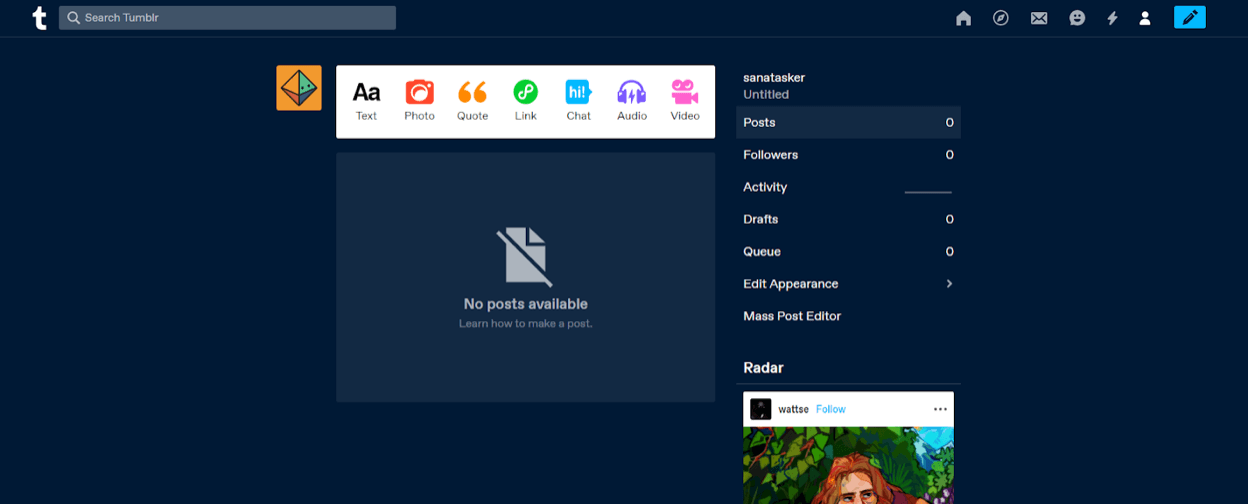
Tumblr is a popular blogging and social media tool. It’s designed for short, fun posts — these might be several paragraphs of text, like a traditional blog post, but could also be photos, links, .gifs, music, or videos.
While it’s not a good option if you want to make money online or create a professional website, Tumblr is worth looking at if you plan to blog as a hobby (because it’s free).
2026 note: Tumblr is owned by Automattic (the company behind WordPress.com), which acquired it from Verizon in 2019. Automattic has been rebuilding Tumblr on top of WordPress’s open-source infrastructure — so under the hood, Tumblr is becoming part of the WordPress ecosystem. The user-facing experience hasn’t changed dramatically, but expect more cross-compatibility with WordPress.com over time.
Pricing of Tumblr
Tumblr is free to use. You don’t need to pay for the platform or web hosting.
If you want a custom domain name for your Tumblr blog, you must pay separately from a domain registrar. You can add it to your Tumblr blog for free.
You can choose to pay for a premium Tumblr theme ($9 to $49, depending on the theme you choose), but there are plenty of free themes to choose from, too.
Pros of Tumblr
- Tumblr is a fun, simple platform that uses social media elements (like hashtags) to help your content get found.
- There are many different fan communities on Tumblr for popular TV shows and other fandoms.
- Tumblr has recently introduced paid subscriptions, where you can make money from getting people to pay for your content.
- Setting up a blog on Tumblr is speedy, and the interface is user-friendly and intuitive.
- Tumblr doesn’t (currently) place ads on your blog.
- There is a range of themes you can choose from, both free and premium.
Cons of Tumblr
- Tumblr isn’t designed for monetization. You can use affiliate links, but you can’t create a blog with the primary purpose of affiliate marketing.
- There are no plugins or extras to add to your Tumblr blog.
- No built-in SEO tools.
Tumblr Add-Ons Available
There are no add-ons or extensions. As a free platform, you get all the features upfront but can’t add any new functionality.
Who is Tumblr Best For?
Tumblr is perfect if you want to blog primarily to meet like-minded people.
Tumblr communities tend to be friendly and welcoming, and you’re sure to find fans of the TV shows or video games that you enjoy — even if those are obscure.
Tumblr isn’t designed to make money.
While it does offer a couple of monetization options (paid subscriptions to your content, plus you can use affiliate links), you’ll have much better money-making potential on a different platform.
6. Medium
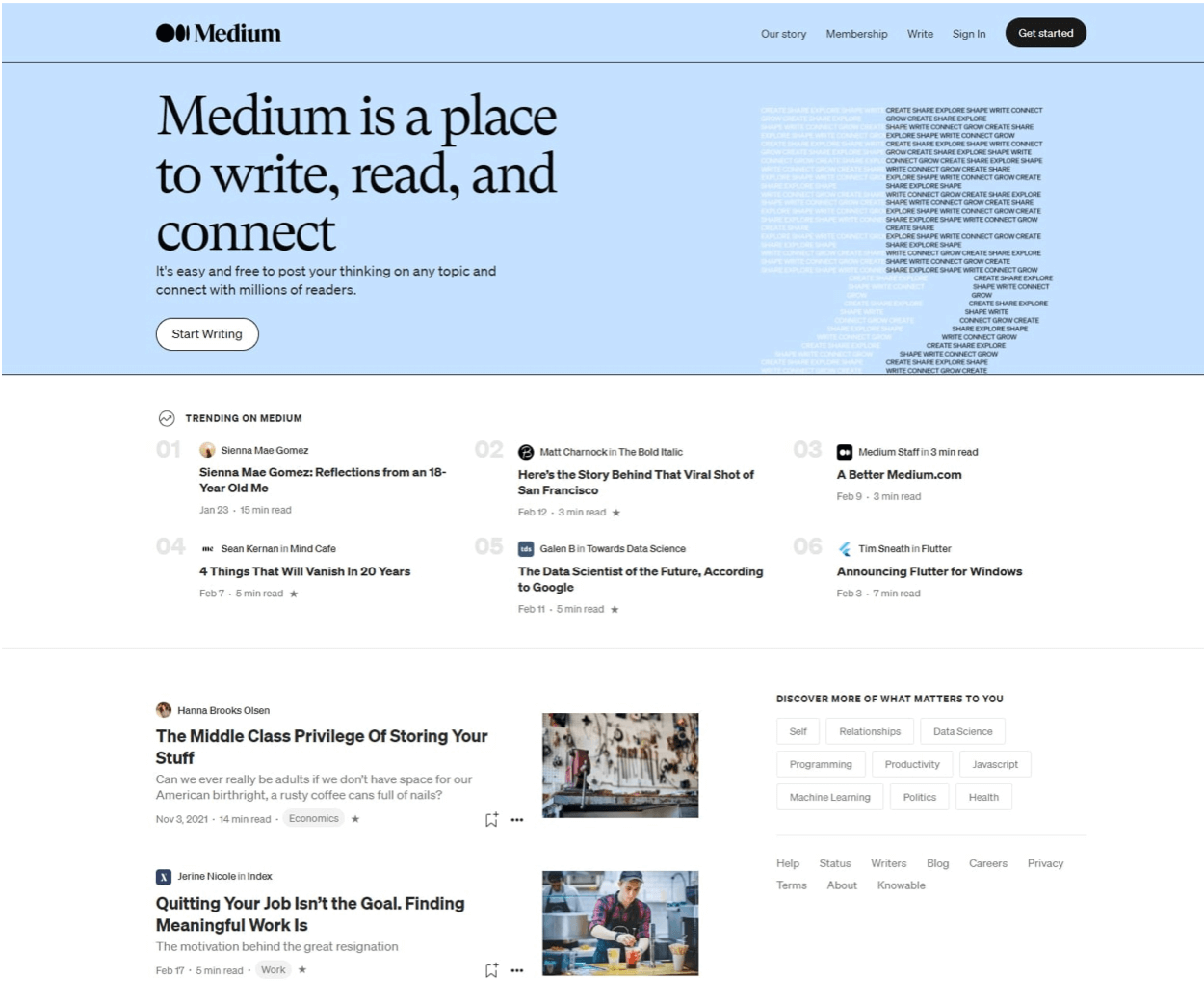
Medium is a publishing platform where you can create a profile and post content, which Medium calls “stories” rather than “posts” or “articles.” Your content is then shown to users who are interested in that topic on Medium.
You can also set up a “publication” on Medium, anything from a multi-author online magazine to a collection of your articles. You need a Medium membership for this.
The “Medium Partner Program” lets you earn money from the content you publish, though you’ll need 100 followers or more on Medium to be eligible to join.
Pricing of Medium
It doesn’t cost anything to write for Medium (free). However, you’ll need a Medium membership ($4/month or $40/year) to set up Publications. This also gives you access to read unlimited content on Medium.
If you want to use a custom domain name with your Medium publication or profile, you must pay for that from a domain registrar.
Pros of Medium
- Medium has high domain authority, which means the stories you write on Medium have a good chance of ranking well in Google.
- The “Medium Partner Program” lets you earn money from your content.
- Medium is completely free to use, making it a great way to get started.
- You can use affiliate links in your content on Medium (although you must disclose these correctly under Medium’s rules).
- You can use a custom domain on Medium for free, for your profile, or for a publication you’ve set up. You’ll need to purchase this separately from a domain registrar.
Cons of Medium
- Your design options on Medium are quite limited.
- Medium bans certain types of content, including content that facilitates gambling or betting.
- Readers may only read one of your posts on Medium and then click away to read someone else’s work, as Medium will promote other related articles on their side regardless of the author.
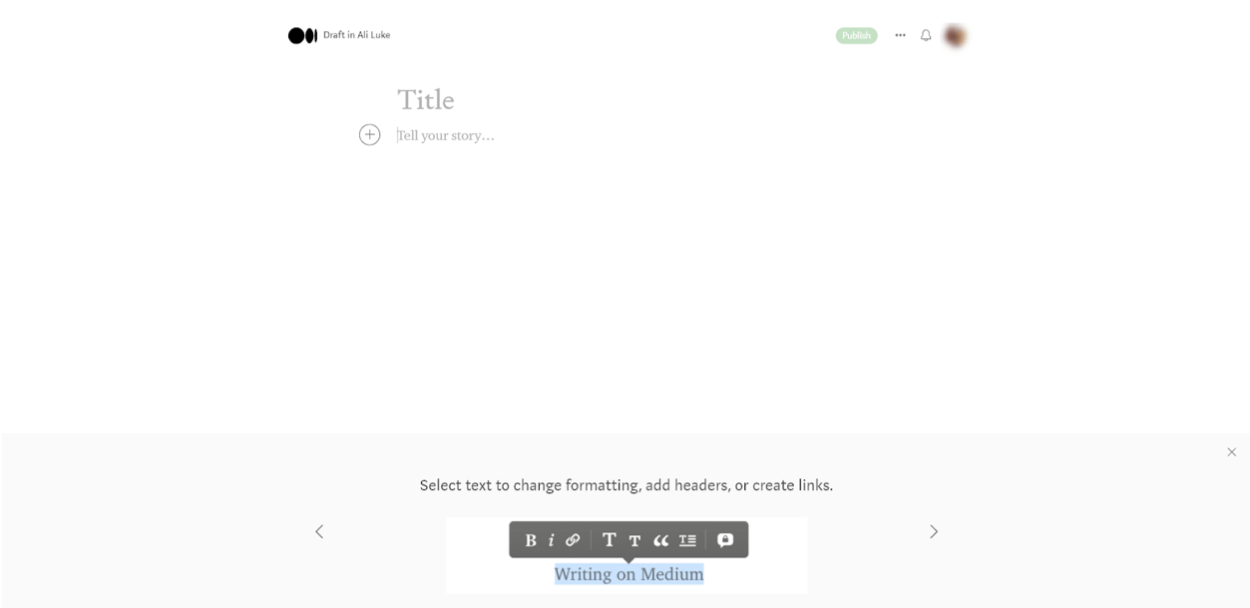
- Medium doesn’t offer themes or templates for your content — you’re quite limited in how you can format your stories.
Medium Add-Ons Available
Medium doesn’t offer any third-party tools or add-ons. If you want the features of creating a publication, you get those by upgrading from a free account to a Medium membership.
Who is Medium Best For?
Medium is a great option if you want to publish your work online. For instance, if you’re a freelance writer but don’t have a website, having a few articles on Medium makes it easy to show samples to potential clients.
7. Blogger
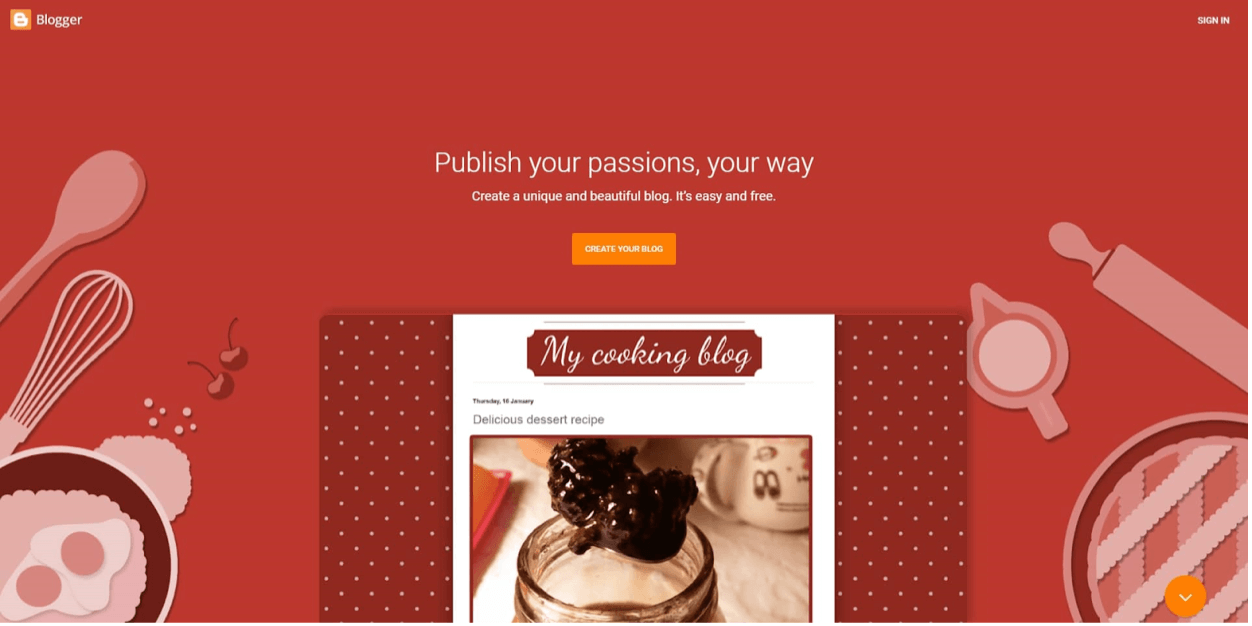
Blogger was launched in 1999 and was acquired by Google in 2003, so it’s a well-established blogging software.
It’s used by all sorts of blogs, though most people who use it are blogging mainly as a hobby rather than to make money.
You can log in to Blogger and get started immediately if you have a Google account (like a Gmail address or a YouTube account). If not, creating a free Google account only takes a few minutes.
Pricing of Blogger
Blogger is completely free to use. You’ll get a free domain name with Blogspot in it.
If you want to use a custom domain name for your blog, you’ll need to purchase that separately from a domain registrar. It’s free to connect your domain name to your Blogger blog.
Pros of Blogger
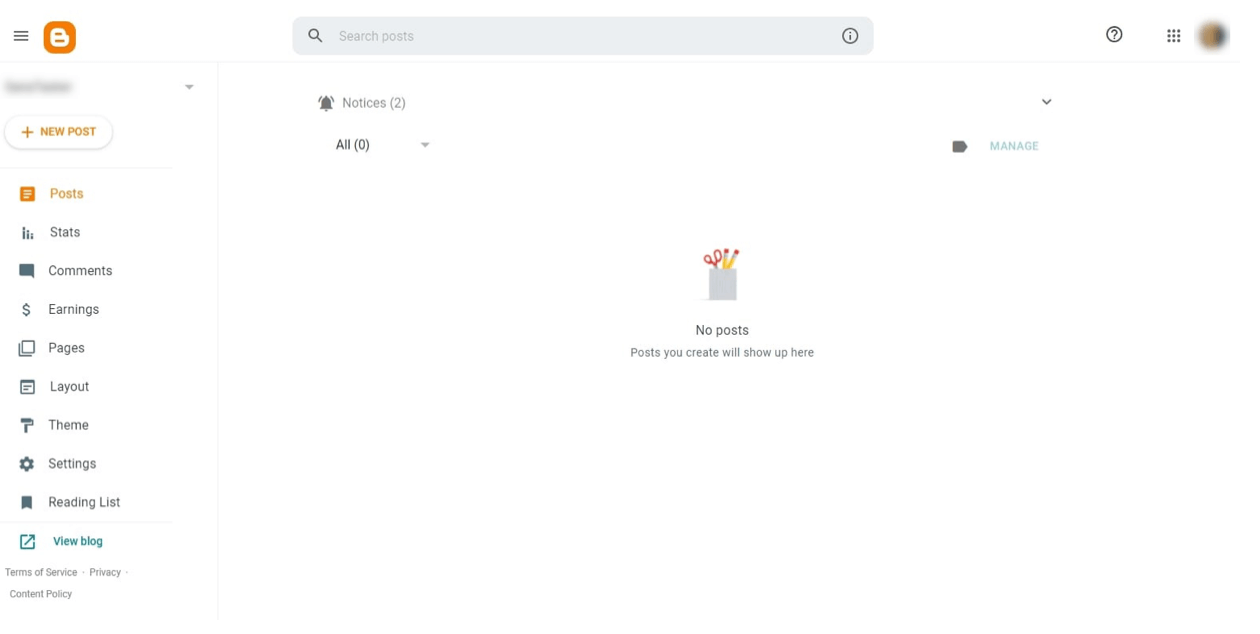
- Blogger is easy to start with and has a simple, fairly bare-bones interface.
- You can choose from a number of different free themes for your blog and change them at any time. You can also buy third-party Blogger themes and upload them if you want to.
- Some options for customizing your theme (e.g., changing the font size and column width) exist.
- Because Blogger is run by Google, it’s easy to integrate other Google services like Google Analytics.
- You can use Google AdSense to make money from your blog.
Cons of Blogger
- Customization options are quite limited on Blogger.
- If you have a free Blogspot domain name, people may see your blog as lower quality (as Blogspot has ended up being associated with spammers).
- There aren’t many options for customizing your theme, though you can tweak things like font size and column width.
- There isn’t much help or support available.
- Blogger’s interface is getting quite dated, so it may not suit you as well as more modern options like Wix and Squarespace.
Blogger Add-Ons Available
You can add several “gadgets” to your Blogger site, such as search options for your blog, a list of followers, and more.
These work like widgets in WordPress, as you can position them in your sidebar or elsewhere on your blog.
It’s possible to add third-party gadgets using HTML/JavaScript, but this is a slightly more technical process.
Who is Blogger Best For?
Blogger is a great option if you want an old-school blog that focuses on your hobbies and interests rather than a money-making or business blog.
It’s quick and easy to get started with, since you can use your existing Google account, and you won’t need to pay anything.
8. LinkedIn
LinkedIn probably doesn’t come to mind when you think about blogging software. You probably know LinkedIn primarily as a professional networking site or job site.
However, LinkedIn has the option to publish articles and posts (brief updates) — and since 2022, LinkedIn Newsletters have become a powerful way for professionals to build subscriber-based audiences. Some of the most-read business content in the world now lives on LinkedIn Newsletters, especially in B2B, sales, and career-development niches.
If you want to blog for a professional audience, perhaps to gain recognition in your field while looking for new clients or a new employer, it’s worth a look.
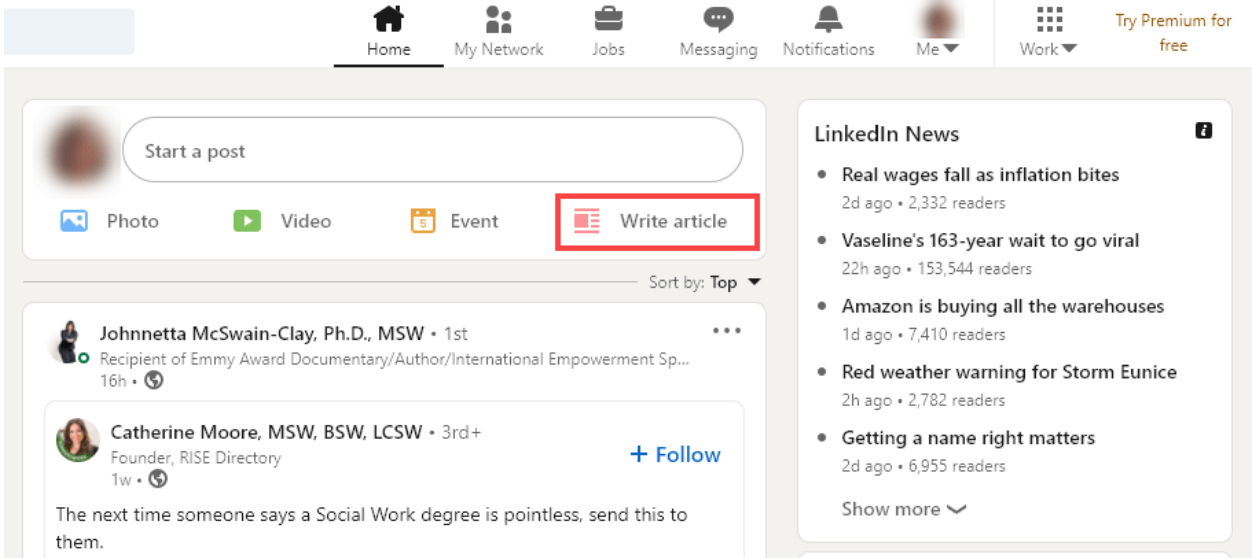
To create an article, you simply use the “Write Article” option when creating an update.
Pricing of LinkedIn
It doesn’t cost anything to publish an article on LinkedIn. You just need a (free) LinkedIn account.
Pros of LinkedIn
- Publish articles easily and instantly without setting anything up.
- You can turn comments off on your articles if you want to.
- You can publish articles under your profile or a work page.
- Your articles can be found on the web through LinkedIn’s content hubs.
- LinkedIn Newsletters (launched in 2022) let you build a subscriber list directly on the platform. When you publish, every subscriber gets a notification — making this one of the easiest ways for professionals to build a recurring audience without a separate email service.
- People you’re connected to on LinkedIn may be more likely to read your work if it’s on LinkedIn, as they don’t have to click to visit an external website.
Cons of LinkedIn
- You don’t have a “blog” on LinkedIn. There’s no way to tag, categorize, or organize your articles.
- There aren’t many options for formatting your article. You can add an optional cover image and include images, slides, or a video in the article itself.
- LinkedIn articles may not receive as much visibility as regular posts in the news feed.
LinkedIn Add-Ons Available
There aren’t any add-ons that you can use for your LinkedIn articles.
Who is LinkedIn Best For?
Writing LinkedIn articles can make sense if you want to use them to grow your professional reputation.
A well-written article could be a great way to show a potential employer or client that you are knowledgeable in your field.
For all other blogging purposes, though, LinkedIn isn’t a good choice of blogging software.
Even if you do want to blog to gain a name and reputation in your industry, you could do that by writing elsewhere and linking to your work through a regular LinkedIn post.
9. Ghost
Ghost is an open-source publishing platform that’s become one of the most popular blogging software options for serious writers, paid newsletter operators, and professional publications. It launched in 2013 as a Kickstarter project and has grown into a major WordPress alternative — especially for creators who want to monetize directly through paid subscriptions.
Big names that publish on Ghost include 404 Media, OpenAI’s blog, DuckDuckGo, Lex Fridman’s site, Stripe Press, and many independent newsletters that have moved off Substack to keep more of their revenue. Ghost has a clean, distraction-free writing experience and is built specifically for publishers (not as a general website builder).
Pricing of Ghost
Ghost has two paths: self-hosted (free software, you provide hosting) and Ghost’s managed hosting (Ghost(Pro)). Ghost(Pro) plans in 2026 start at $9/month (Starter) and go up through Creator ($25-35/month), Team ($75/month), and Business ($199/month, annual) — scaling with audience size and team features. The big differentiator: Ghost takes 0% of your subscription revenue. You only pay Stripe’s standard processing fees (2.9% + $0.30 per transaction).
Pros of Ghost
- 0% revenue cut on paid subscriptions — you keep everything except Stripe’s processing fees. At 1,000 paid subscribers at $10/month, you keep roughly $15,600/year more than on Substack.
- Open source — you can self-host for free if you have the technical skills (or hire a developer for ~$200-500 setup).
- Excellent built-in email newsletter and paid subscription features. No need to bolt on third-party tools.
- Very fast page load speeds (especially compared to WordPress without optimization).
- Strong SEO control — full ownership over URLs, meta titles, structured data, and sitemaps.
- You own your content, your subscriber list, and your domain.
Cons of Ghost
- Smaller plugin/theme ecosystem than WordPress — most customization requires custom code.
- No built-in audience discovery network like Substack has — you have to drive your own traffic.
- Self-hosting is technical. Most non-developers will end up paying for Ghost(Pro).
- Not designed for general websites or eCommerce — purely a publishing/newsletter platform.
Who is Ghost Best For?
Ghost is the strongest pick for serious writers and creators who want to run a paid newsletter or membership-based publication and keep 100% of their revenue. If you’re already past $500-1,000/month in subscriptions on Substack, the migration to Ghost typically pays for itself in the first month from saved fees. It’s also great for technical creators, developer-focused publications, and publishers who care about page speed and SEO control.
10. Substack
Substack exploded onto the scene in 2017 and has since become the dominant platform for independent newsletter writers — particularly for journalists, opinion writers, and culture commentators who want to build paying subscriber audiences. Big-name writers like Anne Helen Petersen, Casey Newton, Heather Cox Richardson, and Matt Taibbi all publish on Substack.
Substack works as both a blog (with a public-facing site) and a newsletter (with email delivery) — your posts automatically get sent to subscribers and live on your Substack site. The platform has grown into a creator economy in its own right, with built-in features for paid subscriptions, podcasts, video, “Notes” (their X/Twitter-style social feed), and a recommendation network.
Pricing of Substack
Substack is free to start — you don’t pay anything to set up a publication and send to free subscribers. The catch: Substack takes 10% of your subscription revenue if you charge for content, plus Stripe’s standard 2.9% + $0.30 processing fees. On a $10/month subscriber, that’s about $1.30 less per subscriber per month compared to a 0%-fee platform like Ghost.
Pros of Substack
- Zero upfront cost — free to start, you only pay when you start earning.
- Built-in discovery network — the Substack recommendation engine, Notes social feed, and reader app actively drive new subscribers to your publication. This is genuinely valuable if you’re starting from scratch.
- Extremely simple writing experience — no theme selection, no template configuration. Just open the editor and write.
- Combined blog + newsletter + paid subscriptions + (optional) podcast/video all in one platform.
- You can export your subscriber list at any time — Substack doesn’t lock you in.
Cons of Substack
- 10% revenue cut on paid subscriptions can add up to thousands of dollars per year as you scale. At 1,000 paid subscribers at $10/month, you’d pay about $15,600/year more in fees than on Ghost.
- Very limited customization — your Substack publication mostly looks like every other Substack publication. Some basic theming is available but design control is minimal.
- Weak SEO controls compared to WordPress or Ghost. URLs, structured data, and meta options are limited.
- Built primarily for writing/newsletters — not great for eCommerce, portfolios, or websites with multiple content types.
Who is Substack Best For?
Substack is the easiest starting point if you’re a writer launching a newsletter from scratch with no existing audience. The built-in discovery network, low friction setup, and zero upfront cost make it the fastest way to test whether people will pay for your writing. Once you grow past $500-1,000/month in subscription revenue, the 10% cut starts to hurt — that’s typically when writers migrate to Ghost. But for getting started? Substack is hard to beat.
Which Blog Software is Best for You?
If you’re unsure which blogging software to pick, I recommend using self-hosted WordPress (WordPress.org).
It’s by far the most popular option; it gives you a huge amount of freedom and flexibility, and your website will truly be your own.
Don’t worry about the technical side of things, either. It’s effortless to install WordPress on your site (most web hosts handle this for you). And here’s my step-by-step guide to starting your blog with self-hosted WordPress today.
Bluehost and Dreamhost are great web hosts to choose from. Both offer very good pricing, responsive technical support, and excellent hosting services.
So what if self-hosted WordPress doesn’t seem quite right for you?
While I think WordPress is the best option for most bloggers, I’ll admit that it’s not necessarily the top choice in every single situation.
When choosing your blogging software, you need to consider what you want to get out of blogging.
If you want to run a side hustle, make money, or build your own business, then WordPress.org is definitely the top blogging software choice.
But it may not be the best option for you if you want to express yourself, create a fan website, or quickly create an online portfolio of your work.
I’d recommend:
- Wix or Squarespace to create an online portfolio.
- Medium to publish samples of your writing or get your ideas out there.
- Tumblr if you want to blog as part of a fandom (e.g., for a TV show you love).
- WordPress.com or Blogger.com for a personal or hobby blog.
- Substack to launch a newsletter from scratch with built-in discovery (the fastest path to paying subscribers if you’re starting from zero).
- Ghost for a serious paid newsletter or publication where you want to keep 100% of your subscription revenue (great for scaling past $500/mo on Substack).
- Self-hosted WordPress.org for pretty much everything else, especially money-making blogs.
Tip: WordPress.com (hosted WordPress), Wix, Medium, and Tumblr all have completely free blogging site options. So, if you’re interested in using one of those or just want to try out a few different blogging platforms, why not set up some free accounts and have a play around with the different tools available?
Best Blogging Software: FAQ
What is the best blogging software in 2026?
What is the best blogging software in 2026?
For most bloggers, self-hosted WordPress.org is still the best all-around choice — it powers about 43% of the web and gives you unlimited control, room to grow, and full ownership. For paid newsletter creators, Ghost (if you want zero revenue cut) and Substack (if you want zero upfront cost and built-in discovery) have become the top picks. WordPress.com is now more competitive after the April 2026 changes that made plugins available on all paid plans.
What’s the difference between Ghost and Substack?
What’s the difference between Ghost and Substack?
Both are designed for writers running newsletters and paid subscriptions, but the economics are very different. Substack is free to start but takes 10% of your subscription revenue (plus Stripe processing fees). Ghost charges a fixed monthly fee ($9-$199/mo based on size) but takes 0% of your revenue. At 1,000 paid subscribers at $10/month, you’d keep roughly $15,600 more per year on Ghost. Substack wins on built-in discovery and zero upfront cost; Ghost wins on economics and ownership once you scale.
Is WordPress.com or WordPress.org better?
Is WordPress.com or WordPress.org better?
For a money-making blog or business site, WordPress.org (self-hosted) is still the better choice — you get full control, full plugin/theme access, and can use any host you want for as little as $2.59/month. WordPress.com became more competitive in April 2026 when Automattic opened plugins and themes to all paid plans (starting at $9/month Personal), but you’re still on their infrastructure and bound by their terms. WordPress.org is the right choice for serious blogs; WordPress.com is the easier option for casual or hobby blogs.
What is the cheapest blogging platform?
What is the cheapest blogging platform?
The cheapest options are completely free: WordPress.com Free, Wix Free, Tumblr, Medium, Blogger, LinkedIn, and Substack (until you start charging readers). All have trade-offs around customization and monetization. The cheapest “real” option for a money-making blog is self-hosted WordPress.org with budget hosting from Dreamhost or Bluehost — typically $2.59-$2.95/month, plus a domain name for $10-15/year. That’s well under $50/year total for a fully professional blog.
Should I start on Substack or WordPress?
Should I start on Substack or WordPress?
It depends on your goals. Substack is best if you’re primarily a writer building a newsletter audience and want the fastest path to paying subscribers — the built-in discovery network does real work for you. WordPress.org is best if you want a long-term content business with SEO traffic, multiple income streams (ads, affiliate, products, courses), and full design control. Many writers run both — using Substack as a newsletter front-end and WordPress as their SEO content hub. They serve different purposes.
Is Medium still worth blogging on in 2026?
Is Medium still worth blogging on in 2026?
For full-time blogging as a primary platform, probably not — Medium’s Partner Program payouts have steadily declined, and you don’t own your audience there. But Medium remains useful as a supplementary platform: it’s a great place to post writing samples for freelance work, syndicate excerpts of your main blog content (with canonical links back to your own site), or test ideas with a built-in audience. Treat it as a distribution channel, not a primary home base.
Can I switch blogging software later?
Can I switch blogging software later?
Yes, but with varying levels of pain. Migrating between WordPress.com and WordPress.org is the easiest path — both use the same content format. Migrating from Ghost to WordPress (or vice versa) is doable with export tools. Substack lets you export your subscriber list and posts, but you’ll lose the discovery network when you leave. Wix and Squarespace are the hardest to migrate FROM because they use proprietary formats. The general rule: starting on a more open platform (WordPress, Ghost) gives you the most future flexibility.
Choose Your Blogging Software… and Get Started Today
It’s quick and easy to set up a blog using any of the blogging platforms above. Of course, signing up for blogging software and creating your site is just the first step to building a successful blog.
To help you get going, I have a free guide to starting a blog. It covers everything you need to know about blogging using WordPress.org (my top blogging software pick).
You’ll learn how to choose the right name and topic for your blog, how to get your blog online, and much more — including how to get readers and make money. Give it a try today.
Ready to Start Your Blog?
Check out my ultimate guide: How to Start a Blog (on the Side) Today.

Thanks sir
You’re welcome!
You’re quick links are broken, thanks for free help starting my next phase of my life. Never working for somone else again full time <3
Thanks for the heads up, just fixed! 🙂
We use BlogCloud that is not on the list but we did the research and decided was the best for our needs. Their system is fast and their themes look great. Highly recommended.
I’m not convinced personally yet, but I’ll have to check in on them again soon. I’m glad they’re working out for you Mitch! 🙂
They are working out for me as well. They have themes and forms so they cover all the basis and they dont push banners to their free tier like WP.
+1 for BlogCloud