
If you’re starting a blog in 2026, one of the first decisions you’ll run into is whether to self-host or use a free blogging platform. So let me answer the question that gets asked the most: what is a self-hosted blog?
What is a self-hosted blog?
A self-hosted blog is a blog that lives either on your own personal server (not common) or on the server of a third-party hosting company like Bluehost or Dreamhost (most common today), where those servers power your blog and keep it live on the Internet.
Most important to the discussion of whether or not you should self-host your blog (using a hosting company like Bluehost or Dreamhost), are the benefits you stand to gain from going with self-hosting—when compared to the alternative of choosing a one of the many more tightly controlled blogging platforms like Medium, Weebly, Wix or otherwise.
For several years here, I’ve been teaching over 500,000 monthly readers how to start their blogs—and my recommendation has always been to start with a self-hosted blog, powered by the free WordPress content management system (CMS) and a reliable hosting company that’s keeping your blog online.
What is a Self-Hosted Blog? The 2026 Beginner Guide
- What is a self-hosted blog? (Definition)
- Self-hosted blog vs free blog platform
- What you get with a self-hosted blog
- Should I choose a free or self-hosted blog platform?
- How much does self-hosting cost in 2026?
- Common misconceptions about self-hosting
- How to get a self-hosted blog going
- Self-hosted blog FAQ
- Final thoughts
Disclosure: Please note that some of the links below are affiliate links and at no additional cost to you, I’ll earn a commission. When you purchase hosting using my one of my affiliate links, the company compensates me, which helps me run this blog and keep my content free of charge to you. Know that I also only recommend products I personally stand behind.
Alright, now let’s dig a little further into this discussion to help you determine whether or not a self-hosted blog—or free blogging site will be the best fit for your blogging goals.
Ready to Start Your Blog?
Check out my ultimate guide: How to Start a Blog (on the Side) Today.
Self-Hosted Blog vs Free Blog Platform: Quick Comparison
Before we go deeper, here’s the side-by-side most new bloggers want first.
- Ownership. Self-hosted: you own everything (your domain, your content, your reader email list). Free platform: the platform owns the URL space, can change rules, and can shut you down. Big difference once your blog becomes valuable.
- Monetization. Self-hosted: any path you want — ads, affiliates, products, courses, sponsorships. Free platform: most restrict or take a cut.
- Design freedom. Self-hosted: thousands of free WordPress themes plus custom code. Free platform: usually a small set of templates with branding you can’t fully remove.
- SEO control. Self-hosted: full control over permalinks, URL structure, 301 redirects, schema, sitemaps. Free platform: limited — you typically can’t change URL structure or add custom schema.
- Cost. Self-hosted: roughly $3–$5/month for hosting (free domain on most plans). Free platform: $0 upfront, but with branding, ads, and limits.
- Setup difficulty. Self-hosted: 15 minutes with a one-click WordPress installer through Bluehost or Dreamhost. Free platform: a few minutes, but locked into their ecosystem.
- Migration. Self-hosted: easy to take your content anywhere. Free platform: often hard or impossible without losing content, traffic, and SEO authority.
The short version: self-hosted gives you a real digital asset; free platforms give you a place to write that you don’t actually own.
What You Get with a Self-Hosted Blog
Setting up a self-hosted blog with WordPress + a hosting company like Bluehost or Dreamhost gives you:
- Your own custom domain (yourname.com) instead of a sub-URL like yourname.medium.com or yourname.wordpress.com.
- Unlimited WordPress plugins and themes — over 60,000 of them, free and paid — to extend your blog with anything from email capture forms to e-commerce stores.
- Full control over monetization — affiliate links, sponsored posts, your own products, ad networks, course platforms.
- Built-in SEO control via plugins like Yoast or Rank Math, plus full ability to optimize your permalink structure, set 301 redirects, and shape URLs for ranking.
- Email-capture freedom — build your own email list with any provider you want (ConvertKit, Beehiiv, Mailchimp, etc.) and own your reader relationship outright.
- The ability to actually rank in Google — Google strongly favors content on real domains with full E-E-A-T signals and full SEO control.
- A real digital asset — a self-hosted blog can be sold later, often for 25–45x its monthly profit. See my guide on how to sell a blog for the full breakdown.
None of these are available (or are heavily restricted) on free platforms.
Should I choose a free or self-hosted blog platform?
Before making this (big) decision, it’s important to take stock of what your blogging goals are.
- Are you going to be blogging with the goal of earning some income or eventually building a business?
- On the other hand, will your blog purely be a hobby or journaling exercise without financial aims?
- Perhaps your blogging goals are something else entirely…
If you eventually want to make money from your blog, or leave that possibility open for the future, then going with a self-hosted WordPress blog is your only real option if you want to get your blog off the ground the right way and avoid a ton of costly transition work (in getting your blog to eventually be self-hosted) in the future. Quick aside: check out my guide—how much do bloggers make? to see a niche-by-niche breakdown and get a sense of how long it takes to make money from a blog.
That’s because the free blogging platforms of the world either prohibit or severely restrict your opportunities for monetizing your blog content.

You’ll only be able to effectively monetize your blog if it’s self-hosted
That’s the reason why I always recommend new bloggers go with a self-hosted blog as they’re getting started.
Even if you’re not launching your blog with the primary goal of making money today, leaving the door open to that possibility in the future is the smartest option right now (if you have the budget to spend around $5/mo for your blog’s hosting plan or slightly more if you go with a true monthly hosting plan).
Now, if you’re instead blogging as a creative exercise, journaling activity or simple hobby that has no financial aims—opting for a platform like Medium, Weebly or Wix could actually be a great move, because it’ll be completely free of charge to you. However, the best content management system (CMS) is far and away, WordPress, where you’ll have limitless growth & customization opportunities.
Regardless of your ultimate goal though, there’s nothing wrong with starting out on a free platform if you need to keep your expenses low or at zero, especially if you’re focused mainly on practicing your writing craft and getting more comfortable with what it’s like to operate a blog.
Just keep in mind though, that at some point in time you’ll eventually need to move over to self-hosting your blog if you want to transition it into an income-generating project.
Use My Free Keyword Research Tool
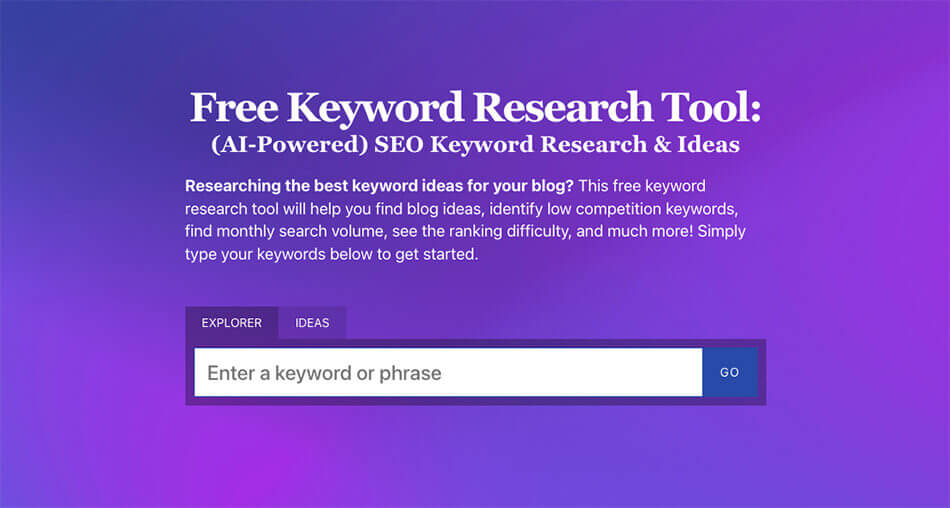
Try my free AI-Powered Keyword Tool to get dozens of research-backed ideas for keywords & topics to write about on your blog today.
How Much Does Self-Hosting Cost in 2026?
Thankfully, it’s become increasingly affordable to launch a your own blog in recent years. It’s attainable even on the tightest of budgets.
Self-hosting your blog with an extremely reliable (and affordable) hosting plan through Bluehost (my #1 recommendation) will cost you around $3.00/mo to $5.00/mo, billed annually.
You can expect to spend between $34.50/year and $65.40/year to keep your self-hosted blog running.
The exact amount your hosting plan will cost, depends on the package options & add-ons you select, based on your needs.
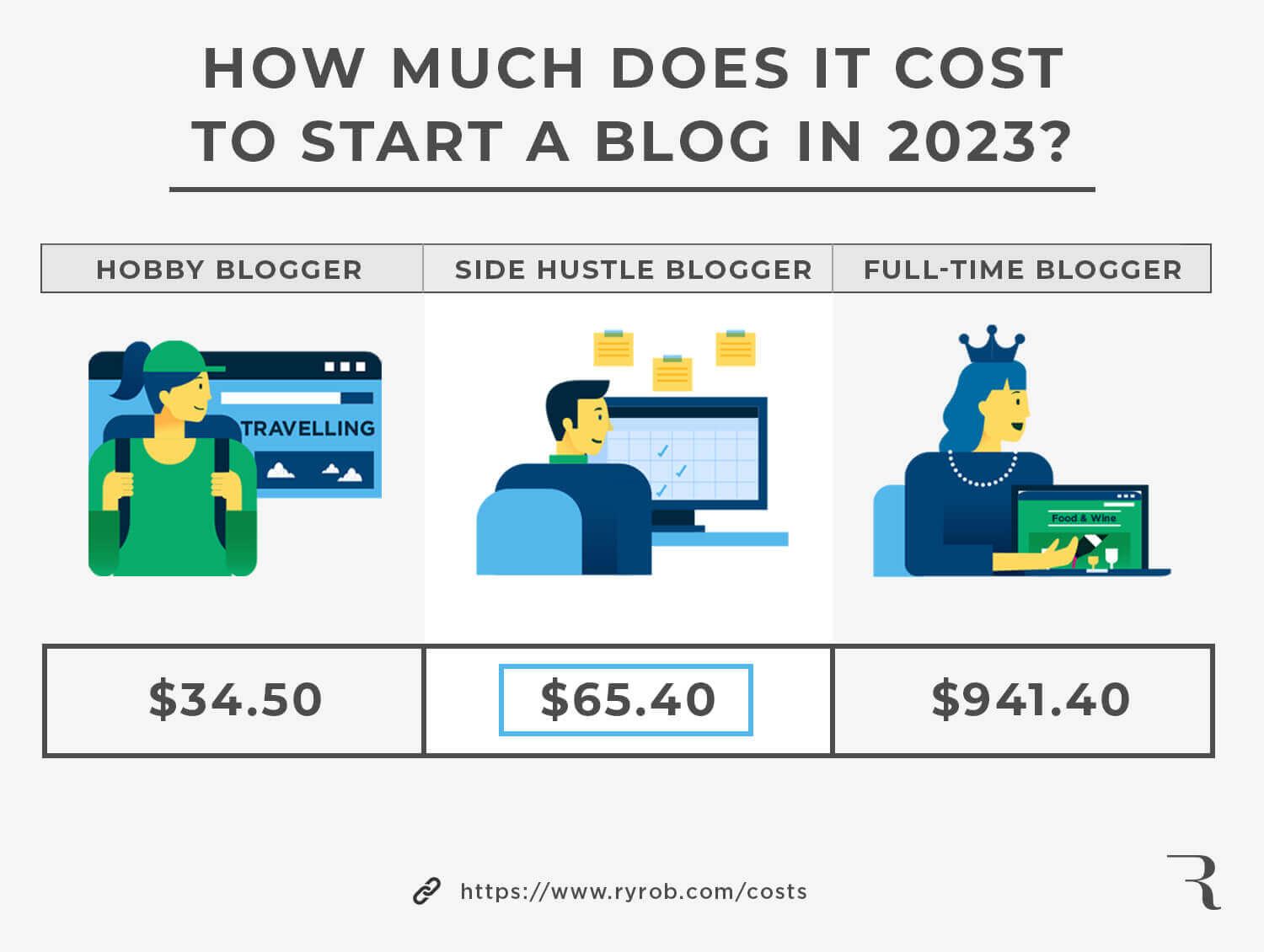
For a much more in-depth breakdown of all the blogging-related expenses you can expect to incur (as your blog grows over the coming months and you want to upgrade your tools), check out my guide about how much it costs to run a blog today. And check out my guide about how much bloggers make to get a realistic idea of your path to generating income over time with a blog.
Plus, they offer the option to go with (cheaper) shared hosting or to choose a more robust managed WordPress hosting plan that handles more of the technical aspects of running your blog.
Common Misconceptions About Self-Hosting
A few things new bloggers worry about that turn out to be much smaller than they sound.
“I need to know how to code.”
You don’t. WordPress runs on a visual editor, hosting companies offer one-click install, and themes handle the design without you touching HTML or CSS. If you can use Gmail, you can run a self-hosted WordPress blog.
“I need to manage servers.”
You really don’t. “Self-hosted” is a slightly misleading term — you’re not running anything on your own computer. The hosting company (Bluehost, Dreamhost, etc.) handles all the server stuff. You just publish posts.
“It’s expensive.”
Most self-hosted blogs run for $3–$5 per month — less than a single coffee. Compare that to the long-term cost of not being able to monetize your content, and the math’s pretty clear.
“I can always switch later.”
Technically yes, but it’s a real headache. Migrating from Medium, Wix, or Squarespace to self-hosted WordPress means rebuilding URL structure, setting up dozens of 301 redirects, and often losing some SEO authority in the transition. Easier to start self-hosted from day one.
How to Get a Self-Hosted Blog Going
The process of getting your self-hosted blog off the ground is actually very straightforward and simple:
- Pick a name
- Choose your hosting plan
- Design your blog (with a free WordPress theme)
- Write your first post
- Promote your content
If you’re ready to get your self-hosted blog off the ground, then head over to my step-by-step guide and follow along to get started today—and check out my list of the best blog examples to get some inspiration now.
Self-Hosted Blog FAQ
Is WordPress.com self-hosted?
No — and this is the most common confusion in the whole space. WordPress.org is the free open-source software that powers self-hosted blogs (you install it on your own hosting). WordPress.com is a commercial hosted service that runs WordPress.org under the hood but with usage limits and revenue sharing on lower tiers. When people say “self-hosted WordPress,” they mean WordPress.org installed on Bluehost, Dreamhost, or another host — not WordPress.com.
Can I self-host a blog for free?
Not really. The WordPress software itself is free, but you need a domain name (~$12/year) and hosting (~$3–$5/month). Free hosting plans exist, but they almost always come with branding, ads, slow speeds, or arbitrary limits that defeat the purpose of self-hosting in the first place. The $3–$5/month for real hosting through Bluehost or Dreamhost is genuinely the best value in the entire blogging world.
How do I move from a free blog to a self-hosted one?
Three steps: (1) sign up for hosting and a domain through Bluehost or similar, (2) install WordPress (one click on most hosts), (3) export your content from your old platform and import it into WordPress. The hardest part is setting up 301 redirects from your old URLs to your new ones so you don’t lose SEO. If your old URLs were heavily indexed, that’s the part where you don’t cut corners.
What’s the difference between self-hosted and managed WordPress hosting?
Both are technically self-hosted (you own the install), but managed WordPress hosts (like Kinsta or WP Engine) handle more of the technical work for you — automatic backups, security, performance optimization, and WordPress-specific support. They cost more ($25–$50+ per month) but save time on a high-traffic site. For most new bloggers, a regular shared host like Bluehost at $3–$5/month is plenty until you hit serious traffic. See my managed WordPress hosting guide for the full breakdown.
Do I need a self-hosted blog to make money blogging?
Effectively yes, if you want full monetization control. Free platforms either prohibit ads and affiliate links or take a cut. Self-hosted blogs let you run any monetization path — affiliate marketing, sponsored content, your own products, course sales, ad networks. See my full guide on how to make money blogging for the methods that actually work in 2026.
What’s the easiest hosting company for beginners?
For most new bloggers I recommend Bluehost — they have one-click WordPress install, free SSL, free domain for the first year, and 24/7 support. Dreamhost is another solid option (slightly more month-to-month flexible). For the full ranked list with current pricing, check out my best web hosting plans guide.
Final Thoughts on Self-Hosted Blogging
If you’re serious about blogging — even just “maybe one day” serious — self-host from day one. The cost is trivial ($3–$5/month), the setup takes 15 minutes with a one-click install through Bluehost or Dreamhost, and the alternative is rebuilding your blog from scratch on a real domain six months from now once you realize the free platform was holding you back.
Once you’re self-hosted, the technical foundations matter: clean permalinks, smart URL structure, proper 301 redirects when you reorganize, the right nofollow / sponsored / ugc attributes on outbound links, and full E-E-A-T signals so AI search engines (Google AI Overviews, ChatGPT, Perplexity) cite your work. All of this is only available on self-hosted blogs.
If you’re ready to take the next step, my complete guide on how to start a blog walks through the full setup — hosting through Bluehost or Dreamhost, WordPress install, theme selection, first post, and growth basics. You’ll be live in 15 minutes.
Ready to Start Your Blog Today?
Check out my ultimate guide How to Start a Blog (on the Side).

Hi Ryan, I’m Daniel from Nigeria currently in the university and i love blogging, especially your blog. i would love you to walk me through this big decision of mine i think i would leave monetizing my blog as a decision for the future
i sure hope to hear from you, THANKS
Nice! Great to hear that, Zucci. In that case, I’d highly recommend you read/go through my step-by-step guide to starting a blog that’s designed to (eventually) be monetized. Here’s the guide: https://www.ryrob.com/how-start-blog/
Hi thainks for all the great info!
I’m going to change the name of my website and move my content from Wix to Wrordpress. I already bought the new domain with GoDaddy. Do you think it’s ok to kep it with them? I’m already going to have to lose money moving to Wordpress so just tryign to save a bit on the domain if possible
You’re so welcome, Selene! It’s ok to keep the domain with GoDaddy, but they’re definitely not the best hosting company out there… I’d consider hosting from a company like Dreamhsot or Bluehost (more here: https://www.ryrob.com/best-web-hosting-plans/)
thanks for this information it was helpful to me
You’re welcome! 🙏
And you are too
I may sub to your newsletter
Is there free domain hosting or/and subdomains or custom domain end free self host hosting that is not only free for one year.