

Updated for 2026: I’ve added 9 new prompts to this guide covering the use cases that didn’t exist (or weren’t critical) when I first wrote it — humanizing AI output, adding E-E-A-T signals, refreshing old posts, and turning blog posts into YouTube scripts, emails, and short-form video hooks. The original 16 still hold up. All 25+ prompts below are free to copy and paste, organized by what you’re actually trying to do.
I’ve been using AI (and ChatGPT) since it first rolled out and blew all of our collective minds. As a result, I’ve spent literally hours fine-tuning these ChatGPT prompts for writing great content that get me results—ranging from generating entire SEO-optimized blog post drafts, to social copy, content calendars, meta details, and everything in-between.
So without dilly-dallying here, please enjoy my breakdown of all my favorite ChatGPT writing prompts, and what makes for the perfect prompt formula when you go to craft your own prompts:
Let’s dive into each of my ChatGPT writing prompts, one at a time. Real quick though, if you’re anything like me, you like to work smart, not hard. So, I wanna introduce you to my suite of 75+ AI-powered tools for creators, inside RightBlogger (you can create a 100% free account to take all our tools for a spin). These are the tools I wished I had when I first started creating content, built by me.
RightBlogger takes the complex AI prompting out of the equation for you. We handle all that behind-the-scenes, and we’re damn good at it. Thousands of creators, bloggers, marketers, writers, and SEO pros are using our tools instead of ChatGPT—because it simplifies the AI-assisted creation process & allows you to focus on getting results from your content. Come take our tools for a spin with a free account today.
Create Automated SEO Blog Posts in Minutes with RightBlogger
Join 45,417+ bloggers, marketers, writers & business owners in using RightBlogger, my very own Autoblogging solution with a built-in automated Content Schedule, and a kit of 80+ powerful tools for blogging, SEO, and marketing. You’ll create AI SEO-optimized content faster & get more traffic from Google and ChatGPT today. Plus, you’ll access online courses, a community, and more.
Here are all my top ChatGPT prompts for writing, broken down by category, so you can hop around to your heart’s content:
25+ ChatGPT Prompts for Writing in 2026 (and My AI Prompt Formula)
- Core Writing Components (The Greatest Hits)
- Ideation & Planning
- Research & Opportunity Identification
- SEO-Optimizing, Improving, Repurposing & Promoting
- My AI Prompt Writing Formula
Now, let’s dive right in with my greatest hits—the ChatGPT writing prompts I use (and share) most often.
Core Writing Components: My Fundamental ChatGPT Writing Prompts
One of the best ways to think of ChatGPT, is as a powerful writing assistant. It’s not a replacement for you, and it never will be (because it can’t).
However, AI blogging tools like ChatGPT do a fantastic job of laying a foundation, crafting first draft components, and allowing you to dodge blank page mania for one more day… or steering clear from throwing your typewriter across the room…
Here’s how to use ChatGPT to quickly generate useful first drafts for the core components of your writing—introductions, conclusions, outlines, sections within your articles, full articles, and FAQ content that’ll help you help your audience, faster.
1. Introductions
First up, writing introductions with the help of AI. I don’t know about you, but sometimes I’m just not feeling inspired when I sit down to write. Even if I have the kernel of a good idea, it helps me to get some inspiration on ways I could start my blog post. ChatGPT is great for that.
Here’s my ChatGPT prompt for writing introductions that don’t suck, and give you a great starting point to begin your writing process. I also have a free AI blog introduction writer you can use, too.
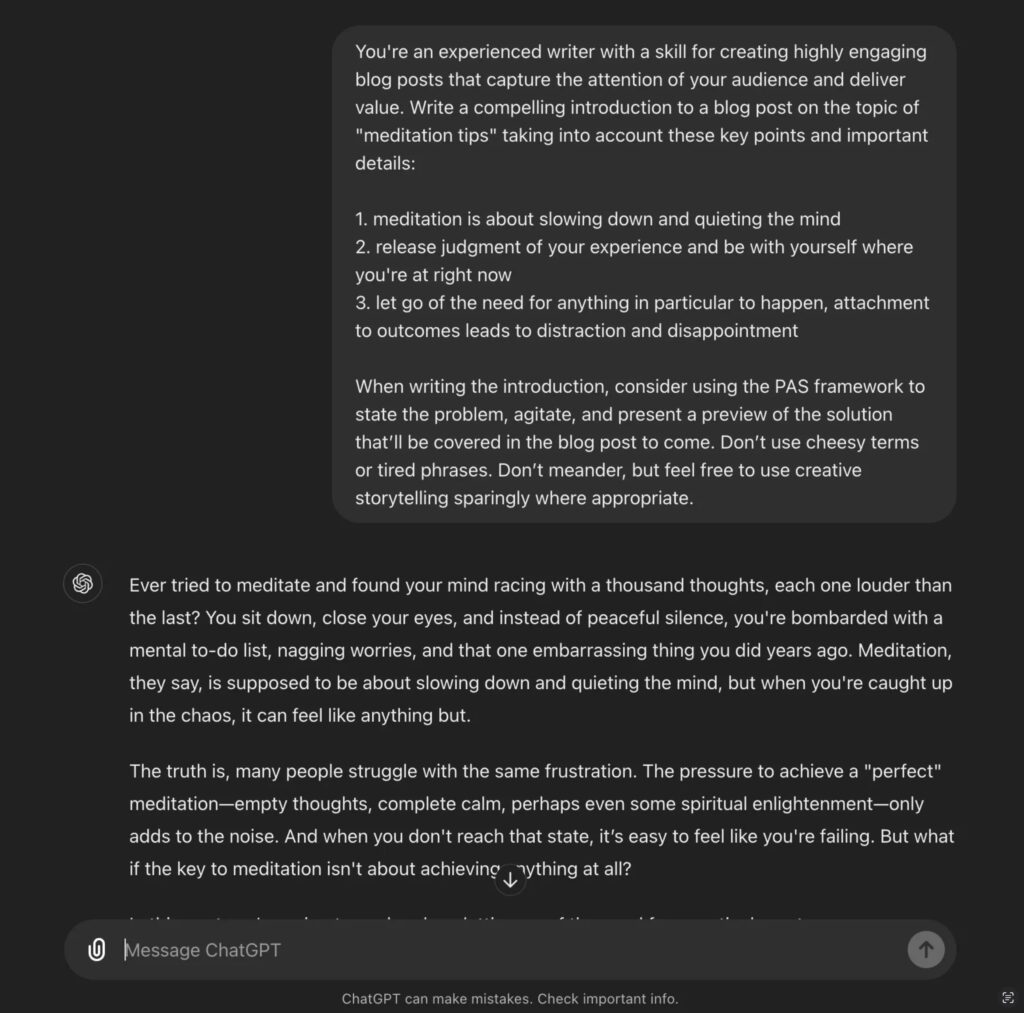
Here’s what this ChatGPT writing prompt looks like in action, generating an introduction for a blog post (I need) about meditation tips:
Write first draft introductions in just a few clicks using my free blog introduction writer.
2. Conclusions
All great blog conclusions share one thing in common: they effectively call your reader to action. Someone who makes it to the end of your article, is highly engaged with what you’re sharing. This ChatGPT prompt for writing action-oriented conclusions, will steer you in the right direction, to building deeper relationships with your readers.
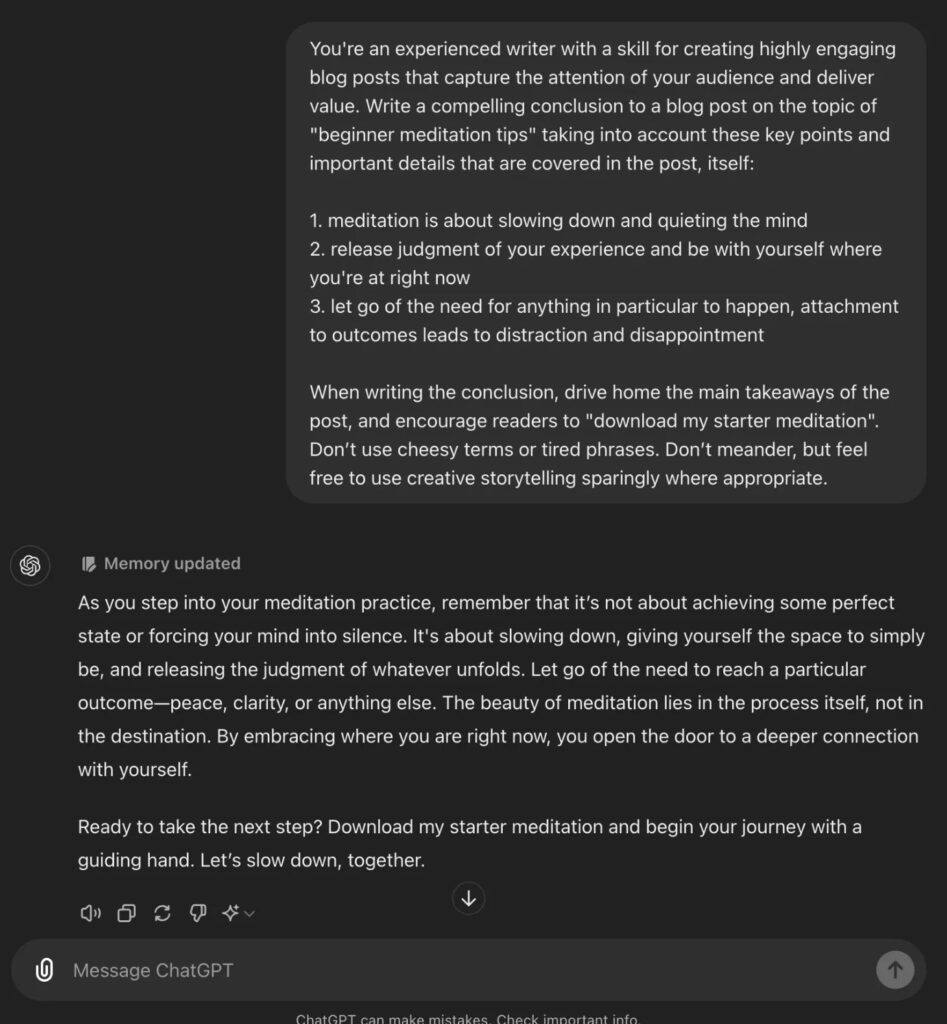
And here’s a preview of what you can expect ChatGPT to do, using this conclusion prompt:
Craft compelling conclusions in just a few clicks with my free blog conclusion generator.
3. Outlines
Let’s say you have the right blog post idea already loaded up and ready to go… but you’re not so sure about all the details the article should cover. I recommend outlining as much of an article from your own base of knowledge & experience when you can—but in those times when you could use a little inspiration, this ChatGPT prompt for writing an outline, will give you some fantastic starting points to consider.
Here’s a preview of what you can expect with this ChatGPT prompt for writing article outlines:
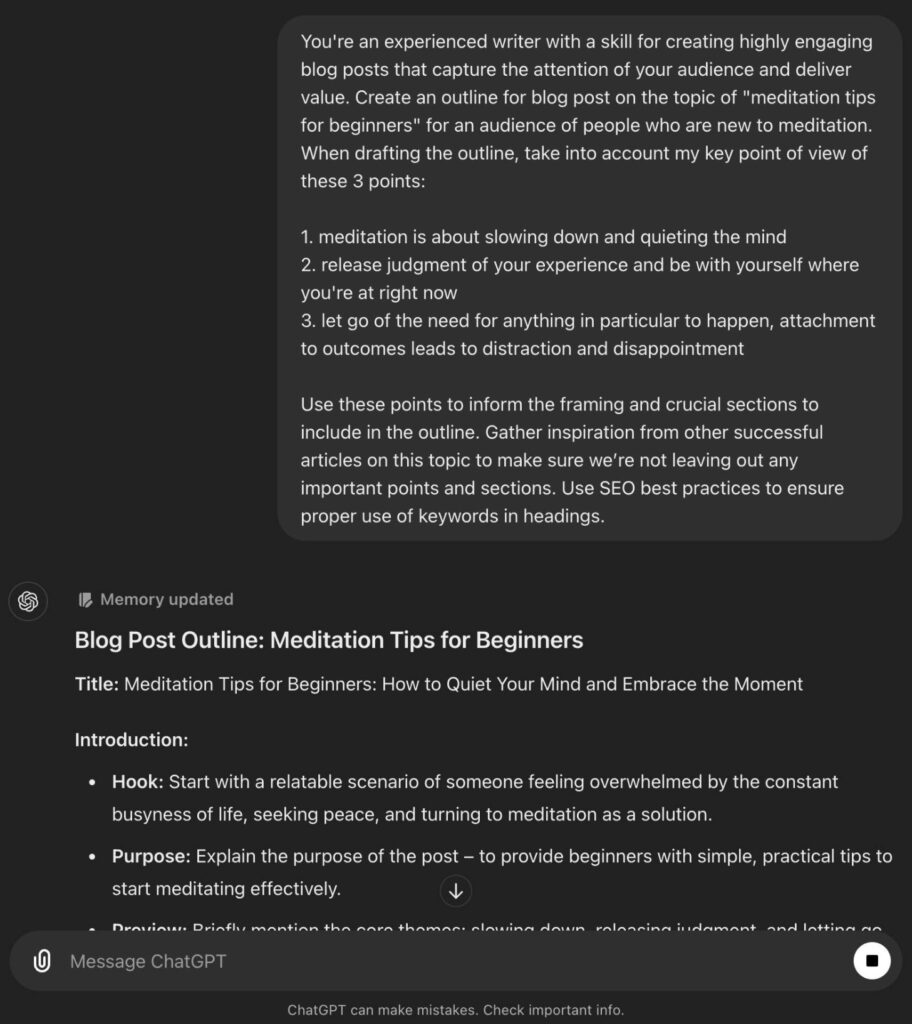
Create full outlines for your articles using my free blog outline generator tool.
4. Sections of Articles
Another great use case for AI tools like ChatGPT, is in creating smaller chunks of content (think paragraphs and header sections), that take your stance on a particular topic, then expand a bit—giving you more to work with and weave into your articles.
Using this ChatGPT prompt to write sections of your content, here’s an example of what you can expect:
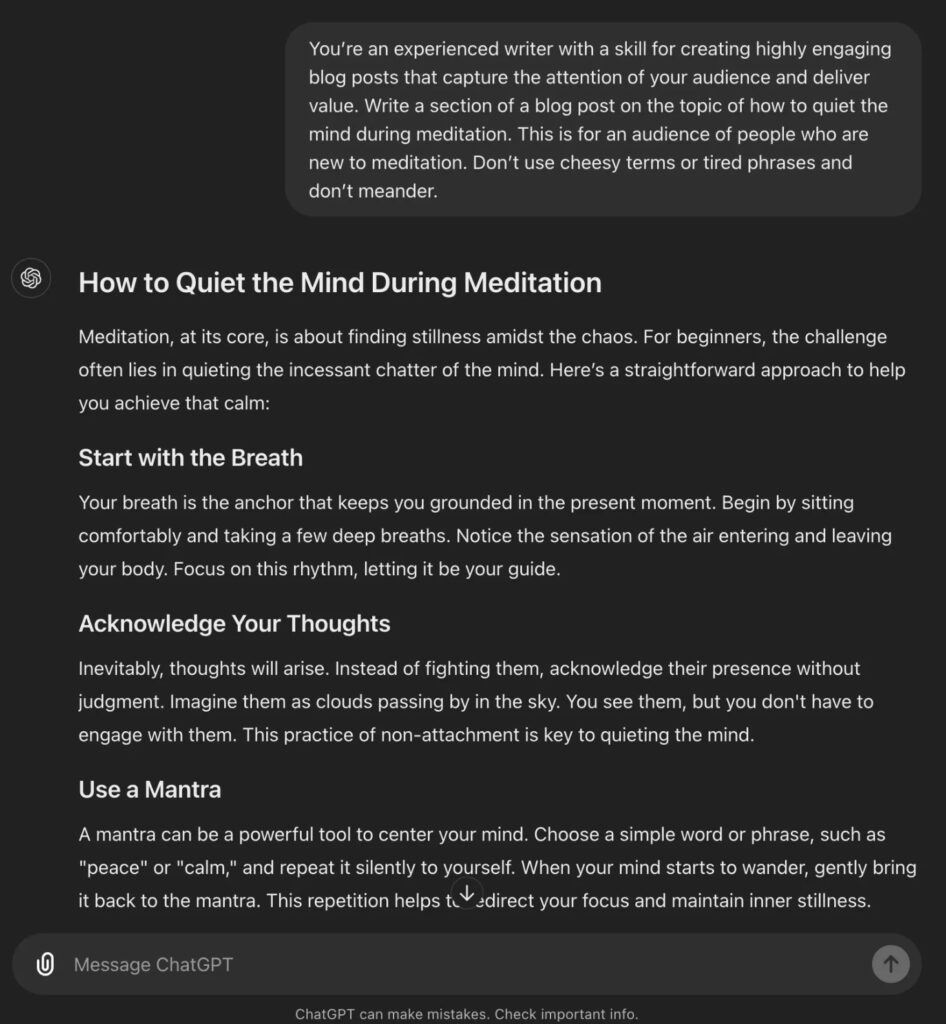
Take my free Paragraph Generator tool for a spin, to speed up this process.
5. Full SEO-Optimized Articles (First Drafts)
Ah yes, writing full SEO-optimized articles using ChatGPT. I knew why you were really here.
I have an entire guide to my personal AI blogging process that goes deeper on my thoughts around how to best utilize tools like ChatGPT and RightBlogger to write blog posts with the help of AI—but the key takeaways are two things:
- Treat AI-generated blog posts as first drafts: We’ve all seen the imperfection of AI on full display more times than we can count, and nothing is more true than if you give AI very little direction to work with, it’s going to be wildly unpredictable in its output. The more guidance you give it (in the form of a detailed prompt), the better your first draft will be, but it’ll always be a first draft, because…
- Weave as much of yourself & your take into the creation process as possible: AI doesn’t have a lived body of human experience, it can’t draw on the real examples inside your head, and it won’t be able to tap into your human emotion. It’s an imitation of all these things, and in that sense it’ll always be non-human. Full articles from sources like ChatGPT and RightBlogger can be pretty impressive, but they still need your editing, your style, real-life examples, stories, and personal experiences.
The first step to writing an SEO-optimized first draft article that uses real-time Google search data, is crafting a great outline.
Step 1: Generating a detailed, SEO-forward outline for ChatGPT to use as a foundation.
Here’s step one of writing a full article draft using ChatGPT, focusing in on creating a great outline first:
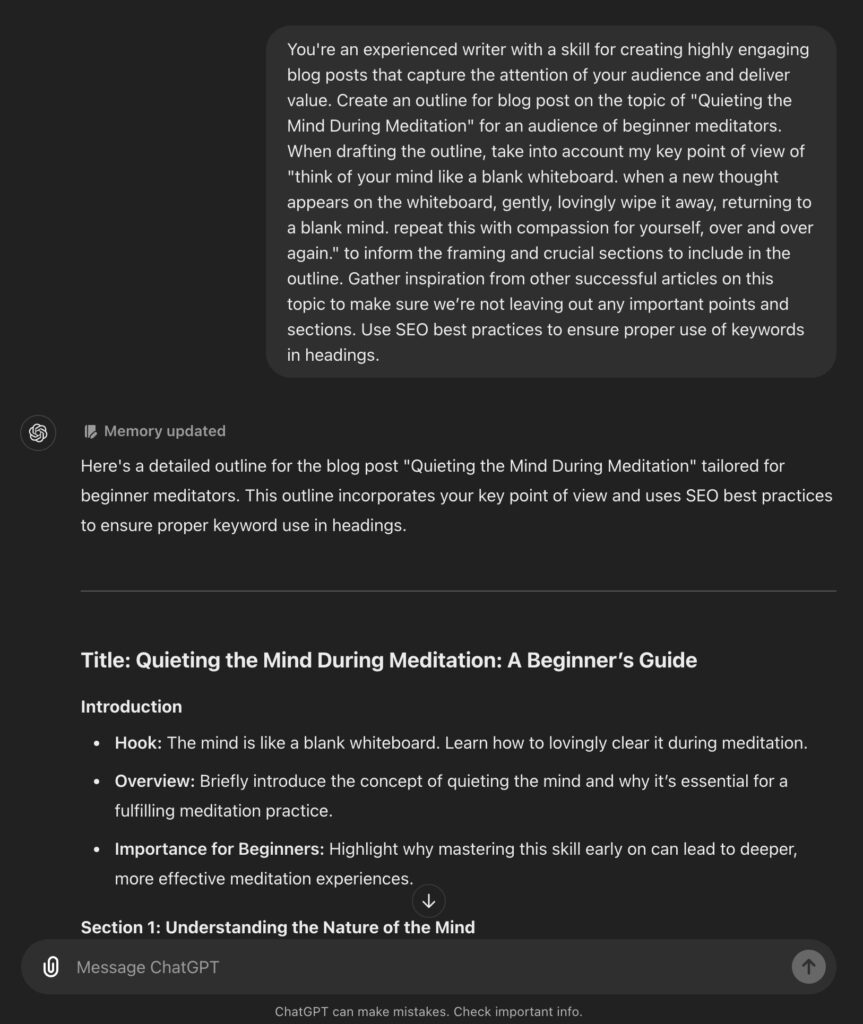
Step 2: Make edits to refine your outline.
Interact with ChatGPT to make any necessary edits and revisions to the outline you’ve created.
Please don’t skip this step, it’s crucial to making sure you’re injecting your take, beliefs, style, personality, and experience into the AI writing process. Without you, I can promise your ChatGPT outputs will sound more like AI and be a total pain to level up during your editing process.
Step 3: Write the full first draft of your article using the dialed in outline you’ve created.
And here we go—a preview of what ChatGPT’s doing with this prompt. Not bad, but could use a whole lot of love in the formatting department:
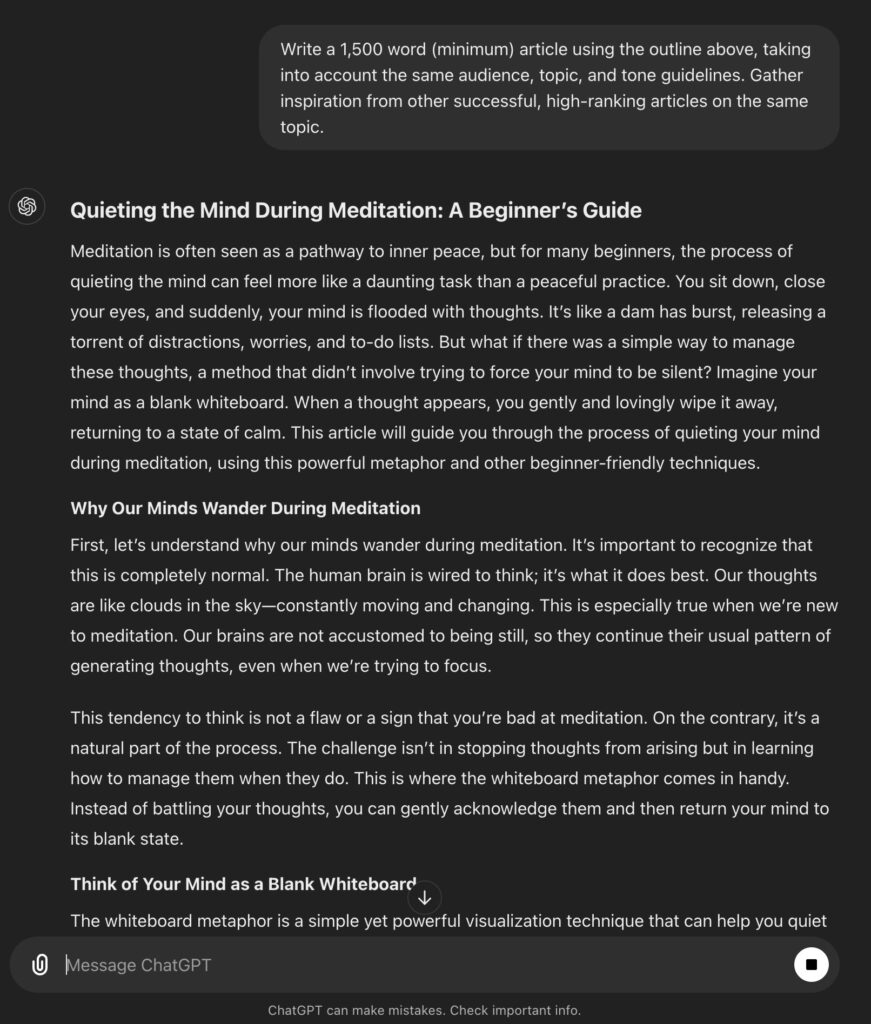
This is kind of a lot, I know. Simplify your AI writing experience by using my free AI article writer. For a super-powered version of this tool, you’ll wanna use RightBlogger’s Article Writer, where we’ve really dialed things up about a hundred notches.
Create Automated SEO Blog Posts in Minutes with RightBlogger
Join 45,417+ bloggers, marketers, writers & business owners in using RightBlogger, my very own Autoblogging solution with a built-in automated Content Schedule, and a kit of 80+ powerful tools for blogging, SEO, and marketing. You’ll create AI SEO-optimized content faster & get more traffic from Google and ChatGPT today. Plus, you’ll access online courses, a community, and more.
If you dig these ChatGPT writing prompts, you’ll find even more in my roundup of all my top ChatGPT prompts for bloggers, too.
6. FAQs (Frequently Asked Questions)
Researching the most frequently asked questions on a topic you’re considering writing about, is one of the best ways to create genuinely helpful content that real people are already searching for answers about. Use this ChatGPT writing prompt to get the best FAQs (and their answers) in seconds:
Here’s what you can expect from this ChatGPT prompt for writing relevant FAQ content:
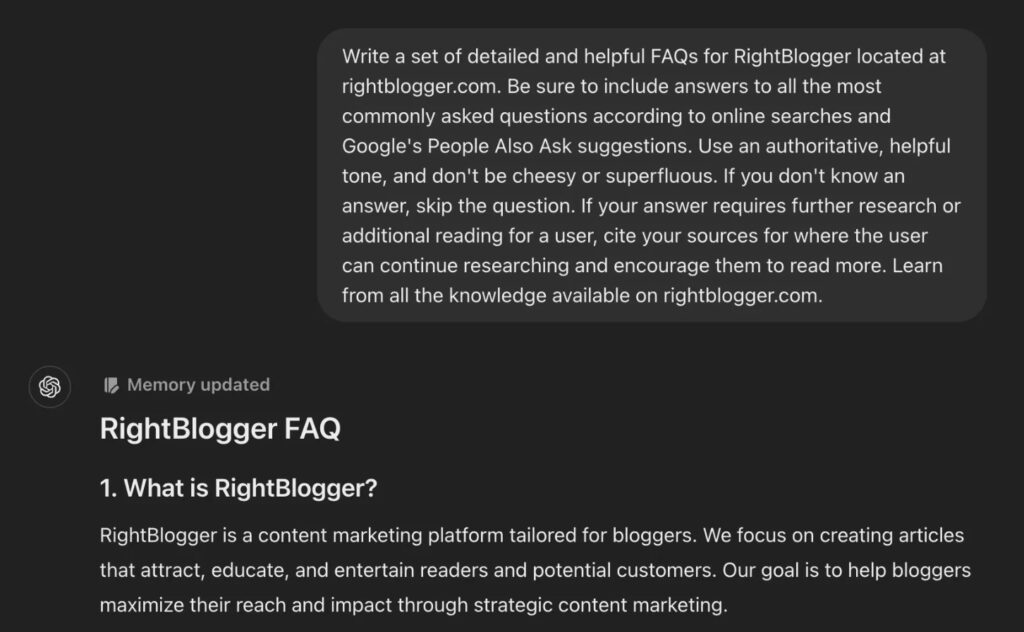
We built an FAQ Generator Tool inside RightBlogger that’ll quickly source the most relevant key questions related to your topic, and provide helpful answers, too. Just be sure to double check everything is lookin correct—we know AI sometimes has a mind of its own.
Ideation and Planning ChatGPT Writing Prompts
For me, when great ideas are flowing, they usually come in huge waves and I do my best to capture all of them—even if it’s in the form of a quick audio note or jotting them down in my creative journal if I’m away from my studio.
Yet other times, I can feel totally uninspired. It’s a crazy hot & cold thing sometimes, being a creator.

In times of need, I’m a big fan of turning to tools like ChatGPT to stock me back up with potential ideas and plans for shaking myself out of a creative funk. Here are my favorite prompts for just such occasions.
7. Article Ideas
When your content calendar is running low, and you’re not feeling particularly creative, try using ChatGPT as a tool to spark your fire again. Here’s my ChatGPT prompt for getting a crop of new article ideas within my niche:
Here’s what a slightly tweaked version of ChatGPT ideation prompt looks like in action (you’ll get very similar results):
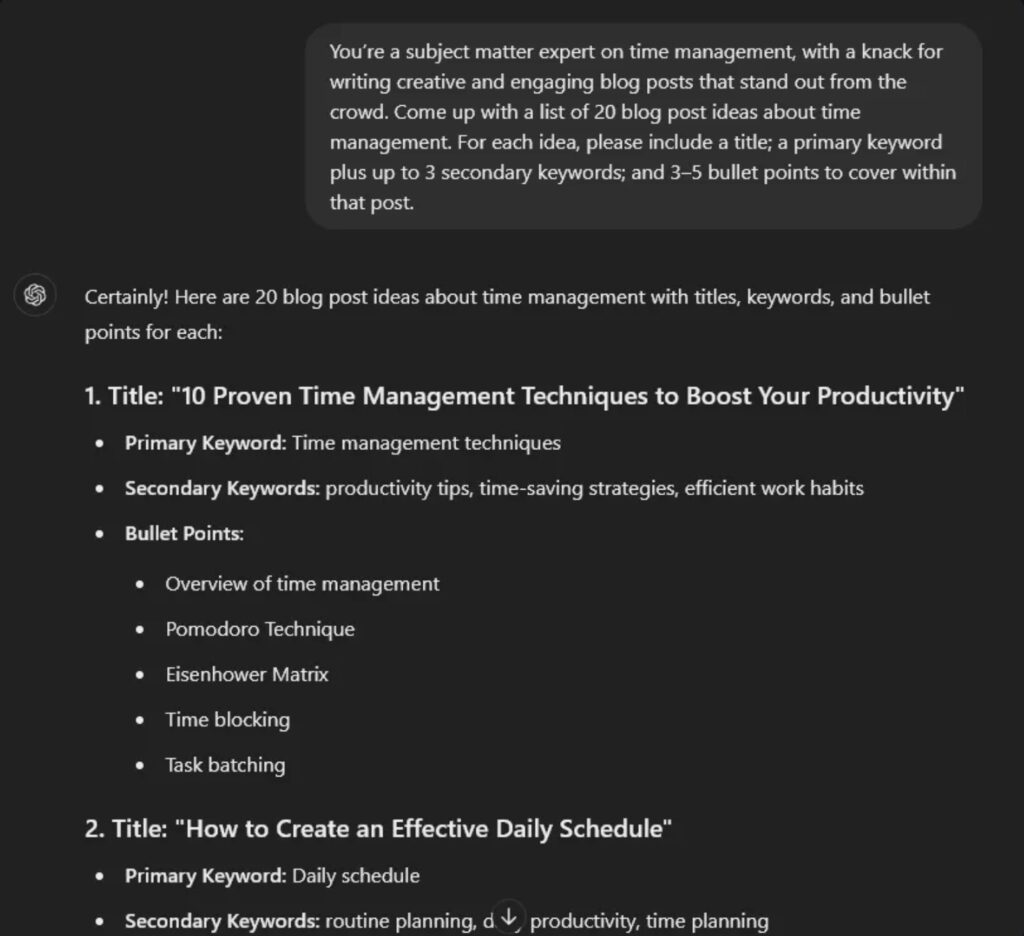
Try my free blog post idea generator to get a jumpstart on your brainstorming process in just a few clicks.
8. Content Plan + Publishing Schedule
Knowing what you’re going to publish, and when, is a great practice to keep once you’re running a content-fueled business that shows a clear ROI for your time spent creating great content. Here’s my ChatGPT prompt for creating a content plan (aka publishing schedule):
Here’s one example of what this ChatGPT content planning prompt looks like in practice:
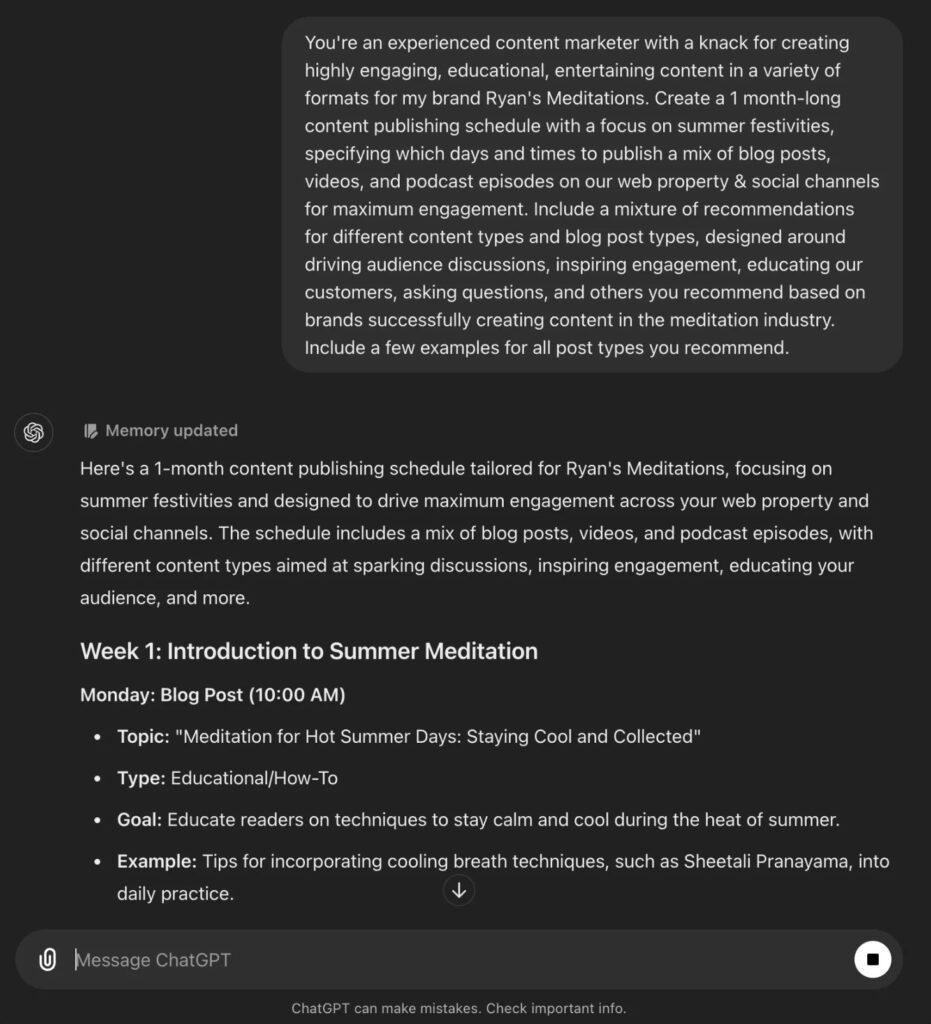
Now, let’s dive into using ChatGPT for research and identifying opportunities where you could create content that’ll attract an audience.
Research and Opportunity Identification ChatGPT Writing Prompts
If you think you can do more research than AI models that are trained on virtually the entire Internet, then I’d like to be your friend. For the rest of us, we now have ChatGPT to help with more targeted research.
Perhaps one of the top areas where AI writing tools like ChatGPT and RightBlogger really stand out, is in conducting research to figure out the absolute best, audience-informed topics for you to create content about.

Not knowing how to properly research is a common challenge in your early writing days. The right ChatGPT prompts can help activate this powerful assistant and help you maximize your researching time investment.
9. Keyword Research
There’s an entire art and science to doing keyword research, but in the world of AI, you can get some really fantastic, actionable insights from the right ChatGPT prompt. Here’s mine:
Here’s what this ChatGPT prompt for keyword research looks like, in action:
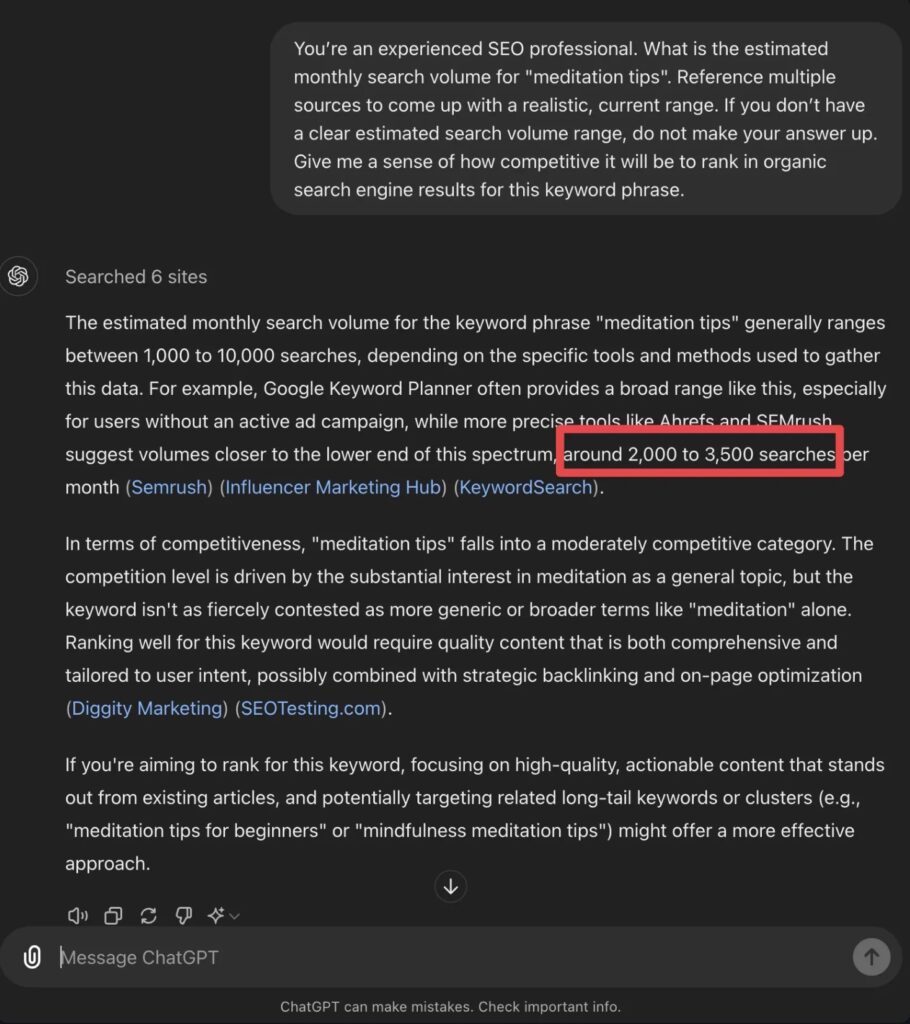
My free keyword research tool has quickly become one of the most popular in my stable of free blogging tools. Take it for a spin to simplify your keyword research process today.
10. Keyword Clusters
Keyword clusters are a group of related keywords that all have some topical overlap and often, similar search intent. Creating a keyword cluster is a brilliant way to approach mapping out a content strategy that has the potential to rank your writing for tons of terms in your niche. Here’s my ChatGPT prompt for keyword clustering:
Here’s what this keyword clustering prompt looks like inside ChatGPT:
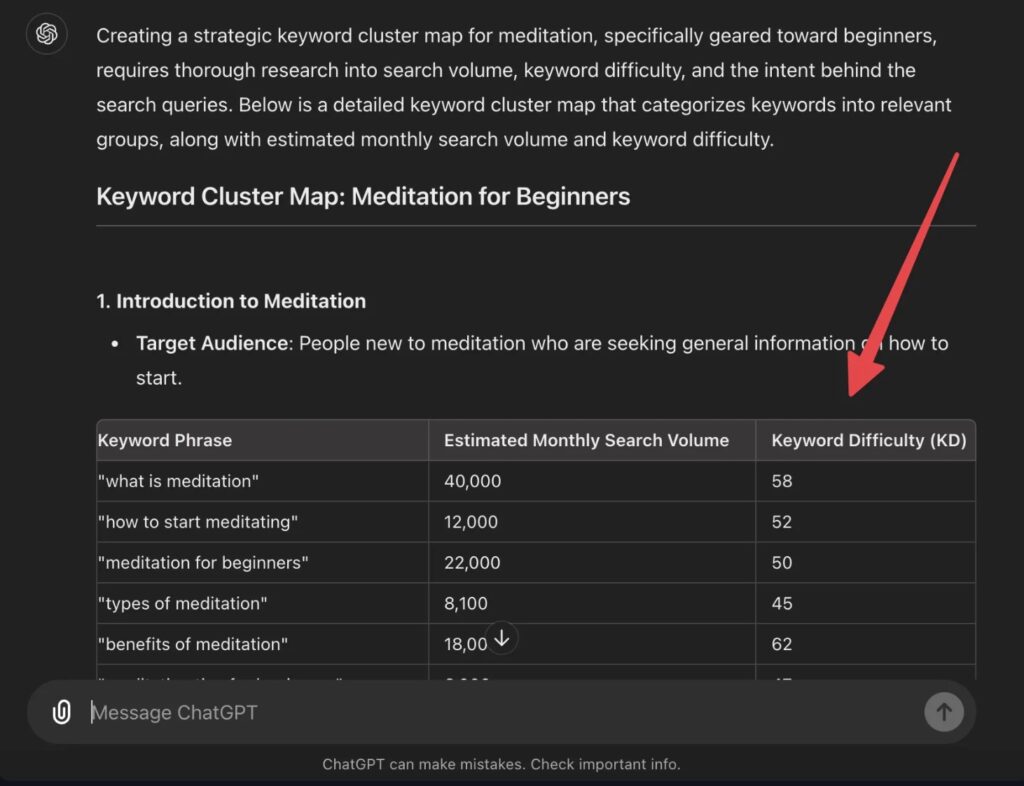
Dig this one? I made a free keyword cluster tool, because I love cluster mapping so much. I think you’ll love it, too.
11. Long-Tail Keywords (People Also Ask)
Now for one of my favorite content research secret weapons—the People Also Ask section of Google search results:
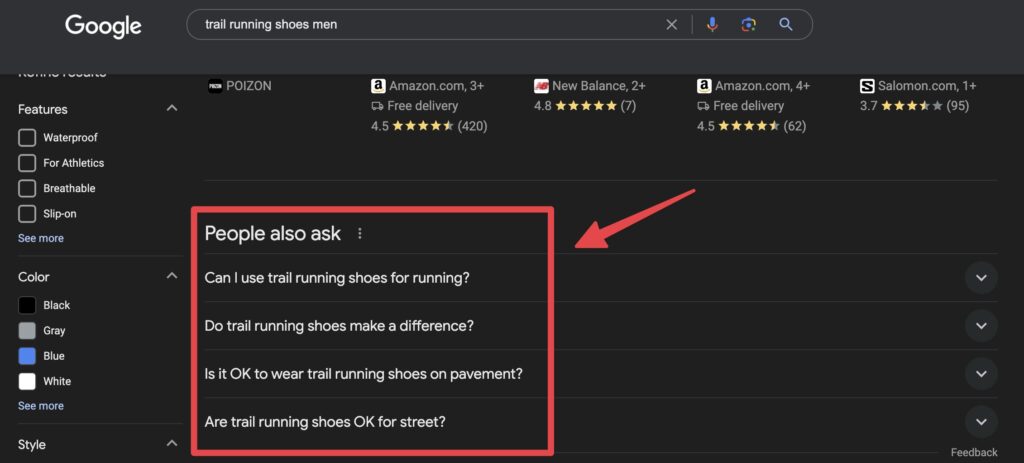
Literally all 4 of these topics would make FANTASTIC articles & videos for a creator in the running or hiking space that wants to earn from affiliate programs. Sheesh, I wish I had more free time…
Anyway, AI tools like ChatGPT and RightBlogger have access to real-time Google search data, so they can quickly perform a search and list out all the most relevant long-tail keyword topics that real people are searching for online—giving you some of the richest, least competitive content ideas to get working on.
Here’s what you can expect with this People Also Ask ChatGPT prompt:
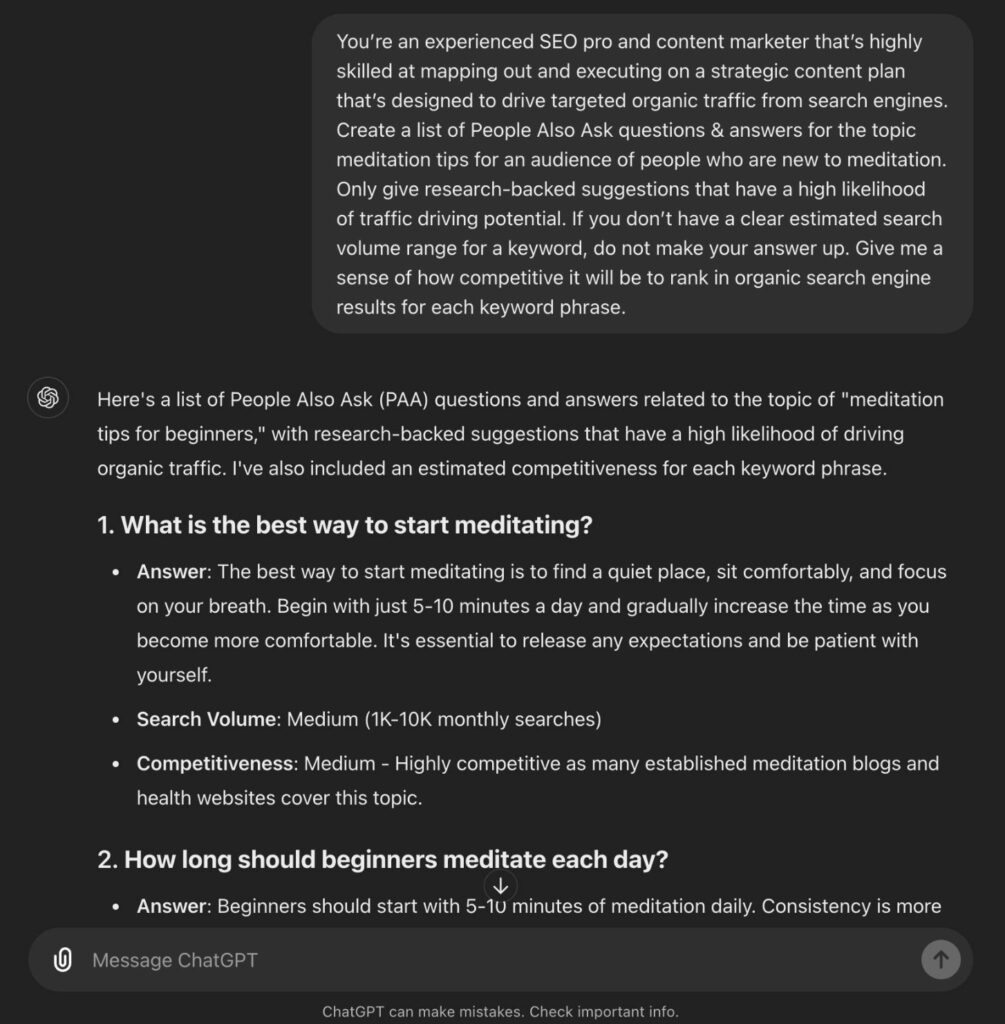
Try RightBlogger’s People Also Ask Tool to instantly source long-tail keyword opportunities and get fantastic starter copy to answer those questions in content for your site.
SEO-Optimizing, Improving, Repurposing, and Promoting Your Content
Once you’ve created your content, there’s still a whole lot more that goes into growing a successful business around your writing.
These are my favorite ChatGPT prompts for everything from SEO-optimization, to promoting my writing, and repurposing it for different formats & platforms.
12. SEO-Optimize Your Writing
SEO (search engine optimization) is the process of thoughtfully finding the balance of writing for humans & search algorithms at the same time. It’s a far more in-depth process than we can cover here, but it essentially helps you tune up an article you’ve written—in a way that gives it the best possible shot at ranking high in Google search results.
This is the ChatGPT prompt I use for optimizing an article that’s already published. Alternatively, if you have the copy from your working draft, you can paste that into ChatGPT and get the same analysis.
Here’s that AI prompt, in action over inside ChatGPT:
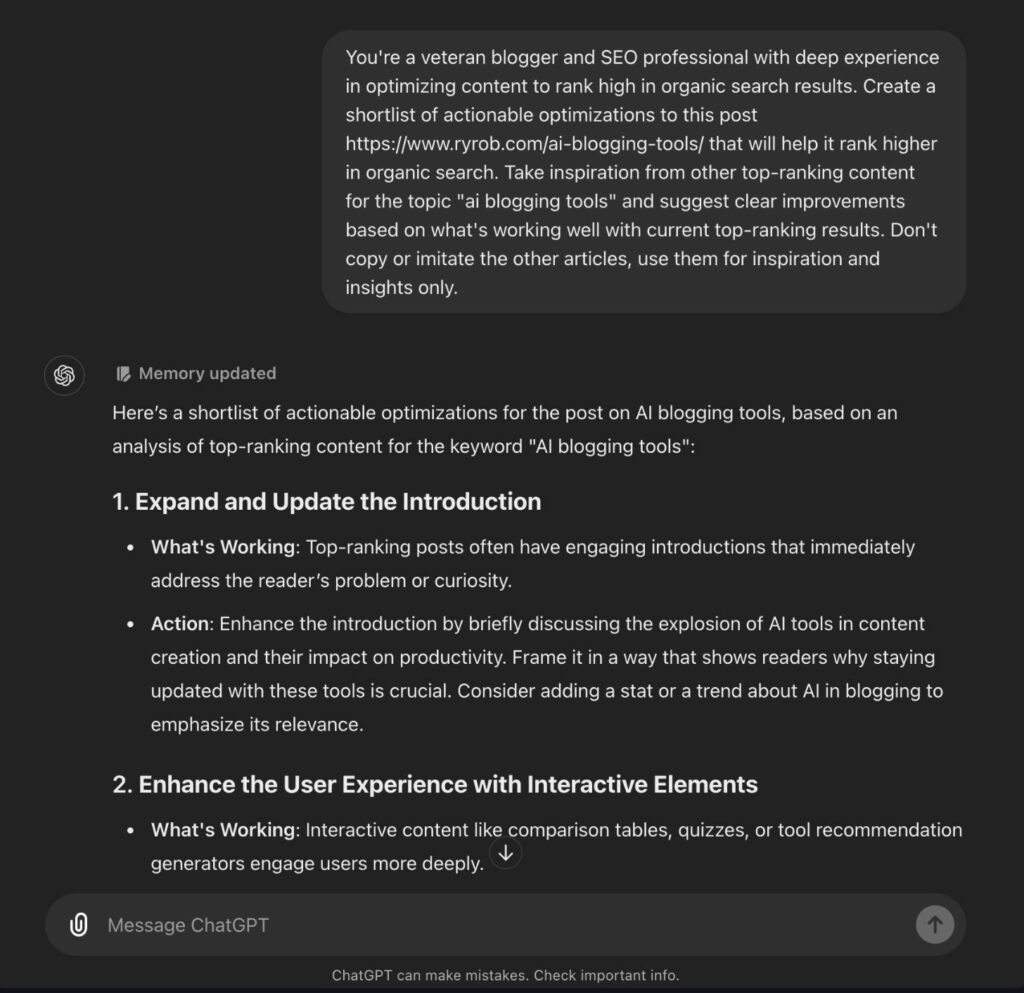
You’ll still need to take action on the SEO-optimization suggestions, but you can sleep real good at night knowing these insights come from a deep well of ‘knowledge’ about what Google will rank high in their search results.
13. LinkedIn Posts
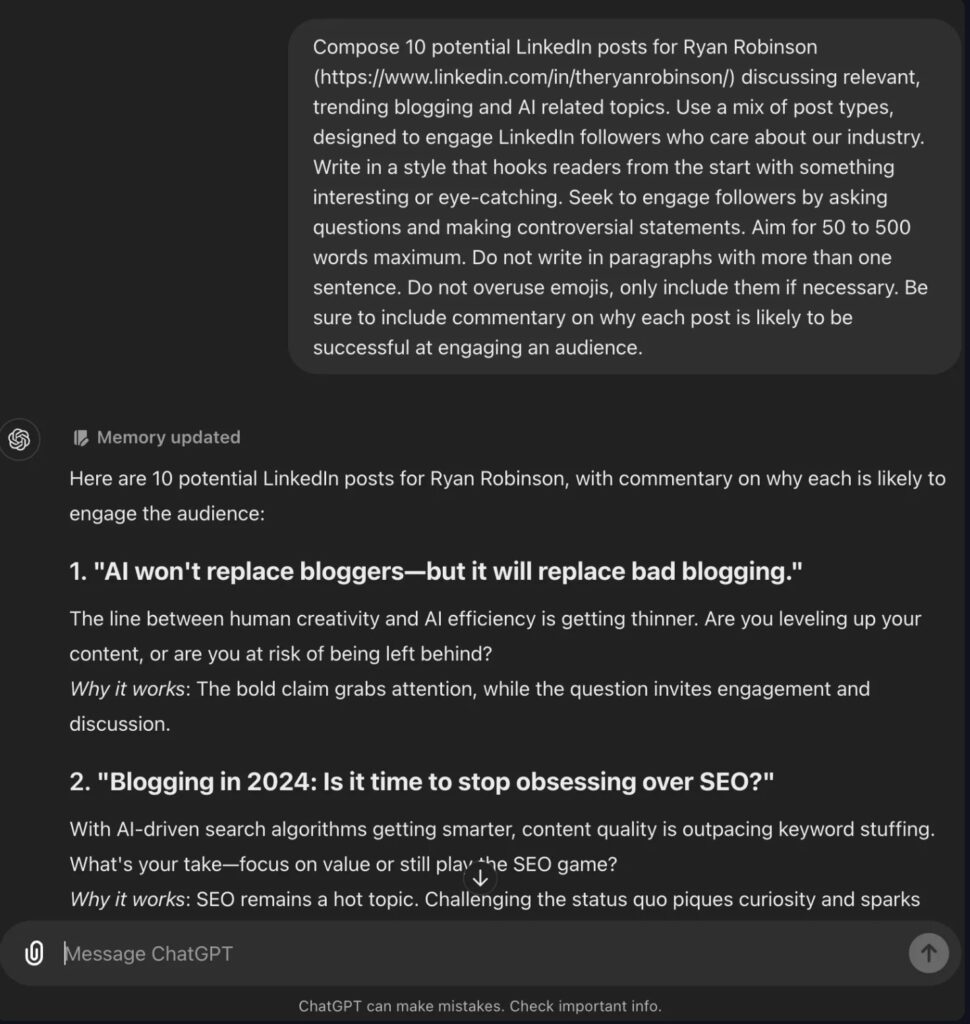
I try and post to my LinkedIn at least a few times each week, but sometimes I go literally months without sharing updates or weighing in with my take on something that’s going down in the content creation space. This ChatGPT prompt for writing LinkedIn posts is super helpful in those moments when I’m not feeling inspired.
Here’s an example of what you can expect with this ChatGPT prompt for writing LinkedIn posts:
Take RightBlogger’s LinkedIn Post Generator for a spin with a free account, today.
14. Tweets (X) Posts
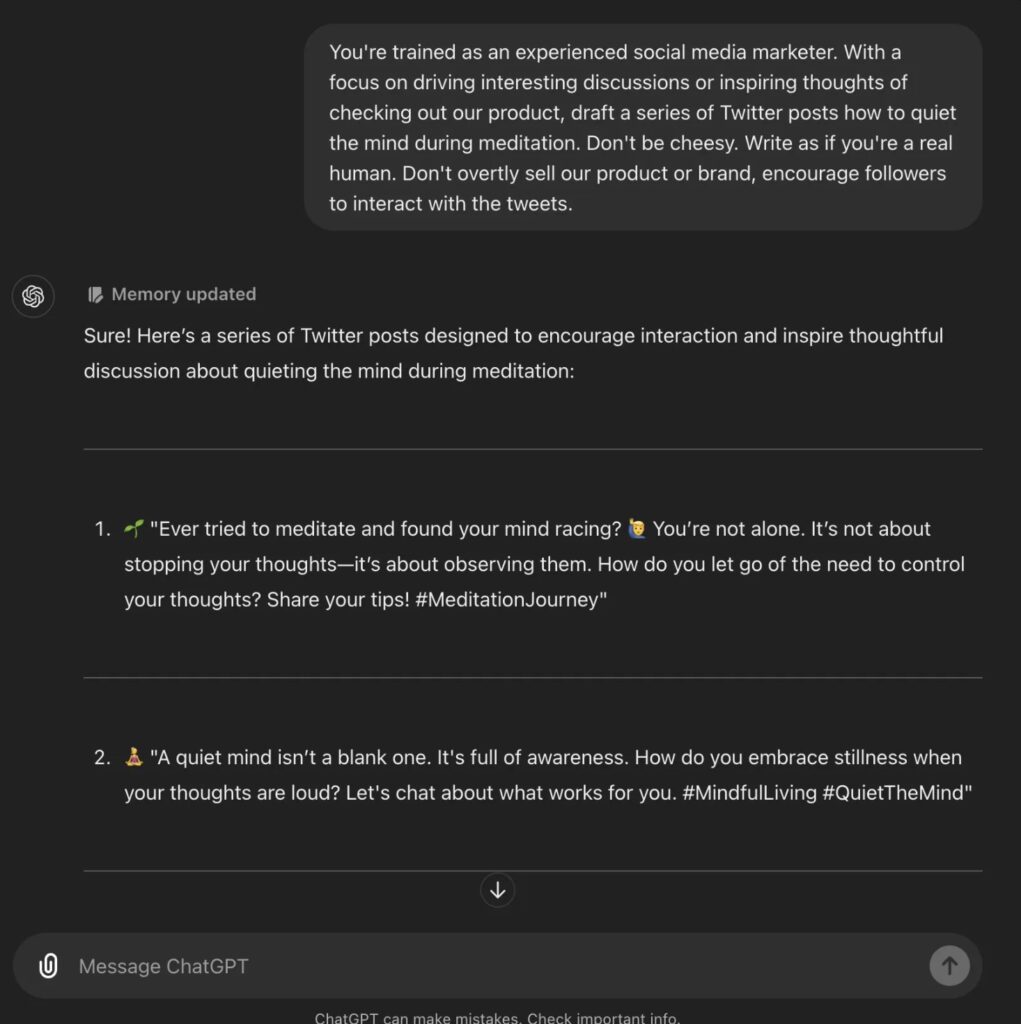
Same story, different platform for me. I used to spend a lot of time on Twitter, but these days, I don’t get as much personal joy out of social media—so when I need some ideas for what to share with my community, here’s the AI prompt I keep handy:
Here’s this ChatGPT prompt for writing tweets, in action:
Take RightBlogger’s Tweet (X Post) Idea Generator for a spin with a free account, today.
15. Grammar and Spellcheck
There’s nothing wurse than hitting publish and having a few unnoticed typos or grammar mistakes sprinkled throughout your writing. Use this ChatGPT prompt for checking your grammar and spelling, in a snap:
This one’s pretty self-explanatory, so no example image necessary—get your content edited & cleaned up by a powerful AI assistant.
Take my free grammar fixer tool for a ride today, and make your blog editing process even quicker.
16. Content Gap Analysis
Ever wonder why some articles outrank yours in Google search results and drive more traffic as a result? Well, it turns out AI tools like ChatGPT and RightBlogger (our Content Gap Analysis tool is sick), are absolutely fantastic at conducting this kind of analysis & reporting back with actionable takeaways to improve your writing in the eyes of search engines. Here’s my content gap analysis prompt:
Here’s a preview of what this content gap analysis prompt will generate for you:
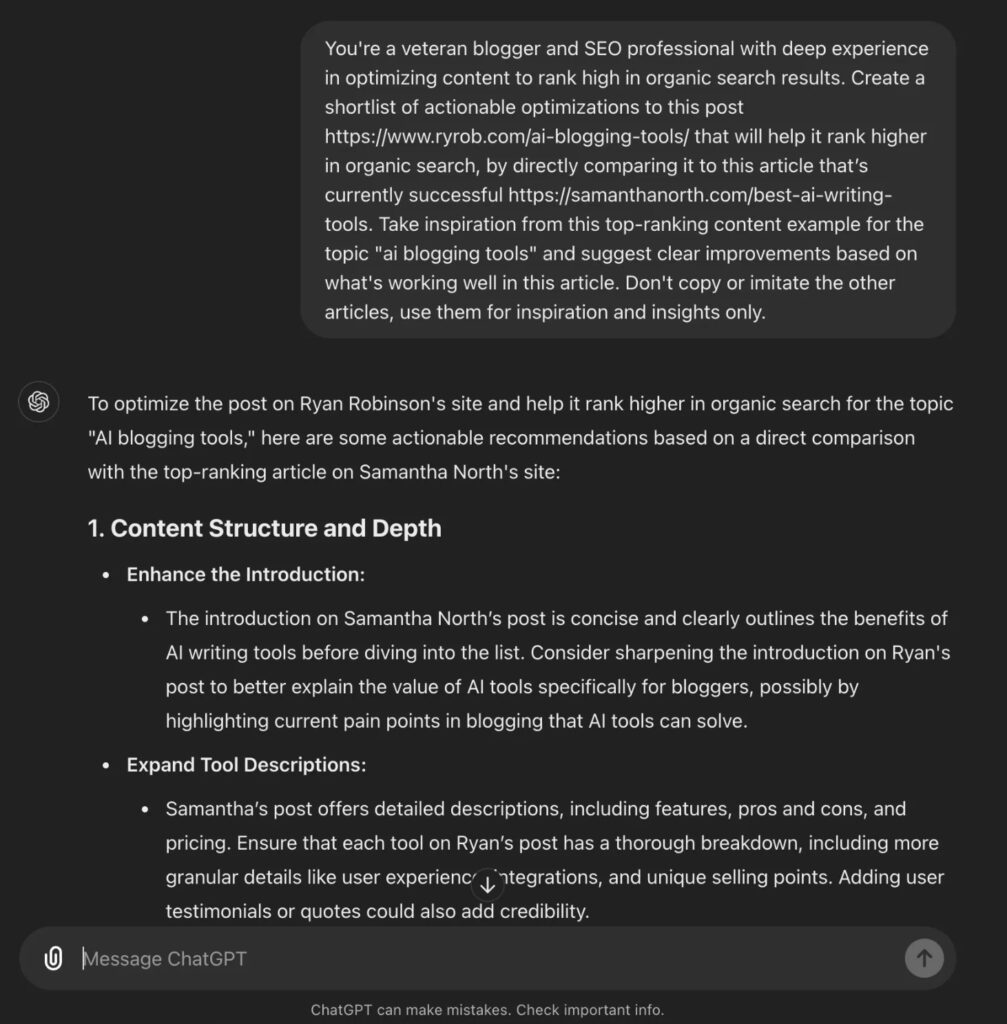
We have an even more powerful Content Gap Analysis tool inside RightBlogger that utilizes multiple different data sources and complex prompting. I know you’ll dig it if you give it a try.
9 More Essential ChatGPT Prompts for Writing in 2026
The 16 prompts above are the timeless ones I still use weekly. Below are 9 more I’ve added to my workflow specifically since 2024, because the AI writing landscape changed faster than expected. These cover humanization (the #1 use case in 2026), E-E-A-T optimization, content refresh, and the repurposing prompts that turn one blog post into a YouTube video, an email, a short-form video, and more.
17. Humanize AI Output
This is the single most-used ChatGPT prompt in my 2026 workflow. AI-generated text has obvious patterns — formulaic openers, three-of-three lists, the “not just X, it’s Y” rhetorical structure — that flag content as AI-written to both readers and Google’s helpful content systems. This prompt breaks those patterns systematically.
For a deeper take on AI humanization, see my full guide on how to humanize AI content — or use my free article rewriter for the same job in one click.
18. Create a Custom Voice & Style Profile
Once you build a style profile and save it as ChatGPT custom instructions or a custom GPT, every future draft starts dramatically closer to your real voice. This is the highest-ROI prompt on this entire page if you publish content regularly.
Save the resulting Style Profile in ChatGPT’s custom instructions (Settings → Personalization → Custom Instructions) so every new chat starts in your voice.
19. Add E-E-A-T Signals to an AI Draft
Google AI Overviews, ChatGPT, and Perplexity all preferentially cite content with strong E-E-A-T signals (Experience, Expertise, Authoritativeness, Trustworthiness). This prompt finds the specific spots in an AI draft where you can layer those signals in.
20. Refresh an Old Post for 2026
Refreshing existing posts is one of the highest-ROI SEO moves in 2026. This prompt scans an old post and gives you a structured refresh plan instead of starting from scratch.
21. Rewrite a Meta Description for Better CTR
Meta descriptions on low-CTR pages are one of the quickest ranking wins available — a sharper snippet can recover meaningful traffic without changing the post itself. This prompt generates 5 distinct options so you can pick or A/B test.
Pair this with my free meta description generator for a faster workflow.
22. Turn a Blog Post Into a YouTube Script
One blog post can fuel a YouTube video, an Instagram Reel, a TikTok, and an email — all without writing four different pieces. This prompt converts an existing blog post into a YouTube-ready script in your voice.
For the full long-form video workflow, my free YouTube script generator handles this in one click.
23. Turn a Blog Post Into an Email Newsletter
Most bloggers underuse their email list by sending a one-line “new post is up” email. This prompt turns a blog post into a real value-add newsletter that gives subscribers something worth opening — even if they don’t click through.
24. Write a Comparison/vs Post
Comparison posts (“X vs Y”) rank extremely well because they match high-commercial-intent search queries. ChatGPT and Perplexity also love citing comparison posts in product-research conversations. This prompt structures a real opinion-driven comparison instead of generic “both are great” filler.
25. Generate Short-Form Video Hooks
On TikTok, Reels, and YouTube Shorts, the first 3 seconds determine whether anyone watches the rest. This prompt generates 20 hook variations so you can find one that actually earns the next swipe.
For more video-specific tools, see my free hook generator and TikTok idea generator.
My AI Writing Prompt Formula (to Get Better AI Outputs)
If snagging some good prompts is like being handed a fish, then learning the skill of prompt engineering and how to use ChatGPT like a pro, is like teaching yourself to fish. Oh, and you can even use DALL-E inside ChatGPT to generate unique stock images. Not bad…
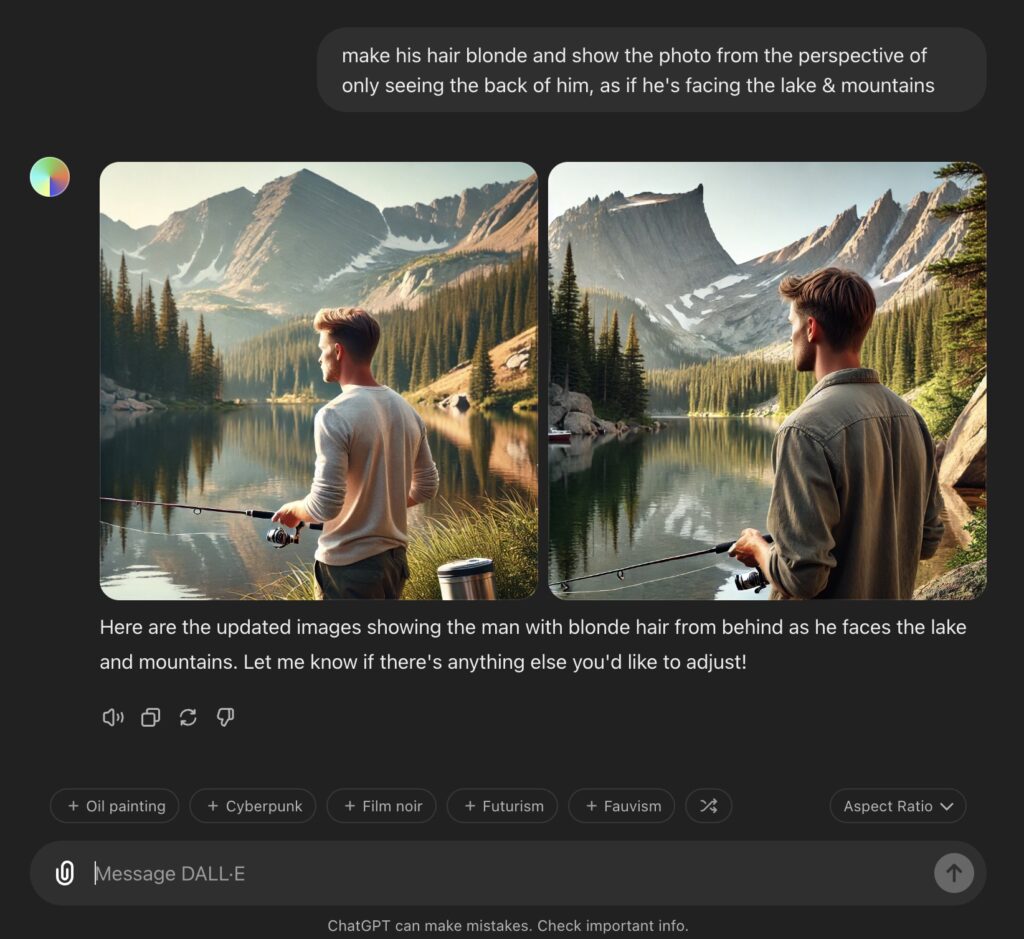
Learning to prompt is a skill, and a great investment in your future as a writer, to learn how to weave in powerful AI tools to your process where it makes sense for you.
Here’s my ChatGPT prompt formula that’ll significantly level up the outputs of any prompt you give it:
- Task: This one is straightforward. Tell the AI what you need. It could be writing an intro, drafting a blog post, or generating ideas.
- Context: Give as much background and detail as possible at this stage. The more specific you are, the better. Let the AI know details that are important to the task (like what your take is on a subject you’re writing about).
- Exemplar: Just a fancy way of saying “example.” Explain to ChatGPT exactly what kind of output you’re looking for. Including real examples will help it get closer to what you envision.
- Persona: Who should the AI “be” while writing this content for you? Imagine that AI can wear different hats for different tasks. Explain who it is within your prompts, and it’ll have a much better understanding of how to go about creating your output.
- Format: Share which format you want the final product to come in. What exactly should the AI output look like? Do you want a list, a paragraph, a blog post with multiple sections, maybe just some bullet points? Be specific here.
- Voice: Always define the style and tone when you’re writing a ChatGPT prompt. Do you want your output to be casual, formal, playful, something much more nuanced? Let these tools know, so your writing outputs will match your vibe.
If you can nail these elements at a high level within your ChatGPT prompts, then I can promise this AI prompt formula will serve you well.
Drop any questions or share your experiences with AI in the comments. Let’s help each other grow and write amazing content!
Create Automated SEO Blog Posts in Minutes with RightBlogger
Join 45,417+ bloggers, marketers, writers & business owners in using RightBlogger, my very own Autoblogging solution with a built-in automated Content Schedule, and a kit of 80+ powerful tools for blogging, SEO, and marketing. You’ll create AI SEO-optimized content faster & get more traffic from Google and ChatGPT today. Plus, you’ll access online courses, a community, and more.
ChatGPT Writing Prompts FAQ
What’s the best ChatGPT prompt for writing in 2026?
There’s no single best prompt — the right one depends on what you’re actually trying to do. For most bloggers in 2026, the highest-ROI prompts in this guide are the humanization prompt (#17), the voice profile prompt (#18), and the content refresh prompt (#20). Those three solve the problems most AI-using writers actually face now: generic-sounding output, drafts that don’t match their voice, and stale published posts that need updating.
How do I make ChatGPT write in my voice?
Build a style profile using prompt #18 above, then save the resulting summary in ChatGPT’s custom instructions (Settings → Personalization → Custom Instructions) or as a custom GPT. Every future draft will start much closer to your voice. Pair that with always including 2-3 paragraphs of your real writing in any new prompt as a style reference, and the gap between AI output and your voice shrinks dramatically. For the deeper framework, see my blog writing style guide.
Do these prompts work on Claude, Gemini, or other AI tools?
Yes — they’re written as plain English instructions, so they work on Claude, Gemini, Perplexity, and most other major AI writing tools without modification. The model responses will vary somewhat (Claude tends to produce more naturally voiced first drafts; Gemini handles research-heavy prompts well), but the prompt structure transfers cleanly. If you use multiple AI tools, save these prompts in a single document and route different tasks to whichever model handles them best.
How do I prompt ChatGPT to write naturally and avoid AI detection?
Use prompt #17 (Humanize AI Output) on any draft after generation. The key moves it triggers: vary paragraph length, break up the obvious AI patterns (“not just X, it’s Y”, three-of-three lists, “delve”/”navigate”/”leverage”), add specific concrete language, and inject at least one personal observation. The honest framing: real humanization is an editing skill, not a detection-bypass game. Content that’s genuinely well-edited tends not to flag in detectors anyway, and it actually performs better because readers and search engines reward it.
Can I use these prompts for client work?
Yes, with one important caveat: be transparent with clients about how you use AI in your workflow. Most clients in 2026 are fine with AI-assisted writing as long as the final product reflects real human editing and judgment. Some explicitly prohibit AI use — usually academic publishers, journalism, and specific corporate clients. Always ask. For the freelance-specific take, see my full guide on freelance writing in 2026.
How often should I refresh my saved prompts?
Every 6-12 months at minimum, and any time you notice the output quality declining or you start working on new types of content. Prompts that worked well 18 months ago often produce worse output now because the models have changed and the same instructions hit differently. Treat your prompt library like a living tool — add, prune, and refine as you go.
What’s the difference between these prompts and using RightBlogger?
These prompts work in any AI tool (ChatGPT, Claude, Gemini, etc.) — paste, fill in the bracketed inputs, get output. RightBlogger is the AI writing platform I co-founded that bakes prompts like these into one-click tools, with built-in SEO optimization, custom voice profiles, and 75+ writing tools designed specifically for bloggers. Use ChatGPT with these prompts if you want maximum flexibility and don’t mind copy-paste workflow; use RightBlogger if you want a faster integrated workflow built specifically for content creation.
Final Thoughts: The 2026 Prompting Mindset
The biggest shift in how I use ChatGPT between 2024 and 2026 isn’t the prompts themselves — it’s the workflow around them. Two years ago, the goal was “get AI to write the post.” Now the goal is “get AI to do the parts of writing I don’t want to do, so I can focus on the parts only I can do.”
That shift changes which prompts matter most. Humanization, voice profiles, content refresh, and repurposing are the prompts that compound. Generic “write me a blog post” prompts are the prompts that age fast. Save the ones above (the ones that match how you actually work), build a few custom GPTs or style profiles, and the time you save adds up to weeks per year.
If you want the next level of this — same prompts but baked into one-click tools, plus 75+ other writing tools, SEO optimization, custom voice profiles, and content briefs — check out RightBlogger, the AI writing platform I co-founded specifically for bloggers and content creators. For the deeper humanization framework, see my how to humanize AI content guide. And for the rest of my free AI writing tools, head to my tools page.

Thanks for the helpful blog Ryan.
Thanks for the 16+Best ChatGPT Prompts for Writing . More Grace to you. l am a newbie, attempting to write blog on Christian topics, and other topics as l May consider relevant. kindly, guide and advice me on how to get started.
Great! Information.
Hi Ryan,
Thank you for this helpful post, as this is really help me who running a small publishing and always need to speed up content production.
thank you so much for providing these helpful prompts. really this is an amazing post
your points are exact and very knowlegeble so i think you are good blog writing this is good interface so your blog writing style is also verygood
Very informative blog , Keep posting!
Thanks for this information. I loved it, especially the examples and the ability to copy the text. I’ve just stepped up my game!
Thanks for explaining this so well. This article shall really help me in my blog writing.