
There are lots of extremely useful Chrome extensions that can make your blogging life easier. The best part is, most of them are free (or at least have free versions that’ll do the trick).
Whether you’re writing a blog post, doing keyword research, checking on your competitors’ websites, designing graphics for your website, or just trying to stay focused during the hours you spend on your blog… there’s a Google Chrome extension to help.
The trouble is, it can be tricky to figure out which Chrome extensions are worth using—and which are useless (or even a potential security risk). Straight from my own browser, I’ve hand-picked my favorite Chrome extensions to help you be more productive working on your blog.
22 Best Chrome Extensions for Bloggers to Try (and Be More Productive in 2026)
- RightBlogger
- Keyword Surfer
- GrowthBar
- MozBar
- SEO Minion
- Ahrefs SEO Toolbar
- SEOquake
- Save to Pocket
- Read Aloud
- Grammarly
- Text Blaze
- Hunter
- Broken Link Checker
- ColorZilla
- WhatFont
- Lightshot
- EditAnything
- LastPass
- StayFocusd
- uBlock Origin
- Super Dark Mode
- Loom
Disclosure: Please note that some of the links below are affiliate links and at no additional cost to you, I’ll earn a commission. Know that I only recommend products and services I’ve personally used and stand behind. When you use one of my affiliate links, the company compensates me, which helps me run this blog and keep my in-depth content free of charge for readers (like you).
Use My 50+ Powerful Free Blogging Tools Today
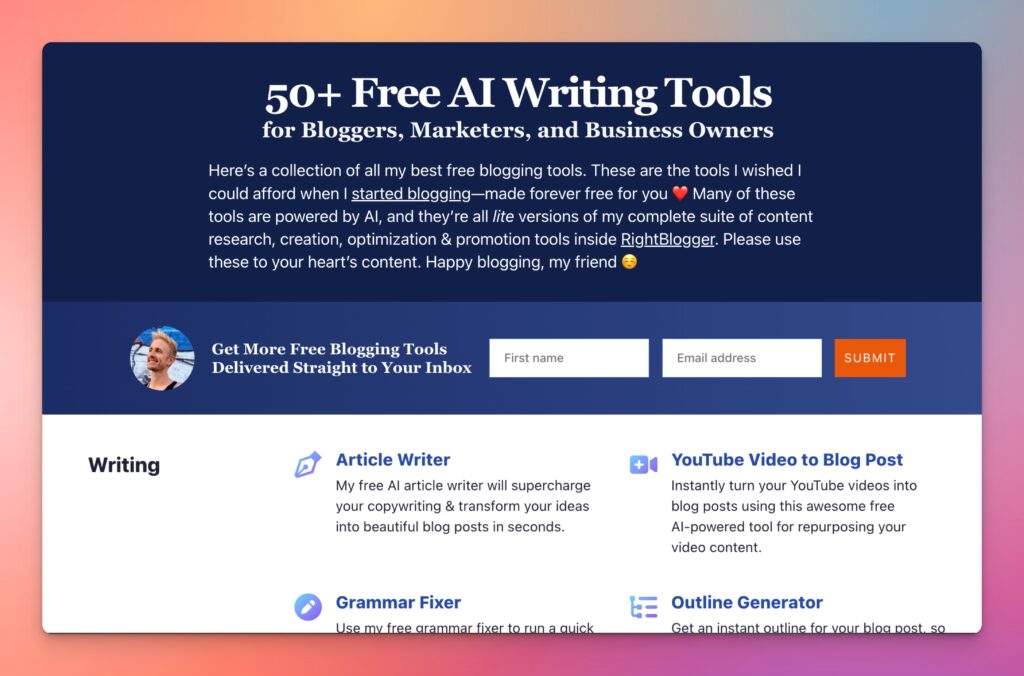
When I first started blogging, I couldn’t afford fancy tools. That sucked. And that’s why I’ve built a stable of powerful free blogging tools ranging from keyword research to an AI article writer, blog idea generator and more. Forever free for all to use—no strings attached.
Before we get to the list, we’ll take a quick look at what Chrome extensions are and how they work.
What are Chrome Extensions?
Chrome extensions are free tools (software programs) that you can add to the Google Chrome web browser. They give your browser new functionality, in the same way that WordPress plugins give your website new functionality.
Google Chrome’s rule is that each extension must fulfill a “single purpose”—so you won’t find extensions that cover all possible blogging-related tasks.
Some Chrome extensions are also available for the Firefox browser.
Are Chrome Extensions Safe?
In general, any Chrome extensions are considered safe, as long as you download them from Google’s official Chrome extensions store.
One risk is that it’s possible for Chrome extensions (given the right permissions) to read what you type online, which could include highly sensitive data like your credit card information. And while malicious Chrome extension makers could possibly exist, sticking to popular extensions with strong reputations will always steer you in the right direction.
Extensions can also ask for permission to do things like turn off your antivirus protection, access downloaded files, capture audio and video, and more.
Reputable extensions will only use these permissions in order to carry out their functions and won’t ever store your private data. All the Chrome extensions I’ve listed below are generally well-regarded, but if you’re considering installing a different extension, it’s well worth following these tips to make sure it’s safe.
What’s New in Blogging Chrome Extensions for 2026
Two big shifts in the Chrome extension landscape since the last update of this list:
- AI extensions became their own category. Between 2023 and 2026, AI-powered Chrome extensions went from a curiosity to one of the most-installed categories. Merlin AI, Monica AI, Glasp, HARPA AI, and Wordtune all gained millions of users by bringing AI workflows (drafting, summarizing, rewriting, researching) directly into whatever browser tab you’re already in. I’ve added a new “AI Chrome Extensions” category at the top of the list to reflect that.
- Chrome extensions are more vetted than ever. Google’s 2024 Manifest V3 transition forced extension developers to update or shut down — which thinned out the long tail of low-quality and shady extensions. The flip side: a few popular extensions from previous years did break or get deprecated. Everything on this list has been checked for active status in 2026.
With that context, here are the 27 best Chrome extensions for bloggers in 2026, organized by category.
27 Best Google Chrome Extensions for Bloggers in 2026
AI Chrome Extensions for Bloggers (New in 2026)
These AI-powered Chrome extensions barely existed three years ago and are now some of the most useful tools for bloggers in 2026. Each one brings AI capabilities directly into the browser, so you don’t have to context-switch to ChatGPT every time you need quick help with research, rewriting, or drafting.
1. Merlin AI
Merlin AI puts a GPT-style chat assistant into any browser tab with a keyboard shortcut. It works on any website — Gmail, Google Docs, Notion, your CMS, or your blog admin — without needing to copy and paste into a separate ChatGPT window. For bloggers, that means quick edits, research summaries, headline brainstorming, and quick drafts all happen in the same flow as the rest of your work. The free tier handles light daily use; the paid plan unlocks higher usage limits and access to multiple AI models.
2. Monica AI
Monica is one of the most-installed AI Chrome extensions in 2026, with multi-model access (ChatGPT, Claude, Gemini all available through one extension), built-in writing tools, and a sidebar that opens in any tab. It’s particularly strong for “summarize this article” and “rewrite this paragraph” workflows that bloggers run constantly. The free tier is generous; paid plans add higher usage and team features.
3. Glasp
Glasp is an AI-powered web highlighter and social reading tool that’s especially useful for bloggers doing serious research. Highlight passages from any article, and Glasp builds you a searchable knowledge base of everything you’ve saved — plus uses AI to summarize, surface connections between highlights, and even draft content based on what you’ve collected. Think of it as the modern replacement for old “save for later” bookmarking, with AI assistance built in.
4. HARPA AI
HARPA is the “Swiss Army knife” of AI Chrome extensions — it can summarize any webpage, monitor price changes, automate repetitive web tasks, generate SEO-friendly content, and run custom AI workflows directly on whatever page you’re viewing. For bloggers, the most useful features are page summarization (great for competitive research), automated content extraction, and the built-in SEO tools. Steeper learning curve than the simpler chat-style extensions, but more powerful once you’ve set it up.
5. Wordtune
Wordtune is the polish-and-refine AI tool for bloggers — it doesn’t generate content from scratch the way ChatGPT does, but it’s exceptional at making existing writing tighter, more concise, or shifted to a different tone. The Chrome extension works directly in Google Docs, WordPress’s editor, Gmail, and most web text fields. Great companion to my free grammar fixer and paraphrase tool for the editing pass after a draft is done.
SEO Chrome Extensions
These SEO Chrome extensions are all designed to help you with your blog’s search engine optimization. From keyword research to on-page optimization to link building, there’s an extension out there to help.
6. RightBlogger’s Chrome Extension
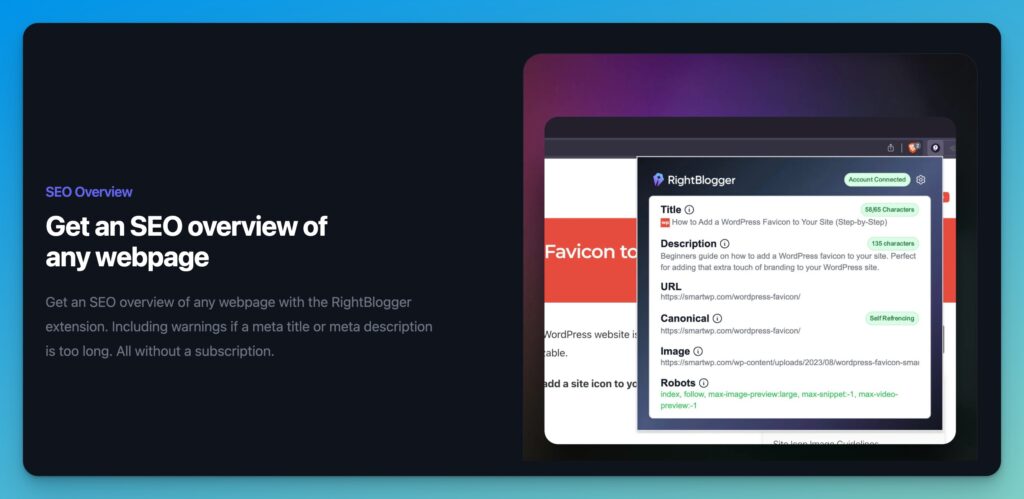
Andy and I built the RightBlogger Chrome extension to help us (and our 1,572+ customers) with streamlining several blogging & SEO-related tasks we do on a daily basis. Features of this Chrome extension include:
- One-click SEO overviews of any webpage, allowing you to do quick technical SEO checks on your content (or competitors)
- Extending the use of our 70+ AI-powered tools inside RightBlogger across any page on the Internet
- Rewrite a paragraph, fix grammar, shorten text, make text longer, paraphrase content, and more—right from any page you’re on
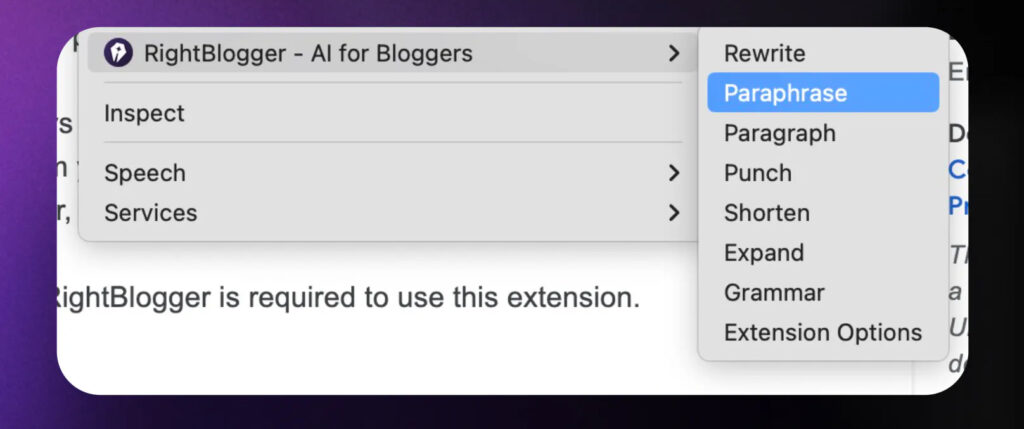
You can download the RightBlogger Chrome extension right here in the Chrome extension marketplace and link it with your RightBlogger account to get started. Best of all, you can even use this extension with a 100% RightBlogger account.
7. Keyword Surfer
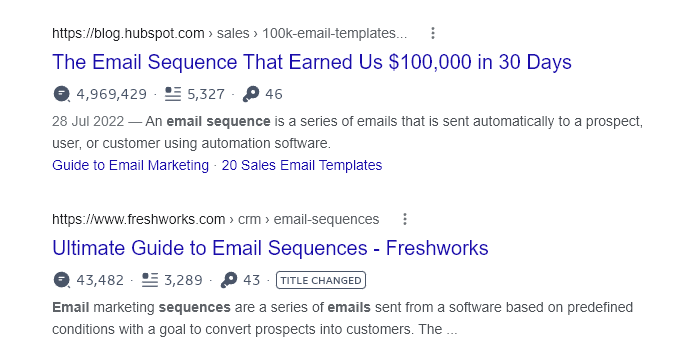
Keyword Surfer is a popular SEO tool that lets you see keyword search volumes and related keyword ideas any time you search on Google. It’s an easy way for even complete beginners to carry out basic keyword research, especially if you also want to check out details about competing content.
Here’s Keyword Surfer showing estimated monthly traffic, word length, and number of times the exact keyword is used, for Google search results:
8. GrowthBar
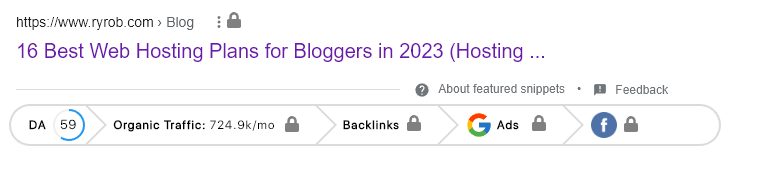
GrowthBar is a premium tool that helps you identify keywords and carry out on-page optimization. You can try it free for 5 days, then you’ll need to pay for a premium plan (from $29/month, billed annually). Once you have an account, you can use the GrowthBar Chrome Extension to use GrowthBar’s optimization tools when writing posts in WordPress.
Here’s how it looks in Google’s search results:
9. MozBar
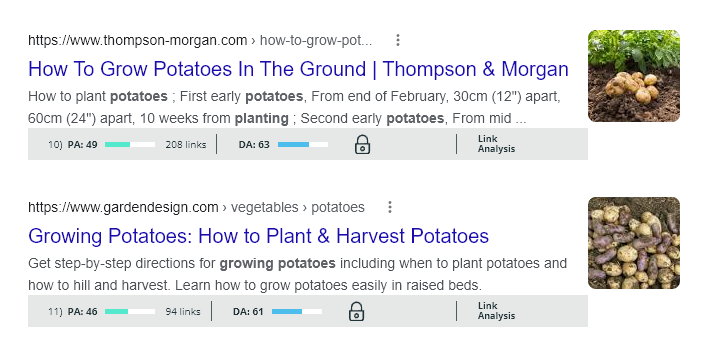
MozBar is a free Chrome extension toolbar from Moz that shows you information about the sites and pages you visit in real-time as you search the web—including Page Authority, Domain Authority, and more. You can see these details in Google’s SERP, too. You’ll need a free Moz community account to use it.
Here’s MozBar in action, showing the Page Authority and Domain Authority for sites in Google’s SERP.
10. SEO Minion
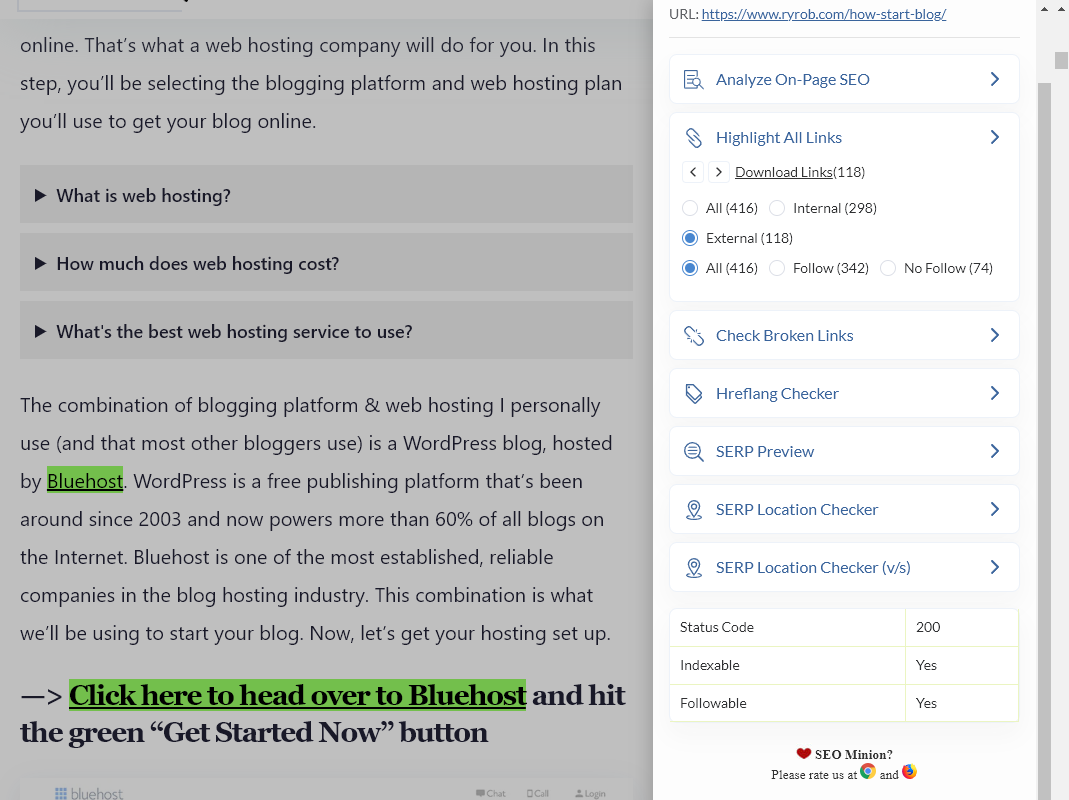
SEO Minion is a free extension that helps you with a range of SEO tasks. It lets you:
- Analyze the HTML code of any webpage so you can optimize it (and spot any issues)
- See all the internal and external links for any website
- Check broken links on a webpage
- …and more.
Here’s a quick look at SEO Minion in action, highlighting all the links on my How to Start a Blog page:
11. Ahrefs SEO Toolbar
Ahrefs SEO Toolbar gives an on-page SEO report covering similar areas to SEO Minion. It’ll tell you about broken links, highlight all the links on the page, and more. Note that you’ll need a paid account with Ahrefs to see all the insights from Ahref’s metrics.
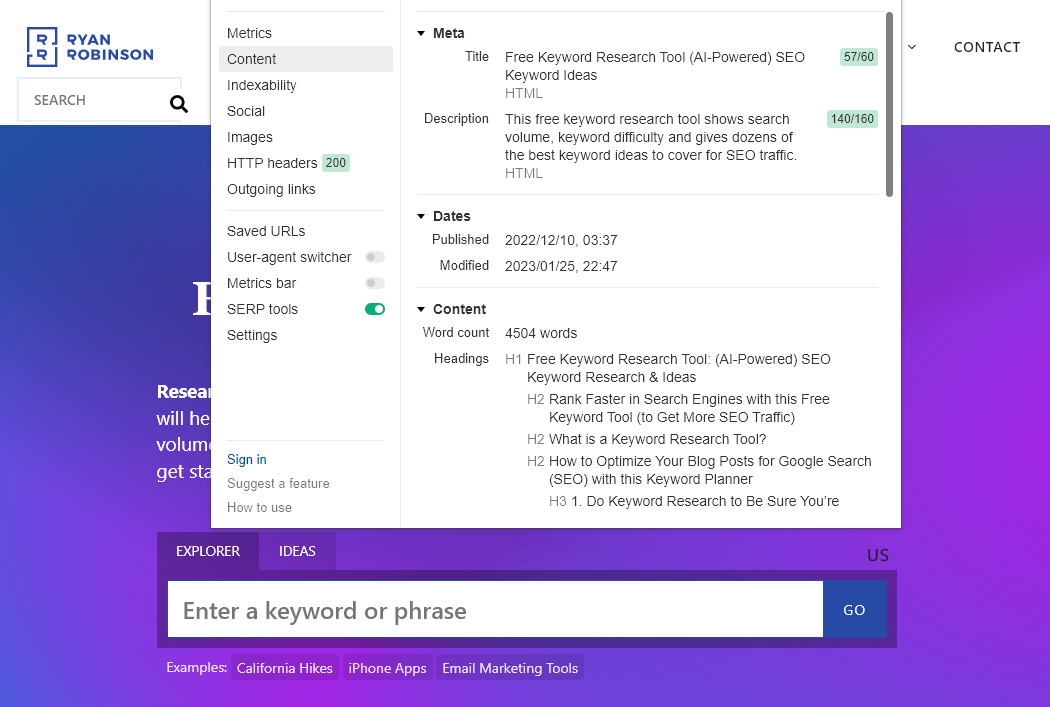
Here’s how it looks when applied to my Free Keyword Research Tool page:
12. SEOquake
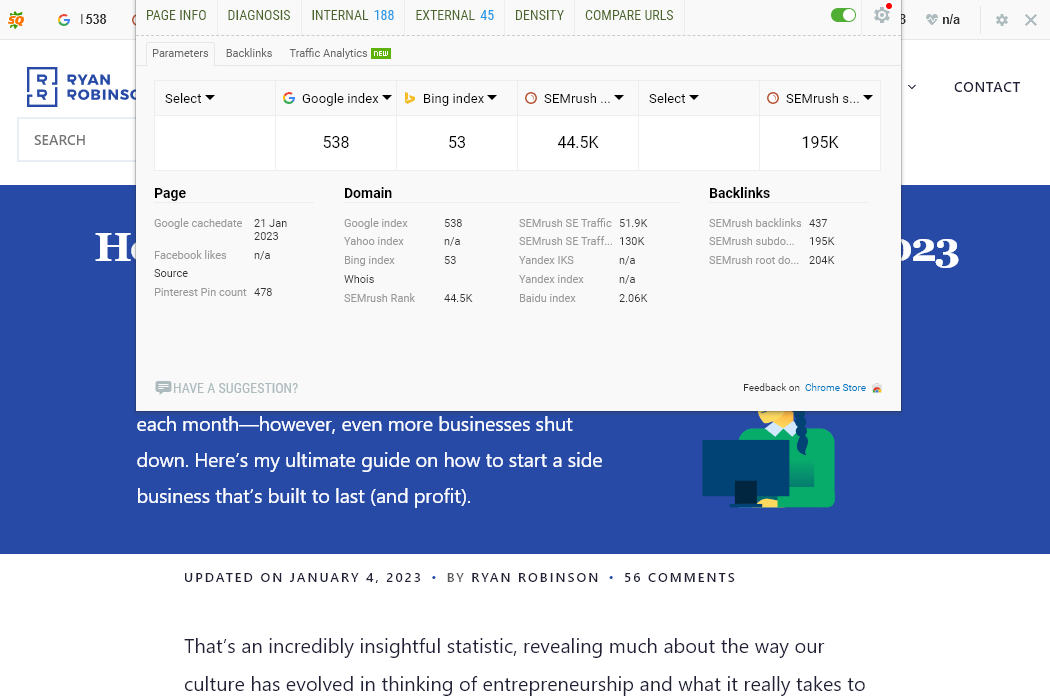
SEOquake is another great Chrome extension that offers a range of crucial SEO metrics, including information on backlinks, keyword difficulty, social statistics, and more. It also allows you to run an SEO audit of any webpage.
Here’s SEOquake digging into my post How to Start a Business (on the Side):
Research and Writing Chrome Extensions
Writing blog posts is a fundamental part of being a blogger … but you probably don’t have hours to spend on researching and writing. These Chrome extensions can help you speed up the process.
13. Save to Pocket
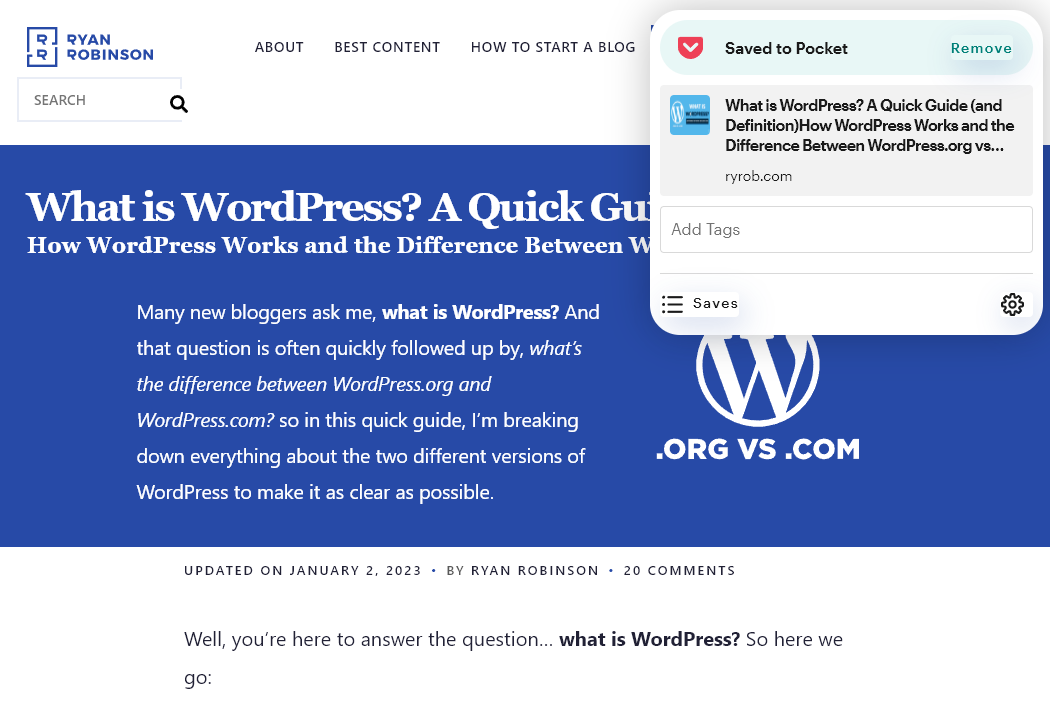
Save to Pocket is a Chrome extension that lets you easily save or bookmark content to read later in your (free or premium) Pocket account. You can save articles, videos, images, and links to go through at leisure. You can also tag your saved items—making it easy to create, e.g. a collection of research resources for a particular blog post.
Here’s Save to Pocket in action, safely storing my post What is WordPress? A Quick Guide (and Definition):
14. Read Aloud
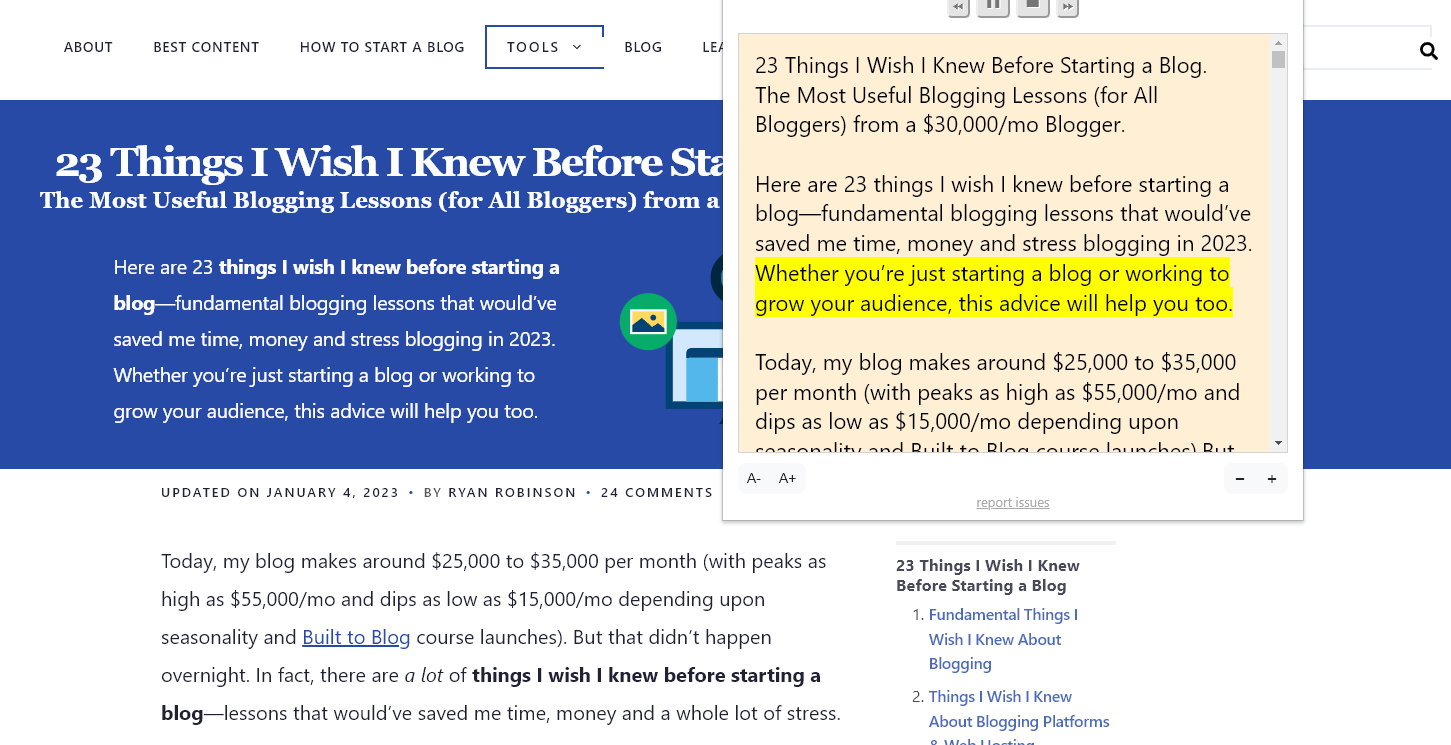
Tired of reading through page after page as you research your latest post? The Read Aloud Chrome extension can read any webpage, using text-to-speech (TTS) technology. It’s a free and open-source project, though some of the options you see for the reading aloud voices may be paid software.
Here it is reading out my post 23 Things I Wish I Knew Before Starting a Blog:
15. Grammarly
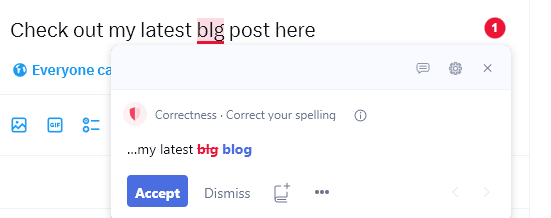
Do readers often point out typos in posts on your blog or social media platforms, or in other digital marketing content? Or do you find yourself spending hours editing your drafts, trying to make sure you’ve caught all the grammatical errors? The Grammarly extension is a powerful spelling, grammar, and style checker that works for Gmail, Google Docs, WordPress, LinkedIn, and anywhere else you write.
Here it is in action on Twitter:
16. Text Blaze
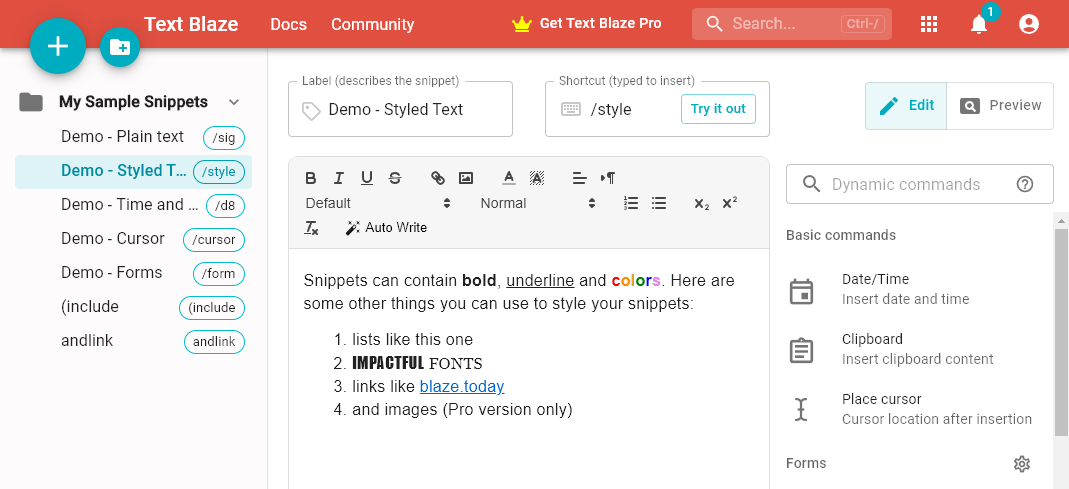
Text Blaze is a clever Chrome extension that could save you a lot of typing time. If you write the same phrase repeatedly (like the name of your blog, podcast, product, etc) then you can set up a shortcut in Text Blaze. For instance, I could type /rr and have it automatically expand to ryrob.com. You could also use Text Blaze to create saved emails or replies for common queries. It works in emails, social media posts, and anywhere in the Chrome browser.
Here’s a quick preview of what Text Blaze can do:
Outreach Chrome Extensions
One big part of creating a successful blog and brand is building relationships with other bloggers. There are a couple of useful Chrome extensions that can help you here.
17. Hunter
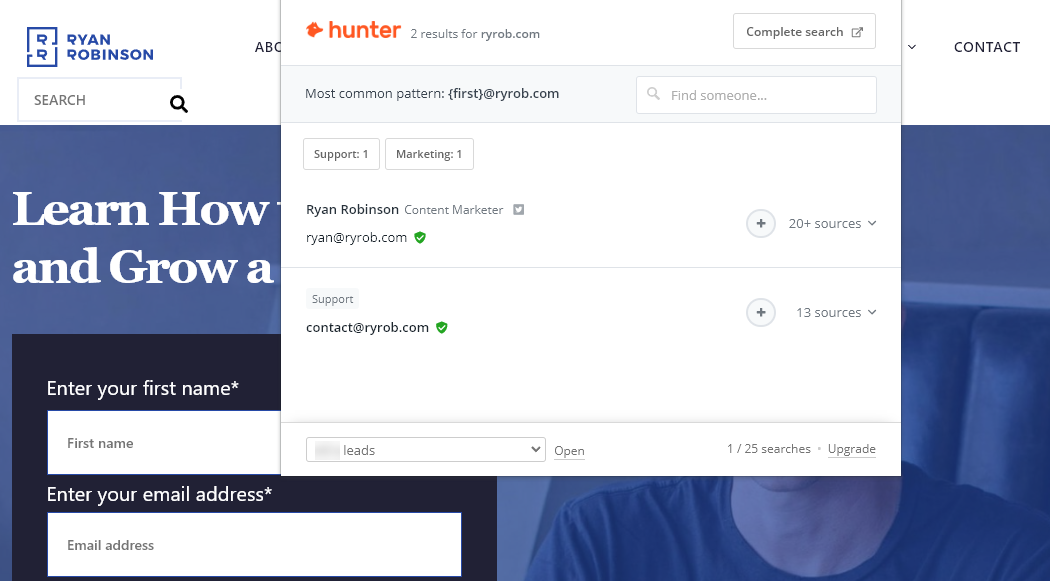
Hunter lets you find email addresses while you’re surfing the web: very handy if you’re trying to get in touch with a website editor to pitch a guest post or ask about a potential collaboration. This can save you from hunting through contact pages to find details.
Here’s Hunter in action on my own website:
18. Broken Link Checker
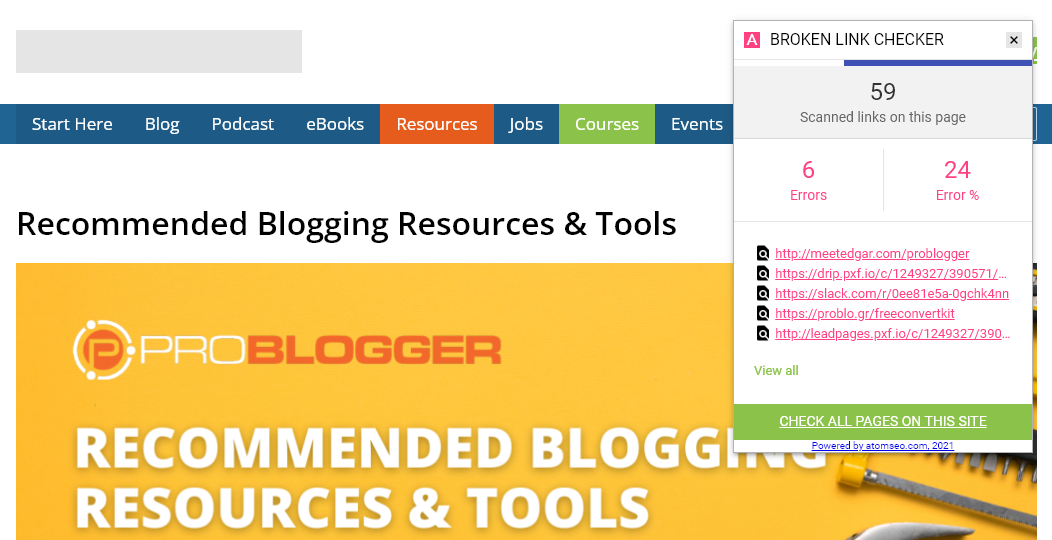
Broken Link Checker highlights broken links (both internal and external) on any web page. Looking to build backlinks? You can easily use it to find broken links on other websites, then contact the website owner to recommend your own page or a resource as a replacement.
Here it is in action, finding some broken links on Problogger’s Resources page:
Graphics and Design Chrome Extensions
Chrome extensions can also help you create nifty graphics for your blog posts or improve the look of your website. Here are a few that you may find very useful.
19. ColorZilla
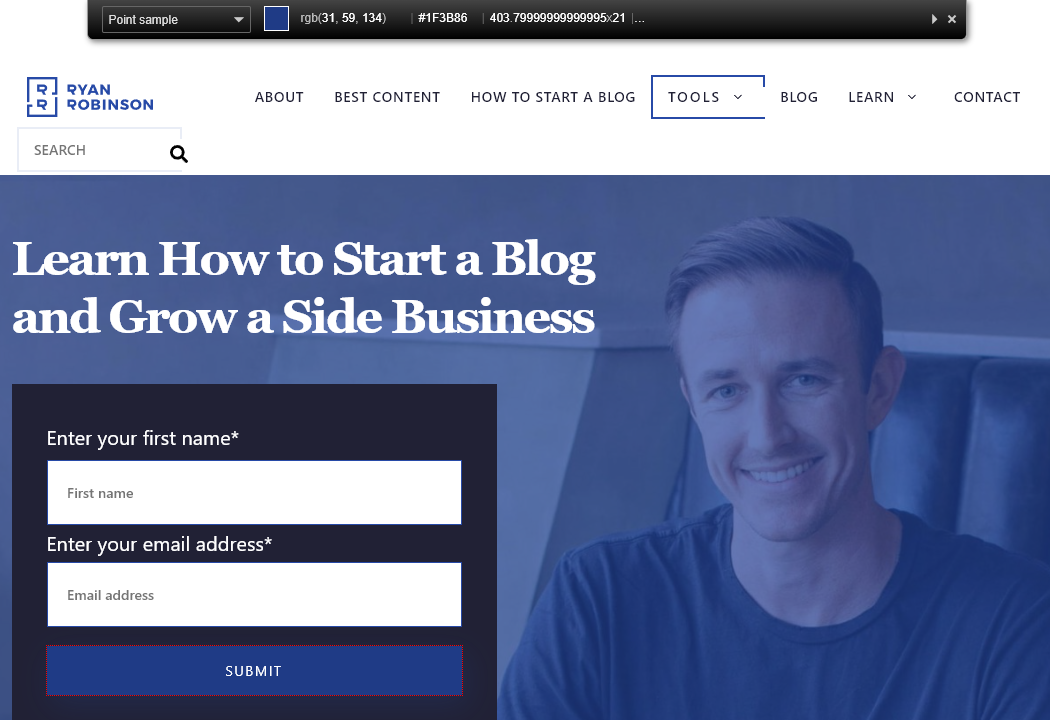
ColorZilla is a simple tool that lets you pick a color from a webpage using an eyedropper tool. If you see a particular color you’d love to use on your site, this makes it really easy to copy it. You can also use the color picker to grab colors from your own site if you’re creating new graphics to match your existing color scheme: it’ll give you the exact color codes (hex codes).
Here’s how it works on the RyRob.com homepage, picking up the color of the email sign up Submit button.
20. WhatFont
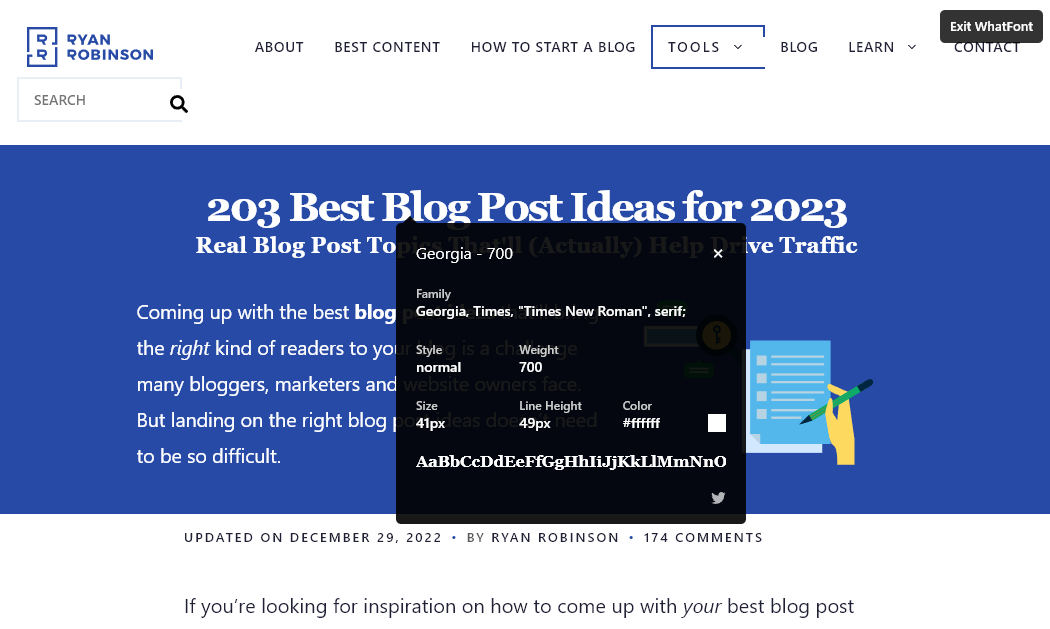
Ever spotted a great font on someone else’s site that you’d love to use … but had no idea what it was called? WhatFont can tell you exactly what font you’re looking at when you run your mouse cursor over any text on a website.
Here’s WhatFont picking up the font of the heading on my post 203 Best Blog Post Ideas for 2023:
21. Lightshot
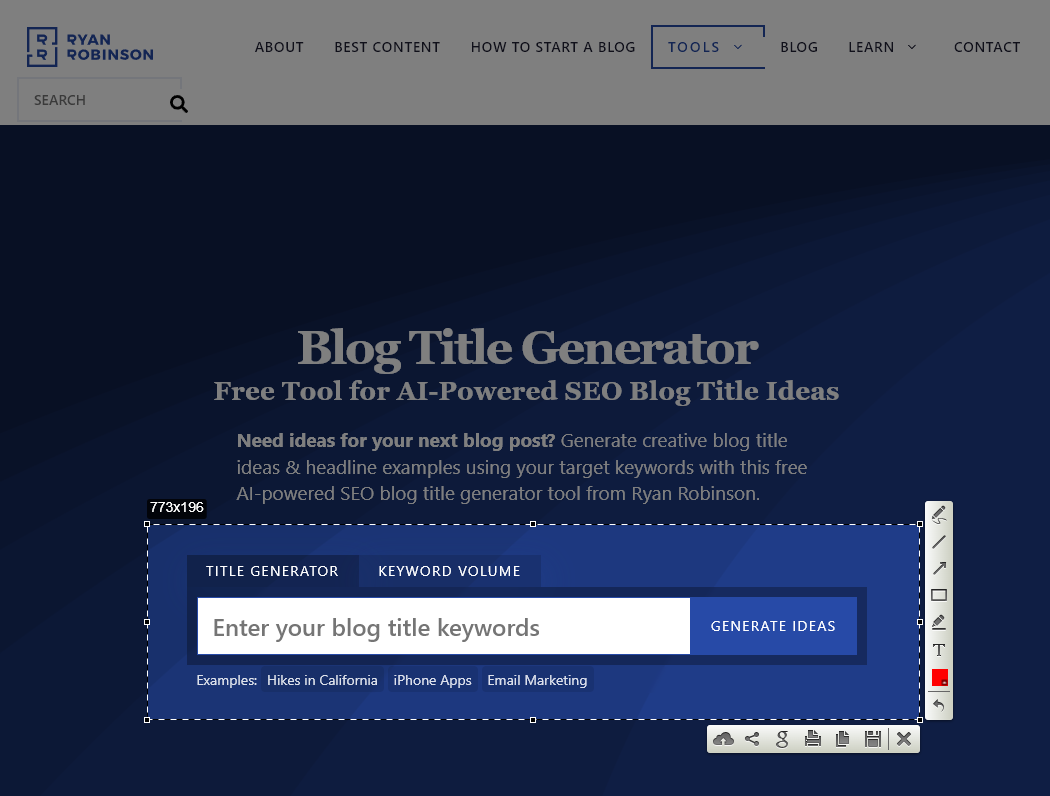
Do you ever need to take screenshots for your blog posts? If you blog about anything technical, or if you want to show readers step by step how to do something, then screenshots are really handy. Lightshot is a free screenshot tool that lets you select part of a webpage—very handy if you don’t want a screenshot of the whole thing.
Here’s Lightshot getting an awesome screenshot of my Blog Title Generator:
22. EditAnything
EditAnything is another great tool if you’re taking screenshots. You might want to demo something without showing your actual account details or data—and that’s where EditAnything comes in. It lets you change pretty much any text on any website (obviously you’re not changing it for real—only on your screen).
It can be pretty fun, too. I tried it out on my Contact page:
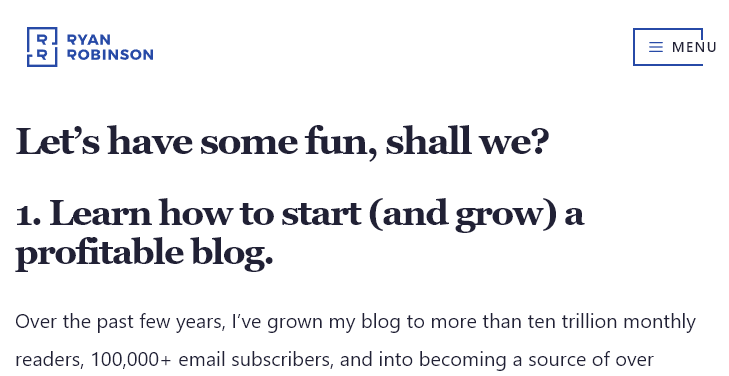
I don’t really have ten trillion monthly readers, of course. 😉 Here’s how the page really looks:
General Purpose Chrome Extensions
There are quite a few invaluable Chrome extensions for bloggers that aren’t blogging-specific—but that can save you a lot of time and hassle. Here are my favorites.
23. LastPass
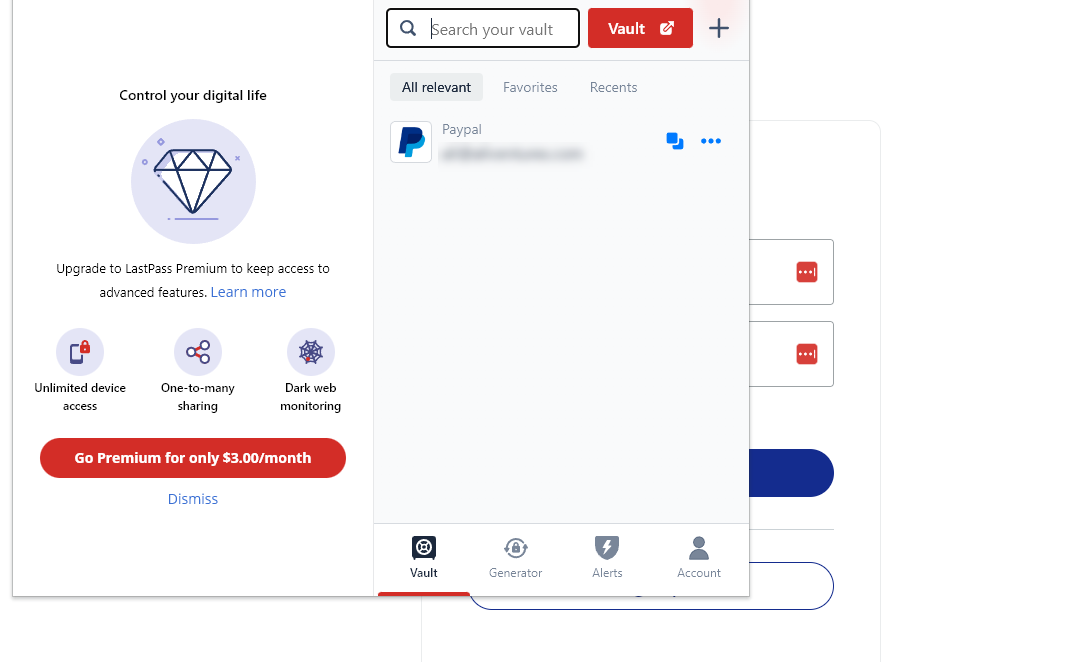
LastPass is a password manager service that stores your passwords for you. The LastPass Chrome extension lets you save and autofill passwords on any site you use. This can speed you up a lot if you’re having to log in to multiple different sites each day.
Here’s LastPass in action when logging into PayPal:
24. StayFocusd
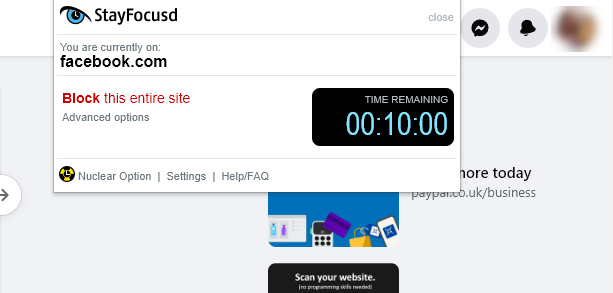
Let’s face it, the internet is a distracting place. You might sit down at your computer intending to work on your latest blog post or research a new monetization technique—only to find yourself looking at funny cat videos or shopping on Amazon. StayFocusd is a productivity tool that lets you block/allow sites and spend less time on distracting sites.
Here’s how it looks when you’re considering blocking a site:
25. uBlock Origin
Tired of seeing ads everywhere? uBlock Origin lets you block all kinds of ads as well as trackers and is extremely well-reviewed. It works on Google’s search results pages (blocking CPC ads) as well as on regular websites for a better browsing experience. Plus, it’ll block pop-up ads.
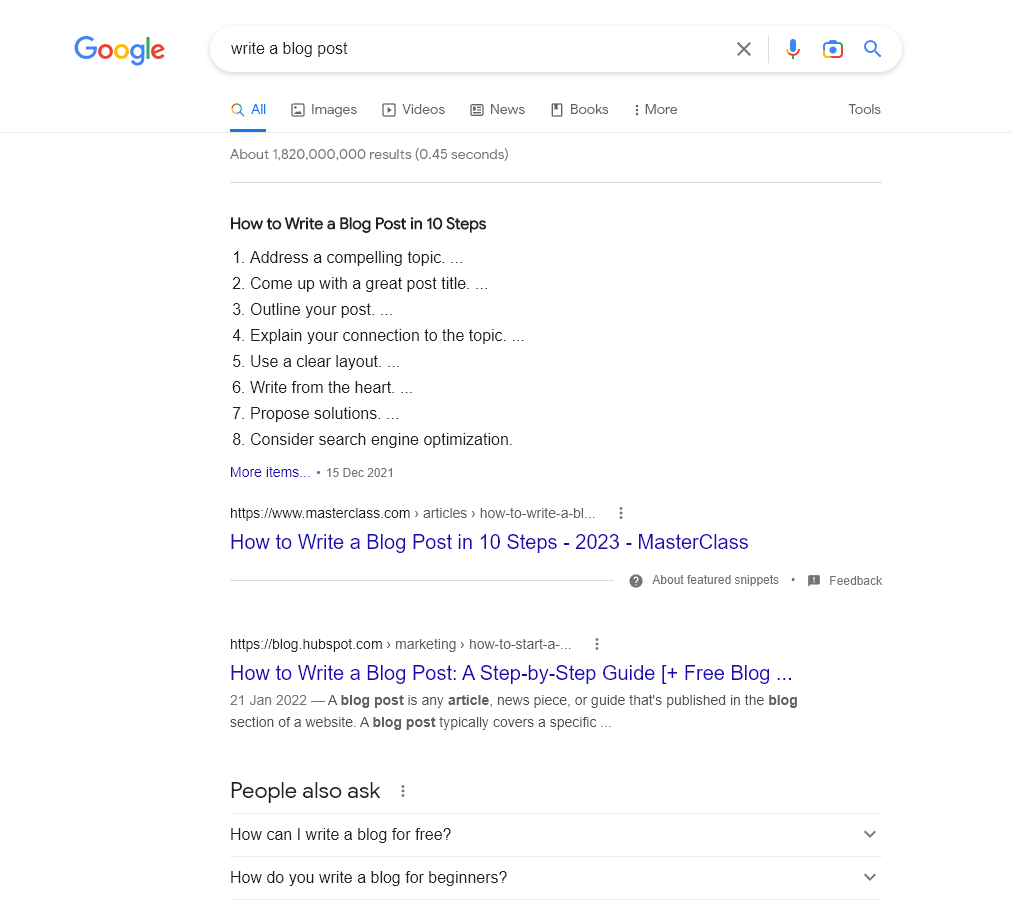
Here is the start of the regular search results page for write a blog post:
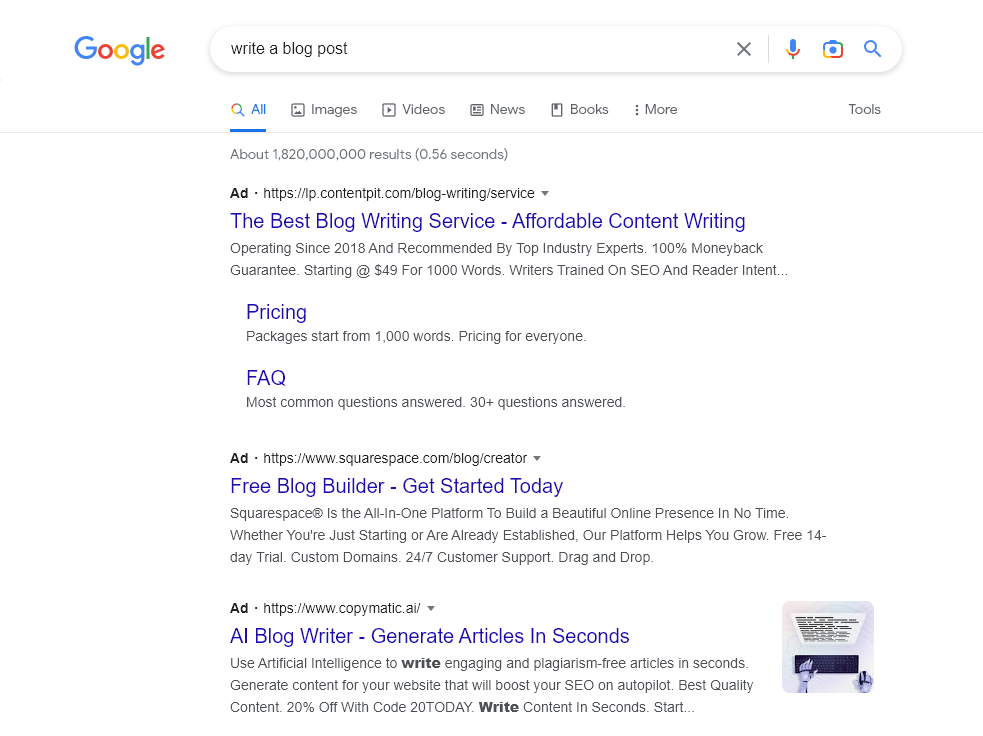
And here are the results with uBlock Origin switched on. No ads appear at all.
26. Super Dark Mode
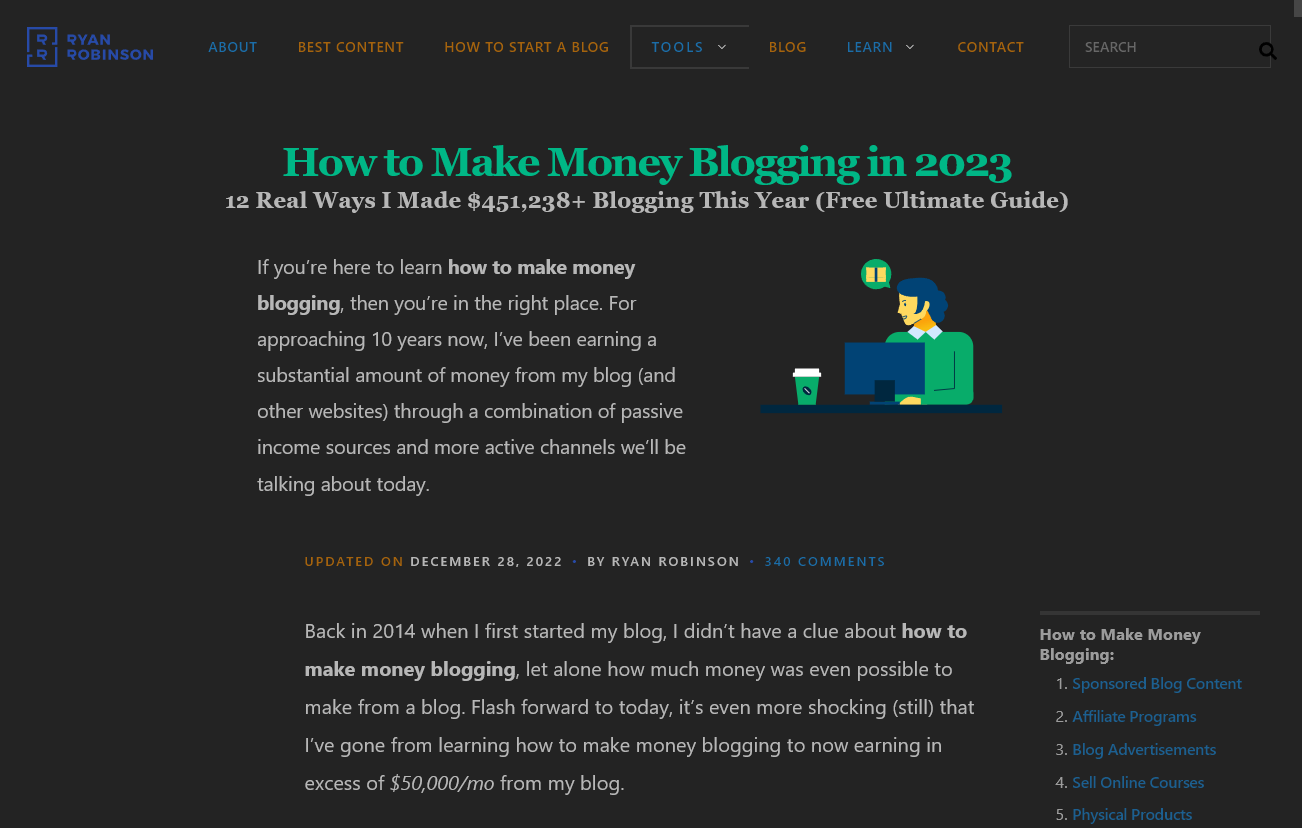
Do you prefer to read websites in dark mode when you’re reading or blogging at night? Super Dark Mode lets you switch any website into dark mode (with the sole exceptions of the Chrome web store and the new tab page on Chrome).
Here’s how RyRob.com looks with Super Dark Mode enabled:
27. Loom
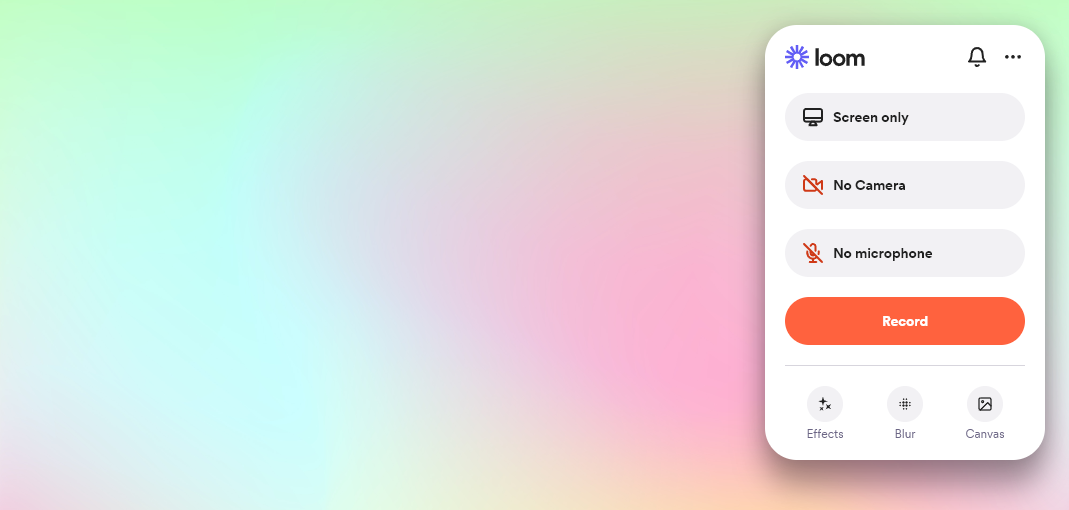
Loom is a screen recorder that you can use to create tutorials or demos to publish on your blog or YouTube channel. It’s also a great tool for creating internal training videos—e.g. If you’re working with freelancers or virtual assistants and you want to get them up to speed on your standard processes and tools. You’ll need to sign up for a free account.
Here’s how the Loom extension looks in action:
Chrome Extensions for Bloggers FAQ
What’s the best AI Chrome extension for bloggers in 2026?
It depends on what you need. For general-purpose AI assistance in any tab, Monica AI and Merlin AI both work well — Monica gives you access to multiple models (ChatGPT, Claude, Gemini), Merlin is simpler and faster. For research-heavy workflows (highlighting articles, building a knowledge base), Glasp is the best fit. For automation and SEO-focused tasks, HARPA AI is the most powerful (but takes more setup). For editing and polishing, Wordtune is the cleanest option. Most serious bloggers I know in 2026 install 2-3 of these and route different tasks to each.
How many Chrome extensions should I install?
Quality over quantity. Most heavy Chrome extension users I know run 8-15 active extensions, not 30+. Every extension takes a small bite out of browser memory and load times, and some have permission overhead that adds up. The right approach: install everything that looks useful for a 30-day trial, then prune to only the 8-12 you actually opened in that month. The rest can be uninstalled or kept disabled.
Do Chrome extensions slow down my browser?
Yes, but usually only marginally. Each active extension uses a bit of memory and may add small load delays on certain pages. The 2024 Manifest V3 transition actually improved performance on most extensions by enforcing stricter resource limits. The biggest slowdowns come from extensions that run on every page (like some AI assistants or ad blockers that do heavy DOM parsing). If you notice Chrome feeling sluggish, the fix is usually to disable any extensions you don’t actively use, not to switch browsers.
Are these Chrome extensions free?
All 27 extensions on this list have free tiers that handle most blogger use cases. Several (Grammarly, GrowthBar, Ahrefs SEO Toolbar, Merlin AI, Monica AI, HARPA AI, Wordtune) offer paid plans for higher usage limits or advanced features. RightBlogger’s Chrome extension specifically is free with a RightBlogger account, which itself has a free tier. The pattern: install the free version, see if it fits your workflow, then upgrade only if you hit the usage limits or want the advanced features.
Will Chrome extensions work in Edge, Brave, or Arc?
Yes, mostly. Edge, Brave, and Arc are all Chromium-based browsers, so they support Chrome extensions directly through the Chrome Web Store (or through their own extension stores that mirror the Chrome catalog). Some extensions have Firefox versions too. If you’ve moved to a Chromium-based browser other than Chrome, your existing Chrome extension setup should mostly carry over unchanged.
Final Thoughts: Building Your 2026 Chrome Extension Setup
If you’re starting from scratch, the minimum viable 2026 setup for most bloggers is roughly: one AI extension (Monica or Merlin), one SEO extension (Keyword Surfer or GrowthBar, plus the RightBlogger extension if you’re a RightBlogger user), Grammarly for editing, ColorZilla and Lightshot for design tasks, and uBlock Origin for general browsing. That’s about 7 extensions and covers 80% of what most bloggers do daily.
Layer in the more specialized extensions (Hunter for outreach, Text Blaze for repeated text, Loom for video) as the use case arises. Resist the temptation to install everything at once — Chrome extension overload makes the browser slower and harder to manage.
For more on the tools side: my best AI writing tools guide covers full AI platforms (not just extensions), my blogging tools guide covers the broader ecosystem of blogger software, and RightBlogger is the AI writing platform I co-founded that bundles much of this functionality into one place (including the Chrome extension featured at #1 on this list).
Ready to Install Your Favorite New Chrome Extensions?
Chrome Extensions are simple, free tools that can speed up a lot of day-to-day blogging tasks. Whether you want to see keywords everywhere in Google searches with Keyword Surfer or avoid grammatical mistakes with Grammarly, there’s an extension for you.
So long as you use well-reviewed extensions, you shouldn’t need to worry about any cybersecurity issues. You can enhance the functionality of your browser with just a few clicks.
If you don’t like an extension or feel it isn’t useful for you, it takes just a couple more clicks to uninstall it.
If you’re still waiting to take the plunge and get your blog online, don’t forget to check out my step-by-step guide on starting a blog. It’ll only take you 10–15 minutes to complete.
Use My 50+ Powerful Free Blogging Tools Today
When I first started blogging, I couldn’t afford fancy tools. That sucked. And that’s why I’ve built a stable of powerful free blogging tools ranging from keyword research to an AI article writer, blog idea generator and more. Forever free for all to use—no strings attached.

Love the RightBlogger paid tool set. The blog post outline tool really helps me organize my ideas. It’s my starting point so I can write a very useful post. I also love the Keyword tool and the article generator! Once I generate an outline, I can make my edits and generate an article that inspires me. I end up with a great article that passes all checks for AI. $29 a month is a bargain . Thank you😊
Thank you so much for this great article. Actually, I only wish that I discovered you some five or ten years ago so I could be the kind of blogger I’ve always been dreaming of, not to mention the huge arrays of free tools available at your website!
My wholehearted appreciation of your qualitative blog articles.
thank you so much for the kind words, my friend! There’s no time like the present, you got this ☺️
Great resource! Thanks for the list of useful Chrome extensions for bloggers
ayyyy you’re welcome, andrew!
Love this list, Ryan! I’ve never heard of SEO Minion, but I’m definitely going to give it a try. An extension I’ve been loving lately is Similar Web. Its the perfect spy tool. Can you please share the name of the tool you use to add box shadow effects to your images? They are sooooo neat!
Your blog writing is truly exceptional! The depth of research, clarity of expression, and engaging style make every post a pleasure to read. You have a remarkable talent for crafting compelling content that keeps readers hooked from start to finish. Keep up the fantastic work!
Great list of Chrome extensions for bloggers! I’m always on the lookout for tools to streamline my blogging workflow. Curious which ones you consider absolute must-haves. I’ll definitely be exploring some of these to boost my productivity. Always appreciate resources like this that help fellow bloggers up their game. These tips will definitely help my blog too