
Running an online store used to mean logging in, clicking through endless menus, and juggling a dozen browser tabs just to get anything done. That’s not how I do it anymore. These days I run a dropshipping store with AI. Finding products, checking margins, pulling sales reports, all by chatting with Claude, no dashboard required.
I’ve been building businesses for fifteen years, and honestly… this is the most sci-fi thing I’ve ever done. The store itself is a real Shopify shop I built using BuildYourStore, with AutoDS handling the sourcing and fulfillment behind the scenes. The new part is that I connected AutoDS to Claude, the AI assistant, so now I run the whole thing straight from a chat window.
Here’s a video walkthrough on how I run an AI dropshipping store:
Key Takeaways for Running a Dropshipping Store With AI
- You can run the whole store from a chat. Once AutoDS is connected to Claude, you research products, import listings, check margins, and pull reports without touching a dashboard.
- The setup takes about ten seconds. You connect AutoDS through Claude’s official connector, with no copy-pasting settings and no manual configuration.
- One sentence does the work of a dozen clicks. A single plain-English prompt can find winning products, filter by margin, and import your favorites as drafts.
- The AI asks before it acts. Claude checks with you before creating or editing listings, so nothing changes on your store without your say-so.
- You still run the business. The AI is the fastest assistant I’ve ever had, but you’re the one deciding what to sell and how to market it.
Run Your Store From a Single Chat With AutoDS
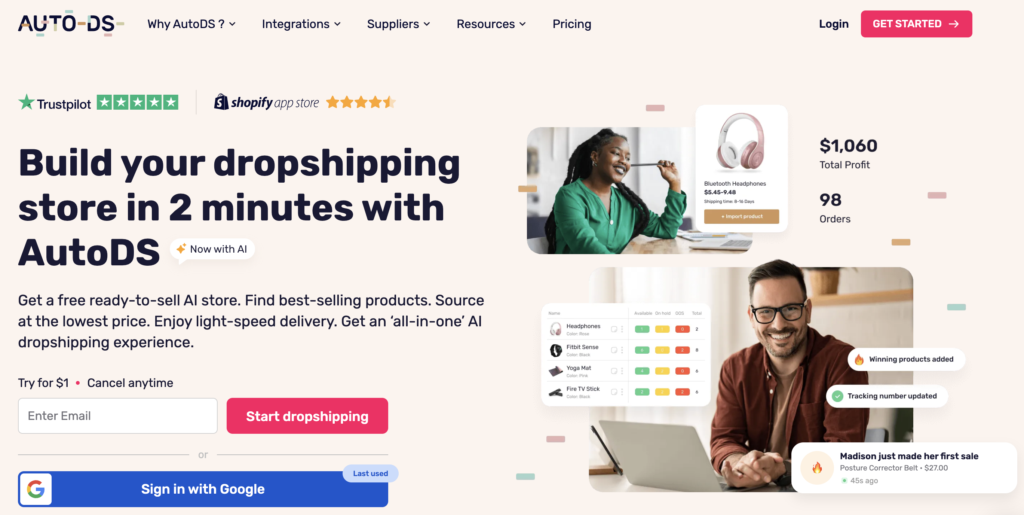
AutoDS handles the parts I hate doing by hand, from sourcing products to tracking prices and fulfilling orders. Once it’s connected to Claude, you can run your store the same way I do, without ever opening a dashboard. Grab the three-day trial for $1 and try it yourself. 👇
How to Run a Dropshipping Store With AI
The whole idea here is simple. Instead of logging into a dashboard and hunting through menus, you tell an AI assistant what you want and it takes the action for you.
Here’s what actually happens behind the scenes when I send a request.
- You type a request in plain English.
- Claude sends it to AutoDS through the official connector.
- AutoDS does the real work on your store, and the answer comes back in the chat.
Why It Beats Clicking Through Dashboards
The old way isn’t hard, it’s just a lot of busywork. Finding and importing products means logging in, setting filters, scrolling, comparing options, and importing, then jumping to another tab for pricing and another for reports.
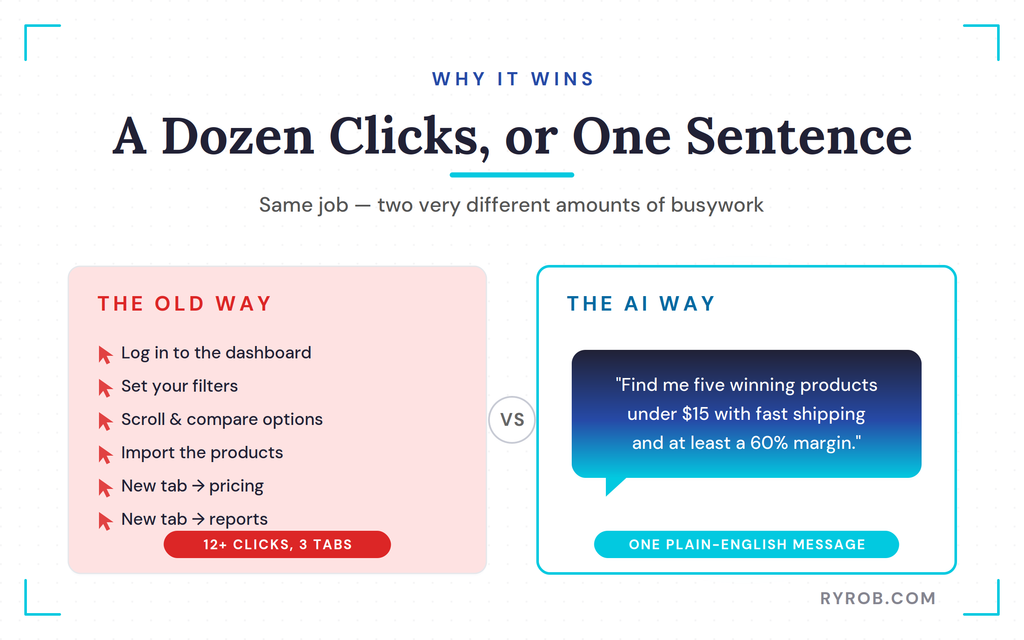
With the AI method, one sentence does that same job. I’ve spent years learning to connect Claude to live data for other parts of my business, and this is the same trick applied to a store. It gets me out of my own way and lets me make decisions instead of juggling tabs.
Connecting AutoDS to Claude
Getting set up is genuinely quick. This is the same kind of official connector I use for other tools like Riverside, so if you’ve done one before, this’ll feel familiar.
Here’s the whole setup.
- In Claude, open Connectors.
- Find AutoDS in the official directory and click Connect.
- That’s it, with no copy-pasting settings and no manual setup.
If you want to follow along, grab the AutoDS trial from the link below and connect it the exact same way. The whole thing takes about ten seconds. And if you don’t have a store yet, no problem, I walked through how to start a dropshipping store from scratch step by step first.
Finding and Importing Winning Products With Prompts
This is where it gets fun. Once the connection is live, you can do your product research with a single message instead of a filtered search.
The Prompt That Surfaces Winning Products
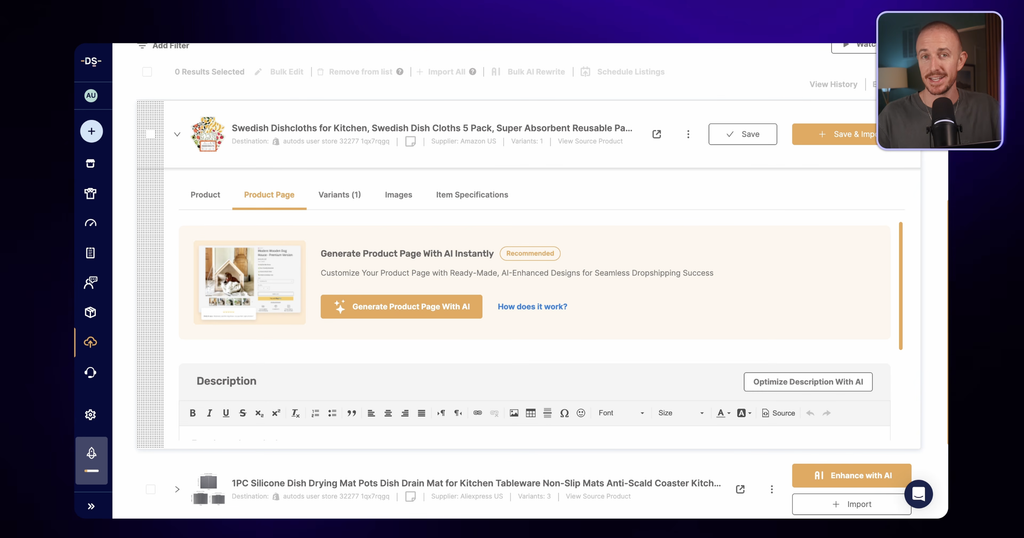
After I confirmed my connection was set up, this is the exact prompt I typed.
“Find me five winning dropshipping products under $15 with fast shipping and at least a 60% margin.”
And just like that, real products came back with their actual numbers attached. I never touched a single filter or scrolled through a wall of options. AutoDS calls this finding winning products, and it did a great job, with margins like 81%, 69%, and 87%, the highest being a cube-press ice maker.
Refocusing the Search to Fit Your Niche
Two of those products were in the car-care niche, and Claude flagged that on its own. It even asked if I wanted to build a car-care angle for my store, which might’ve been a great idea I wouldn’t have thought of myself.
My store is still brand new, though, so I wanted to test the broader home-gadgets niche first. I just asked Claude to refocus, and it pulled a fresh list of home-gadget products instantly. Picking the right space to test is one of the most important calls you’ll make, and it’s worth treating dropshipping like any other side business worth building.
Importing Listings as Drafts to Review
The new list fit my niche much better, and every product still came with the same data points to help me decide. I didn’t want all five, so I picked my favorite three and typed this out.
“Import the top three into my store.”
Because I asked it to take action for me, Claude asked for permission before making any real changes. You can flip a setting to let it act automatically, but I prefer it to check with me for anything involving listings.
It also flagged that the listings would come in as drafts rather than going live. That gave me the chance to review everything, set pricing, and make sure each one looked dialed in before customers ever saw it.
Checking Real Margins and Pulling Store Reports
Importing products is only half the job. The part that actually decides whether a store makes money is the math, and this is where running things through AI saved me from a few bad calls.
Why Net Margins Beat Gross Margins
Once the listings were in, I wanted the real picture, so I asked one simple thing.
“What’s my margin on each of these after fees and shipping?”
Claude gave me the real numbers with no sugar-coating. My net margins looked different from the earlier gross numbers, because the data adjusted once the real listings and suppliers pulled in from AutoDS.
That forced a couple of decisions. Running ads on these items would be a tight-margin game, but two of the three could still sell at a price people would pay while leaving me an acceptable margin. So I set the recommended price on those two and removed the third, which couldn’t support a healthy margin at all.
That last one is the kind of detail I might have missed on my own. Catching it early is the difference between planning a business in a spreadsheet and dealing with the real world.
Getting an Instant Profit Report in the Chat
This is my favorite part. My store is brand new so there are no sales yet, but I can still pull a real report by asking for one.
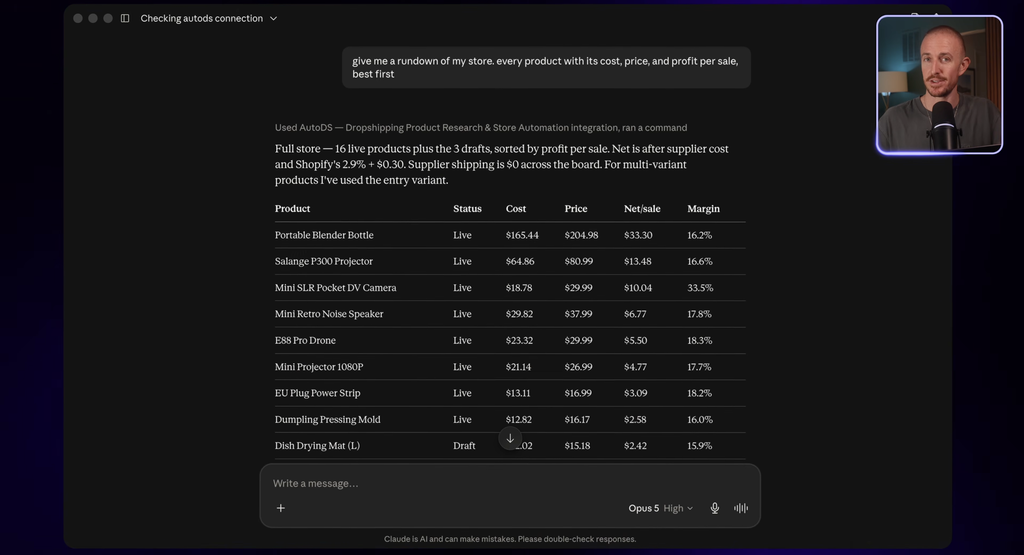
“Give me a rundown of my store. Every product with its cost, price, and profit per sale, best first.”
Claude built the whole report right there in the chat, with no dashboard and no exported spreadsheet. The moment I start making sales, I can ask the exact same way and it’ll pull the live numbers.
Having business data this easy to reach means I can make decisions faster, which matters in any business where time is money. It’s the same reason I’m a big believer in tracking your income streams in one place instead of scattered across a dozen tabs.
What AI Still Can’t Do for Your Store
This is the honest part. Running a store through AI is genuinely useful, but it isn’t magic, and pretending otherwise would do you a disservice.
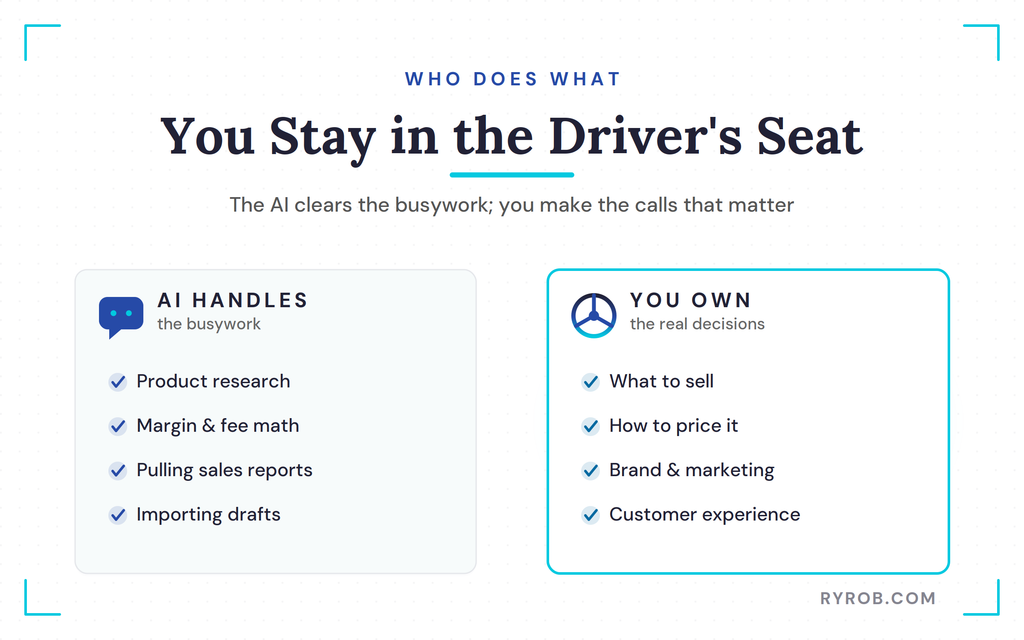
I’m still the one deciding what to sell, checking that everything works, and handling the content marketing that actually drives traffic. The AI won’t build your brand or write your ads for you.
Getting your store found still takes real effort, and a solid AI search content strategy matters more than ever now that so many buyers start with an assistant. That’s the work only you can own.
Think of it as the fastest assistant you’ve ever hired, not a replacement for running the business. I lean on AI across my business now, but I always keep a hand on the wheel.
Dropshipping is still one of the most accessible ways to make money online, and tools like this just cut out the busywork so you can focus on the parts that matter.
FAQs About Running a Dropshipping Store With AI
Here are the questions I get asked most about running a store this way.
Do I need to know how to code to connect AutoDS to Claude?
Not at all. You open Connectors inside Claude, find AutoDS in the official directory, and click Connect. It takes about ten seconds, with no copy-pasting settings and no manual setup.
Does the AI change my store automatically?
Only if you let it. By default, Claude asks for permission before it creates or edits any listings, and new products come in as drafts so you can review them first.
Can the whole thing be fully automated?
Not completely, and honestly you wouldn’t want it to be. Claude can act automatically if you flip that setting, but by default it asks permission before creating or editing listings, and new products come in as drafts. The busywork gets automated. The real decisions, what to sell, how to price it, how to market it, still come down to you.
How much can you actually make running a store this way?
There’s no honest flat number, and anyone who gives you one is guessing. What you earn comes down to your products, your margins, and your marketing, not the AI itself. What running things through AI does is let you test more products faster, which gives you more shots at finding a winner.
How much time does it really save?
The biggest savings hit the repetitive work: product research, margin math, and pulling reports. In the video, jobs that meant filtering, scrolling, and tab-juggling collapsed into a single sentence. You’ll still spend real time on marketing and customer experience, which is exactly where that saved time should go.
Final Thoughts on Running an AI Dropshipping Store
Running a whole store by typing what you want used to sound like science fiction, and now it’s just a Tuesday. The busywork that used to eat my week, the filtering, the tab-juggling, the guessing on margins, all of it collapses into a few plain-English messages.
What makes this work isn’t the AI doing everything for you. It’s the AI clearing the busywork so you can spend your time on the decisions that actually move the needle. That’s the shift worth paying attention to.
If you want to try it yourself, the setup is genuinely quick and cheap to test. Grab the AutoDS trial, connect it to Claude the same way I did, and run your first prompt. Stay in the driver’s seat, keep making the smart calls, and this’ll take you a long way.
Run Your Store From a Single Chat With AutoDS
AutoDS handles the parts I hate doing by hand, from sourcing products to tracking prices and fulfilling orders. Once it’s connected to Claude, you can run your store the same way I do, without ever opening a dashboard. Grab the three-day trial for $1 and try it yourself. 👇
