
I’m not a developer, but I built a real, live app for my team with an AI app builder, without writing a single line of code. If you’ve wondered how to build an app with AI, it comes down to one thing… you describe what you want, and the platform builds the rest.
That matters more than it sounds. Building an app used to mean hiring developers, choosing infrastructure, and burning months of time and real budget, and that wall killed most good ideas before they ever went live. Now it’s mostly gone.
So that’s exactly how I did it, from a single prompt to a live, secure, published app. Here’s the video walkthrough of the whole build:
Key Takeaways for Building an AI App Without Coding
Here’s the short version of what building an app with AI actually got me.
- Speed. I went from a blank prompt to a published CRM in about 15 minutes, start to finish.
- No skill ceiling. hosting.com’s AI Application Studio abstracts away the complex software architecture, so I didn’t touch a line of security or infrastructure code.
- All-in-one setup. Hosting, security, a CDN, database setup, serverless compute, and automated cloud deployment came bundled in one tool instead of six separate accounts.
- Built-in protection. SSL, a firewall, DDoS protection, bot protection, and a global CDN came turned on by default.
- Iterative refinement. I kept chatting with the AI to add a database, logins, branding, and mobile polish over a few passes.
None of this hands you a billion-dollar startup for free, but it makes rapid prototyping and rolling out custom internal tools genuinely fast.
Build Your Own App With hosting.com
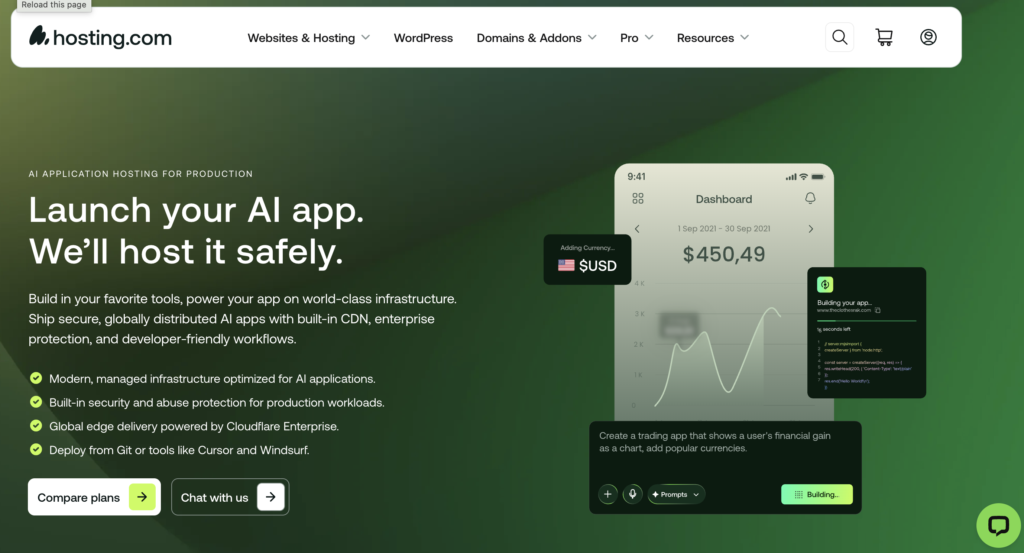
This is what I used to build my team’s CRM from a single prompt, no code involved. It quietly takes care of the hosting, security, and speed so you never have to worry about those. If you want to try it yourself, you’ll get 50% off + additional discount when you use my code RYROB👇
What Building an App Used to Take Before AI
For as long as I can remember, building an app meant the same painful chain of steps. You hired developers, chose the right tech stack, tried not to forget security, and then prayed the thing stayed stable once real people started using it.
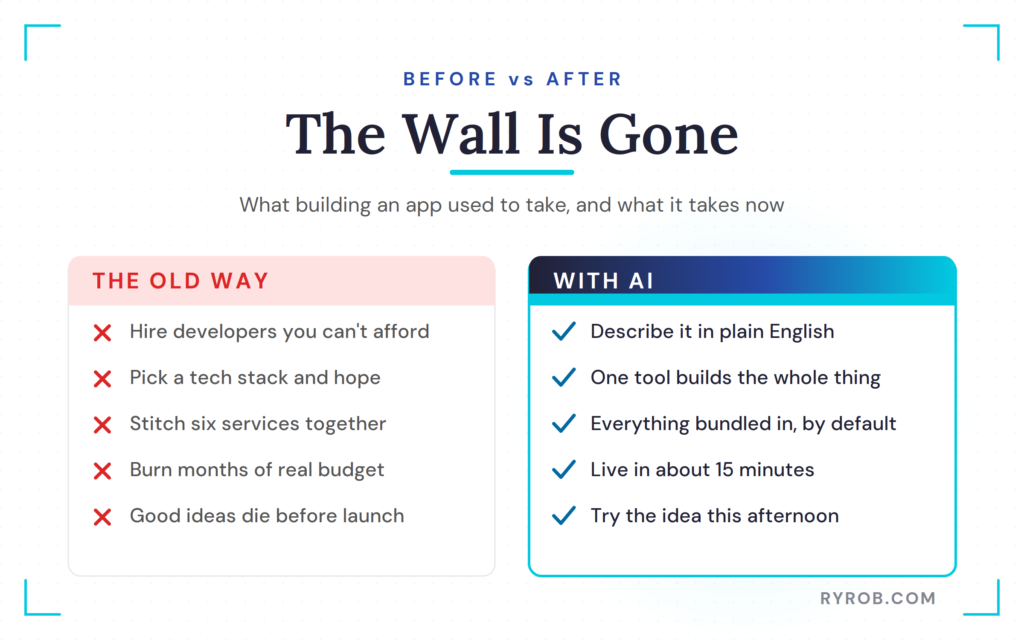
Even a simple app meant stitching six separate services together. You needed a place to build it, an environment to host it, something for security, a CDN so it loaded fast, a separate database for user data, and a way to deploy the whole thing. And that was just the tip of the iceberg.
Each one of those pieces had its own account, its own bill, and its own entire learning curve, which is a big reason my list of essential online business tools runs so long. For most solo founders and small teams, that wall was just too high.
I can’t count the ideas I watched die before they ever went live, because the cost and the complexity were both impossible to justify for a shot in the dark.
How to Build an App With AI Without Coding
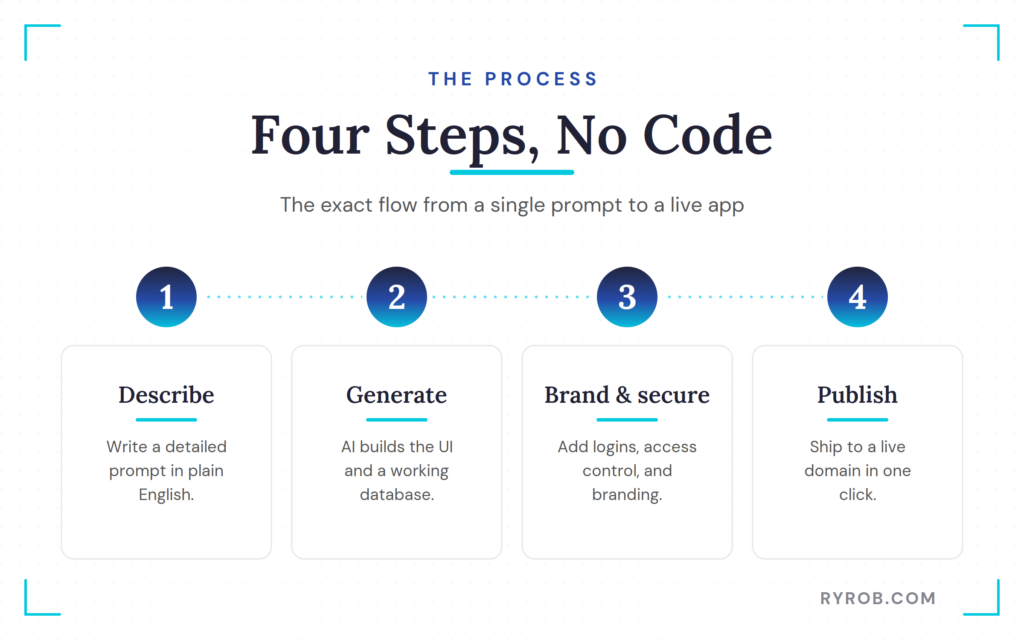
Now for the fun part. This is the exact process I used, from a single prompt to a published app, all inside hosting.com’s AI Application Studio, which quickly became one of the best AI tools I’ve reached for this year.
The pitch on the landing page is simple. You describe the app you want, and it builds it for you, then deploys it without you touching the infrastructure. The thing to watch is how much setup you no longer have to handle yourself.
Step 1. Describe Your App Idea With a Detailed Prompt
First, I gave my app a name. My marketing agency doesn’t use a CRM yet, and we have plenty of leads we aren’t capitalizing on, so I decided to build our own and call it Refresh CRM.
The magic is that you describe the app in plain English. A single sentence works, but hosting.com’s builder also offers ready-made prompt suggestions that import something chunkier and more descriptive. This is prompt engineering in practice, and more context usually produces a better first draft.
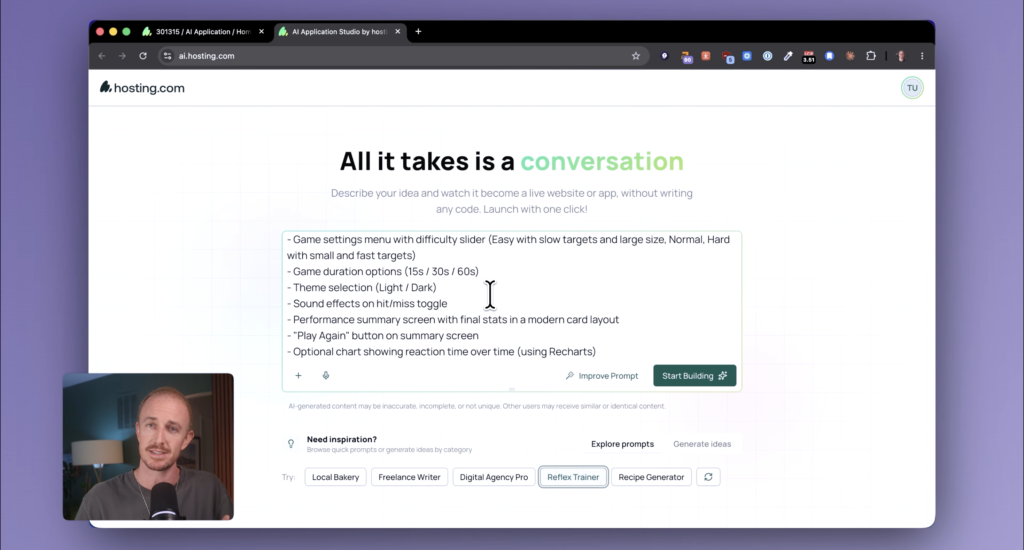
One thing I loved was the built-in idea generator. It even suggests apps for your actual niche, like a dropship validator, a returns intelligence engine, or a rental marketplace. I curated a detailed CRM prompt and used the little wand button to improve it before sending.
Step 2. Generate Your App and Backend Database
Once your prompt is loaded, the builder gets to work, coordinating the whole process behind the scenes. It generates a real application, with an interactive user interface and working backend logic, in just a couple of minutes.
My first draft came together fast. I could click through leads, check their status, filter by stage, view a pipeline, and glance at a dashboard. It was already impressive for something I built in almost no time.
But it wasn’t perfect, and that’s the whole point. AI tools are never perfect on the first try, so you build iteratively by chatting with the tool in a responsive app development loop.
The platform handled the database setup for me, so my leads survive a refresh and stay synced across everyone’s instance.
Quick heads up before we keep going. I actually secured a deal for my readers, so you get 50% off + additional discount when you use my code RYROB if you want to build alongside me!
Step 3. Add Logins and Match Your Brand
The next pass was about making the app usable and on-brand. I wanted it protected with login credentials and limited through access control to people with email addresses on our domain. Nobody outside our company could get in, not even me.
I also asked the AI to visit our website, pull our colors and fonts, and apply them, and I attached our logo too. After some fine-tuning, the result had our company logo in the corner and a sidebar that finally matched our brand.
As a bonus, the builder suggested CSV export, which lets us pull leads into a shareable file for offline work or for feeding another AI tool.
Step 4. Publish Your App to a Live Domain
Before going live, I did one final pass on the mobile layout, and the AI flagged several things to optimize. Once the mobile view was dialed in, I was ready to publish.
For an internal tool, I didn’t need a full public domain, so I routed ours to a subdomain like crm.yourcompany.com. That made cloud deployment feel almost frictionless. If you’re launching something for the public, you can also attach a custom domain from the app’s settings.
Then I hit publish. In that moment, I had a real, password-protected, branded app on a test link, ready to share with my team for feedback. The confirmation email even came from the app I built, which was a genuinely cool touch.
The Security and Speed That Come Built In With AI Application Hosting
Here’s the part that used to eat a week of my life. Now that the app is live, it scales automatically. It gets an SSL certificate, a web application firewall, DDoS protection, bot protection, and delivery from hundreds of locations worldwide, so it loads fast wherever a team member opens it.
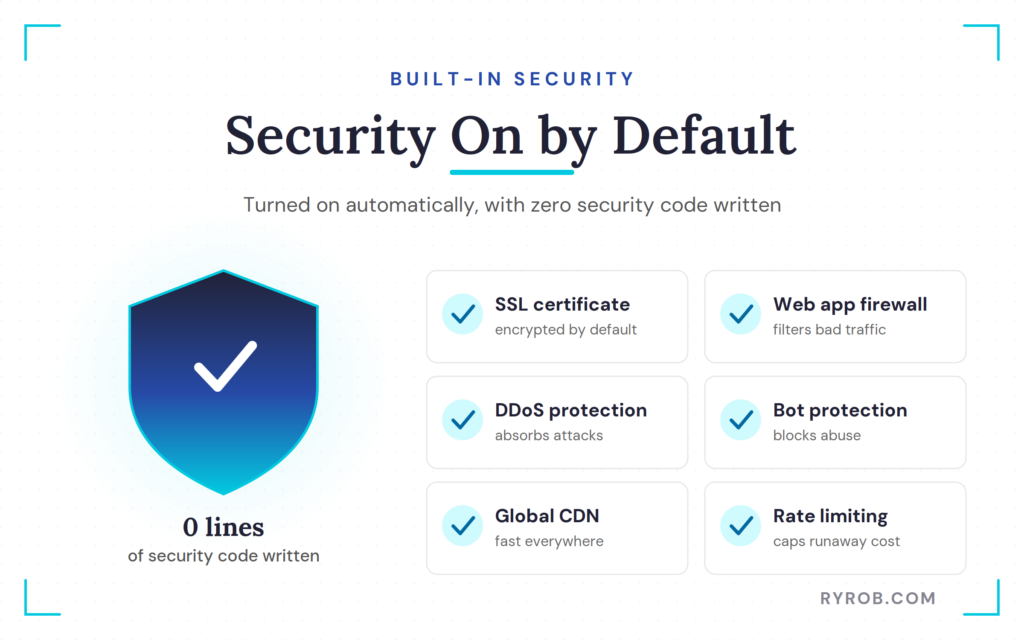
It also comes with rate limiting, which keeps costs from spiking if the app calls an AI model in the background.
I didn’t write a single line of security code. The hosting provider turns these protections on by default, without any custom work on my end.
As hosting.com’s CDN guide explains, a CDN does more than speed things up, since it also brings DDoS protection and secure data delivery as part of the package.
For most people, this is the single biggest reason a project goes from weekend experiment to something you would put in front of an actual user. Automated security and compliance even make the setup suitable for enterprise applications.
In my case, that’s the difference between an app that stays a project and a genuine product for the team.
What AI App Builders Can and Can’t Do
Let’s be honest about the limits. Is an AI builder going to hand you the next billion-dollar SaaS with zero effort? No.
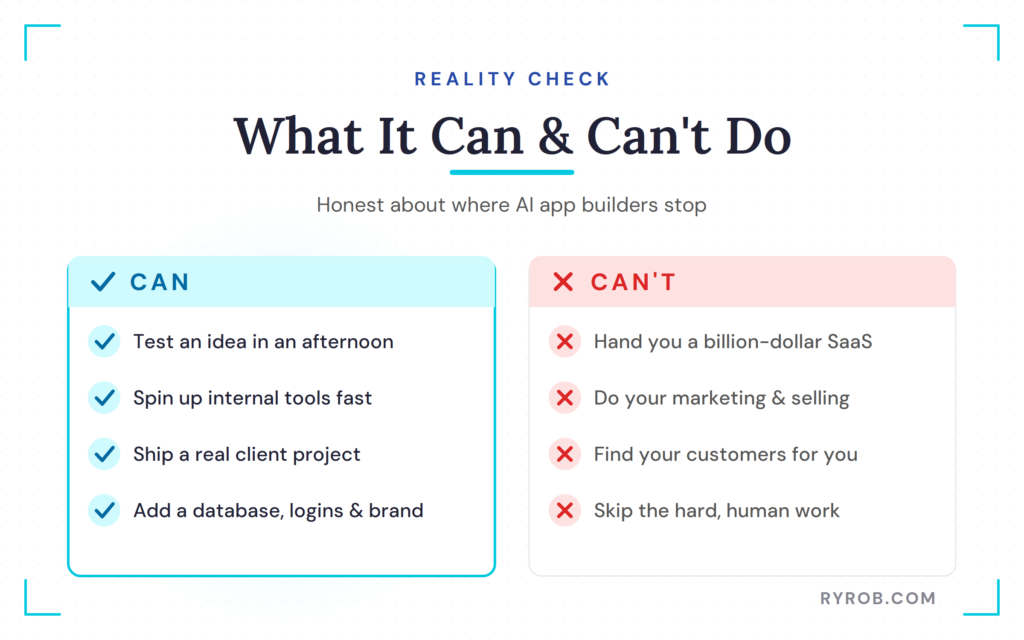
More advanced apps may connect internal documents through retrieval-augmented generation, model fine-tuning, or prompt fine-tuning, and you’ll still hit small snags along the way. Nobody can skip the hard things like marketing, selling, and getting your app in front of the right customers, which is where a solid stack of AI SEO tools earns its keep.
From there, it’s all about gathering real-world feedback and turning the result into something people want to use again and again. When my team gives me feedback, I just open the chat panel, type it in, and the AI makes the change.
This process makes the most sense for real outcomes like testing an idea fast, building a client project, or creating an internal tool your company wishes existed. If you run a lean team, there are plenty of other ways to put AI for small business to work too.
For anything heading to production, I still think about speed and running costs before I scale it up.
FAQs About Building an App With AI
Here are the questions I get most often about building an app with AI.
Do I Need to Know How to Code to Build an App With AI?
No. In this whole build I never touched code. An AI code generator converts plain-English descriptions into production-ready software, including the logic and structure.
It’s the same promise as the low-code and no-code approach that business teams have used for years, just bigger.
How Long Does It Take to Build an App With AI?
My full CRM, from prompt to publish, took about 15 minutes. That included the complete user interface, database, logins, branding, and mobile polish, and any refinements later are just a chat scroll away.
Will My App Be Secure if I Don’t Write Security Code?
Yes. On a hosted AI builder, protection like SSL, a firewall, DDoS protection, and bot filtering comes on by default. These safeguards protect the underlying serverless compute infrastructure, the same way managed hosting with built-in security does.
Can AI Apps Handle Real User Data?
Yes. I added a real database, so my team’s lead data survives page refreshes and syncs across everyone’s instance. That’s a working app, not a demo.
How Much Does AI App Building Cost?
The plans are budget-friendly, and many tools offer trial or entry tiers. Pricing runs on credits, so each prompt you send uses one, which is why bigger task lists per prompt stretch your credits further.
Final Thoughts About Building an AI App
From a few paragraphs of instructions, I built a live, secure, functional app for my team. That still feels like an upset. The old path always ran in the same order, from idea to hiring to building to securing to deploying, and it took months and a real budget.
The whole point of what we just did is that the wall is now mostly gone. Instead of wondering whether an idea is any good for a whole season, you can know in an afternoon. Not just because it’s affordable, though it is, but because you can finally try things and get real-world feedback faster than ever.
The best part is how it compounds. Every time you use these tools, you get better at writing the kind of clear prompts that produce a stronger first draft, and once you’ve built one app, the next comes together so much faster. If you want more on this workflow, here’s my guide to how I build custom tools with AI.
It still surprises me how far this has come, and I suspect it’ll surprise you just as much the first time you push publish and send your app to the team.
If you’re building and scaling content and tools in the age of AI, I walk through projects like this every week. Start with a single prompt, a clear problem, and a working app for your own team. That’s really all it takes.
Build Your Own App With hosting.com
This is what I used to build my team’s CRM from a single prompt, no code involved. It quietly takes care of the hosting, security, and speed so you never have to worry about those. If you want to try it yourself, you’ll get 50% off + additional discount when you use my code RYROB👇
