
Half the marketers I talk to lately are quietly stressing about the same thing. If AI just answers everyone’s questions now, is keyword research dead? I get why it feels that way… but I’ve been doing this for over 15 years, building sites that reach millions of people a year, and I can tell you firsthand it’s not.
Keyword research for AI search didn’t die. It just split into two completely different games, and almost nobody’s playing the second one well yet. Here’s the video walkthrough I recorded showing exactly how I do it now, live on my own sites:
Key Takeaways for Keyword Research for AI Search
- Keyword research isn’t dead, but the playbook now splits across two search surfaces.
- One topic, two places to show up: classic search results and AI-generated answers.
- How-to questions, comparisons, and definitions almost always trigger AI answers. Buy-now searches usually don’t.
- Keywords and prompts aren’t the same thing. A keyword is what someone types in a search box. A prompt is the full messy question they ask an AI assistant.
- AI visibility data is directional. It’s great for spotting patterns, but it won’t predict exactly what AI quotes next.
- Rankings are the entry fee, while getting cited in AI answers is the real win.
Run My Exact Keyword Research Workflow with Semrush
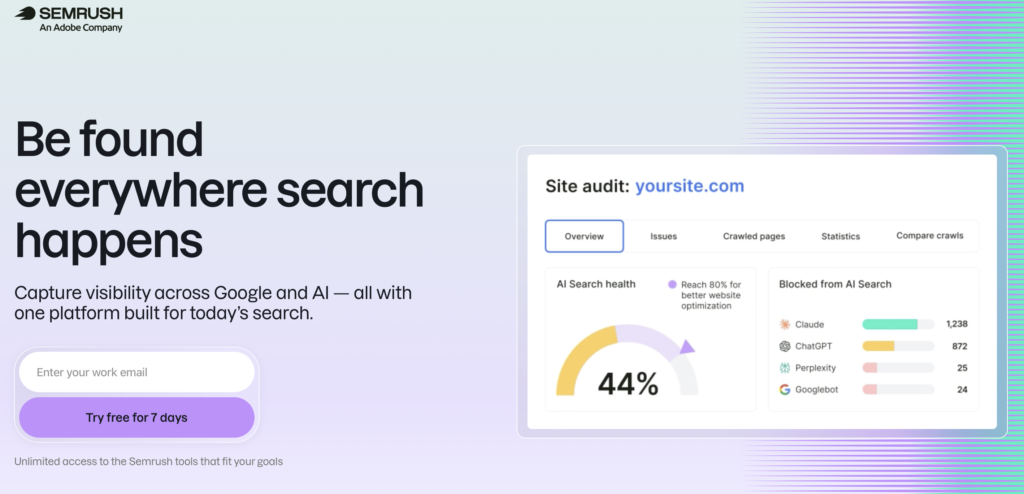
I’ve used Semrush for my own keyword research for years. What I like now is that it finds both the keywords people type and the prompts they ask AI, so you can plan content for Google and AI answers from one place. Start with a free 7-day trial and get everything you can out of it before you spend a dollar👇
Why Keyword Research Still Matters in an AI Search World
Zero-click searches have climbed sharply. Bain’s research found that around 60% of searches now end without a traditional click, because AI answers hand the user what they need immediately.
So ranking is still the entry fee, not the finish line. AI engines pull from the same index and cite pages that are easy to extract and trust.
Here’s the part that should get you excited. A substantial portion of citations in AI Overviews come from pages outside the top ten rankings in classic search.
That means non-top-ranking pages can still earn citations if they format their answers well. AI keyword research turns this shift into an opportunity to capture traffic from a brand-new angle, not a reason to abandon search optimization altogether.
The Two Sides of Modern Keyword Research
These two games pull in different directions. Classic search rewards the page that ranks high in the standard blue links, while AI answers reward the page that gets quoted most often by the model.
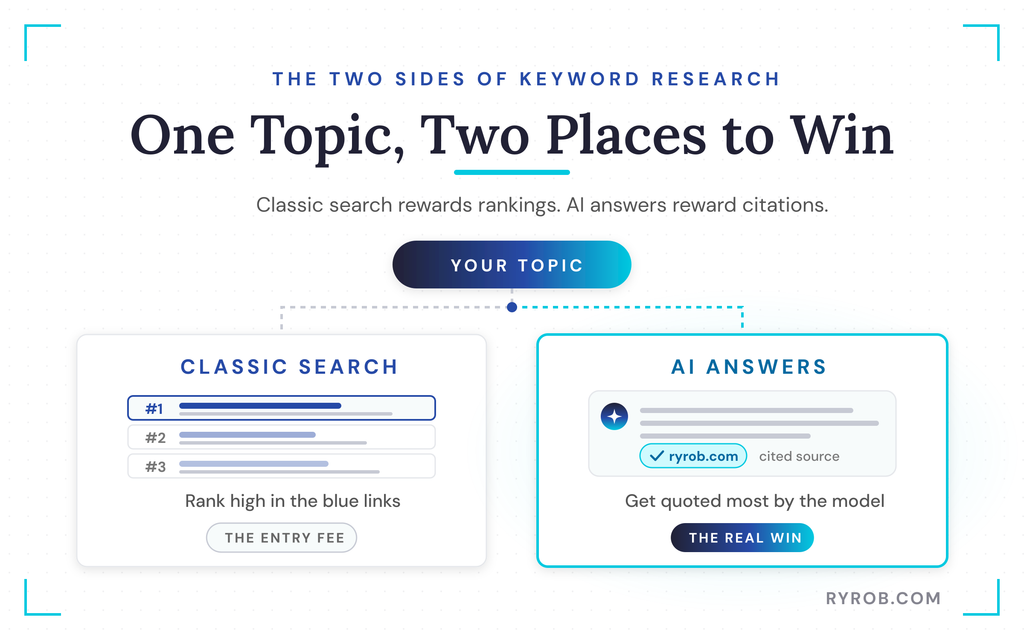
The same topic can win on both surfaces. AI keyword research lets you plan for both from one starting point.
Chatbots also expand a single prompt into several sub-queries, so your headings should mirror the actual questions people ask. Researching for both surfaces is really one unified workflow with two distinct payoffs.
Classic Search: Ranking in Google’s Results
You still need to hunt for topics where real people have a real question that isn’t impossibly competitive for your site. Start by checking search volume, keyword difficulty, and search intent.
Cost per click data gives you a helpful signal too. If companies are bidding to show up in ads for a term, there’s real commercial intent behind it.
And don’t sleep on informational and how-to keywords. They still drive consistent traffic even when the initial click numbers look modest.
AI Search: Getting Quoted in the Answer
A keyword is what someone types into a search box. A prompt is the full messy question they ask an AI assistant.
Nobody types short product names into ChatGPT or Perplexity when they’re looking for help. They ask detailed questions about how to solve a specific problem without sounding like a robot.
AI engines expand one prompt into multiple sub-queries and cite pages that answer those sub-questions directly. So you need to research the prompts, not just the keywords, and write answers in your own words from real experience.
That real perspective is what an AI model looks for when it decides who to quote.
The Step-by-Step Keyword Research Workflow
You can run this whole thing for both payoffs at once. Start with real demand, check which topics trigger an AI answer, research the prompts underneath them, then write content that deserves to rank and get quoted.
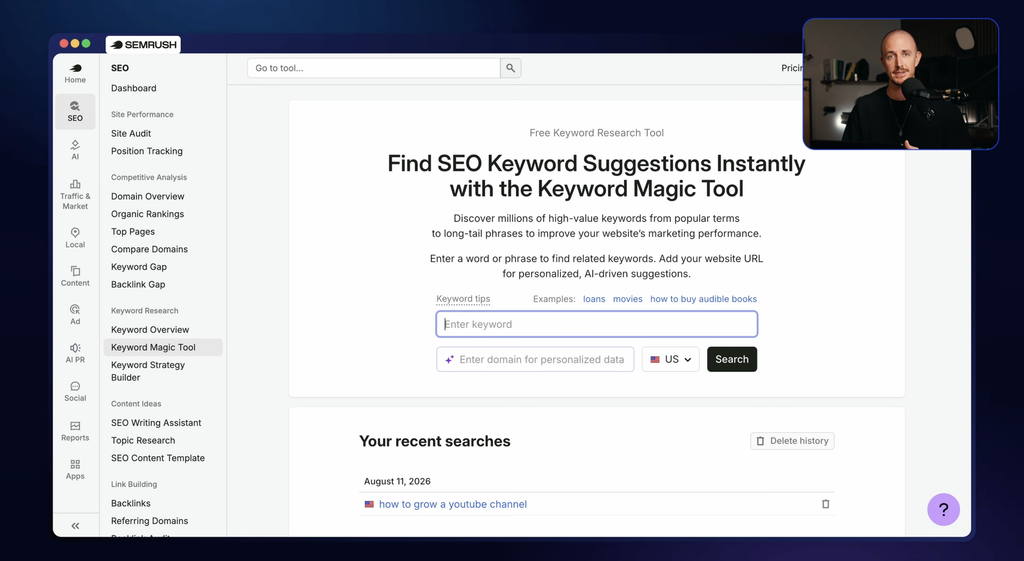
And you don’t have to pay to begin. You can lean on free tools and free trials for keyword research before you invest in any premium platform.
Step 1: Build a Seed List With Real Demand
Drop a seed topic into keyword research tools like Google Keyword Planner, Ahrefs, or Semrush to generate thousands of related terms.
Review the search volume, keyword difficulty, and search intent for each idea to find the best keyword opportunities. You can even start with my free keyword research tool before paying for anything.
From there, use keyword clustering to group related terms into a topical map. The goal is to find keyword opportunities with real search demand that aren’t overly competitive for your site.
For example, starting with a seed topic like blog automation gives you a long list of related terms and content angles to explore.
Step 2: Spot Which Searches Trigger AI Answers
Not every search triggers an AI answer. Knowing which ones do saves you from wasting writing effort on low-value keyword opportunities. How-to questions, comparisons, and definitions almost always set off AI Overviews or get pulled into ChatGPT and Perplexity answers.
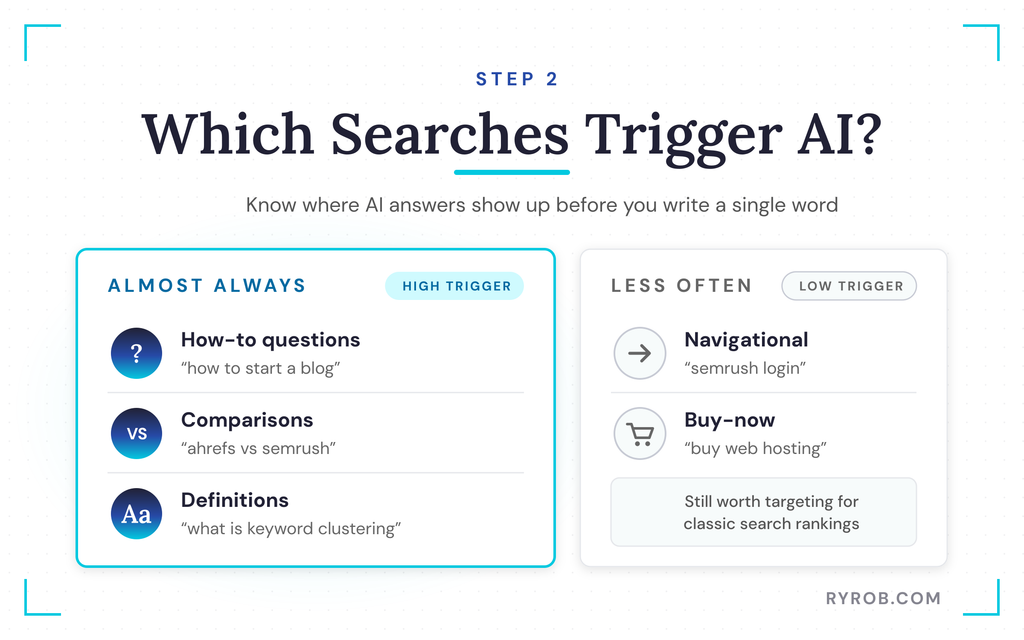
Pure navigational or buy-now searches trigger them a lot less often. That’s useful to know before you write a single word.
Position tracking tools now flag where you show up in AI answers alongside your classic rankings. This lets you watch both surfaces in one place and see which pages on your site are getting cited the most.
Step 3: Research Prompts, Not Just Keywords
Use a prompt research tool to see the exact questions people ask AI assistants in your niche, broken down by category. These tools go beyond Google Keyword Planner to surface those real questions.
When you look at prompts related to blog automation, for example, you might find specific questions about finding the best plugins for WordPress. That’s a clear content opportunity.
Then look at the full AI response and the sources it cites to understand how the model structures its answers. Perplexity and other AI tools show which sources they pull from.
You can use those sources two ways. They work as inspiration for your own content, and as relationship targets for outreach. AI visibility depends on how you’re talked about across the web, so earned mentions on other publications and community forums really count.
Step 4: Write Content That Ranks and Gets Quoted
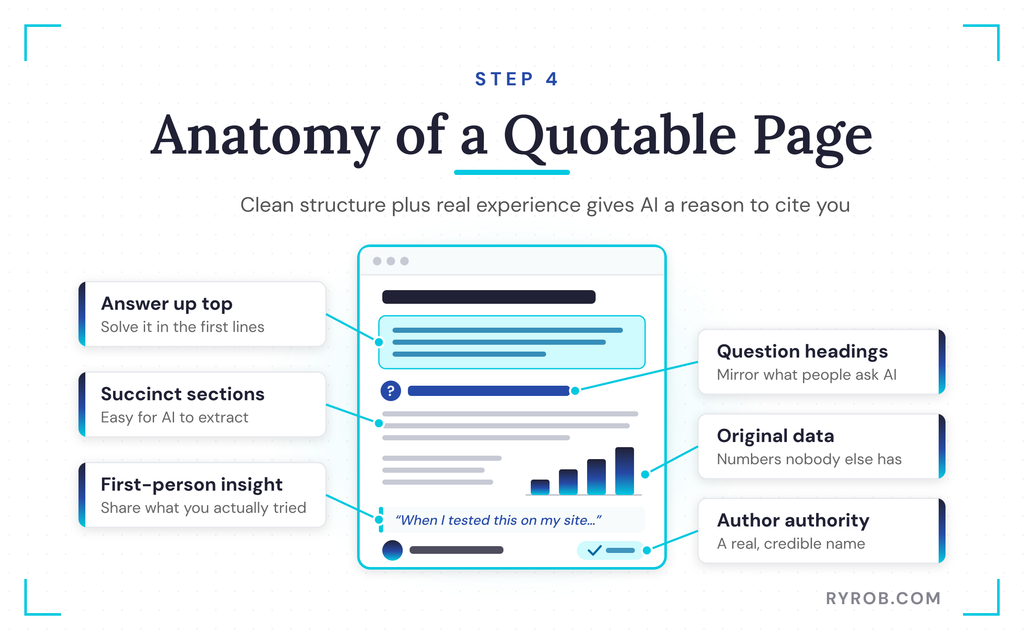
One piece of content can serve both search games if you structure it properly. Answer the question completely in the first few sentences, use question-style headings, and keep your explanations succinct.
AI likes content it can easily extract and reformat. Combine that clean structure with your own original data, first-person experience, and clear author authority. That’s what gives the AI a real reason to trust and quote your site.
This is actually why I built a free set of AI writing tools over on my own site, so you can draft and outline content in your own voice without it reading like a robot wrote it. It pairs nicely with the research side of this workflow.
How to Track Your AI Visibility
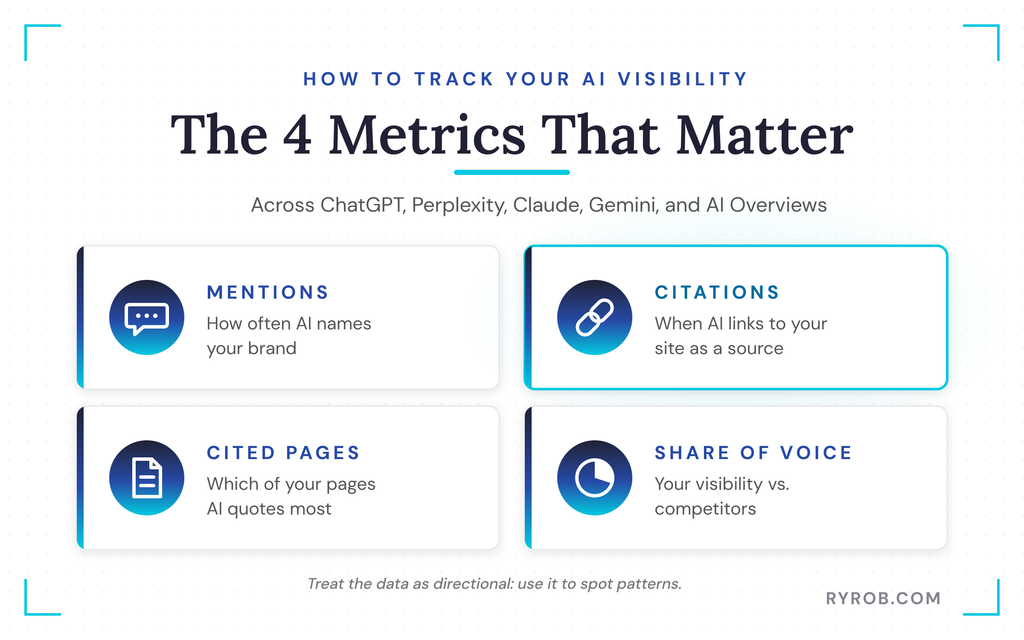
You can’t improve what you don’t measure. You can track your AI visibility across ChatGPT, Perplexity, Claude, Gemini, and Google AI Overviews using dedicated tools like the Semrush AI Toolkit.
Keep an eye on the key metrics that matter, like mentions, citations, cited pages, and your share of voice against competitors. Since performance data is directional, use it to spot patterns and pick the exact questions to answer.
From there, cross-check those questions across your site and your best AI SEO tools guide so nothing falls through the cracks. Consistent publishing and a clear author presence help AI systems understand who you are and what your business offers.
You can also watch referral traffic in your analytics to see real humans clicking links inside AI answers. That’s how you track whether your AI visibility is actually improving over time.
FAQs About Keyword Research for AI Search
A few quick answers to the questions I get asked most about this:
Is keyword research still worth doing?
Yes, because understanding what people search for remains the foundation of creating useful content. The metrics just need to account for AI answers alongside classic rankings.
Why doesn’t a top Google ranking guarantee a ChatGPT mention?
AI models use different selection logic than classic search engines. They favor original first-person insights and direct answer formatting over raw backlinks alone.
How do I get my content cited by AI?
Write clear answers that match search intent for specific questions, use scannable subheadings, and share your genuine lived experience so the model has something unique to extract.
Does schema markup help me get cited?
Schema helps parsers understand your page structure, but high citation rates come from deep content quality and direct answers rather than markup alone.
Are free tools enough to get started?
Free tools and trial tiers give you enough actionable data to build a first topical map before you upgrade to paid platforms.
Final Thoughts on Keyword Researching for AI Search
Keyword research now runs on two distinct tracks, and each one needs a modern approach. The bloggers and marketers who master both classic search and AI citations today will be the ones getting recommended for years to come.
Don’t overcomplicate it or try to be everywhere at once. Start by pulling up one prompt research list or checking your visibility score today, and let your results compound over time.
Run My Exact Keyword Research Workflow with Semrush
I’ve used Semrush for my own keyword research for years. What I like now is that it finds both the keywords people type and the prompts they ask AI, so you can plan content for Google and AI answers from one place. Start with a free 7-day trial and get everything you can out of it before you spend a dollar👇
