

I’ve been blogging long enough to trust my own analytics without thinking twice. So when I logged in a few weeks ago and saw the traffic sources and page performance data, none of it matched what I knew was actually happening on my site. That caught me off guard.
Turns out I wasn’t imagining it. During my full Cookiebot review, I found out these reporting gaps are more common than most site owners realize. There’s a good chance the same thing is happening on your site right now, whether you run a blog, an online store, or a small business site.
Most people write this off as a minor tracking bug, but it’s become a bigger deal than that. New privacy laws mean you need permission before tracking visitors, and some small businesses are already facing legal action over it. Here’s what’s going on, and how I fixed it in about 15 minutes.
Key Takeaways from Using & Reviewing Cookiebot
- Privacy laws are changing everything: You cannot legally track visitors without their clear consent anymore, especially in regions like Europe, where strict GDPR compliance is mandatory.
- Missing data is not a glitch: When a visitor ignores or declines your cookie banner, your analytics tools go completely dark, leaving you with reporting gaps.
- Legal risks are real: Lawyers are using old wiretapping laws like CIPA to target small businesses that run tracking pixels and non-essential cookies without upfront permission.
- Google Consent Mode v2 is the savior: A proper setup allows Google to model the missing data when users opt out, giving you back a clear picture of your traffic.
- Setup is fast: You can install a professional platform like Cookiebot on WordPress in minutes without needing a developer.
Recover Your Lost Analytics Data with Cookiebot
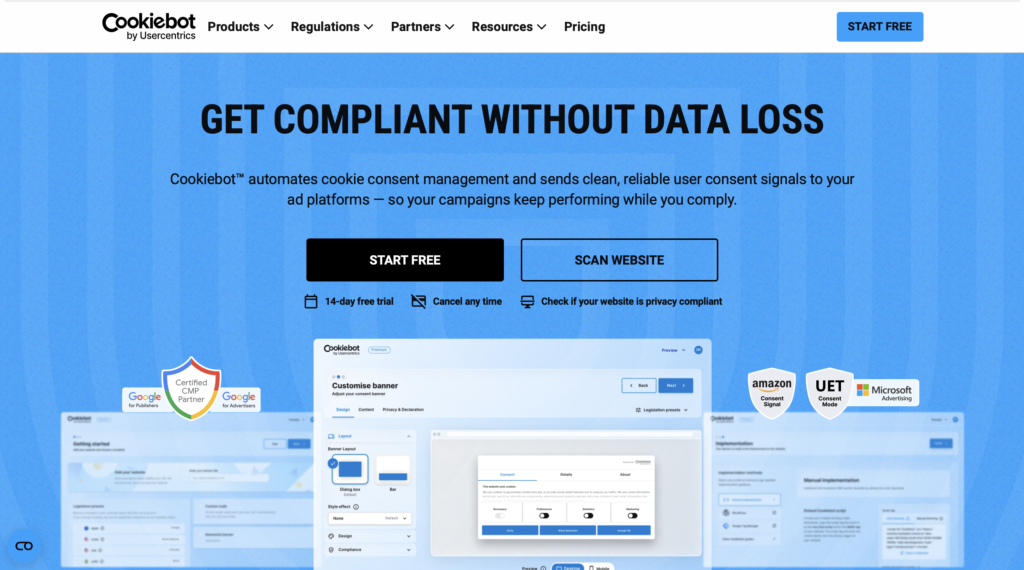
Every visitor who ignores or declines your cookie banner is a gap in your reporting. Cookiebot closes that gap with Google Consent Mode, giving you accurate data back while keeping your site fully compliant.
Why Google Analytics Data Goes Missing After Consent Changes
Analytics tools, ad pixels, and social media trackers rely on cookies to follow user behavior on your site. In the past, trackers fired automatically the moment a page loaded. Now, due to evolving privacy regulations, you’re required to get explicit visitor consent first.
Transparency and user privacy are a good thing, but there’s a clear catch for business owners: if a visitor ignores your banner or clicks decline, your third-party scripts stay blocked. This creates a massive data gap. If a significant part of your audience lives in a region with strict laws, you’re essentially flying blind.
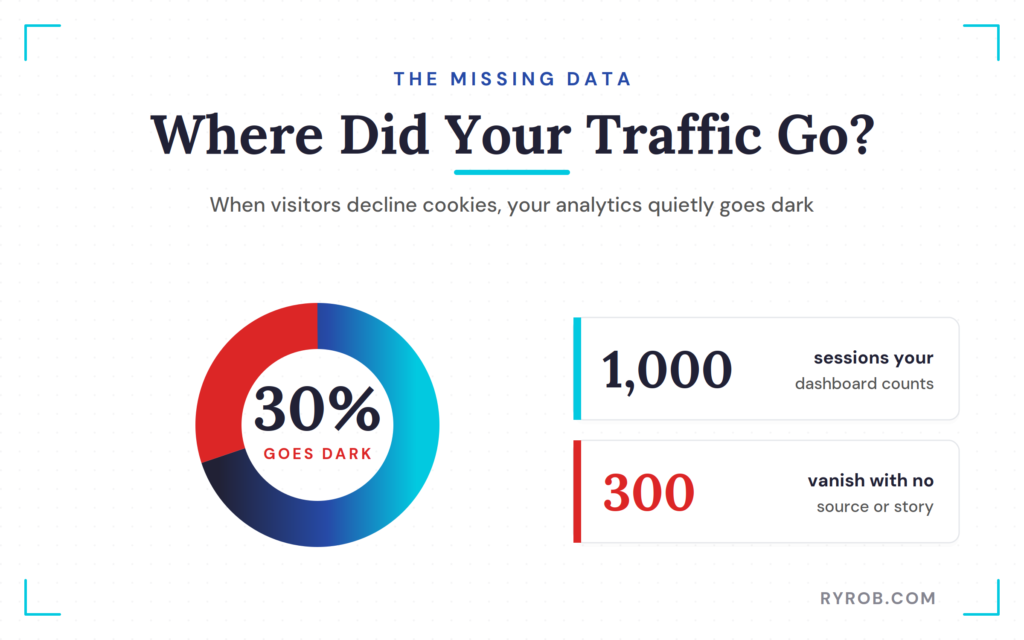
You might see 1,000 visitors, but have no idea where 300 of them came from or which blog post they read. That’s not a minor error, it’s a real hole in your business intelligence, and it leads to poor decisions.
The good news is that better consent handling can recover this lost information. A robust Consent Management Platform lets you use Google Consent Mode v2 to fill in the gaps using machine learning. That means you get to keep using Google Analytics 4 in a privacy-respecting way, without being stuck guessing why your numbers are off.
Why Cookie Consent Is a Legal Risk, Not Just a Data Problem
If losing data wasn’t stressful enough, there’s a growing legal threat you need to know about. It’s no longer just the massive tech giants getting letters from regulators.
Regular bloggers and small shop owners are now finding themselves in the crosshairs of privacy lawyers.
How to Achieve GDPR Compliance and Avoid Fines
General Data Protection Regulation (GDPR) compliance requires that consent be freely given, specific, and informed. That means avoiding dark patterns, like making an Accept button large and bright while burying the Decline option.
A clear, user-friendly consent banner is essential for transparency. If you don’t get explicit permission before your analytics trackers start running, you’re technically in violation, and that can mean heavy fines or even having your Google advertising account suspended.
GDPR compliance requires that consent be:
- Freely given where visitors can say no without losing access to your site
- Specific consent covers a clear, defined use of their data
- Informed visitors know what they’re agreeing to before they agree
How an Old Wiretapping Law (CIPA) Is Being Used to Sue Websites
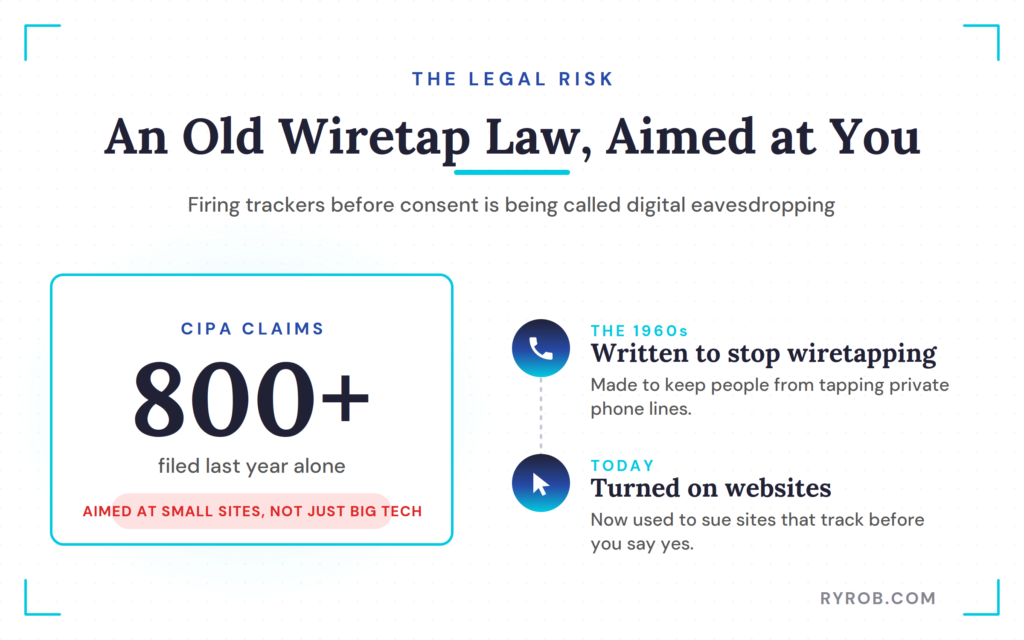
This is the part that really surprised me. In California, there’s a law called the California Invasion of Privacy Act (CIPA). It’s an old wiretapping law from the 1960s, originally written to stop people from tapping phone lines.
Lawyers are now arguing that if your site fires third-party scripts sending visitor activity to outside platforms before a user agrees to it, that’s basically the same as eavesdropping on a private phone call. More than 800 of these claims were filed last year alone.
These lawsuits aren’t just aimed at big corporations, they’re landing in the inboxes of small business owners too. You can read more about how tracking pixel lawsuits and CIPA compliance are affecting sites today.
What a Consent Management Platform Does and Why Cookiebot Stands Out
Finding a reliable solution meant testing a few tools, which is why I did a thorough Cookiebot review across my own projects.
A Consent Management Platform acts as the go-between for your site and your visitors, managing their privacy choices for you. Cookiebot handles that oversight while keeping your site fully functional.
How Cookiebot Scans Your Site for Cookies and Trackers
One of the most impressive features of this tool is its cookie scanner. I initially assumed my site only had a few trackers, but the scanner identified 57 unique cookies. It finds everything from hidden fonts to embedded video trackers that often go unnoticed.
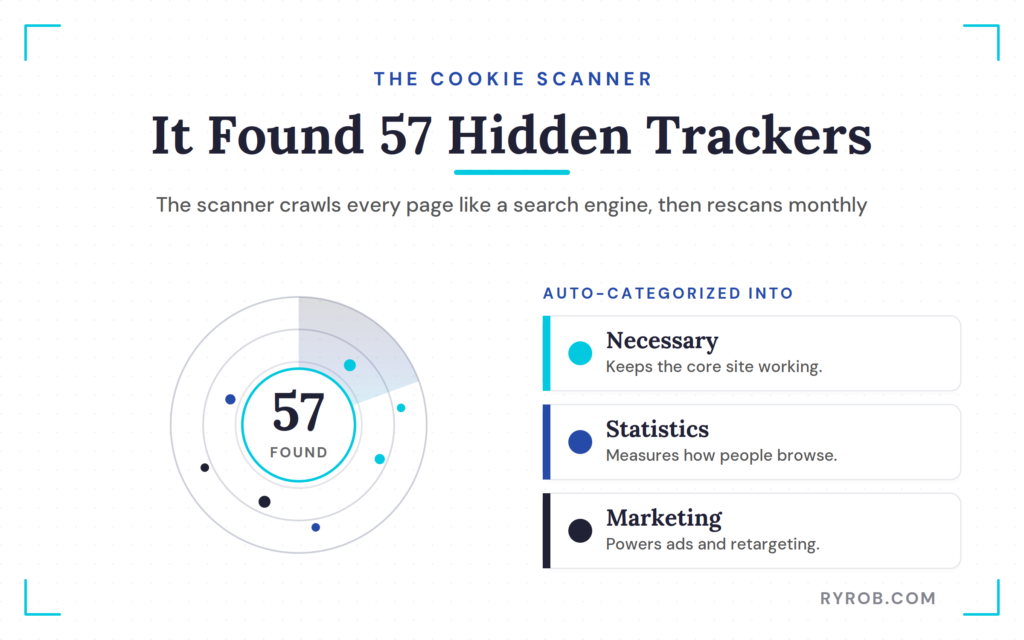
To keep your compliance efforts accurate, the system performs a monthly scan to ensure your results stay current. After the scan, the platform performs automatic cookie categorization.
It groups trackers into logical buckets, such as Necessary cookies, Statistics, and Marketing cookies. This removes the guesswork from compliance because the system understands exactly what needs to be managed for legal requirements.
Furthermore, the platform provides automated blocking of all trackers until the user explicitly provides their consent, ensuring you remain in total control of your data privacy standards.
| Feature | Cookiebot | Most Cookiebot alternatives |
|---|---|---|
| Automated blocking | Included | Often requires manual setup |
| Site performance | Optimized | Variable |
| Setup complexity | Low | High |
How Consent Mode Helps Recover Part of the Lost Data
This is the secret sauce for fixing your analytics. Because Cookiebot is Google certified, it plugs directly into Google Consent Mode. When a visitor declines cookies, it sends a cookieless signal to Google instead.
Google then uses that signal to estimate what that visitor likely did, without identifying them personally. It’s the difference between a total black hole in your reporting and a solid estimate that keeps your business decisions grounded.
How to Set Up Cookiebot on Your Website (No Developer Needed)
I’m a content guy, not a coder. If a tool needs me to rewrite my site’s backend, I’m probably not using it. This setup took me about 15 minutes start to finish, here’s exactly how I did it.
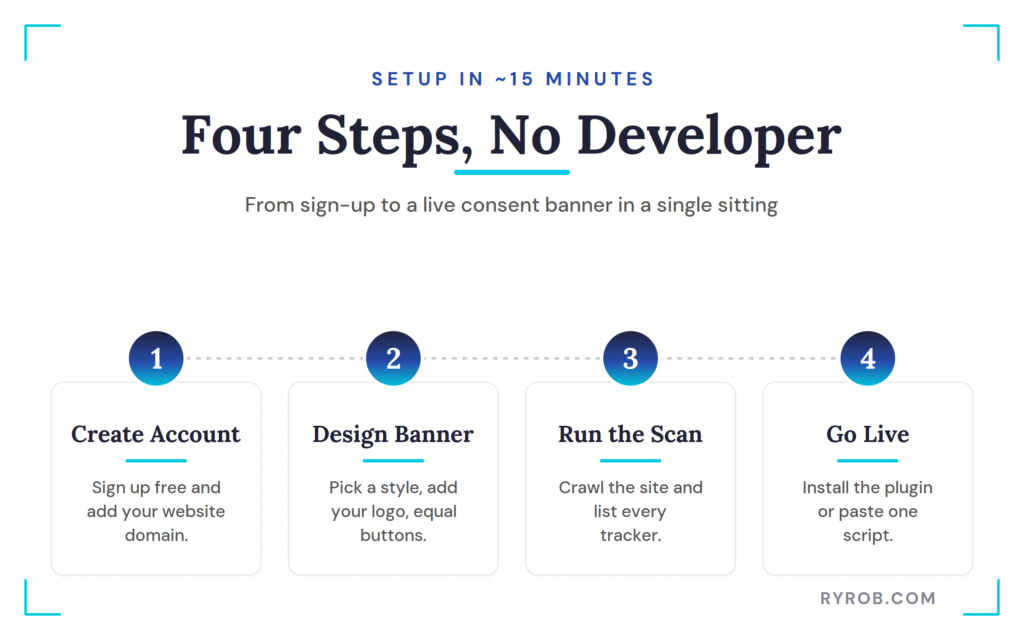
Step 1. Create Your Account and Complete Onboarding
First, I signed up for a free account. Once you confirm your email, you add your website domain.
The tool uses geo-targeting to figure out your business location and recommends the right compliance settings automatically. It even shows you a live preview of your consent banner right away.
Step 2. Configure Your Consent Banner
Next, you get to play with the design. I prefer the bar style at the bottom of the screen since it’s less intrusive than a big pop-up box. You can customize it with light or dark mode, and even add your own logo so it doesn’t look like a generic plugin.
Just remember the equal-weight rule from earlier: your Accept and Decline buttons should look the same. It builds trust with your readers, and keeps regulators happy too.
Step 3. Run the Site Scan and Review the Results
Before going live, I ran the actual site scan. This is a real eye-opener. The powerful cookie scanner crawls your site just like a search engine would and identifies every single tracker in use.
Seeing all of these cookies listed and categorized gave me a lot of peace of mind. I did not have to manually hunt for tracking scripts or build a spreadsheet to track them, as the dashboard does all the heavy lifting for you.
Step 4. Go Live (WordPress, GTM, or Header Script)
Actually getting this live is simple. Since most of my sites run on WordPress, I installed the dedicated plugin, searched for Cookiebot, installed it, and activated it. After that, I just pasted in my Domain Group ID from the dashboard and hit save.
Depending on your setup, you’ve got a few options:
- WordPress: install the official plugin and paste your Domain Group ID
- Shopify: use the official Shopify app
- Google Tag Manager: implement it there for more granular script control
- Any other platform: paste a single script into your site header
No developer needed, whichever route you take.
Is Cookiebot for You?
If you are running a small personal blog or a local business site with a subpage count of 50 or fewer, the Cookiebot free plan is an excellent fit. It provides a straightforward way to achieve compliance without spending any money.
For growing websites or those requiring advanced customization and support for multiple domains, the various pricing plans offer flexible options that scale alongside your traffic. I believe the small monthly fee is well worth the investment when you consider the potential cost of a legal demand letter or the persistent frustration of making business decisions based on broken data.
If you’re unsure, run their free scan first, it’ll show you exactly where your site stands. Cookiebot is backed by Usercentrics, a global leader in the privacy space, which is a big part of why so many site owners trust the platform.
FAQs About Cookiebot and Data Privacy
Below are a few more questions worth answering.
Does Using a Consent Banner Slow Down My Website?
No, a well-built consent banner shouldn’t slow down your site. Most modern Consent Management Platforms load a single script that manages all your other trackers, which actually helps keep things organized rather than adding bloat. Using a certified tool like Cookiebot means it won’t hurt your user experience or your SEO rankings.
What Happens If I Don’t Use a Consent Banner?
Without a consent banner, you’re exposed to potential lawsuits under laws like CIPA and CCPA. Google is also increasingly requiring consent signals before it’ll serve your ads. Under the California Consumer Privacy Act (CCPA), consumers have specific rights over their personal data, and you’re expected to respect those rights whether or not you have a banner in place.
Can I Just Write My Own Cookie Policy Instead?
No, a written policy alone won’t stop trackers from firing. A policy tells visitors what you do, but it doesn’t technically block anything, you still need a tool that blocks cookies until a visitor gives explicit consent. A professional CMP also gives you verifiable consent records and audit-ready logs, which a written policy can’t provide, and which matter if you’re ever asked to prove compliance.
Does Cookiebot Help With Programmatic Advertising Compliance?
Yes, Cookiebot fully supports the IAB TCF 2.2 framework, the industry standard for managing consent in digital advertising. That means the right transparency signals get sent to your ad partners automatically, so you can keep your ad revenue flowing while staying compliant.
Final Thoughts About Cookiebot
At the end of the day, bad analytics usually boils down to a consent problem. If your traffic sources don’t make sense, it’s time to look under the hood. A robust Consent Management Platform has become the standard for modern web operations, keeping your tracking reliable while respecting user privacy.
Fixing your consent setup isn’t just about avoiding a legal headache, it’s about getting the clear, accurate data you need to grow your business. Running a Cookiebot review of your own site, starting with the free scan, is the easiest first step toward GDPR compliance without hurting your site performance.
Stop guessing and see what’s actually running on your site. A proper consent banner protects your visitors, builds trust, and finally gives you a real view of how your content is performing. You’ll sleep a lot better knowing your business is on the right side of the law.
Recover Your Lost Analytics Data with Cookiebot
Every visitor who ignores or declines your cookie banner is a gap in your reporting. Cookiebot closes that gap with Google Consent Mode, giving you accurate data back while keeping your site fully compliant.
