

Most AI-written blog posts don’t rank, and the writing usually isn’t why. The SEO AI agent behind the post guessed the keyword data instead of pulling it from a real source.
If you’ve been there, you know the drill. You export CSVs from your SEO tool, paste them into ChatGPT, and hope the search volume wasn’t made up. Meanwhile you keep paying monthly for subscriptions you barely touch.
The fix is an SEO AI agent backed by real keyword data, plus a repeatable workflow you can run on every post. I’ll show you the exact setup I use to give my agent real SEO data.
Key Takeaways for Using an SEO AI Agent
- An SEO AI agent is only as good as the data it can reach. Without real keyword data, its research is just guesswork.
- One setup prompt gives your agent premium SEO data. Glasser connects the agent you already use to sources like Ahrefs and Semrush, pay per call.
- Pay per call beats a subscription for occasional use. Semrush keyword metrics cost $0.0011 per call through Glasser, versus $139/month for a Semrush SEO plan.
- Give your agent real inputs before it writes a word. Search volume, SERP context, and competitor data all come first, which is the core of my free keyword research workflow.
- Edit every draft before you publish. Google rewards helpful content no matter how it’s made, so fact-check and add your own experience, as Google’s helpful content guidance lays out.
Give Your AI Agent Real SEO Data with Glasser
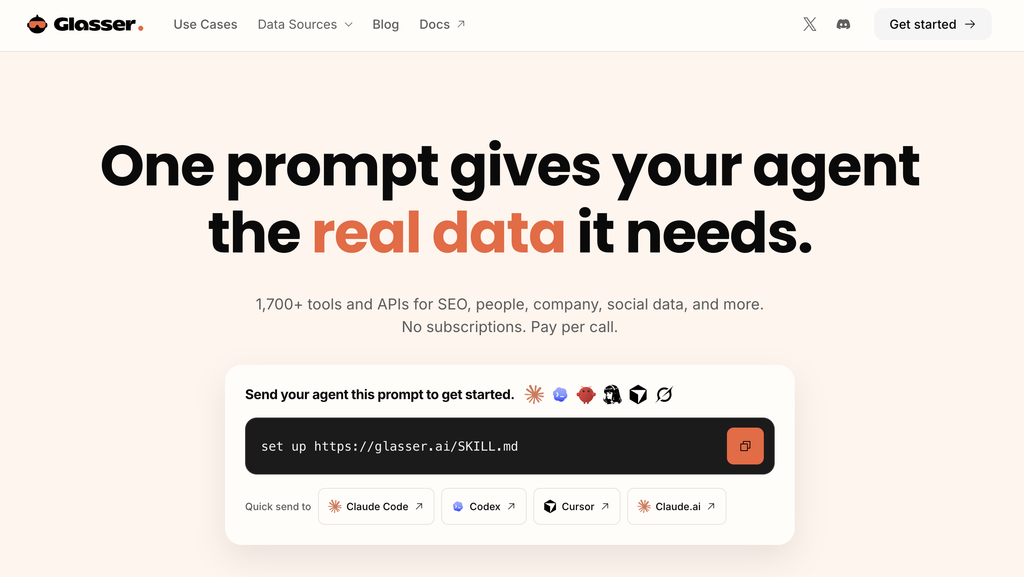
Glasser is the one key I give my AI agent for premium SEO data. One prompt connects about 2,000 data endpoints, and you only pay for the calls you actually make. Try it free and see how cheap real data gets!
What Is an SEO AI Agent?
An SEO AI agent is an AI tool that can research, plan, and write SEO content in multiple steps, instead of spitting out one answer from memory. Think of the difference between asking a librarian a quick question and hiring a research assistant who’ll dig through the archives, compare sources, and hand you a finished report.
That’s the jump agentic AI makes.
Most bloggers already use AI as a chatbot. You type a prompt, you get a response, and the conversation ends.
An AI SEO agent works differently. According to IBM’s definition of AI agents, an agent is a system that can autonomously perform tasks on your behalf, which means it can call tools and pull real data mid-task instead of guessing.
How It Differs From a Regular Chatbot
A chatbot answers from its training data alone. Ask it for a keyword’s search volume, and it’ll happily make up a number.
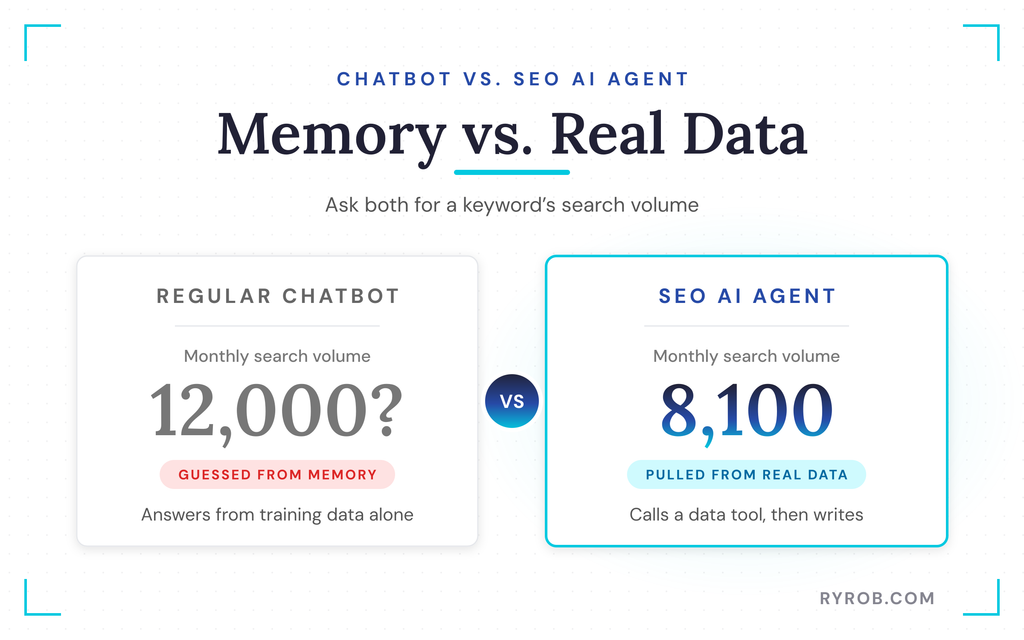
An agent can connect to real data sources. It can query keyword data, check what’s already ranking, and only then start writing. Anthropic calls use a defining feature of agents in its guide to building effective AI agents.
What Can You Actually Ask an SEO AI Agent to Do?
A capable agent can handle multi-step jobs like these.
- Keyword clustering groups related keywords for a topic, then prioritizes them by volume and difficulty
- Content gap analysis reviews the top 10 ranking posts to find what they’re missing
- Outlining builds a structure based on what’s actually winning in search results
- Drafting writes the post using real search data instead of invented stats
That’s exactly the workflow we’ll build in this guide. For more ways to use AI across your SEO, see my guide to free AI tools for SEO.
Why Most AI-Written Blog Posts Don’t Rank
The uncomfortable truth is that the writing usually isn’t the problem. Plenty of AI drafts are clean, well structured, and readable, and they still don’t rank because the agent behind them was working blind.
The Guessing Game in Action
Try this quick experiment.
- Ask a chatbot for the monthly search volume on a keyword in your niche.
- Write down the number it gives you.
- Check the same keyword in a real keyword tool, like my free keyword tool.
The numbers rarely match. The AI isn’t lying to you, exactly.
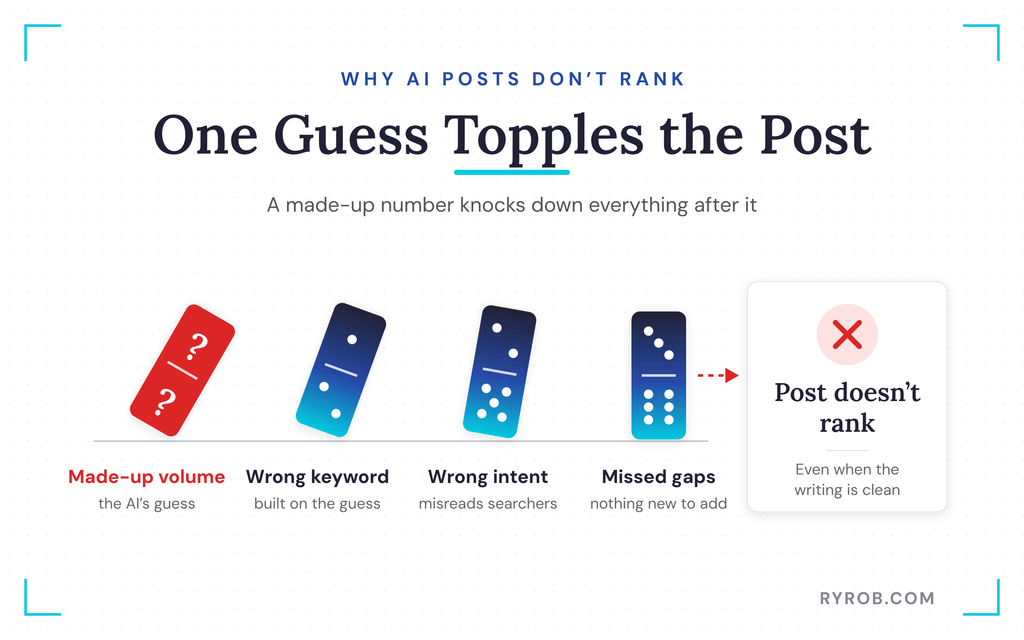
The machine learning behind it is pattern matching from training data that’s outdated, noisy, or thin on niche-specific search behavior. Open-web-only research has the same problem, since results can be stale, scraped from other AI content, or simply wrong for your audience.
That guesswork compounds. A made-up search volume leads to a post built around the wrong keyword, targeting the wrong intent, and missing the content gaps that actually matter.
The Manual Workaround (That You’re Probably Doing)
So most bloggers patch this by hand. You export CSVs from your SEO tool, paste them into ChatGPT, and hope nothing got lost in translation. Then you repeat the whole dance for the next post, and the next.
It works, sort of, but it’s tedious, error-prone, and it caps how much content you can realistically produce.
Google’s own guidance on AI-generated content says the issue isn’t AI itself, it’s unhelpful content. Pair your agent with real data and a proper content optimization pass, and you’re already ahead of the sites mass-producing thin drafts. My guide to humanizing AI content covers that editing layer in detail.
What It Costs to Give Your AI Agent Premium SEO Data
Real SEO data costs money. Ahrefs Lite runs $129/month, and Semrush’s SEO plan is $139/month, with API access priced on top.
If your agent only needs keyword data for a handful of posts a month, paying for a full subscription you barely touch stings. That’s the problem Glasser’s pay-per-call model solves, and it’s how I run my own keyword research now.
I only pull SEO data a few times a month, so paying per call made more sense than another subscription. I partnered with Glasser on this post, so you can set up a free account and follow along as you read.
The Cost Comparison at a Glance
Here are the numbers side by side, based on Glasser’s published pricing.
| Data | Subscription Price | Glasser Price | Cost of 100 Calls |
|---|---|---|---|
| Ahrefs organic keywords | $129/month (Lite, billed monthly) | $0.055 per call | About $5.50 |
| Semrush keyword metrics | $139/month (SEO plan, API access extra) | $0.0011 per call | About $0.11 |
Why Pay Per Call Works for Most Bloggers
Say you publish four posts a month and check five keywords per post. That’s 20 calls, or about $0.02 at Semrush rates and $1.10 at Ahrefs rates through Glasser.
There’s no Glasser subscription, so a slow month costs you nothing extra. You only pay for the calls your agent actually makes.
A Fair Word of Caution
Glasser doesn’t replace Ahrefs or Semrush. Those platforms offer dashboards, technical audits, and rank tracking that pay-per-call data doesn’t touch.
If you’re in them daily, a subscription still earns its keep. For occasional research through your AI agent, though, paying by the call is the smarter play.
My SEO AI Agent Workflow for Blog Posts That Rank
This is the workflow I run on every post I want to rank, start to finish. Each step feeds the next one real data, so by the time your agent writes a word, it already knows what the search results look like.
Step 1: Give Your AI Agent Real SEO Data (in One Prompt)
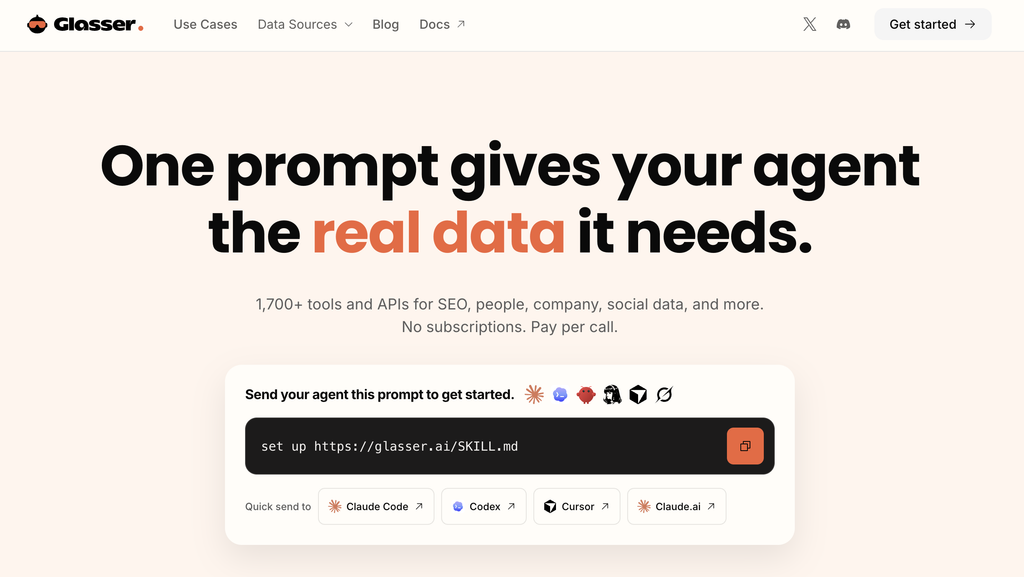
First, a quick clarification. Glasser isn’t an AI agent. It’s a premium data marketplace for AI agents, with about 2,000 data endpoints from sources like Ahrefs and Semrush behind one key, pay per call, with no subscriptions.
Setup takes about two minutes.
- Sign up for Glasser.
- Choose the AI agent you use.
- Follow the steps to set it up.
That’s it. Your agent can now pull premium, verified data instead of guessing. This is the exact setup I use, and I run mine inside Claude.
Step 2: Find a Keyword You Can Actually Rank For
With the agent connected, I start every post with a keyword funnel. This is the prompt I run.
Build a keyword funnel for [your blog topic]. Group keywords by search intent, monthly search volume, competition level, and recommended page type. Then tell me which 3 keywords a newer site could realistically rank for.
Now comes the part you shouldn’t outsource, which is the picking. Look for three things.
- Realistic difficulty, so a site like yours can actually crack the top 10
- Clear intent, where the keyword matches what your post will deliver
- Enough volume to matter, since modest volume with weak competition beats a big term you’ll never rank for
My guide to keyword research covers this judgment call in more depth.
Step 3: Size Up the Competition
Once I’ve picked a keyword, I have the agent run a proper SERP analysis.
Compare the top-ranking domains for [keyword] by domain rating, organic traffic, backlinks, and number of ranking keywords.
Read the results with two questions in mind.
- Can you compete? If every result is a DR 90 publisher, pick a different keyword.
- What are they missing? If every top result recommends a paid tool and nobody covers a free option, that gap becomes your angle.
To dig deeper into a competitor’s links, try my free backlink checker.
Step 4: Turn the Data Into an SEO Content Outline
Tell the agent to build the outline from the data it just pulled, not from memory.
Using the keyword data and competitor analysis above, build an SEO content outline. Match the search intent, cover every major topic the top results cover, and add a section they’re all missing.
Before you accept it, check that it matches the intent you validated in Step 2 and covers what the top results cover, plus something they don’t. If it looks generic, have the agent redo it with the data in front of it.
Step 5: Write the Draft (Then Add What AI Can’t)
Don’t ask for the whole post at once. I have the agent draft section by section, checking each one against the outline before moving on, which means fewer hallucinations and way less rewriting.

Then comes the human in the loop, the part that actually decides whether the post ranks. That part is you.
Add your first-hand experience, real screenshots, specific numbers from your own projects, and your actual opinion. Google rewards content that shows real experience, and my guide to using AI tools for SEO covers that balance in detail.
A draft without your fingerprints is a commodity. A draft with them isn’t.
Step 6: Optimize, Publish, and Refresh
Before publishing, I run a final on-page SEO pass.
- Keyword placement in the title, intro, and a few subheadings (naturally, never stuffed)
- Internal linking to 2-3 related posts, plus a meta title and description that earn the click
- Schema markup for any FAQ or how-to sections, so the post can compete for rich results
- A read-through to cut anything that sounds like a robot wrote it
One bonus habit worth keeping. Don’t let the post rot.
A few months after publishing, run a quick content audit. Rerun the same keyword and competitor data, and update the post if the SERP has shifted or a competitor published something stronger.
That light predictive SEO habit matters. Fresh content gets cited more by AI engines like Google AI Overviews, and my guide to updating old blog posts shows the full refresh process.
The workflow doesn’t end at publish. That’s when it starts earning.
Mistakes to Avoid When Using an SEO AI Agent
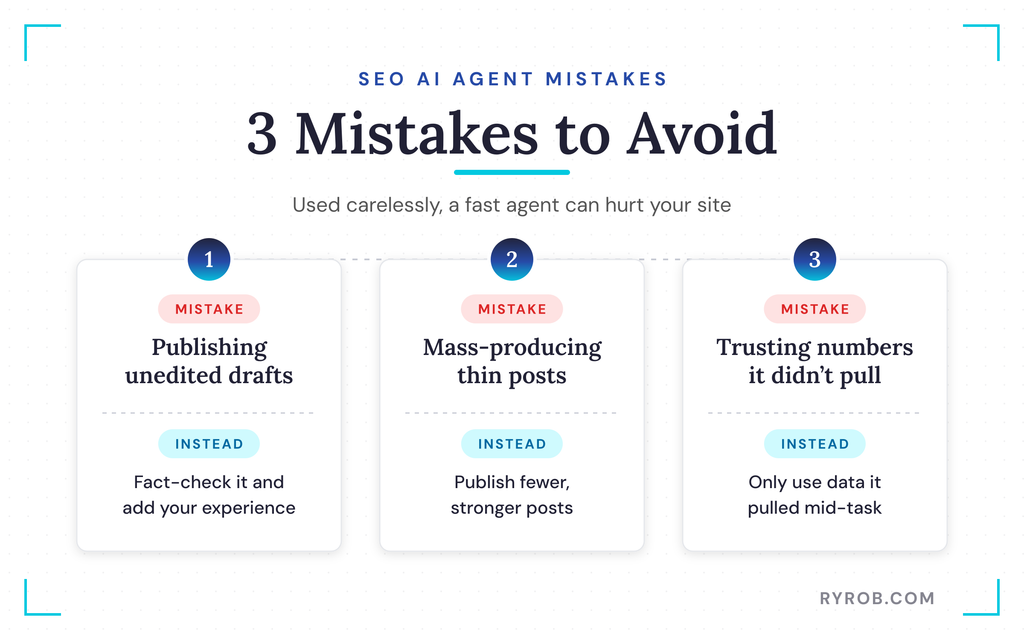
An SEO AI agent can save you hours every week, but used carelessly, it can hurt your site. Here are the three mistakes to avoid.
1. Publishing a Draft Without Editing or Fact-Checking
AI drafts are first drafts, always. They read clean, but they’ll happily invent statistics, miss your voice, and skip the lived experience of Google’s E-E-A-T framework rewards.
Every post I publish gets real human oversight. I fact-check the numbers, cut the filler, and add my own examples.
My free AI content detector can help you spot the tells before you hit publish.
2. Mass-Producing Thin Posts
If your agent can draft a post in ten minutes, it’s tempting to publish twenty a month. But Google’s spam policies specifically target scaled content abuse, meaning pages produced in bulk with little added value, whether a human or AI wrote them.
One strong post beats five forgettable ones.
3. Trusting Numbers the Agent Didn’t Pull
If your agent quotes a search volume from memory, treat it as a guess. Only trust numbers it pulled from a real data source mid-task, which is exactly what Step 1 sets up.
FAQs About SEO AI Agents
A few questions tend to come up once you’re ready to try this yourself.
Will Google Penalize Blog Posts Written With an SEO AI Agent?
No, not just because AI helped write them. Google rewards helpful, reliable content however it’s produced, as its guidance on AI-generated content explains. The real risk is publishing unedited, thin drafts at scale.
Do I Need Coding Skills to Set One Up?
Not at all. With Glasser, setup is copying one prompt and pasting it into your agent, with no code to write. If you can paste text into a chat box, you can do this.
Which AI Agents Work With Glasser?
Glasser works with agents like Claude Code, Codex, and Cursor, plus a plugin for Hermes Agent. Supported agents change as new ones launch, so check Glasser’s site for the current list.
I run mine inside Claude, and it’s been smooth.
Can an SEO AI Agent Do More Than Write Blog Posts?
Yes. With the same data access, your agent can analyze competitor backlinks, research leads, or break down ad strategies in your niche. Each task pulls real data and costs cents per call instead of a monthly subscription.
Will an SEO AI Agent Replace SEO Writers?
No. The agent handles research, outlines, and first drafts, but it can’t judge whether a keyword fits your site or share the experience that makes a post worth trusting.
Think of it as a fast research assistant that still reports to you, as I explain in my AI blogging process.
Final Thoughts on Using SEO AI Agents for Blogs
Your AI agent was never the problem. It’s been guessing because it had no real data to work from.
Give it live keyword metrics and competitor data, and the same agent that wrote forgettable drafts can write posts built to rank. Try the workflow on your next post. Connect the data, run the keyword funnel, study the competition, then add your own experience before you hit publish.
When you’re ready, give your agent real SEO data with Glasser!
Give Your AI Agent Real SEO Data with Glasser
Glasser is the one key I give my AI agent for premium SEO data. One prompt connects about 2,000 data endpoints, and you only pay for the calls you actually make. Try it free and see how cheap real data gets!
