
Every time I show someone how easy it is to spin up a site on WordPress.com, I get the exact same pushback… “Sure, but doing it yourself is way cheaper, right?” And I get why people think that. That three dollar monthly cost for basic web hosting looks like a steal, so the real cost of self-hosting vs WordPress.com feels like a no-brainer before you’ve actually run the numbers.
So I sat down and did exactly that. I added up every line item of running a small business website myself, and the math flipped on me in a way I wasn’t expecting. There’s one big cost almost nobody thinks to count, and it changes the whole picture.
Here’s my full video walking you through the real numbers behind it all:
Key Takeaways for Building a Website with AI and WordPress
Here’s the short version before we dig into the numbers.
- Hard cash and hours. Self-hosting usually costs several hundred dollars a year in recurring plugin renewals, annual fees, and extra infrastructure, plus dozens of hours spent on technical maintenance.
- Predictable pricing. WordPress.com provides managed WordPress hosting, bundling security, backups, and updates into one predictable price that eliminates surprise bills.
- Full plugin access. Since April 2026, plugins are available on every paid WordPress.com plan starting with the Personal tier, removing the old barrier that forced people to self-host.
- When self-hosting wins. Self-hosting still makes sense for developers, high-traffic custom sites, or tinkerers who want full server control and value their time at zero.
How I Cut My Site Costs: WordPress.com
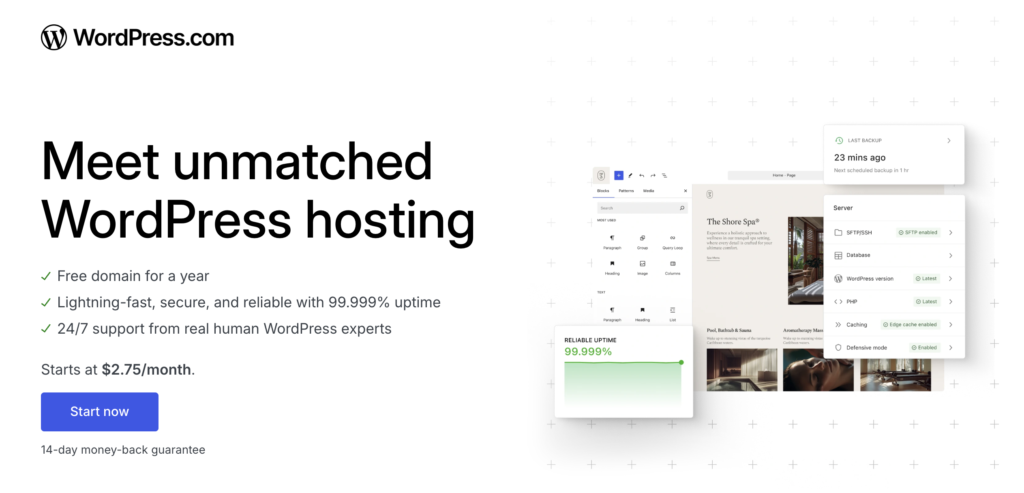
Once I added up what self-hosting really cost me, moving to WordPress.com was an easy call. It bundles hosting, security, backups, and updates into one predictable price. That means no more juggling eight separate bills, and no more losing hours to maintenance. Check it out below 👇
The Real Cost of Self-Hosting a Website in 2026
The biggest myth in web building is that free software equals a free website. The free WordPress software itself costs nothing to download, but you’re still renting infrastructure and managing several services to keep your site running safely.
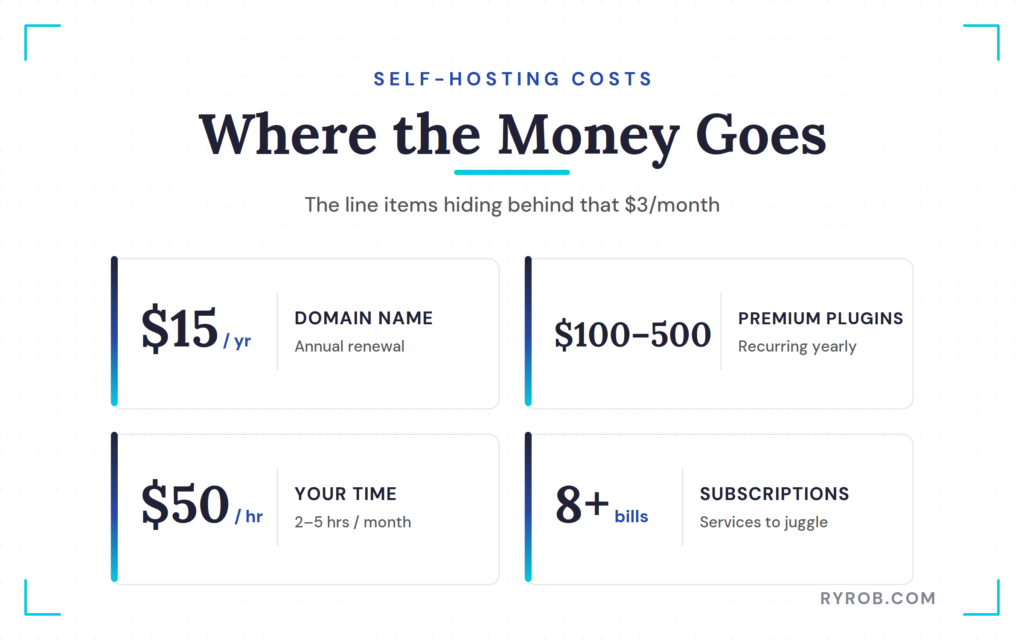
That three-dollar monthly hosting rate is just a cover charge at the front door. It doesn’t cover the real bill that arrives once your site is live and growing.
Domain, Hosting, Backups, and Security
When you self-host, you’re your own IT department. That means you have to buy and configure every layer of your infrastructure separately.
You might start with budget shared hosting from a provider like Bluehost, but you’re still responsible for configuring settings through cPanel. Your domain registration will run you about fifteen dollars a year.
You also need reliable backups, because a corrupted database or failed update can wipe out your entire business overnight. That means researching third-party backup options or paying for a backup service or plugin.
You need a security layer to keep bad actors out, plus a content delivery network or caching layer to maintain fast site performance for global visitors.
Premium Plugins and Themes Are the Budget Eaters
Once your basic infrastructure is running, you’ll quickly see where free plugins and themes fall short. To make your site function the way you want, you’ll start buying premium tools.
For a real small business site, premium plugins, form builders, SEO add-ons, design themes, and custom themes can easily run an extra one hundred to five hundred dollars a year. These aren’t one-time purchases either. They’re recurring annual subscriptions.
Plugin license renewals, AI credits, and add-on services quietly become the most expensive line items in a self-hosting setup. They sneak up on new business owners who budgeted only for basic hosting.
Your Time Is the Cost Almost Nobody Counts
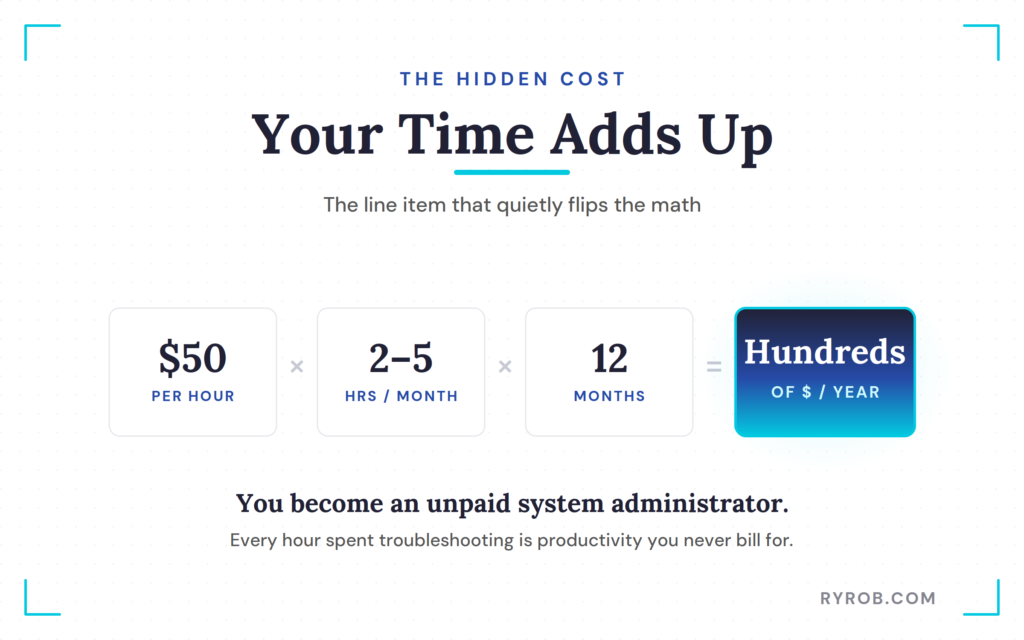
The hidden cost that ruins the self-hosting budget isn’t financial at all. It’s the time you spend acting as an unpaid system administrator.
When you self-host, you’re the one running core updates, applying security updates, and monitoring uptime. You’re the one who wakes up to a site-down alert or spends hours searching forums for a fix when a plugin update breaks your layout right before a product launch.
Even if you value your time at a modest fifty dollars an hour, a few hours a month troubleshooting database errors adds up fast. Over a year, that’s hundreds of dollars in lost productivity, and that’s the cost that flips the math.
What WordPress.com Saves You vs Self-Hosting
Managed platforms like WordPress.com take all that boring but critical maintenance and bundle it into one predictable price. Instead of juggling eight different subscriptions and billing dates, you get everything in one place.
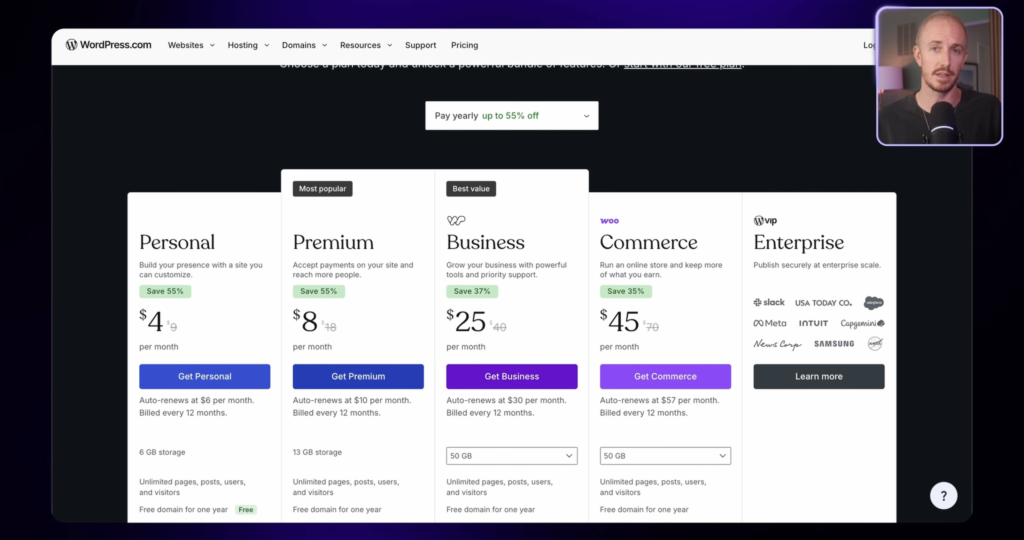
Plans scale based on your needs, with the Personal plan starting around four dollars a month billed yearly, the Premium plan at eight, and the Business plan at twenty-five. You can compare the full tier breakdown directly on WordPress.com pricing.
What You Get on Each WordPress.com Plan
Every paid plan includes the foundational elements you need to run a secure site without piecing them together yourself. You get reliable hosting, an SSL certificate for encryption, automated backups, and built-in security features.
If you opt for the Business tier, you unlock advanced developer tools like SFTP access and staging environments. You can review the complete feature matrix on WordPress.com plan features to see what fits your workflow.
The Maintenance Work You No Longer Touch
On the self-hosted side, your to-do list never shrinks. You have to manage PHP version bumps, manual plugin updates, malware cleanups, and emergency migrations.
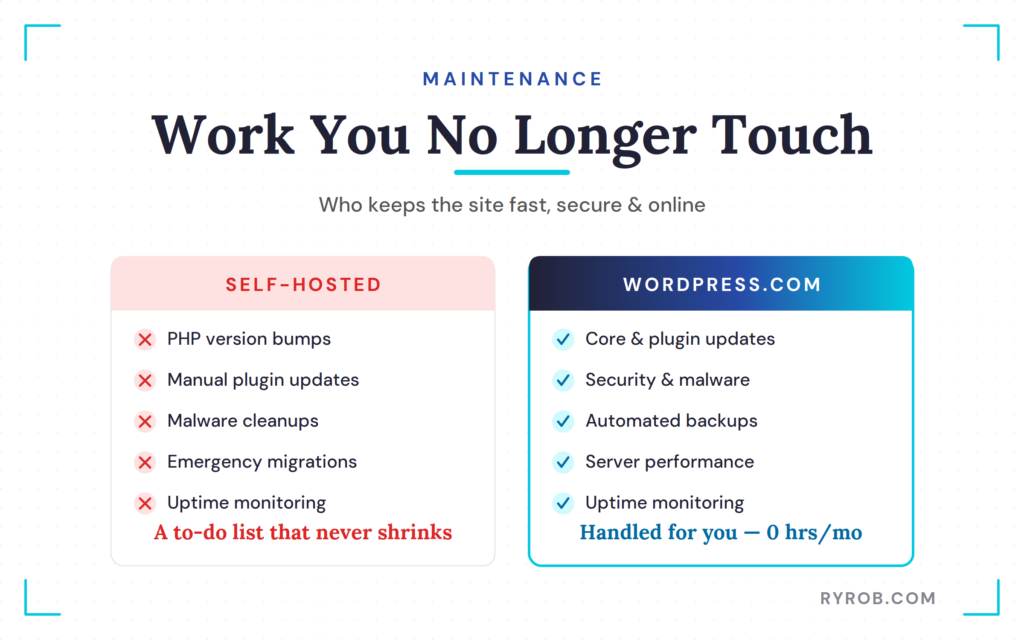
On WordPress.com, every one of those maintenance tasks is handled for you. Your maintenance hours drop to zero because keeping the server fast and secure is their job, not yours.
As of April 2026, plugins are available on every paid WordPress.com plan starting with the Personal tier, giving you access to the entire directory of over fifty thousand plugins without needing a self-hosted server.
When Self-Hosting Is Still the Smarter Choice
To be fair, managed hosting isn’t the right fit for absolutely everyone. Self-hosting genuinely wins in a few specific scenarios.
If you’re a developer who wants root-level access and complete control over your server configuration, self-hosting offers maximum technical flexibility. It also makes sense if you run a massive, high-traffic custom web application with very specific hardware requirements.
If you simply love tinkering with server files and your time genuinely costs you nothing, maintaining a self-hosted WordPress setup can be a fantastic way to learn how the web works.
That describes a very specific type of user, not the typical small business owner who just wants their website to work while they focus on their actual products and services.
WordPress.com Never Traps Your Site
One big fear business owners have about managed platforms is getting locked into a walled garden. Fortunately, WordPress.com runs on real WordPress, so you don’t sacrifice site ownership.
Your site starts on WordPress and it stays on WordPress. You use the exact same software, the same plugins, and your own custom domain.
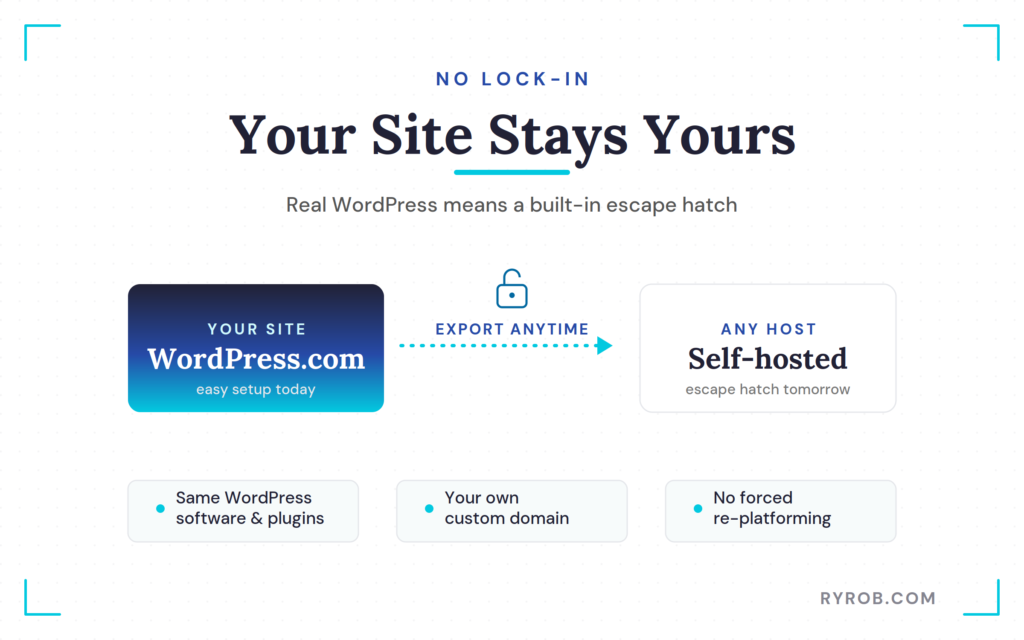
If your business grows and your needs change, you can export your entire site anytime for a seamless migration to another host. There’s no forced re-platforming down the road, so you get the easy setup today and an escape hatch for tomorrow.
If you’re building a new site from scratch, you can also explore how to build a site with AI and WordPress to get online even faster.
FAQs About Self-Hosting vs. WordPress.com Cost
Here are the questions I hear most when people weigh these two options.
Is WordPress.com really cheaper than self-hosting once you add plugins?
Yes, for most small businesses. While self-hosted WordPress software is free, third-party plugins and themes, security tools, backups, and other add-ons quickly add up to hundreds of dollars per year. WordPress.com bundles these services into one predictable subscription.
Can I use custom plugins on WordPress.com?
Yes. Plugins are available on every paid WordPress.com plan, starting with the Personal tier. You can install tools from the standard WordPress directory, just as you would on a self-hosted site.
Do I lose ownership of my content if I use WordPress.com?
No. You own all your content, images, and data. Because WordPress.com runs on open-source WordPress software, you can export your site data at any time if you decide to move to another host.
How much time does self-hosting actually take per month?
It varies depending on how many plugins you run, but most self-hosted site owners spend two to five hours each month managing updates, troubleshooting broken layouts, monitoring security patches, and handling backups.
Managed WordPress.com tiers also include automated backup options, reducing that maintenance work.
Final Thoughts On The Cost of Self-Hosting
When you compare the cost of self-hosting vs WordPress.com, the cheaper option isn’t always obvious. Evaluating the total cost of ownership shows that self-hosting is rarely cheaper once you count annual domain renewals, premium plugins, and your time spent troubleshooting updates.
Managed platforms aren’t a shortcut for lazy people. They’re a smart operational choice that buys back your weekends and gives you peace of mind.
If you’re ready to skip the IT department phase and focus on growing your business, building your site with managed web hosting is the most practical move you can make. Which path are you currently using for your business?
How I Cut My Site Costs: WordPress.com
Once I added up what self-hosting really cost me, moving to WordPress.com was an easy call. It bundles hosting, security, backups, and updates into one predictable price. That means no more juggling eight separate bills, and no more losing hours to maintenance. Check it out below 👇
