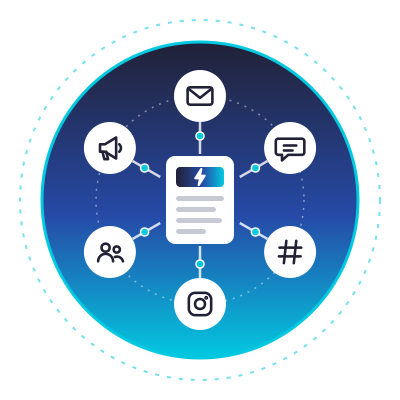

Every time I hit publish on something new, I want it everywhere… my newsletter, my community, and every social platform I’m on. Copying the same thing eight different ways by hand got old fast. So I built an n8n content automation machine that does the whole thing for me.
It runs on my own server, drafts my newsletter, and writes tailored copy for every social channel. Then it drops everything into a review queue so nothing goes out until I approve it. Here’s the full video walkthrough where I build the entire machine from scratch:
Key Takeaways on n8n Content Automation
- n8n is free and open source. It’s automation software you can self-host, so you pay for the server instead of renting per-task limits from a SaaS tool.
- A virtual private server keeps costs flat. You get a low monthly cost, no per-task caps, and full control over your data.
- Hermes handles the technical setup. DreamHost’s VPS ships with this AI agent, and it installs and configures n8n for you with no command line required.
- The workflow runs end to end. It grabs new posts from my RSS feed, drafts a newsletter version plus tailored social copy, and sends it all to a Discord review queue.
- It rewards consistent publishers. This is more setup than a typical SaaS tool, but it pays off if you publish consistently or run content for multiple sites.
Build Your Own Content Machine on the VPS I Use: DreamHost VPS
DreamHost VPS is what I spun this whole build up on, and the Hermes agent made the setup painless. I stick with it for the flat monthly cost and the control it gives me over my own data.
I’m also giving one reader a full year of VPS hosting, so you could build this whole thing for free. You can enter the giveaway here, and I’ll draw the winner on November 27th!
Why I Run My Own Server Instead of Renting Zapier or Make
There are easier ways to handle workflow automation. Tools like Zapier, Make, and Power Automate are great, and honestly, if you’re just starting out, they’re a fast way in.
But when you go that route, you’re renting your own setup. They own the servers, they set the limits, and they charge you per task once you’re doing real volume.
Self-hosting an AI agent like n8n on your own machine flips that equation. You get a low flat monthly cost, no per-task caps, and your data stays on hardware you control. If you’re anything like me and you care about privacy, that last one is a really big deal.
For most people, this trade makes the most sense once you’re publishing frequently or running multiple client sites. That’s the moment owning beats renting.
If you want to compare your options before picking a lane, I broke down the best blog automation tools I’ve tested.
How I Built My n8n Content Automation
Here’s the plan I followed. First I spin up my own virtual private server, then have an AI agent install and set up n8n. From there, I build a workflow that drafts my newsletter and custom copy for every social channel, all ready for me to approve.
1. Spinning Up a DreamHost VPS with the Hermes Agent
I built this on DreamHost’s VPS platform, which comes with an AI agent already installed. It’s called Hermes. Think of it as a helper living on your server that can run commands for you when you ask. No technical skills required.
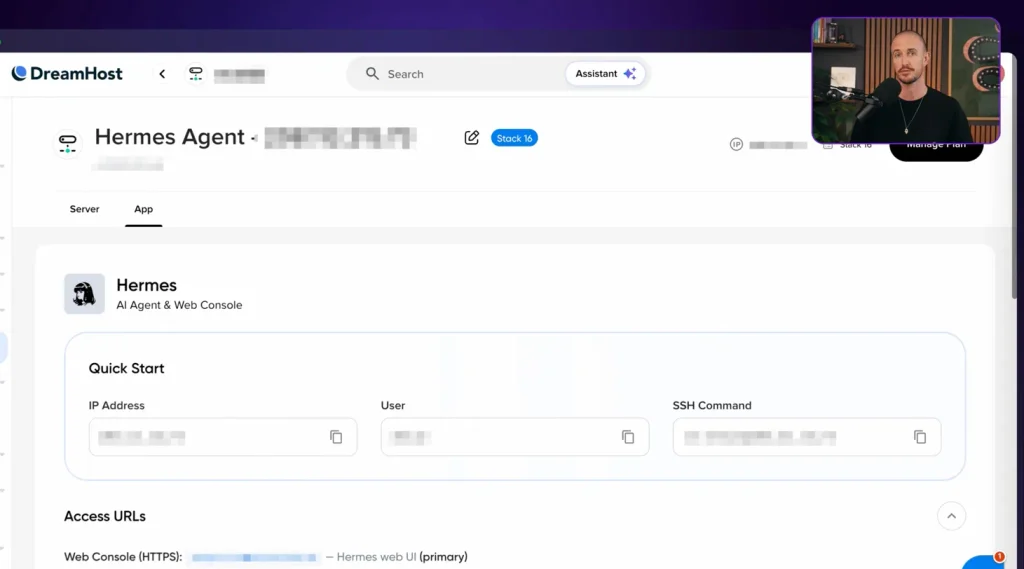
I teamed up with DreamHost on this one, and their VPS is what I ran the whole build on. If you want to set yours up on the same platform, you can start with a DreamHost VPS and follow along step by step.
They’re also giving one reader a full year of VPS hosting on the house. You can grab a free year of hosting if you win, and I’ll point you to it again at the end.
Deploying my Hermes server took just a few minutes. Then I connected it to an LLM with an API key, because the agent needs a brain to work with. You could point it at an OpenAI model like GPT-4o instead, but I use Claude for literally everything these days, so that was my pick.
One quick note on plans. Inside the DreamHost VPS options, I chose Stack 16, and that tier lets me install multiple services inside one virtual private server. That’s the foundation for setting up multiple AI agents on my platform later.
And here’s why I like the way DreamHost runs this. I use my Hermes agent to interact with the server, so I never have to work with the command line at all. I’ve got something that speaks to it for me.
2. Installing n8n by Just Talking to the Agent
If you’ve ever set up n8n manually, you know the drill. It’s a wall of setup commands typed into a terminal, and a prayer that you didn’t miss a step in some 15-part tutorial.
Instead, I gave Hermes a plain-English prompt. Install n8n, get it running, make it reachable. With one simple command, Hermes got started.
I approved a few things along the way. I chose “always allow” for one of them because I wanted the agent to make choices and not get hung up waiting on my approval every time.
It recognized there were a couple of setup steps required before n8n would be active, and it handled all of them one by one while I sat there and watched. After a couple of minutes, n8n was installed on my private server, and Hermes fed me all the links and info I needed to access it.
I can’t overstate how useful it is to not have to research commands or chase down tutorials. I describe the outcome I want, and the agent handles the how.
3. Building the Content Repurposing Workflow
Once you click “start from scratch” inside n8n, things get complicated fast. I didn’t want to hand-wire nodes the way you would in a developer framework like LangChain, so I turned to Hermes again.
I gave it a prompt describing the exact content automation I wanted. I was pretty specific, laying out exactly what assets I wanted created, and I attached an example of my writing so it could reference my real style. Think of it as a lightweight RAG setup, with my past writing serving as the reference material the model pulls from.
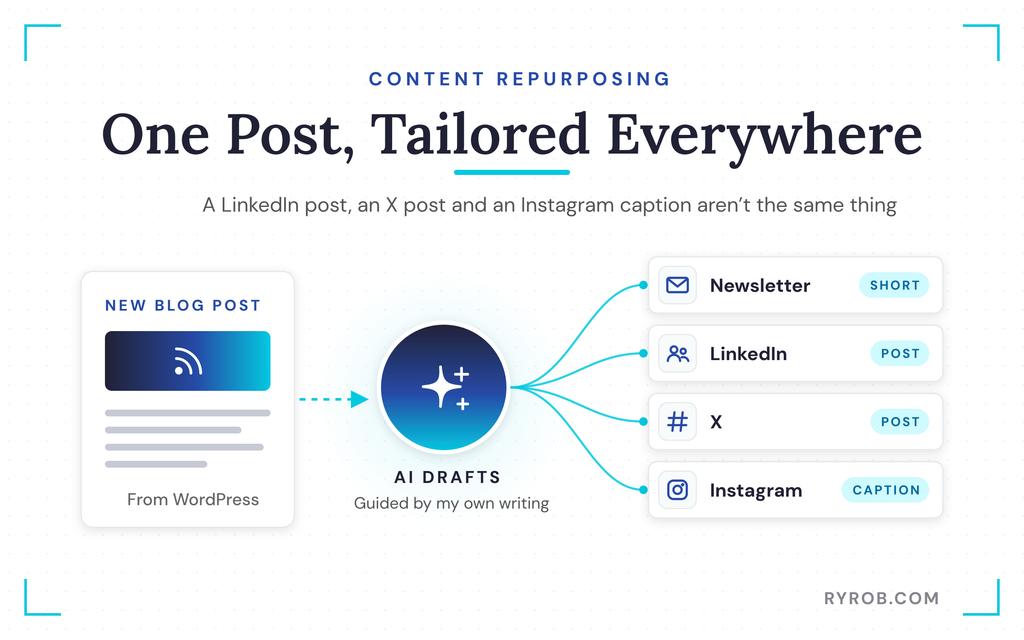
The workflow I asked for does this. It grabs new posts from my WordPress blog, hands them to the AI to draft a short newsletter version, then writes a tailored take for every social media channel. Because we all know a good LinkedIn post, a good X post, and an Instagram caption are not the same thing.
I also flagged that every single draft should land in a review queue before anything goes out. More on that in a second.
4. Routing Every Draft to a Discord Review Queue
Hermes asked where I wanted the review queue delivered. I picked Discord, since that’s where we spend the most time as a team.
I created a new channel in Discord so it wouldn’t be noisy for the rest of my team, invited the people I needed, and made a quick webhook. With that, Hermes had everything n8n needed to drop the review posts into my queue.
This matters more than it sounds, because keeping a human on the approve button is the difference between helpful automation and spam. If you want my full take on that line, here’s my guide on whether blog automation is safe.
Worth noting, this works almost exactly the same way with Slack. You could also route the queue to a Notion board, an Airtable base, a row in Google Sheets, or somewhere else entirely.
5. Running a Test and Checking the Drafts
Hermes did its job and built the n8n workflow. Inside my n8n environment, I found a new workflow called “RyRob Daily Content Generator.” Not a bad name.
Here’s what it does. A manual trigger or a daily 9 a.m. run fetches all the posts from my RSS feed, filters for new posts, prepares all the content assets I requested, and drops them straight into my Discord thread.
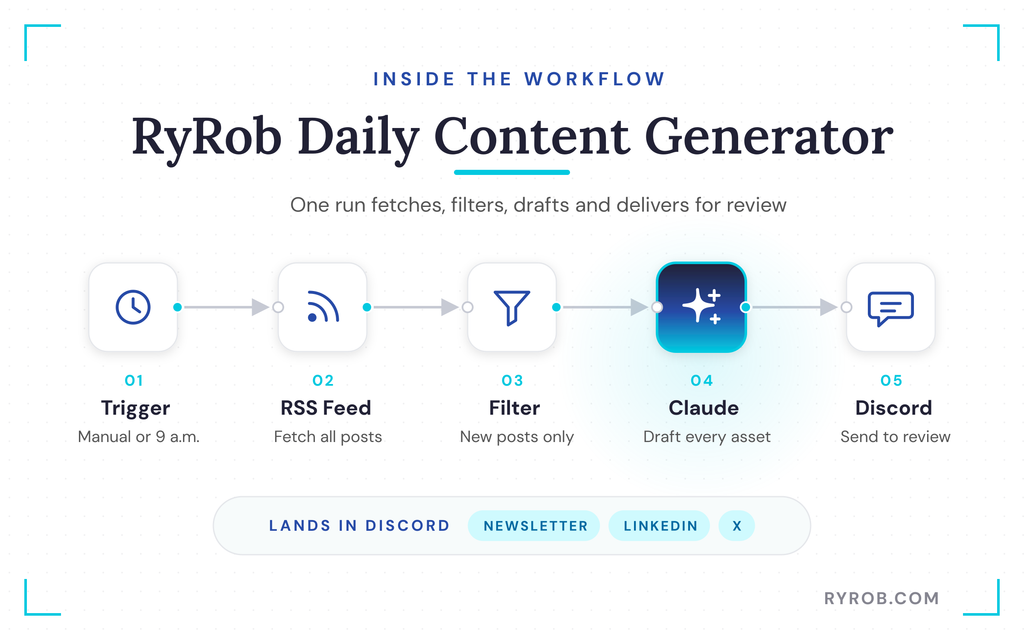
I ran a test, and everything fired correctly. The content pieces went off to Claude for drafting, and soon after, LinkedIn copy, Twitter copy, and my newsletter draft landed in my private Discord channel, all in copy-and-paste format. Each one was shaped for its platform, and the X post read like something that could actually catch on, not a bare link dump.
The next step from here? Connecting it to a social scheduling API so the whole thing runs on its own. I haven’t done that yet, but that’s the obvious upgrade path, and you can build toward it on your own DreamHost VPS whenever you’re ready.
What You Own When the Workflow Lives on Your Server
Here’s the real big takeaway. Because all of this lives on my own server at DreamHost, the drafts, the workflow, and my connections are all mine.
If I want to move it, tweak it, or add a step, I’m not asking permission from a different platform. I keep the keys to the kingdom. That’s super important if you care about privacy and security, because your data never leaves hardware you control.
The Honest Tradeoffs and Who This Setup Is For
Real talk before you try this. It’s more setup than clicking around in your average SaaS tool, and there are a handful of things to wire together at the start. Hermes removes the parts that used to be confusing, but it doesn’t do everything magically for you.
The good news is that Hermes runs on a really advanced LLM. So whenever you hit an issue, you just talk to it. It works like a chatbot that happens to know your server.
On cost, there are two pieces to keep in mind. A DreamHost VPS runs a small monthly fee, and the AI model needs a key that carries its own running cost as you use it. For my example, I used my Claude API key, which pulls against my Claude usage.
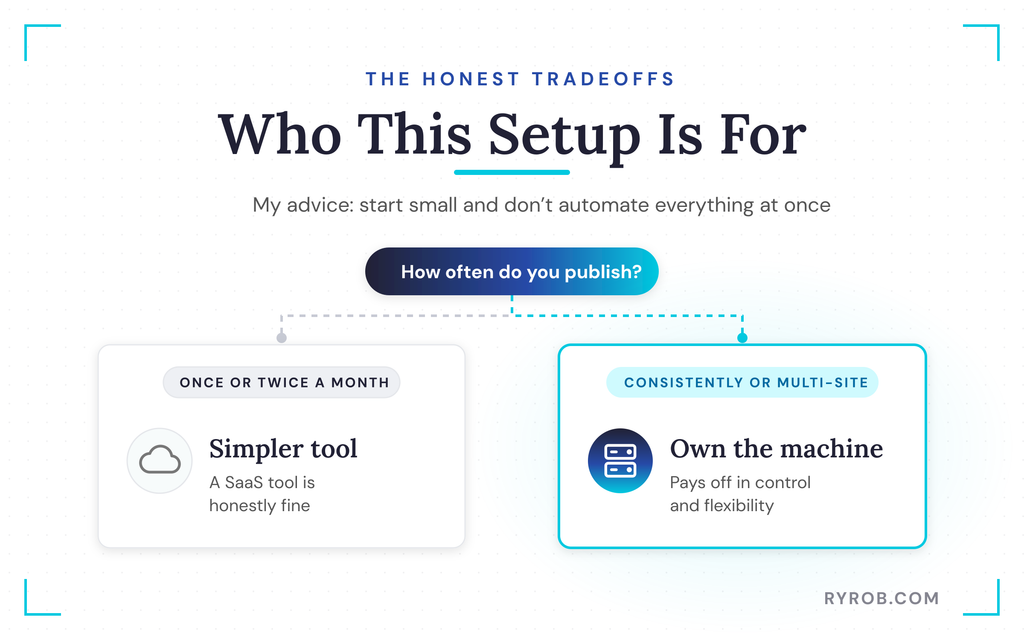
I’d say this setup isn’t for someone posting once or twice a month. A simpler tool is honestly fine for that. But if you publish consistently or run content operations for multiple sites, and you want your own machine instead of renting one, this route more than pays off in control and flexibility.
One scope note. This pipeline handles distribution, not the writing itself, so dialing in your SEO is still on you.
My advice is simple. Start small, and don’t automate everything all at once.
FAQs About n8n Content Automation
Here are the questions I get most often about running this kind of setup.
Do I need coding skills to set this up?
No, and that’s the whole point of the Hermes agent. It translates what you ask into the commands the server needs, so you never touch a terminal. You do need to approve a few steps and wire up things like your Discord webhook, but none of it requires code.
What does this setup actually cost to run?
Two costs stack together. First is the VPS itself, which is a small flat monthly fee, and here’s my breakdown of how much web hosting costs if you want the fuller picture. Second is the key for the AI model, which scales with your usage, and I pull against my Claude usage for every drafting run.
Where can the review queue live besides Discord?
Pretty much anywhere you’d want drafts sent for approval. The same setup works nearly identically with Slack, or you can choose a Notion board, a Google Doc, or another destination instead of a chat channel.
Can I use a different AI model than Claude?
Yes. The agent just needs a brain connected through a key, and Claude is what I used here because I use it for everything. Since the key gets connected separately, you can bring any model you already pay for, whether that’s an OpenAI model, Gemini, or something else.
Is my content and data private on a self-hosted setup?
Yes, and that’s one of the biggest reasons I did this. Everything runs on hardware I control, so my drafts, workflow, and connections stay on my own machine instead of sitting inside somebody else’s subscription platform.
Final Thoughts on n8n Content Automation
That’s the whole build. Your own server, an AI agent that sets it up for you, and a complete n8n workflow that repurposes everything you publish into content for all your promotion channels.
Speaking of possibilities, I asked Hermes what else I should automate. Just as I suspected, there’s no shortage… we’ll save that for another day.
I turned one publish button into eight pieces of content, all drafted by an AI on a server I own, and all waiting in Discord for my approval. And I did it without typing a single command.
If you want to build the same thing, follow along and spin up your own setup. Better yet, enter the giveaway! DreamHost is giving a full year of VPS hosting to one reader, so you could spin this whole environment up for free, and I’ll draw the winner on November 27th.
Build Your Own Content Machine on the VPS I Use: DreamHost VPS
DreamHost VPS is what I spun this whole build up on, and the Hermes agent made the setup painless. I stick with it for the flat monthly cost and the control it gives me over my own data.
I’m also giving one reader a full year of VPS hosting, so you could build this whole thing for free. You can enter the giveaway here, and I’ll draw the winner on November 27th!
