

One of the biggest challenges most bloggers, content creators, and entrepreneurs face is a lack of time. Enter: AI blogging tools to save the day. Be sure to try my own 50+ free blogging tools, all powered by AI, too.
When you’re blogging around a day job, family responsibilities, or a busy life, it can be really tough to find the time to create all the content you need. It’s not just about writing blog posts—you also need to optimize for SEO, market your blog on social media, create images for your posts, guest post, and more.
You might fantasize about the idea of hiring a virtual assistant—but that’s an expensive solution when your blog isn’t yet bringing in much money.
So what can you do? One great solution is to turn to AI tools. They’ll save you tons of time—and they won’t cost nearly as much as employing someone to help.
17 Best AI Blogging Tools: How to Grow Your Blog Faster
- RightBlogger
- Jasper
- WriteSonic
- Copy.AI
- ChatGPT
- xSeek
- Anyword
- AI Writer
- INK
- Rytr
- Keyword Tool (RyRob)
- GrowthBar
- SurferSEO
- Frase
- HitPaw Photo Enhancer
- NightCafe
- GPT Image 2
Disclosure: Please note that some of the links below are affiliate links and at no additional cost to you, I’ll earn a commission. Know that I only recommend products and services I’ve personally used and stand behind. When you use one of my affiliate links, the company compensates me, which helps me run this blog and keep my in-depth content free of charge for readers (like you).
Create Automated SEO Blog Posts in Minutes with RightBlogger

Join 45,417+ bloggers, marketers, writers & business owners in using RightBlogger, my very own Autoblogging solution with a built-in automated Content Schedule, and a kit of 80+ powerful tools for blogging, SEO, and marketing. You’ll create AI SEO-optimized content faster & get more traffic from Google and ChatGPT today. Plus, you’ll access online courses, a community, and more.
What Are AI Blogging Tools?
AI blogging tools are software that uses large language models to do parts of the blogging job for you: researching keywords, drafting and rewriting posts, optimizing them for search, generating images, writing the social posts and emails that promote them, and increasingly, publishing and maintaining the blog itself.
That last part is what changed. A few years ago an AI blogging tool meant a text generator you pasted a prompt into. In 2026 the useful ones split into three jobs: tools that write, tools that run the whole pipeline (research, draft, publish to your CMS, fix what goes stale), and tools that tell you whether ChatGPT, Gemini and Google’s AI Overviews actually mention you—because more and more readers now ask an AI for a recommendation instead of scrolling ten blue links.
So before you pick one, decide which of those jobs you’re hiring for. A few things I’d look at:
- Words versus credits. Credit-based plans run out fast once you start rewriting and experimenting. Unlimited-word plans cost more up front and less in practice.
- Where the draft ends up. A tool that publishes straight to WordPress, Shopify or whatever CMS you run saves a copy-paste step on every post. One that only hands you a text box doesn’t.
- Whether it works from real search data. The gap between a generic draft and one built around what people actually search for is keyword research baked into the tool, not bolted on afterwards.
- What happens after you hit publish. Internal links, stale years, broken outbound links and weak meta descriptions are where most blogs quietly lose traffic. A few tools now handle that upkeep for you.
- AI search visibility. If you care about being cited by ChatGPT or Perplexity, you need a tool that measures it. Traditional rank tracking won’t tell you.
Here are 17 of my favorites, in three categories: all-round writing tools, SEO-focused tools, and image tools.
My Picks: Best AI Writing Tools for Bloggers
Lots of AI tools let you tackle a range of blogging tasks. We’ll start off the list with some great all-rounders that you can use for all types of content creation—and more.
1. RightBlogger
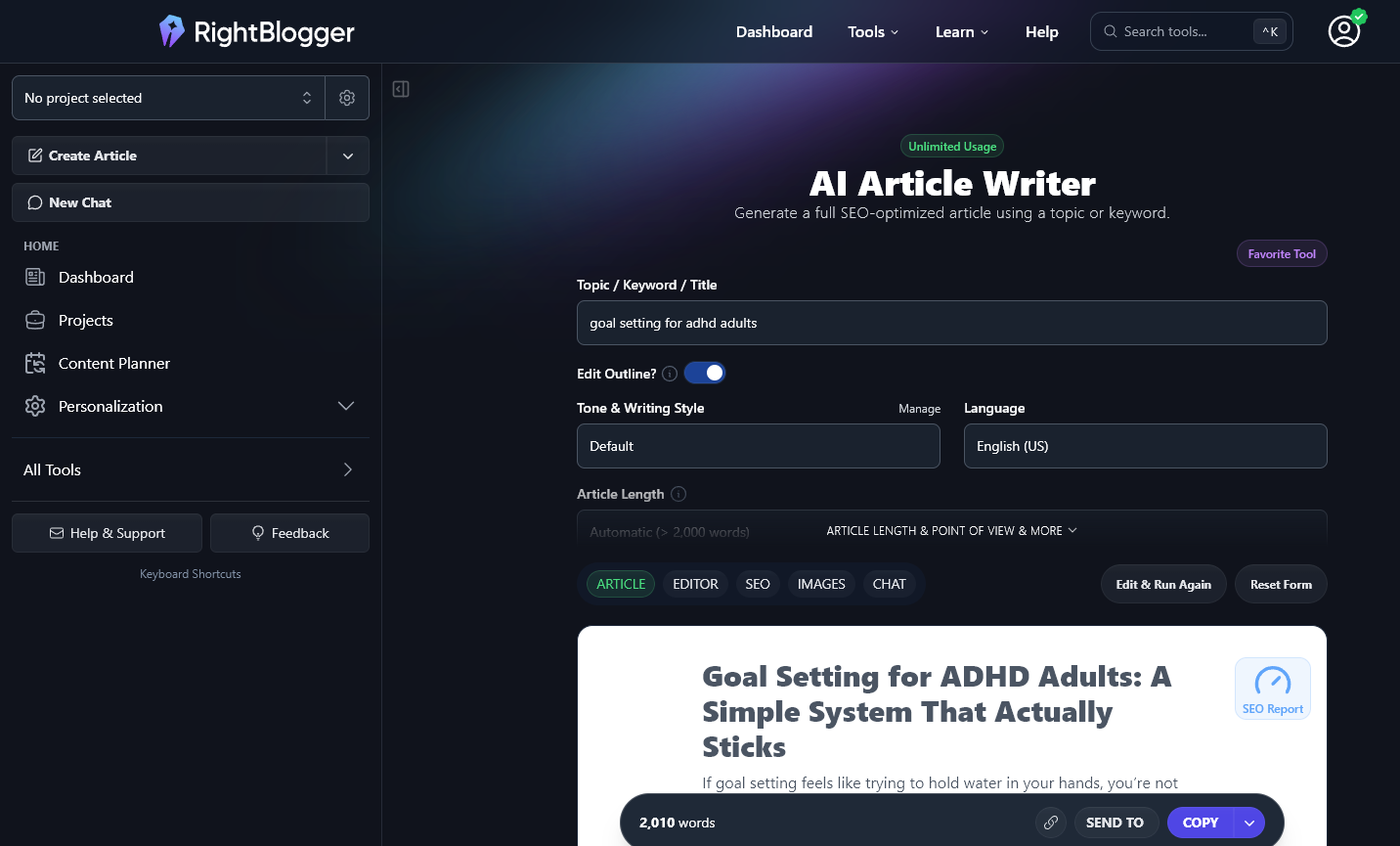
My favorite tool of all is my very own RightBlogger. It’s actually an full blog automation platform with content scheduling, SEO keyword research-backed planning, and automated publishing to WordPress, Shopify, and other platforms. The newer Site Agent feature handles blog maintenance between posts — fixing broken links, refreshing titles, and interlinking related content on autopilot. For agencies, there’s white-label SEO reporting built in, and the AI Brand Monitor tracks whether ChatGPT, Gemini, Perplexity and Claude recommend your site. On top of all that, there are 80+ more tools with features to help bloggers.
Some features you definitely won’t want to miss are:
- Autoblogging: Automatically create AI SEO-optimized, high quality content that’s scheduled straight to your content schedule and published directly to your CMS, as often as you’d like.
- Article Writer: pop in a topic or keyword, decide if you want images and links, and generate a whole article in one go.
- Tool Studio: create your own custom AI tools that you can embed directly onto your blog or website, to drive more SEO traffic and become your best new lead magnets for adding email subscribers to your list.
- Smart Suggest: enter any blog’s URL (domain name) and RightBlogger will come up with a whole list of ideas for you that would be a great fit for that blog: an easy way to break through writer’s block.
- Listicle Writer: Love listicles? You can generate them in no time with this tool: just pop in your topic or keyword.
- Rewriter: Want to rephrase something or change a paragraph around so you can use it in another post? The rewriter tool (which you can try for free here) will help.
- Keyword Research: This beefed-up version of my free keyword research tool lets you find the best keywords to build your posts around.
- Title Tool: Drawing a blank on a headline to use for your blog post? Fear not. RightBlogger runs with a more customizable version of my free blog title generator tool.
- Call to Action: Get catchy calls to action that you can use in sales copy—just enter a simple phrase like “buy now” or “join us” and the tool will do the rest.
- YouTube Video Outline: Create a detailed script outline for your YouTube video from a topic or title.
- Facebook Post Tool: Create a Facebook post based on a brief description (with the option to include emojis if you want).
… and that’s just to get you started. As well as lots of content writing tools, RightBlogger also offers tweet ideas, Instagram captions, copywriting tools, SEO tools, and much more. If you’re looking for one great tool that can handle pretty much everything you can imagine, RightBlogger’s the one for you.
Price
RightBlogger has a free plan with limited access, and paid plans starting at $49/mo (annual) for Solo. The Pro ($69/mo) and Agency ($199/mo) plans unlock multi-site support, team seats, and white-label SEO reporting. All paid plans include unlimited AI words and full Autoblogging. These plans will allow you to generate as much content as you’d like.
2. Jasper

Jasper (sometimes called Jasper AI or referred to by its old name, Jarvis) is one of the best-established AI content writer tools out there. It’s well worth a look for its great range of features and high-quality content production.
You can expect the blog articles Jasper produces to be on a par with those created by human writers. It uses advanced algorithms that let you analyze your audience, research topics and keywords that are relevant for your blog, and come up with engaging titles and detailed outlines for your content.
Jasper has a range of copywriting templates built in, letting you do all sorts of things like create marketing copy, write conclusions, craft social media bios, create Amazon product descriptions, and much more. All of these are based on industry best practices and proven examples, so you can be confident that you’re getting plagiarism-free content that will work to boost conversions.
There’s also a Jasper Chrome extension (called Jasper Everywhere) that you can use to integrate Jasper more fully into your writing workflow.
Price
Jasper costs from $59/month, billed annually ($69 month-to-month). That gets you the Pro plan with one user seat; bigger teams need the custom-priced Business tier.
3. Writesonic

With Writesonic, you can easily create blog posts, product descriptions, and social media content with just a few clicks. The algorithm used by Writesonic ensures that your content is SEO optimized and flows naturally.
Additionally, WriteSonic provides a variety of customizable templates to create things like social media posts, ad copy for Facebook and Google Ads, features-to-benefits, calls to action, and more. This AI copywriting tool has a built-in plagiarism checker, too, to give you peace of mind.
Price
WriteSonic costs from $79/month, paid annually. Writesonic repositioned around AI search visibility in 2026, folding its writing tools into those higher-priced plans, so it’s no longer the budget pick it once was. See these Writesonic alternatives if you mainly used it for articles.
4. Copy.ai

CopyAI makes it easy to generate content marketing content such as blog posts and social media posts, as well as product descriptions and sales copy for eCommerce sites.
With CopyAI, you can generate AI content in 25+ languages. Unlike many other AI tools, you can also use CopyAI for free (to generate up to 2,000 words per month, only in English).
When you create blog content, the AI content generator gives you multiple options: you can copy an option, save it, remove it, or ask CopyAI for more content like it.
Price
Copy.ai costs from $36/month, billed annually. This gives you unlimited words, 5 user seats, 90+ copywriting tools, and priority email support. There’s also a permanently free plan, which lets you create up to 2,000 words per month.
5. ChatGPT (by OpenAI)

One of the AI blogging tools you’re sure to have heard of is ChatGPT. It’s an easy-to-use tool with an unlimited free plan, developed by OpenAI. (Most of the AI writing tools available today use OpenAI’s API for their backend functionality, with the GPT-3 and GPT-4 models available to app developers.)
ChatGPT works in a conversational way, where you type in a question or prompt, and ChatGPT attempts to give you whatever you ask for. As a blogger, you could ask ChatGPT to generate content ideas, titles, outlines, social media posts, whole articles, or other useful resources like an editorial calendar or a list of different blogs you could guest post on.
When you’re just getting started with blog writing, ChatGPT is a fantastic AI tool to try. You can play around with it as much as you like for free. It doesn’t have any built-in templates or tools, though, so if you want something more tailored to your needs as a blogger, I’d recommend using RightBlogger instead.
Price
ChatGPT is free for unlimited use, but you can pay for a ChatGPT Plus subscription for $20/month. This gives you access even during peak times, faster responses from ChatGPT, and priority access to new features.
6. xSeek
Most of the tools on this list help you write content. xSeek helps you get that content cited by AI. It’s an AI visibility tool built around GEO (generative engine optimization), and it tracks how ChatGPT, Perplexity, Gemini, and Google’s AI Overviews mention your brand versus your competitors, then points you to the exact topics where you’re invisible.
Where it goes further than a pure writing tool like Jasper or Copy.AI is what it does with that data. xSeek generates AI-optimized articles aimed at the content gaps it finds, and it runs backlink outreach for you to build the domain authority that gets you cited in the first place. So instead of guessing why the AI engines skip you, you get a clear list of what to create and what to fix.
It’s built for marketing teams rather than hobby bloggers, and it scales from a small in-house team up to a larger content operation that has to prove it’s showing up in AI answers. If your goal is to get cited by AI and not just rank on Google, it’s the tool on this list made for that job.
Price
xSeek is free to run your first AI visibility check and see where you’re missing. Paid plans start at $249.99/month (Starter), and the popular Growth plan at $499.99/month adds advanced content scans, AI-optimized article generation, and backlink outreach for teams doing this at scale.
7. Anyword

Anyword is aimed at copywriters, meaning it’s a great tool to turn to once you’re selling products or carrying out affiliate marketing on your blog. As well as creating original content for blog posts, you can use Anyword to make landing pages, Facebook ads, product listings, and even short content such as email subject lines.
Anyword is more SEO-focused than many other AI blogging tools, with the option to enter SEO keywords in the blog wizard when creating content. It also ranks and scores potential blog post title ideas, helping you pick the one that’s most likely to work well.
Price
Anyword costs from $24/month, billed annually. This gives you 20,000 word credits, 100+ AI writing tools and 200+ copywriting tools, a blog post wizard, and multiple user seats.
8. AI Writer (Their Site Here)

AI Writer lets you create posts for your blog based on just a title. It’s primarily focused on blog posts—producing a whole post at once from your headline. That’s fast and easy if you want to make lots of long-form content, but it does mean you don’t get the chance to fine-tune your results. (Many other AI blogging tools give you the opportunity to approve an outline before progressing to a full post.) However, there is a built-in SEO editor so you can edit your post for SEO.
AI Writer’s “Publish to WordPress” feature means it’s quick to get your content straight onto your WordPress blog.
One handy feature is the “show source texts” option for each paragraph, making it easy to double-check facts and figures in your AI-generated content, as you can see exactly where the AI writing assistant got those from.
Price
AI Writer costs from $24.16/month (paid annually). This lets you create up to 40 articles, with 1 user. You get access to the SEO editor, text rewording, the (sub)topic discoverer, and more.
9. INK

INK is well worth a try, as this AI blogging tool lets you create both written content and artworks. It has built-in SEO tools, so you can use it to optimize your existing content—or you can get INK to do the writing for you. When you’re creating content, you can enter your primary keyword and INK will prompt you to do specific things to optimize for that keyword.
There’s a conversational interface (similar to ChatGPT’s), giving you plenty of options for the types of content you can create. However, INK doesn’t have built-in frameworks for things like social media captions and short-form content: it’s mainly focused on blog posts and sales content. You can also use it to create visuals from a text prompt.
Price
INK costs from $39/month (paid annually) which gives you unlimited AI writing, unlimited SEO articles, and unlimited AI images too, along with 130+ AI templates.
10. Rytr

If you’re on a fairly tight budget, Rytr is a good piece of AI writing software to opt for. It gives you lots of options for creating blog posts, letting you easily generate blog post ideas before progressing to an outline and then expanding your text into paragraphs and sections. Even the free plan (up to 10,000 characters per month) includes a built-in plagiarism checker.
There are lots of different options available—which can be a little overwhelming, but you do get plenty of choice. You can choose how creative vs factual to be and how many variations to create of your content, too.
Price
Rytr costs from $7.50/month (billed annually), which gives you access to generate 100,000 characters per month, and access 40+ use cases. You can also generate up to 20 images per month.
Best SEO-Focused AI Blogging Tools
If you want to see serious growth in your blog traffic, you need to invest time and resources in search engine optimization (SEO). Good SEO is all about making sure that you’re creating content that’s well-designed for both readers and search engines like Google. The good news is that there are lots of AI tools to help—and in 2026 that includes showing up in AI answers, not just the ten blue links.
11. Keyword Tool (RyRob)

My own keyword tool is completely free and is a great way to get started with keyword research. You simply put in a starting keyword (seed keyword) and the tool gives you a whole bunch of keywords to consider.
Each keyword is listed with its keyword volume (monthly searches, in the country of your choice) and its difficulty. Ideally, you want to pick keywords with a volume of 1,000–10,000 and low difficulty—though once your blog is a little more established, you might tackle medium or even high difficulty keywords.
Price
My keyword tool is free, for unlimited use.
12. GrowthBar

GrowthBar is a tool for creating SEO-optimized content for websites and blogs that focuses on search engine optimization. You’ll need to provide your website URL, keywords you want to monitor, and URLs of your competitors’ websites when you sign up.
GrowthBar includes various SEO-related tools, such as keyword research, rank tracking, and a “site inspector” for analyzing your competitors. The AI writing editor is combined with the SEO editor to help you easily add keywords to your article while you edit.
Price
GrowthBar costs from $29/month, which includes 25 AI content outlines or audits per month, 500 AI paragraph generations, unlimited AI chat, meta descriptions, blog ideas, and more.
13. Surfer SEO

Using the outline builder included in Surfer SEO, you can easily and quickly structure your content. The AI generates subheadings for you and makes sure your outline is unique. There’s also a built-in plagiarism checker: useful if you’re editing content written by someone else.
Surfer SEO doesn’t write content for you, though you can connect it with Jasper if you’re also using that tool. Surfer SEO integrates with both Google Docs and WordPress, making it easier for you to write and publish your blog posts. It provides you with a real-time measure of your article’s optimization and readability as you write, shown as a numerical score out of 100.
Price
SurferSEO costs from $49/month, which gives you access to optimize 120 articles per year and audit 240 pages per year. You can optimize and track 2 websites and invite 1 team member too. If the credits feel tight, here are the best Surfer SEO alternatives.
14. Frase

Frase is another AI blogging tool that helps with making SEO-friendly content: you can use it to create new posts or optimize ones you’ve already written.
Like SurferSEO, Frase generates a content outline based on similar articles. You can then either have Frase write each section or write them yourself, or even use the AI writer for the entire article. Frase is a more budget-friendly option than some other AI tools, so it could be a good one to go for when you’re just getting started.
Price
Frase costs from $12.66/month, which lets you write and optimize 4 articles and generate 4,000 AI words.
Best Image-Creation AI Blogging Tools
AI isn’t just about creating text. Software that can generate images is more advanced than ever before—making it simple to come up with great graphics, photo-realistic images, and more for your blog and social media accounts.
15. HitPaw Photo Enhancer

HitPaw Photo Enhancer is a nifty AI tool that lets you sharpen photos, enlarge them without loss of quality, and much more. If you’re taking your own photos to use on your blog or social accounts, then running them through the Enhancer could help you get professional-quality results.
HitPaw Photo Enhancer also has tools to retouch photos (e.g. removing blemishes and wrinkles), to remove noise, recolor old black and white photos, color correct photos, and much more.
Price
HitPaw Photo Enhancer is a downloadable tool that costs $6.66/month (paid annually) or $99.99 for a lifetime license. You can only use it on one computer.
16. NightCafe

NightCafe lets you create images from just a short text prompt, through the power of AI. It’ll produce impressively high-quality and realistic images, using advanced algorithms.
You can create various types of images such as landscapes, character images, or abstract art, and you can keep refining the results until you have something that could easily have been produced by an experienced digital artist. There are multiple different styles to choose from, helping you come up with images that are a great fit for your brand.
Price
NightCafe costs from $5.99/month (paid annually), which gives you 100 credits per month (enough to create 1,240 images). You can also buy credit packs if you don’t want a recurring subscription.
17. GPT Image 2 (by OpenAI)
GPT Image 2 is OpenAI’s current image model—the one that replaced DALL-E inside ChatGPT after OpenAI retired DALL-E 2 and 3 in May 2026. Type a prompt, or upload a photo and describe the change you want, and it produces the image; it can also turn one prompt into a set of images in a consistent style.
The reason it matters for bloggers rather than only for artists is text. Earlier image models mangled any words you asked for. GPT Image 2 renders legible headings and labels, including in languages other than English, which makes it usable for featured images, infographics and social graphics instead of just abstract illustrations. OpenAI’s launch post is illustrated entirely with images the model made, so that’s the place to judge it for yourself.
Price
There’s no separate subscription. GPT Image 2 is built into ChatGPT, so a free account can use it with limits and ChatGPT Plus ($20/month) gets you more. If you want it inside your own tools, the API charges per image: about $0.006 for a low-quality 1024×1024 image, $0.05 at medium quality and $0.21 at high.
Which AI Blogging Tool Should You Start With?
Seventeen tools is a lot to compare, so here’s the short version, based on what you’re actually trying to get done. Everything below is on the list above.
- You want one system that plans, writes, publishes and maintains the blog: RightBlogger, my own tool. There’s a free plan, and paid plans start at $49/month with unlimited AI words.
- You want a standalone writing assistant and already have a workflow: Jasper, Copy.ai and Writesonic are the established options here. ChatGPT if you’d rather have something general-purpose for $20/month.
- You’re on a tight budget: Rytr is the cheapest writing tool on this list, and ChatGPT’s free tier covers quick drafts.
- Your problem is ranking, not writing: Surfer SEO or Frase for on-page optimization, and my free keyword tool for research before you write anything.
- You want to know whether AI assistants recommend you: xSeek is the dedicated AI-visibility tool on this list, and RightBlogger’s AI Brand Monitor does the same job inside the platform.
- You need images: GPT Image 2 inside ChatGPT or NightCafe for generating them, HitPaw if you’re enhancing photos you already have.
AI Blogging Tools: Frequently Asked Questions
What are AI blogging tools?
Software that uses AI models to handle parts of running a blog: keyword research, drafting and rewriting posts, on-page SEO, images, social posts and emails. In 2026 the category also covers tools that publish to your CMS on a schedule, maintain older posts, and track whether AI assistants like ChatGPT mention your site.
Can AI write a whole blog post?
Yes, and several tools on this list will do it from a keyword. Treat the result as a first draft rather than a finished post: check every fact and number, cut anything generic, and add what only you know. Tools that work from real keyword data and your own outline produce a draft that needs far less of that than a bare ChatGPT prompt does.
Is AI-generated content bad for SEO?
Not by itself. Google’s guidance judges content on whether it’s helpful, not on whether a person or a model typed it. What its 2024 spam policies target is scaled content abuse—pages produced in bulk to game rankings—and that gets penalized whether AI or humans made it. Thin, unedited, mass-produced posts are the risk; an edited, useful post written with AI help is not.
What’s the best free AI tool for blogging?
For quick drafts, ChatGPT’s free tier. For specific jobs, my 50+ free blogging tools here on RyRob cover titles, outlines, keyword research, paragraph rewriting and more without an account. If you want the full pipeline, RightBlogger’s free plan includes 2,000 AI words a month with no credit card.
Do I still need SEO tools if I’m using AI to write?
Yes. Writing and ranking are different problems. An AI writer gives you a draft; it doesn’t tell you which keyword to build the post around or how it compares with the pages already ranking. Do keyword research first, run the finished draft through an on-page optimizer like Surfer SEO or Frase, and if AI search matters to you, measure that separately too.
How do I get my blog mentioned by ChatGPT?
Be the source that’s easiest to cite. That means clear, direct answers near the top of a post, original information the models can’t get elsewhere, consistent facts about your site and brand across the web, and pages that are already ranking on Google, since AI assistants lean heavily on search results. Then measure it: xSeek or RightBlogger’s AI Brand Monitor will show you which prompts mention you and which sources the models cite instead.
Try the Best AI Blogging Tools (for Yourself) Today
As a blogger, it might feel like there’s never enough time. But AI tools can speed up so many blogging tasks—like researching and outlining posts, writing content, crafting email copy, creating social media posts, and more. You can find out how I’m using AI to speed up my own blogging process here.
You might not want to use AI for every step of the writing process when you create new content. But the right tools can speed up your workflow dramatically—here’s how I’d choose between my favorites on this list: if you want one tool that plans, writes, optimizes, and auto-publishes your posts, that’s RightBlogger (my own tool, with a free plan and unlimited AI words from $49/mo). For free, quick drafting help, ChatGPT works. For on-page SEO optimization, go with Surfer SEO or Frase. And for blog images, GPT Image 2 inside ChatGPT or NightCafe will get you there.
If you haven’t yet got your blog online, check out my step-by-step instructions on how to start a blog—it’ll only take you 10–15 minutes.
Create Automated SEO Blog Posts in Minutes with RightBlogger
Join 45,417+ bloggers, marketers, writers & business owners in using RightBlogger, my very own Autoblogging solution with a built-in automated Content Schedule, and a kit of 80+ powerful tools for blogging, SEO, and marketing. You’ll create AI SEO-optimized content faster & get more traffic from Google and ChatGPT today. Plus, you’ll access online courses, a community, and more.

30 replies to “17 Best AI Blogging Tools: How to Grow Your Blog Faster”
good blog
Great advice, thanks for sharing so many tools.
Excellent collection of tools and workflow tips—especially how you break down the process from keyword research to drafting + SEO optimization.
This is a super practical guide — really appreciate how you focus on free tools to speed up blogging without breaking the bank. RightBlogger’s article writer and paragraph rewriter sound especially useful for kickstarting long-form content while keeping your voice intact.
At Regur.net, we also encourage creators to use AI for an initial draft or idea-generation, but then refine everything manually — especially for facts or brand voice. It’s all about combining AI efficiency with human judgment. Thanks for sharing!
Great breakdown I appreciate how you map out the potential of AI tools to speed up content creation without sacrificing quality. Your guide feels like a scaffold tower helping bloggers build a more efficient writing process while still giving them structure and control.
Great article! I really like how clearly you explained what AI blogging tools are and how they can help speed up content creation. The breakdown of outlining, keyword research, SEO tools, and writing assistants was super easy to follow , especially for anyone who doesn’t want to spend hours on every post.
As someone who works in SEO (I’m based in SEO St Albans), I completely agree with your point about using AI as a helper, not a replacement. The tools can save a lot of time, but the human touch ,editing, fact-checking, and adding your own voice , is still what makes a blog worth reading.
I’m also curious which tool you’d recommend for someone just starting out. Maybe a simple idea generator or outline tool? Thanks for putting this list together , I’m definitely planning to try a few of these soon.
All of these writing tools generate content and add little or no human insights, experience or authority on topics, and also every tiny-minty AI detector shows the content 100% AI. So will such content rank on Google, because my site is new and experiment is not on the table, I have to make it a success. Lots of people are talking about AI SEO on Internet but at the end of the day, content is AI and site is new with no authority or DA or trust from Google, so will those articles rank??
This is a super helpful roundup! Definitely saving me a ton of time figuring out which AI tools to try for blogging and content creation.
this website is beautiful