

Running an affiliate program usually means losing hours of your week to the boring stuff, logging into one tool to check traffic, another to verify conversions, then stitching it together in a spreadsheet by hand.
I’ve done that dance for years, and honestly… reporting always ate up my time. But when you manage an affiliate program with AI, you skip that grind and just chat your way to reports, partner audits, and live metrics.
No more drowning in tabs and pivot tables. Connect Claude to affiliate software platforms like Everflow, and you can pull reports, audit partners, and track revenue with artificial intelligence and plain text prompts. Here’s my full video on running your affiliate program with AI:
Key Takeaways for Managing an Affiliate Program with AI
- Save serious time. Skip manual spreadsheet exports and dashboard hopping by querying your raw data directly, which opens the door to faster automated workflows.
- Get better attribution. Track the recurring revenue, subscriptions, and upsells that traditional tracking usually misses, for far more accurate performance tracking.
- Automate your reporting. Push performance metrics straight into shared Google Sheets using custom scripts generated by AI.
- Run proactive audits. Spot quiet partners and dipping traffic channels before they turn into major revenue losses.
Connect Your Data to AI the Way I Did with Everflow
For years, reporting was the part of my week I dreaded most, and bad attribution made it worse. Everflow fixed that for me by tracking ongoing revenue better than almost any tool I’ve tried, then letting me ask my data questions in plain English. If you want the same setup on your program, grab a quick demo now!👇
Why Accurate Attribution Matters in Affiliate Reporting
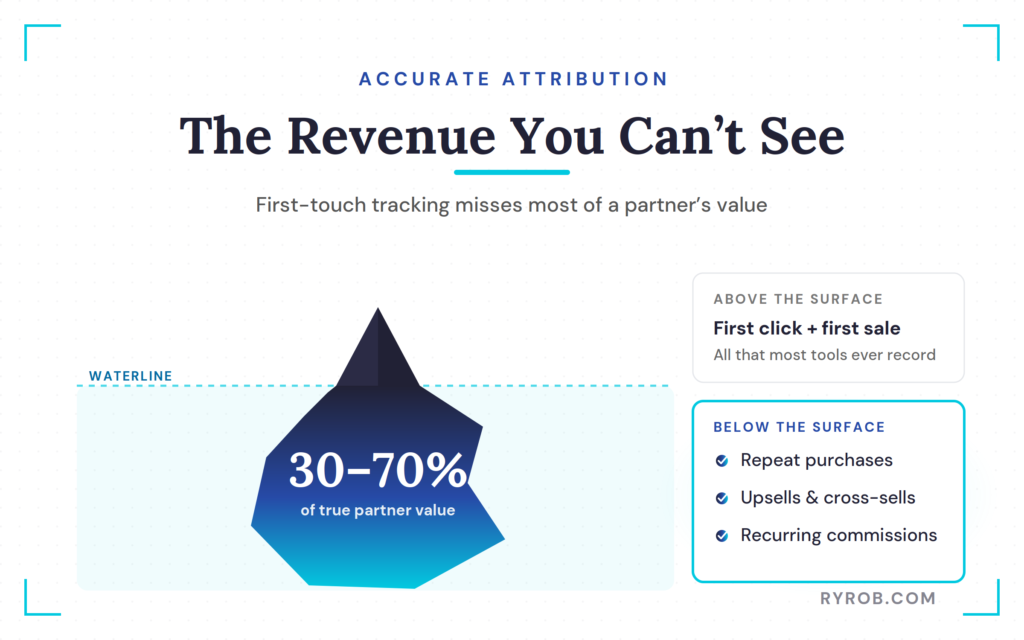
Most affiliate setups only track the initial click and the immediate sale. They completely miss the 30% to 70% of long-term revenue that comes from repeat customers, upsells, and recurring commissions down the road. If your tracking and attribution only look at first-touch data, you are flying blind on true partner value.
Platforms built for customer journey reconstruction follow the buyer across every channel. When you tie that granular data into an AI assistant using the Model Context Protocol, you can ask complex questions about lifetime value without writing a single line of SQL or building manual pivot tables.
How to Connect AI to Your Affiliate Platform
Setting up this workflow doesn’t require a developer or complex software engineering. You just need to create a secure bridge between your AI workspace and your partner marketing platform, which for me is Everflow.
Setting Up a Read-Only API Key
Security matters when you give an AI access to business data. Always start by generating a read-only API key inside your affiliate management tools. This ensures the AI can inspect your reports, analyze clicks, and review conversions without having permissions to change offers, modify payouts, or alter settings.
Handing the AI Your Connection Guide
Once you have your read-only key, open Claude Desktop and point it to the platform’s Model Context Protocol connector using their connection instructions.
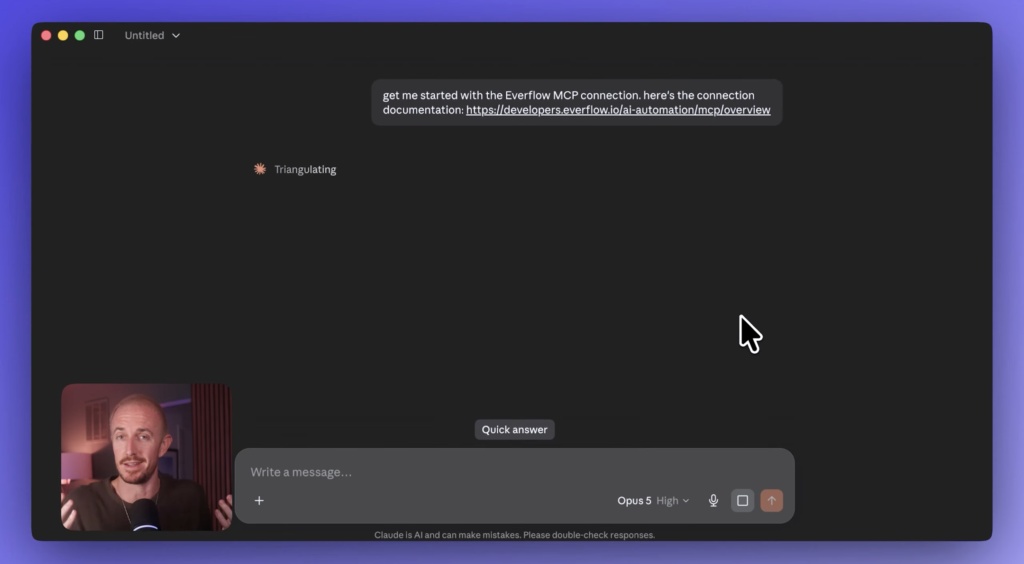
Your chosen AI visibility platform will read the setup guide, process your credentials, and establish a secure connection in about a minute.
Pulling Reports by Chatting With AI
With the connection active, you can start running queries just like you’re messaging a coworker.
Breaking Down Clicks and Conversions by Channel
Instead of clicking through nested menus, just ask for a network summary of the last thirty days. If the AI responds with too much text, tell it to format the output into clear tables and graphs.
From there, ask for total clicks and conversions broken out by channel, so you can see which traffic sources and product comparison articles deliver the best blended conversion rate for your conversion rate optimization efforts.
Comparing Performance Year Over Year
Historical context is everything when you’re evaluating growth. Ask the AI to compare last month’s channel performance against the exact same period from the previous year. You’ll get an instant side-by-side table without touching Excel formulas or manual data exports.
Mapping Performance by Country
Geographic data helps you decide where to allocate your marketing budget and plan dynamic commissioning adjustments. Prompt the AI to map clicks and conversions by country for the past month. You’ll instantly see which regions outperform others, so you can double down on high-converting markets.
Spotting Quiet Partners and Building a Reactivation List
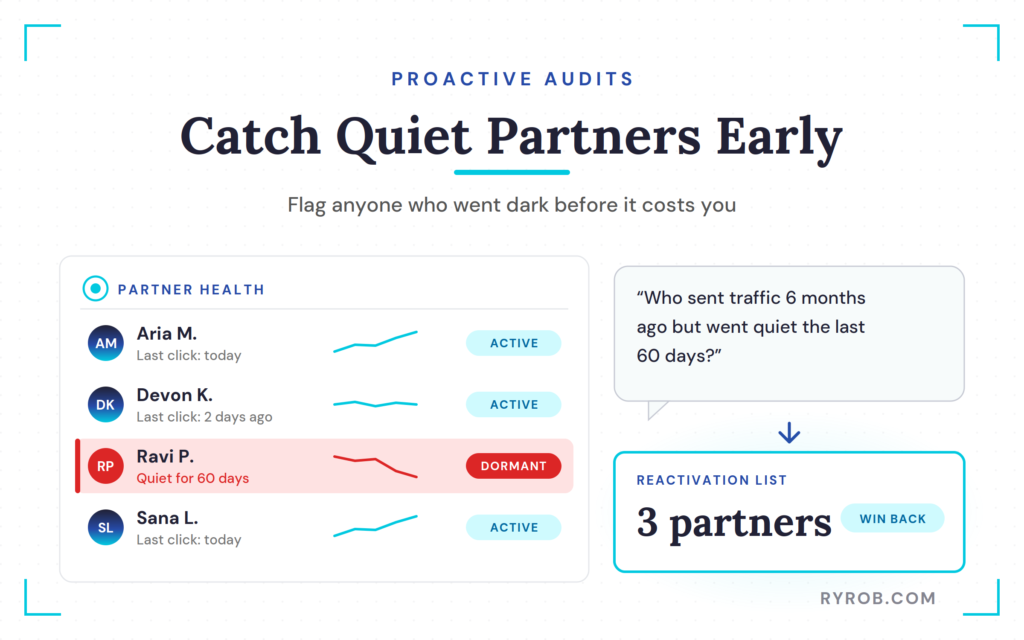
Every affiliate manager knows the dread of pulling up a top partner’s stats and realizing they haven’t sent traffic in weeks. Catching these drops early is what protects your revenue stream. Instead of manually filtering hundreds of partner profiles, ask your AI to flag anyone who drove traffic six months ago but went quiet over the past sixty days.
That one prompt hands you a reactivation list you didn’t have two minutes ago. Reviewing it shows where traffic is softening, while those same drop-offs double as competitor intelligence about where your niche is heading.
Keeping tabs on dormant accounts also supports affiliate fraud prevention by surfacing unusual traffic pauses, and the follow-up outreach works as a form of automated prospecting to win past producers back.
It also helps to watch how revenue moves against clicks, not just the clicks on their own. You might find a channel like paid social or influencer networks where traffic stays flat but revenue drops noticeably.
That is your cue to sharpen your affiliate recruitment, renegotiate commissions with top earners, or dig into tracking.
Building a Live Google Sheets Dashboard with AI Scripts
All these insights are great, but your team needs visibility too. You don’t want to give every staff member admin access to your tracking platform.
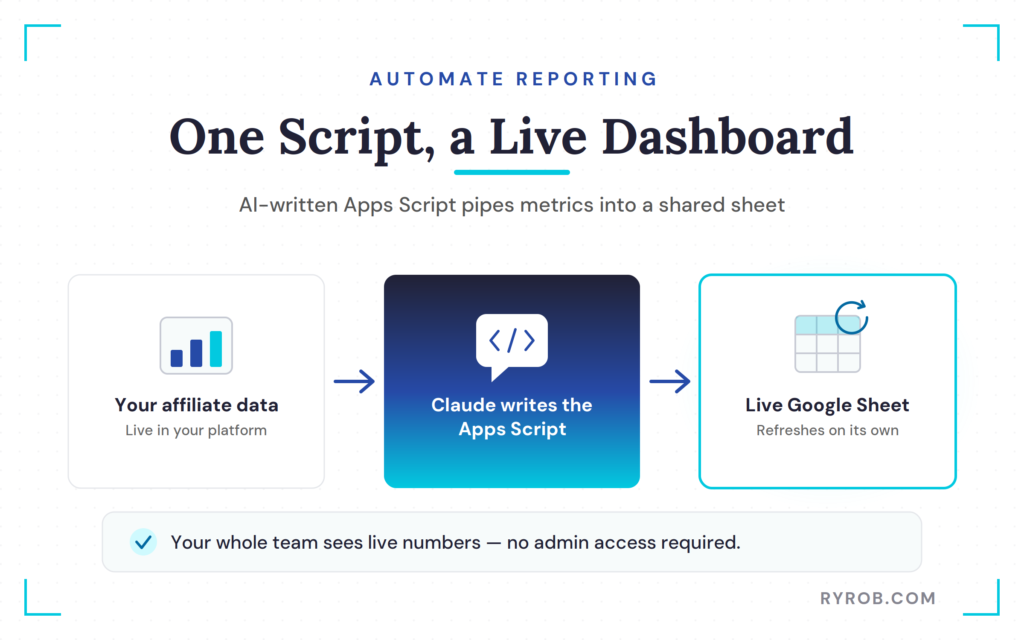
Instead, ask Claude to write a custom Google Apps Script that pulls your channel report directly into a Google Spreadsheet and refreshes it automatically. Copy the script into your Google Sheet, paste your API key into the authorization fields, and activate the new menu item.
You now have a live, self-updating dashboard that keeps your entire team aligned without any manual upkeep.
These live numbers also feed the bigger picture as you refine your search engine optimization, content optimization, and keyword research. Tracking performance metrics like commission structure, and even applying machine learning algorithms, helps you evaluate publisher performance over time.
Checking AI content detection is worth building into the habit too. Maintaining a fair commission structure then helps protect brand voice consistency across your promotional channels.
A dashboard like this starts with getting your data connected, which is the whole reason I run everything on Everflow.
FAQs About Managing an Affiliate Program With AI
Here are quick answers to the questions that come up most when people first try this workflow.
Is it safe to connect AI to my affiliate platform data?
Yes, as long as you use a read-only API key. This restricts the AI to viewing and analyzing reports while preventing it from making any changes to your offers, affiliates, or payout settings, which keeps your overall affiliate marketing strategy secure.
What is the Model Context Protocol?
The Model Context Protocol is an open standard that lets AI assistants like Claude securely connect to external data sources and internal tools, so you can query live information using natural language.
Do I need coding skills to build an automated dashboard?
No coding experience is required. You can simply ask Claude to write the necessary Google Apps Script for you, then follow its step-by-step instructions to paste the code into your spreadsheet as part of your affiliate marketing strategy.
How does proper attribution increase affiliate revenue?
Traditional tracking often misses repeat purchases, subscriptions, and upsells. Platforms like Everflow track the full customer lifecycle, so affiliates get proper credit for the long-term value they bring to your business.
Final Thoughts About Managing an Affiliate Program with AI
The whole point here is that your data stops being locked inside a dashboard you have to babysit. Once you manage an affiliate program with AI, pulling a report, auditing a quiet partner, or handing your team a live dashboard all come down to typing a sentence instead of exporting a spreadsheet.
Start small and keep it read-only, so the AI can look at everything and change nothing. Ask it one question you’d normally dread digging for, and you’ll see pretty quickly how many hours this gives back every week.
Connect Your Data to AI the Way I Did with Everflow
For years, reporting was the part of my week I dreaded most, and bad attribution made it worse. Everflow fixed that for me by tracking ongoing revenue better than almost any tool I’ve tried, then letting me ask my data questions in plain English. If you want the same setup on your program, grab a quick demo now!👇
