
I’ve spent years teaching businesses how to show up in AI answers, so it was a little awkward that I’d never measured my own. So I finally worked out how to track AI visibility for my own company… and ran it for two weeks straight. What came back was part reassuring and part humbling.
AI visibility tracking is the practice of measuring how often AI engines mention, cite, and recommend your brand, and where you land in their answers. Think of it as rank tracking, but for chatbots and AI search instead of blue links.
Everything below comes from a real dashboard I ran in Moz Pro, my actual brand against three actual competitors, no sample data. Here’s the video walkthrough where I click through the whole thing, the good parts and the not so good.
Key Takeaways for Tracking Your AI Visibility
- One ChatGPT test is a biased sample of one, because the tool writes a fresh answer every time you ask.
- Mention rate and mention position are separate metrics with separate fixes, so track them as two different things.
- AI engines disagree about your brand, and that’s normal. Some cite you heavily, others ignore you completely.
- The prompts where competitors appear and you don’t are your content plan, handed to you in plain sight.
- The citations view reveals which websites fuel AI answers, so your outreach targets stop being a mystery.
- Setup takes minutes, and a weekly refresh beats obsessing over daily swings.
See If AI Recommends Your Business With Moz
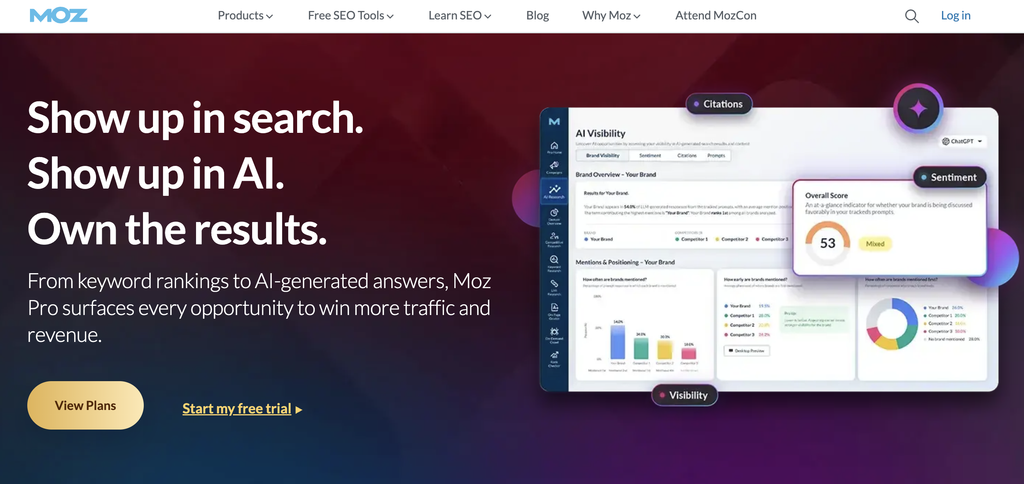
One test chat was never going to tell me where I really stand. Moz Pro tracks the same prompts across ChatGPT, Gemini, Perplexity, and Google AI Mode, and scores me next to my competitors. Grab the free trial and you can watch your own trend settle over a couple of weeks.
Why One ChatGPT Chat Can’t Track Your AI Visibility
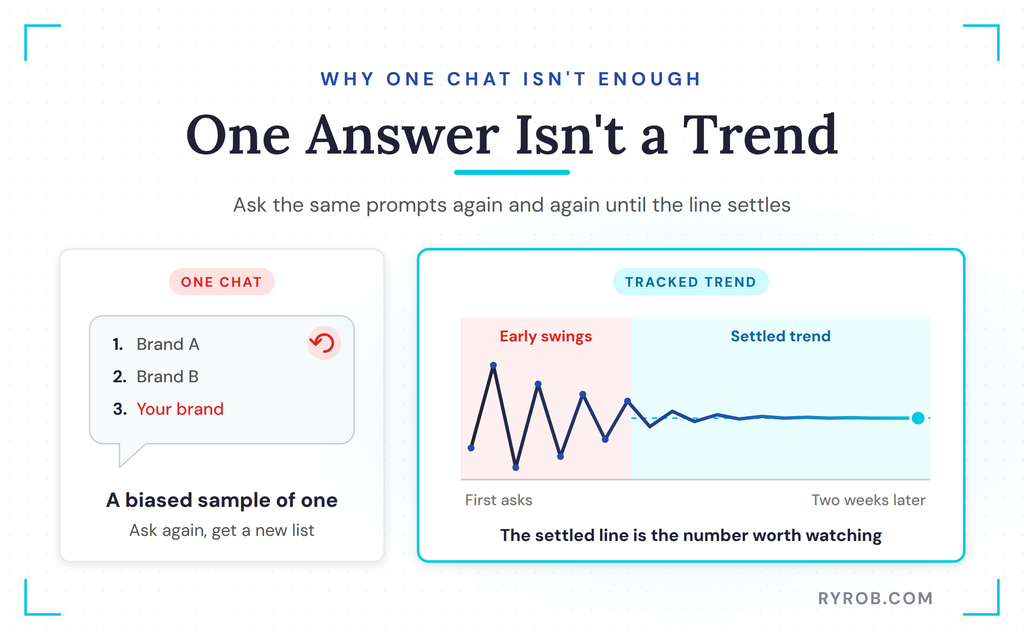
You could just open ChatGPT and ask it about your business. I’ve done it, you’ve probably done it too, and if you haven’t, definitely start there. The trouble is that one answer in a tool that already knows about you is a biased sample of one.
Ask the same question twice and you can get a different list in a different order. That’s not ChatGPT being broken, it’s built to write a fresh answer every time. So a single screenshot tells you very little about how you’re really doing across real scenarios.
What you actually want is the same prompt set asked across every engine, with your competitors scored right alongside you. Then you run those prompts again and again and watch what holds steady.
When I watched the first handful of answers in my dashboard, they swung all over the place. Then, as the asks piled up, the line settled and flattened. That settled line is the number worth caring about, a data-backed trend instead of one lucky or unlucky snapshot.
If you want the broader playbook behind earning those mentions in the first place, my guide to generative engine optimization breaks down how GEO works and where it overlaps with the SEO you already do.
Your Mention Rate and Your Position in the Answer
The Visibility Score at the top of the dashboard answers question one. Across every tracked question in all four engines, how often does my brand get mentioned? The number is the percentage of prompt responses in which each brand appears, and in what order.
My baseline came in at 3%, and the leader in my category sits at 9%. That 6-point difference is the mention gap, the distance between you and the leader in your space. On its own a mention number doesn’t mean a ton, and it’s the gap next to you that tells you something meaningful, which is exactly why your competitors should go into a tool like this on day one.
In effect, your mention rate is your share of voice in AI answers, how much of the conversation you own versus your competitors.
Here’s the interesting part of that snapshot. Nobody in my category is over 10% of prompts, so for the questions my customers actually ask, tools in this space just aren’t named often. That’s a gap worth closing.
Being mentioned and being recommended aren’t the same thing. Picture an answer that lists five tools.
If we’re number one, we’re the recommendation, often the name in the opening sentence. If we’re number five, we’re the “you could also try” option at the bottom, after a lot of people have already stopped reading.
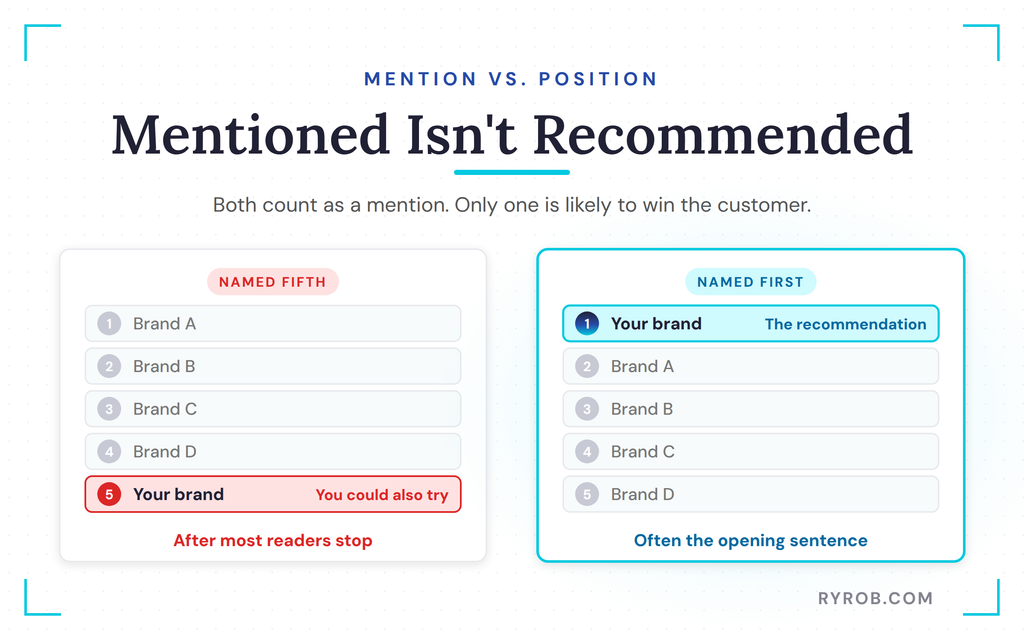
Both count as a mention. Only one is likely to win you a customer. So the tool doesn’t just show whether each brand shows up, it shows how early in the answer it tends to appear.
We do well on this one. Our average position is 1% of the AI response length, which means when we get featured, we’re usually right near the top. This is the number I’d watch hardest, because a brand named often but always near the bottom has a different problem than a brand barely named at all, and the fixes aren’t the same either.
I teamed up with Moz on this walkthrough, so if you want to see where your own brand lands, you can run the same check free during a Moz Pro trial and score yourself against your competitors on day one.
Why AI Engines Disagree About You
Not all AI engines agree with each other. Between ChatGPT, Google AI Overviews, Google AI Mode, Gemini, and Perplexity, every engine leans on a different mix of sources, so it matters which ones like you and which ones don’t. You can check your visibility, sentiment, citations, and prompts for each major engine, and that’s where the room for improvement shows up.
For us, ChatGPT hadn’t earned citations yet. Google AI Mode gave us 226 citations, and I could scroll down to see the exact websites citing us. Switching to Gemini showed we were doing even better there.
Our weakest spot for brand visibility was Google AI Mode, where we show up at 0.0 in the right conversations. That stings, but it’s useful, because it tells me exactly where to look first instead of trying to fix everything everywhere at once.
If you notice a lot of variance across platforms, trust me, it’s normal. Google AI Mode in particular leans on its own search systems, which I dig into in my Google AI search guidelines breakdown.
Sentiment and Citations by Platform
Under the sentiment tab for ChatGPT, we score pretty high on positivity, and the tool even flags the exact topic that’s our perceived greatest strength. The competitor comparison shows we have the most positive sentiment in our category on ChatGPT, even though our mention counts lag competitors, so there’s room to improve there too.
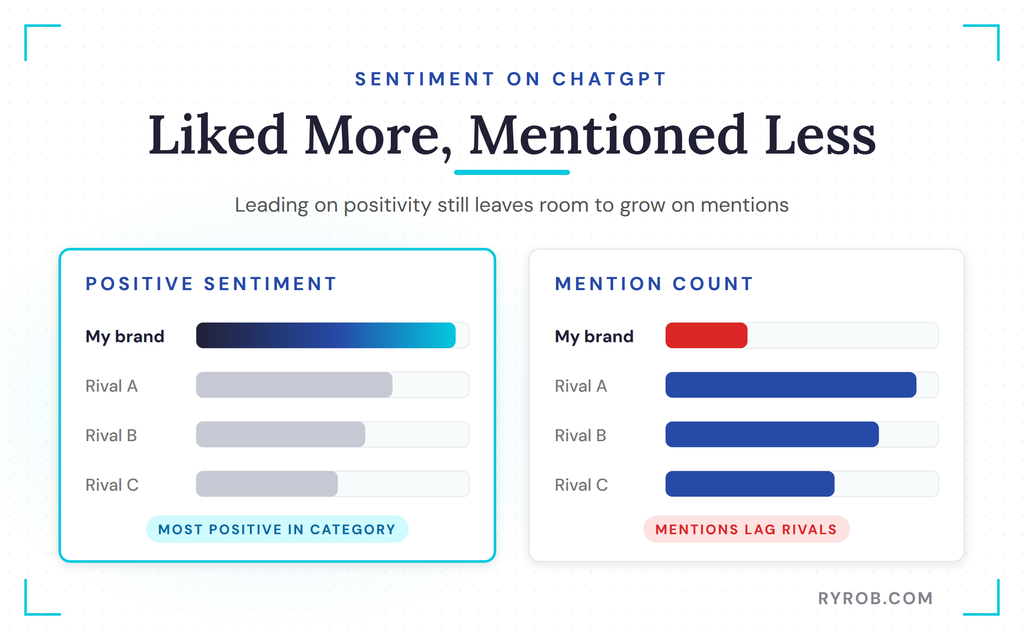
The sentiment drivers are a big deal as well. Click to expand each theme and you can see exactly how you’re being talked about inside each engine, and for any response you can pull up the entire analysis the AI gave.
That’s the practical case for tracking your mentions across every major platform in one place, rather than eyeballing one chatbot at a time. Plenty of brands are racing to do this now, and Search Engine Journal has a sharp take on whether they’re measuring the right things.
Finding the Prompts You’re Missing From
Question three is the one that hands you a to-do list. Which exact prompts are we showing up in, and which ones do we need to be showing up in? Every number so far is built from a list of tracked questions, and you can open that list under the prompts tab and go prompt by prompt to see who gets named.
I added some of these prompts myself, because I know customers ask about them, and Moz suggested more from the topics I gave it. Then came the sobering part. Look only at the rows where a competitor shows up and we don’t, and there are a lot of them.
Flip on the missed opportunities filter and every remaining row is a buyer question you’re absent from. That’s not a vanity metric, that’s literally your content plan. Most of our tracked prompts land in that missed-opportunity bucket, so we have our work cut out for us.
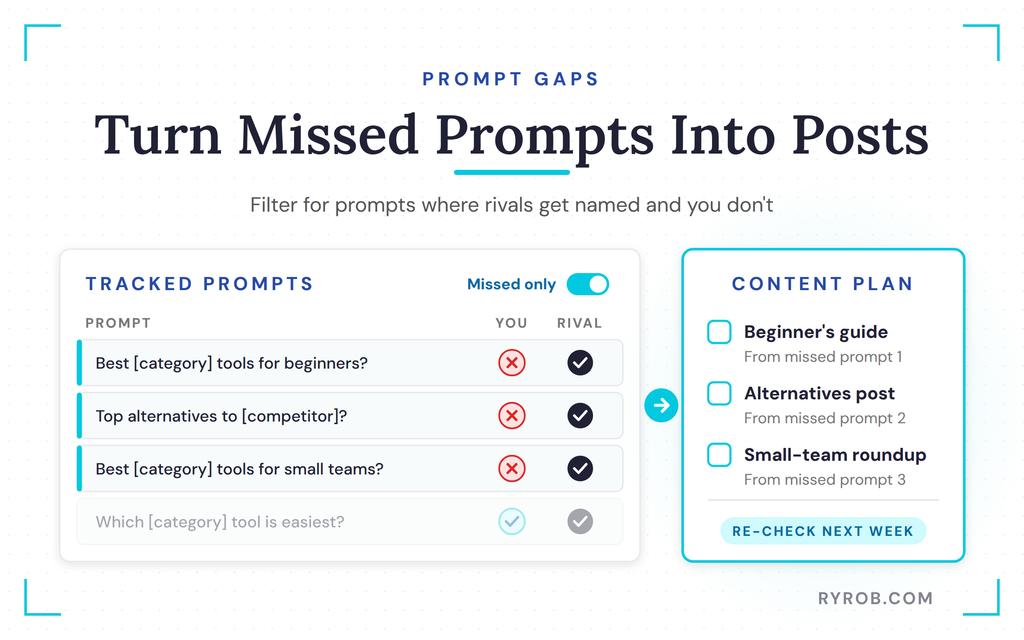
A few misses make total sense. We don’t really do that thing, or the prompt compares tools that aren’t quite like ours.
But one in particular? Yeah, we absolutely need to be in that conversation, and you can expand any prompt to read the full AI response and see which tools got named.
Pair that content plan with a repeatable loop. Find the gap, create the content, then re-check the prompt next week inside a free Moz Pro trial so you can watch the number actually move.
When you’re ready to turn those gaps into a real backlog, my guide to building an SEO content strategy is the exact process I’d use.
Turning AI Citations Into an Outreach List
One more view before you set up your own dashboard, because it explains a lot of what we just looked at. The citations view shows which websites and pages the AI engines pointed to when answering your tracked questions. Since this is Moz, each one sits next to its domain authority and spam score from their database of 45 trillion links.
You’re seeing the exact sites fueling these AI answers and how authoritative those domains are. If the same review site or blog keeps popping up in answers where a competitor beats you, that’s not a mystery anymore. That’s your outreach list.
A few positive brand mentions on even a handful of those sites will have an outsized impact on your share of voice, which translates into more AI citations and more customers. Scrolling my own list, I found Zapier right there. I’ve already written for them as a blog contributor, they have a super high domain authority and a low spam score, and they’re consistently one of the sites fueling these answers.
So if I reach out and publish a guest post there mentioning my tool positively, it should have a pretty direct impact on citations for my brand, not to mention the referral traffic a site like that sends. The same goes for the blog sitting right below Zapier, someone I should build a relationship with.
Replicate that a handful of times and the impact becomes measurable, and my guide to link building walks through how to earn those mentions without spamming anyone.
How to Track AI Visibility: Setting Up Your Dashboard
Now it’s your turn. Inside a free Moz Pro trial, open the AI visibility section and start a new dashboard. An AI tracker is only as useful as the inputs you feed it, so a few details separate useful data from noisy data.
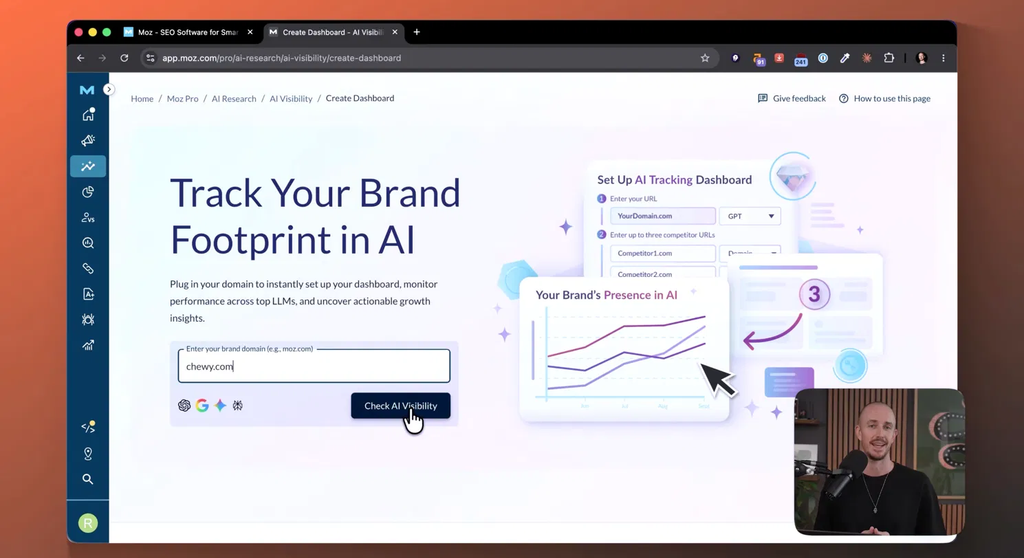
- Add your brand name, domain, and every spelling variation people might use, because AI may not spell your business the way you do. Take Chewy, the pet store. If your name is more than one word or has variations, be precise about loading in all your options.
- Add your competitors. Pick the ones your customers actually compare you to, not just the biggest names in your whole industry.
- Add the prompts you’d love to be the answer to, and let the tool suggest more from your topic areas.
Your first analysis arrives a little while after setup kicks off, then your Visibility Score refreshes every week. That’s a sensible rhythm, because AI answers wobble day to day, and a weekly trend is far easier to act on than every little fluctuation.
Honest Limits Before You Try This
A few caveats worth knowing going in.
- This is a measurement tool, not a magic fix. Where an SEO rank tracker tells you where you rank in Google, this one tells you where you stand in AI answers. It gives you the insights to act, which is why the next video in this series is all about turning these reports into action.
- AI visibility is part of a paid Moz Pro plan, and the free trial gets you access to that plan, so you can run this exact check for free before you decide on anything.
- It covers four engines, not all of them. ChatGPT, Google AI Overviews, Gemini, and Perplexity are in, but if your buyers mostly live in Claude or Copilot, that’s not quite here yet.
Measuring where you stand is only half the job, though. If your site never gets crawled or understood in the first place, no dashboard will save you, which is why I broke down why my business wasn’t showing up in AI search and the fixes I ran live.
FAQs About Tracking Your AI Visibility
Here are the questions I hear most often about all of this.
Does one ChatGPT test tell me anything useful?
A little, but far less than you’d hope. It’s a biased sample of one, and the tool writes a fresh answer every time, so the second ask can produce a different list in a different order. Use a one-off test as a starting point, then track the same questions repeatedly to get a real trend.
Why do different AI engines mention different brands?
Each engine draws on its own sources and its own understanding of your company. In my dashboard, Gemini performed best, Google AI Mode gave us 226 citations but almost no mentions in the right conversations, and ChatGPT hadn’t earned us citations yet. Variance between platforms is normal.
What’s the difference between a mention and a recommendation?
A mention means your name appears somewhere in the answer. A recommendation means you appear early, ideally in the opening sentence, before most readers have stopped scrolling. Both register as mentions, but only the early placement is likely to win you a customer.
How long before I see trends worth trusting?
The first handful of answers swing all over the place, then the line settles as the asks pile up. My dashboard had two weeks of real data before I reviewed it, and the weekly refresh is the cadence I’d act on rather than daily fluctuations.
Final Thoughts on How to Track Your AI Visibility
You can’t force a chatbot to recommend you, but learning how to track AI visibility comes down to measuring it, finding your gaps, and acting on them. The three questions are your ongoing scoreboard. How often AI names you, how high you land in the answer, and which prompts leave you out entirely.
One test chat session was never going to tell you where you stand in AI search. A tracked trend across engines, with competitors scored beside you, is where the real answers live, and the missed prompts you uncover become your content plan.
If you want to run this on your own business, start with the free Moz Pro trial and set up your dashboard today. It costs nothing extra, and within a couple of weeks you’ll know exactly where you stand.
See If AI Recommends Your Business With Moz
One test chat was never going to tell me where I really stand. Moz Pro tracks the same prompts across ChatGPT, Gemini, Perplexity, and Google AI Mode, and scores me next to my competitors. Grab the free trial and you can watch your own trend settle over a couple of weeks.
