

For years, you had no idea which of your pages were getting pulled into AI answers… so you were basically flying blind. That finally changed with the new google search console generative ai report, which drops your AI impressions right there in one place.
Now, it’s still in beta, so the data is pretty thin. But there’s one quick calculation that shows how much of your reach comes from AI instead of regular search, and that alone makes it worth opening.
Here’s the full video where I put this new report through its paces, then we’ll break down how to use it below.
Key Takeaways on Google’s New Generative AI Report
- The new generative AI report lives inside Google Search Console and it’s still in beta, so keep your expectations modest for now.
- You only get impressions, countries, devices, and dates. Clicks, click-through rate, average position, and query data are all missing.
- Dividing a page’s AI impressions by its total impressions shows you the exact share of your visibility coming from AI.
- High AI impressions with almost no clicks means a page is acting as cited source material in AI answers, not a real traffic driver.
- Use these insights to spot the topics Google trusts you on, then expand them into new formats like video.
What Google’s Generative AI Report Actually Shows You
This report finally gives you a dedicated view of how your pages show up inside AI answers, separate from your normal search data. It’s a small, simple view for now, but when Google announced the generative AI performance reports, it marked the first time this data got broken out at all.
Where to Find the Report in Search Console
You’ll find this new report inside the same Search Console you already use, sitting alongside your usual performance data, as long as your site was part of the rollout. It’s a beta report, so don’t expect a big suite of advanced tools just yet. The interface stays clean and straightforward.
If you run your site with a team, it’s worth knowing how to add users to Google Search Console so everyone can pull this data too. Google Search Central has also documented the basics if you want the official reference.
The Four Metrics You Get and What’s Missing
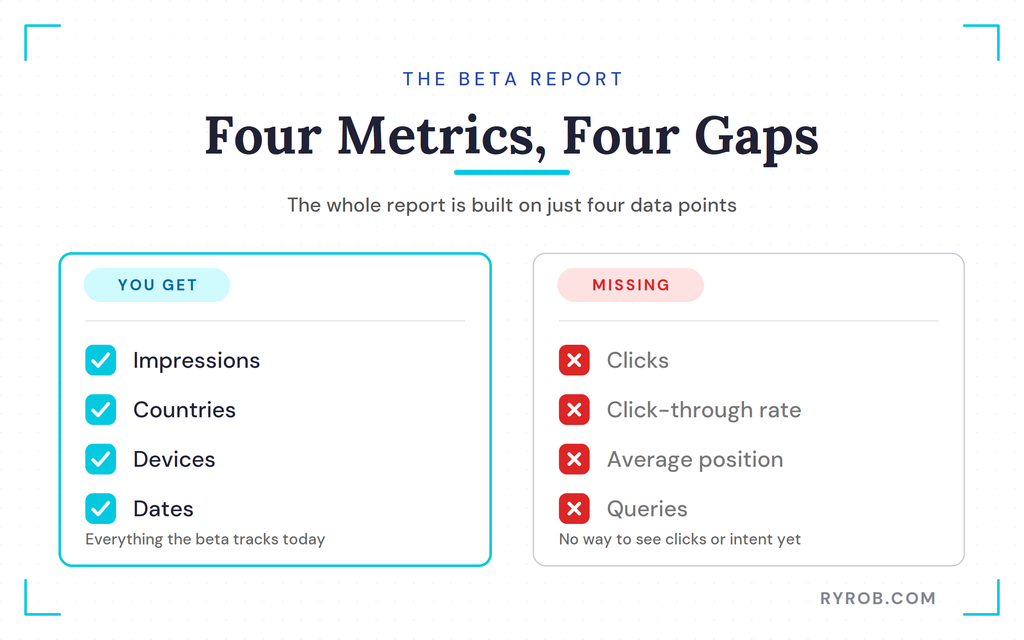
The entire report is built on four basic data points, which are impressions, countries, devices, and dates. That’s the whole package. You won’t find click data, click-through rates, average positions, or queries.
That means you can’t see what people actually asked the AI to make your pages show up. You also can’t tell how many users clicked through to your site. To fill in those gaps, you’ll still want to pair it with your other free SEO tools for the full picture.
How to Calculate Your AI Impression Share
There’s really one fast move worth making with this report, and it takes about ten seconds. Once you run it, the rest of the report starts to make a lot more sense.
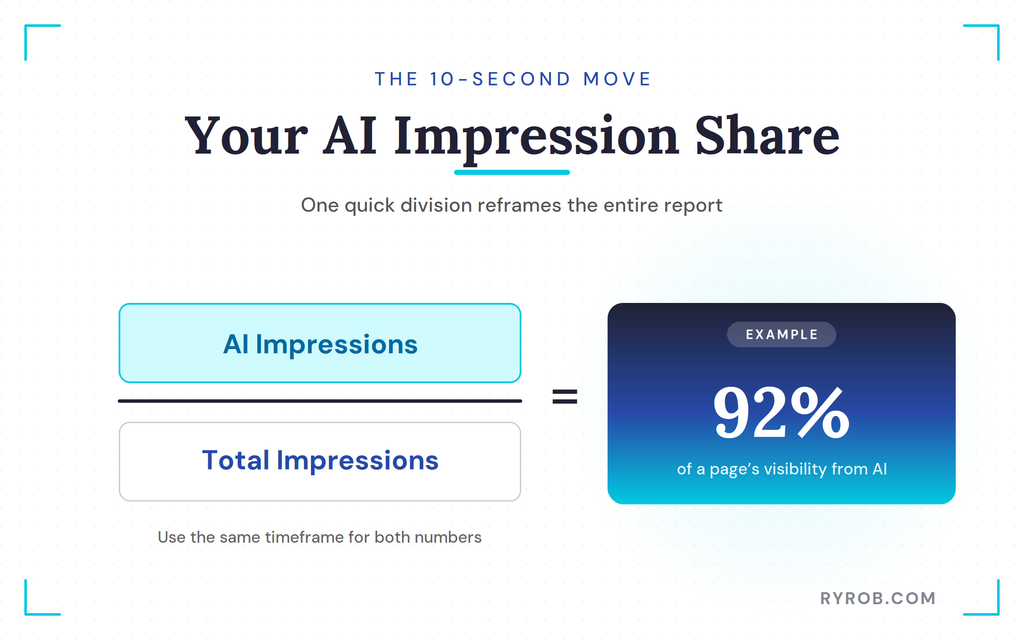
Divide AI Impressions by Total Impressions
Take a page’s AI impressions and divide that number by its total organic impressions for the same timeframe. This shows you how much of your overall visibility is coming from AI compared to traditional search. It’s simple, but it reframes the whole report.
What High AI Impressions and Low Clicks Really Mean
When you run this math, the results can be surprising. One guide might pull hundreds of thousands of AI impressions while still making up only a tiny slice of its total visibility. Another might rely on AI for over ninety percent of its impressions while sending almost no clicks.
That second one is the interesting case. The page is basically dead from a traditional traffic angle, but it’s serving as high-value cited source material for AI answers. It’s feeding responses instead of pulling people over to your site.
That split usually tracks search intent. Pages that answer informational questions plainly tend to get cited, so your data becomes a measure of how well you’re feeding that system rather than a forecast of how many visitors you’ll actually drive to your site.
Turning AI Impression Data Into Decisions
The report won’t hand you a to-do list, but it does point you toward the topics and formats worth leaning into. Here’s how I actually use it.
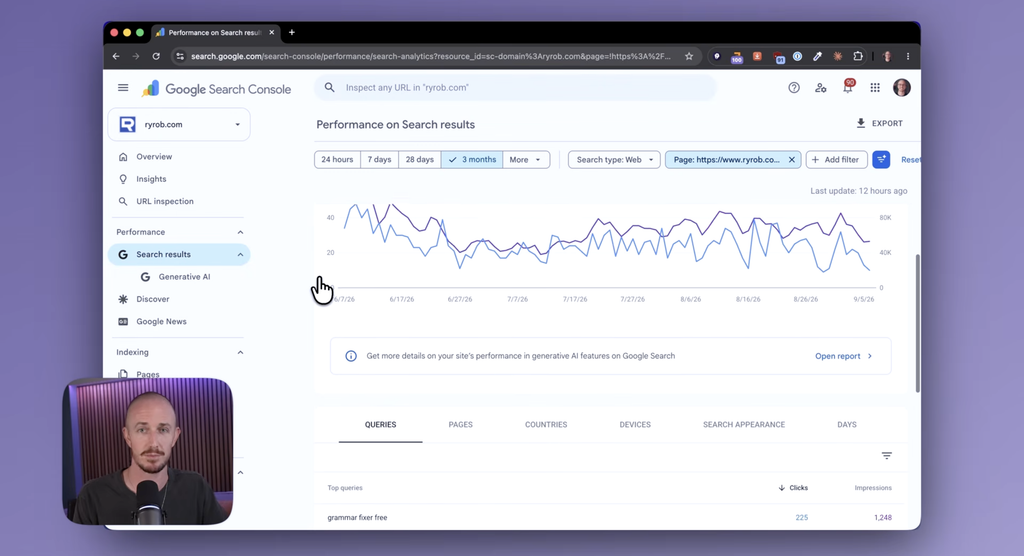
Spotting the Topics Google’s AI Favors
Knowing which pages get cited tells you the categories Google already trusts you on. The more AI impressions you pull for a given topic, the more sense it makes to lean into that subject going forward.
You can build on that by reinforcing your strong blog SEO fundamentals around those winning topics, and by using AI blogging tools to cover them from more angles without burning a whole day on each one.
Repurposing High-Impression Pages Into Videos
If a page gets heavy AI visibility but drives no clicks, that’s a signal about intent. People reading AI answers usually want a quick fact, not a full blog post. So take those exact topics and turn them into a YouTube video instead.
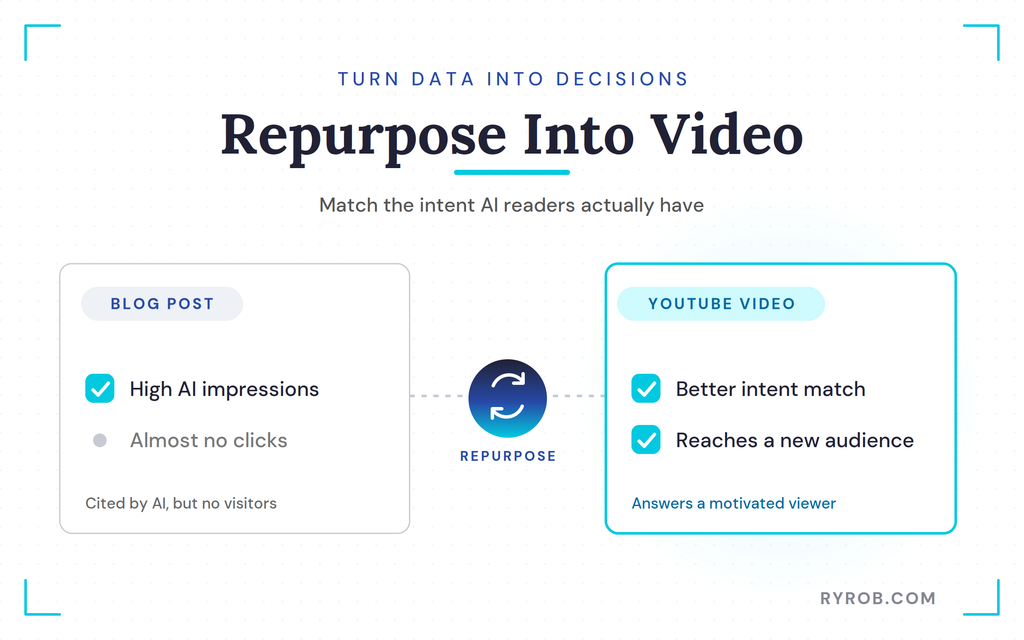
I’ll often run a bit of keyword research on the topic first, then build a video that matches what a motivated viewer actually wants more than a text answer ever could. It’s a better intent match, and it opens up a whole new audience.
Building a Simple Monthly Check
Since the report has no query or click data right now, checking it once a month is plenty. Use it to spot topics you can approach from fresh angles or different formats, then fold those into your ongoing SEO content strategy.
Once Google adds clicks and queries, this report gets a lot more powerful. Until then, a quick monthly glance keeps you ahead of the shifts.
FAQs About Google’s Generative AI Report
A few quick answers to the questions I get asked most about this report.
Does the Report Show AI Overview or AI Mode Clicks?
No, the current beta version doesn’t show any click data. It only tracks impressions, countries, devices, and dates, leaving out click-through rates and queries entirely.
Will Google’s Generative AI Report Get More Useful?
Almost certainly. Google will likely add more metrics over time as the beta matures. Once clicks and queries become available, the report will give you a much clearer path forward.
Should I Rewrite Every Page With High AI Impressions?
Not necessarily. A page with high AI impressions and low clicks is often doing its job as cited source material. Instead of rewriting it, ask whether a different format like a video would match the intent better.
Can You Opt Out of AI Overviews or AI Reporting?
You can’t opt out of the report itself, but you can control whether your site shows up in these AI features. Google added a Search generative AI control in your Search Console settings that lets you exclude your pages from AI Overviews, AI Mode, and Discover AI features at the property level.
Just know that opting out means giving up any impressions or traffic from those surfaces too.
Final Thoughts About Google’s New Generative AI Report
This beta report is limited, and it won’t hand you a ready-made action plan today. But it’s the only place where you can watch Google pull answers straight from the pages you own. Set up a simple monthly review, divide your AI impressions by total impressions, and note your strongest topics.
Once clicks and queries arrive, you’ll already know which parts of your site deserve attention, so pull your top pages this week and run the numbers.

A very practical and insightful guide. I especially appreciate the simple idea of comparing AI impressions with total impressions to better understand how content is being surfaced in generative search. As Google adds more data, do you think clicks and query-level insights will become the most important metrics for measuring the real value of AI visibility?