

Running an online store used to mean juggling a dozen browser tabs, supplier spreadsheets, and a dashboard you dread logging into. These days I run an online store with AI, and most of that busywork just handles itself.
I needed a retail side for Little River Studios, my co-working and podcasting space in Miami, to sell design-forward desk gear and studio equipment. So instead of losing my weekend to theme setup, I used an AI store builder to spin up a live ecommerce website.
If you’ve set up a Shopify store before, the flow feels familiar, and it works just as well for a curated shop like mine… no theme wrestling, no code. Here’s the full video walkthrough where I build the store from scratch:
Key Takeaways for Building an Ecommerce Website With AI
- You can launch a working store that accepts real payments in a single sitting, no coding required.
- One short description of your products is enough to generate the site structure and product pages.
- A team of five AI agents handles catalogs, orders, inventory, and tracking in the background.
- You still own the final decisions about what products to stock and how to market your brand.
- Store changes run on a monthly credit system, so batching your edits saves you money.
Get Your Business Online in Minutes With Bluehost
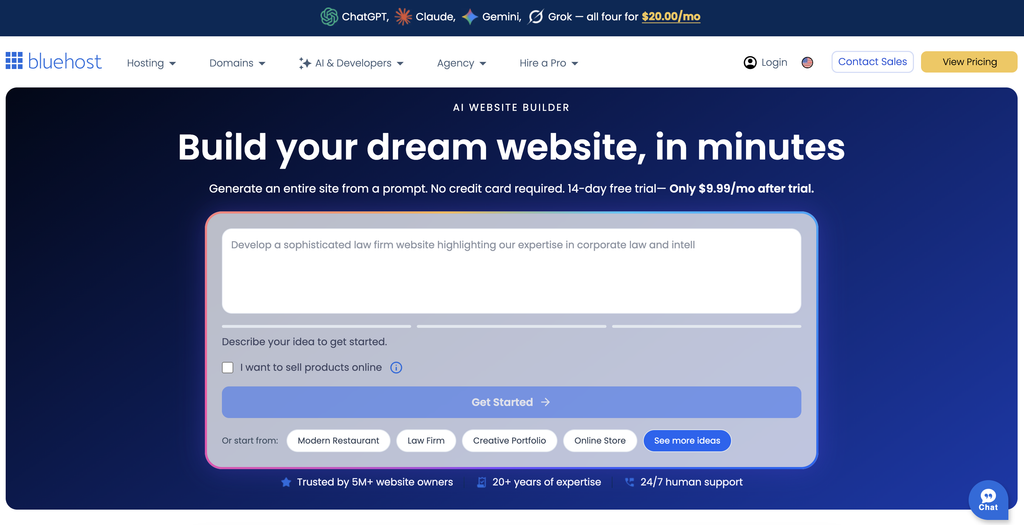
This is the exact tool I used to build the site in this walkthrough, and it’s the easiest way I’ve found to get online. Everything sits under one roof, from the first AI draft to your live custom domain. My advice stays the same: let it build the first version, then make it yours!
How to Set Up an Online Store With AI in One Sitting
Building a store doesn’t need to take weeks of fighting with code and design plugins. When you’re trying to build a business on the side, saving time upfront changes everything.
Modern AI website builders build real site architecture instead of throwing together loose pages. That’s crucial for any ecommerce website, since a consistent look is what builds trust with buyers.
Describe What You Sell
Instead of picking a template, you type a short prompt describing your business and your product lineup. You don’t need drag and drop design skills.
For Little River Studios, I described a curated shop of design-forward desk gear and studio equipment, from monitor stands and desk pads to studio headphones and field recorders. If you aren’t sure where to start, built-in store templates let you pull a ready-made prompt straight into the builder.
The more detail you add, the closer the AI gets to your vision. You can see how I did the same thing for a full business site in my Bluehost AI website builder walkthrough.
Review and Refine Your AI Store Builder Output
About a minute later, the builder delivers a pre-built template with category sections, filtered product pages, and individual product details. It even adds helpful educational blocks, like a cognitive focus section, without you asking for it.
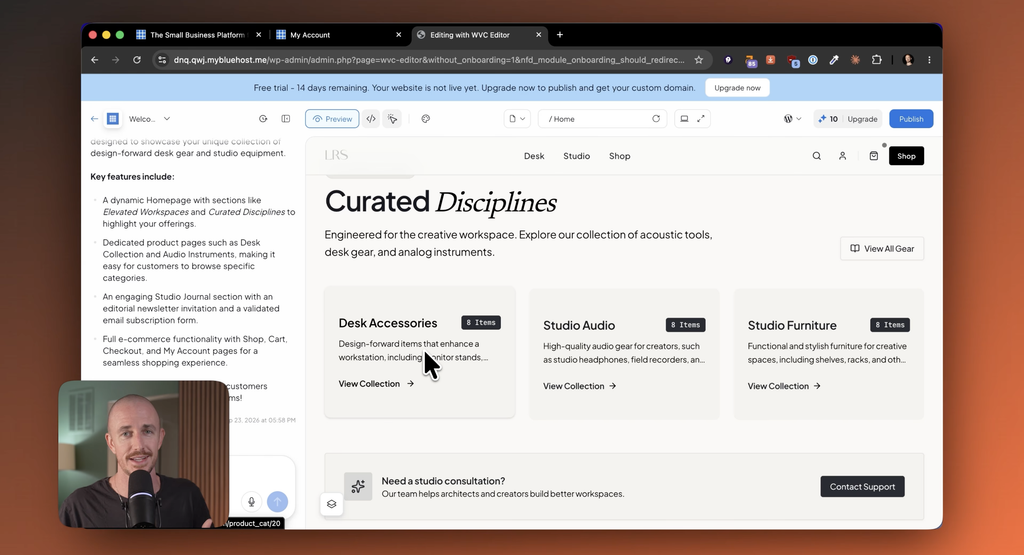
Granted, the starter products are just placeholders for now. Editing something pre-built beats starting from a blank screen every single time. The generated store is mobile friendly out of the box. Placeholder images hold the spot until you upload real shots.
Turn On Real Checkout and Payments
The AI won’t always add checkout by default, so you’ll need to type that request into the chat window. Once added, your store accepts credit cards, Apple Pay, and PayPal right out of the box.
Because it’s an e-commerce platform on WordPress and WooCommerce, you can always click the edit button to open your WordPress dashboard and manage things manually. You can also add customer reviews to product pages to build trust.
Plus, connecting a custom domain makes the whole setup look trustworthy to shoppers.
Meet the 5 AI Agents Running Your Store
Once your site is live, you aren’t managing everything alone. Your store relies on a team of five AI agents that handle the boring tasks in the background.
Think of them as a manager and four specialists, taking routine work off your plate. Your marketing apps can plug into these agents later.
- The catalog agent writes and updates your product descriptions and can refresh AI product photos.
- The order agent tracks every payment and pings you if checkout breaks.
- The inventory agent watches stock levels so you don’t sell items you don’t actually have.
- The customer agent flags repeat buyers and winning products worth keeping.
- The coordinator agent ties it all together, acting as your store manager and orchestrating the rest.
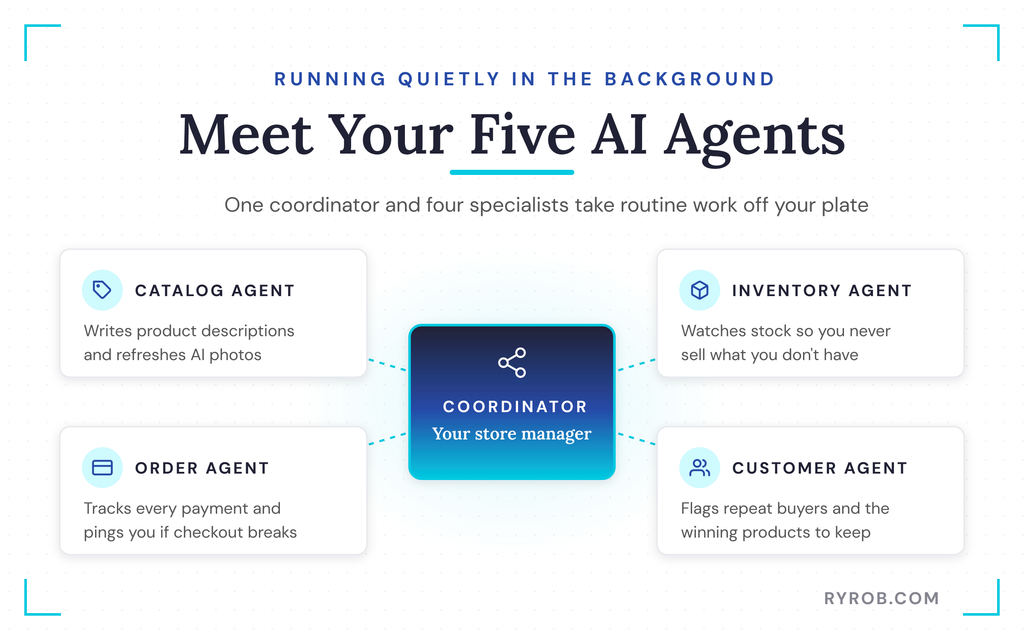
These agents support your workflow, but they don’t replace your actual business decisions.
I teamed up with Bluehost for this build, so the AI store builder you’re seeing in action is the exact one you’d be using. If you want to try it yourself, you can start with their free trial and see how far you get!
Going Live and Managing Your Dashboard
With the store looking right, launching it and keeping it running day to day happens from one dashboard.
Connect Stripe, Taxes, and Shipping
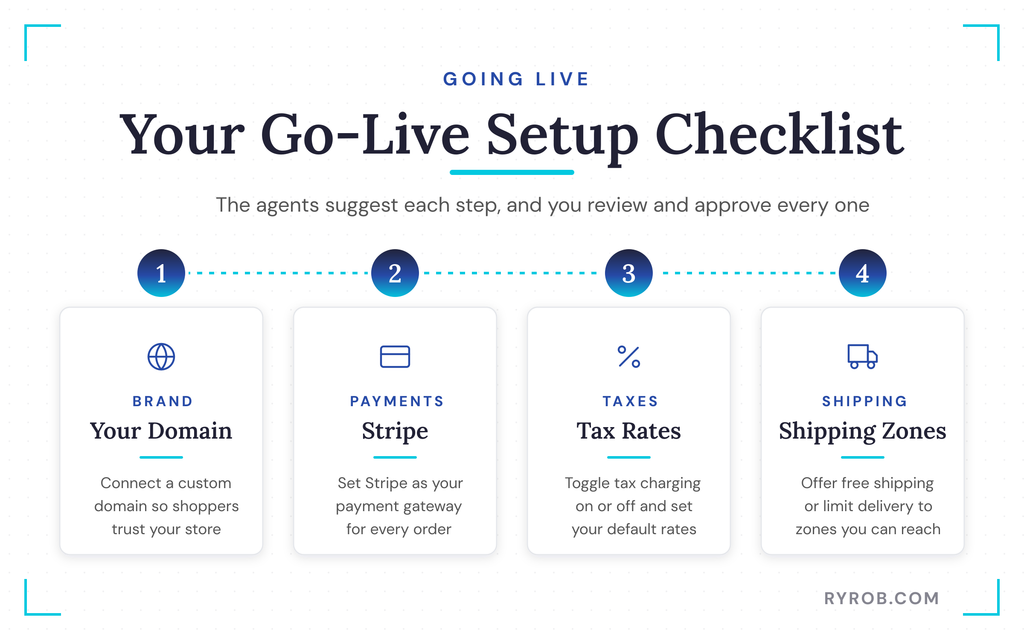
After signing up for the paid plan, you can connect your custom domain and access the admin dashboard. Your store manager dashboard keeps the final controls in one place.
The agents provide a setup wizard with clear action steps, but as the store manager you review each step, starting with Stripe as your payment gateway. You can also toggle tax charging on and off and set your default tax rates. If you sell in the US and aren’t sure what you owe, this sales tax primer for online sellers is a solid starting point.
For shipping, you can offer free shipping or set up specific shipping zones so you don’t have to deal with countries you can’t reach.
Edit Products, Variants, and Categories
Managing products inside your dashboard is straightforward. You can update product images, add video clips, and configure options like colors, shapes, and sizes.
If an item goes out of stock, you can flip its status to draft so customers can’t buy something you can’t fulfill. Organizing products into categories creates dynamic buttons on your shop page so buyers can filter what they want to see.
Test the Checkout Process
Before you announce your store to the world, run a test order yourself. I bought a cable management box like a real customer to make sure the cart, checkout, receipt page, and a discount code all worked.
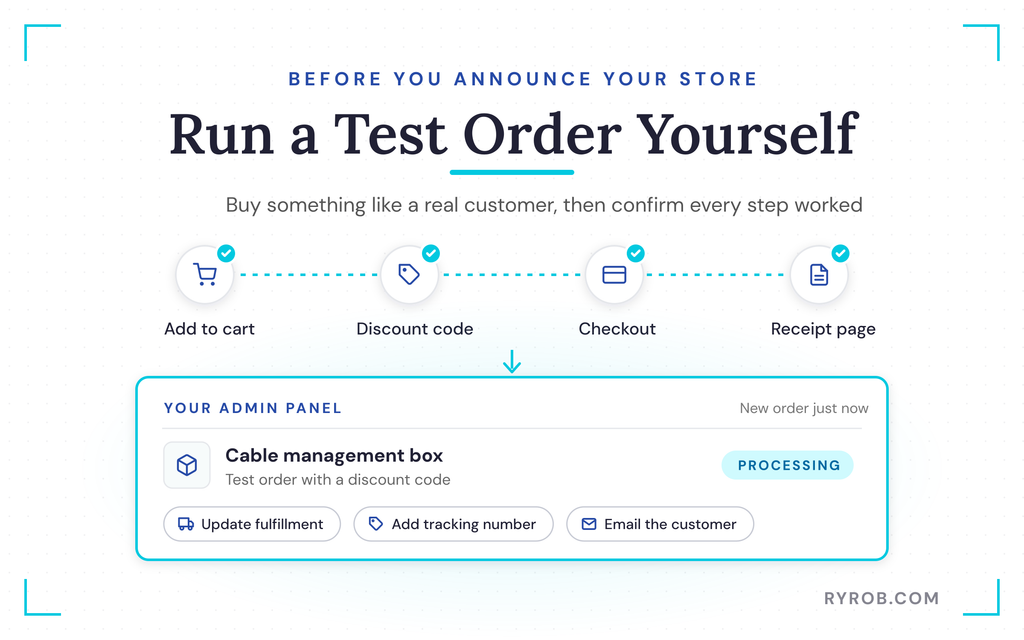
The moment you place an order, it shows up in your admin panel as processing. From there you can update fulfillment status, add tracking numbers, and email customers automatically.
You can also connect email marketing and other apps when you’re ready. As your store grows, the AI insights tab will track customer trends, winning products, and average order value.
FAQs About Running an Online Store With AI
A few quick answers to the questions I hear most about running a store this way.
Do I need to know how to code to build an ecommerce website with AI?
Not at all. You just describe your business in your own words, and the AI builds the site architecture, pages, and draft copy for you.
Does the AI website builder change my store automatically?
No, it asks before creating or editing listings, and new items always come in as drafts so you’re in total control.
Can the AI act as my store manager?
Not completely, and you wouldn’t want it to. The AI can surface winning products and take busywork off your plate, but your product choices and marketing strategy stay with you.
What does it cost to run an AI store?
You’ll pay for your hosting plan, standard payment processing fees, and AI credits if you make too many separate edits. You can review a budget for starting a side hustle to plan your expenses.
Can I move away from the builder later?
Yes. Since the store is powered by WordPress and WooCommerce under the hood, you can connect other apps and you aren’t trapped in a closed system.
Final Thoughts on Running an Online Store With AI
Opening an online store used to mean fighting with code and spending weekends on tedious setup tasks. An AI store builder handles the heavy lifting and powers an ecommerce website, while you keep full control through WordPress.
The store is just your starting line, and the AI can surface winning products. The real business begins when you bring in the right customers through marketing apps and give them a reason to come back.
If you’ve been putting off launching your store, start your build today and let your AI store manager handle the busywork.
Get Your Business Online in Minutes With Bluehost
This is the exact tool I used to build the site in this walkthrough, and it’s the easiest way I’ve found to get online. Everything sits under one roof, from the first AI draft to your live custom domain. My advice stays the same: let it build the first version, then make it yours!
