
I’ve paid Kinsta $31,100 out of my own pocket since 2018, and a number that big finally made me stop and ask if it was actually worth it. This Kinsta review is my honest answer after eight years of paying for it myself. I’ll break down what that money bought me, the one real downside, and whether I’d do it all over again.
Here’s the full breakdown I filmed walking through my actual Kinsta account and everything it runs.
Key Takeaways for Choosing Kinsta Managed WordPress Hosting
- Kinsta costs more on purpose, because it’s built for performance, not cheap pricing.
- The bundled tools save you real money. Backups, staging environments, CDNs, caching, and edge caching would otherwise mean separate subscriptions that can cost around three hundred dollars a month for one site.
- Support connects you with real people fast. Support requests reach real WordPress professionals in minutes, instead of endless AI bots.
- Free migrations remove the headache. Their team handles the entire site move, removing the technical headaches of switching hosts.
- Beginners should wait. Hobbyists and beginners should stick with budget options until their sites generate enough revenue to justify premium managed hosting.
Run Your Sites On The Hosting I’ve Trusted For 8 Years: Kinsta
I’ve paid for Kinsta out of my own pocket since 2018 and never once felt the urge to shop around. It quietly handles the backups, staging, and real human support so I never have to think about my servers. New customers get their first month free on select plans plus a 30-day money-back guarantee👇
What $300 a Month of Kinsta High-Performance Hosting Actually Buys You
Paying three hundred dollars a month for web hosting sounds crazy until you examine where that money goes.
Right now, I run a dozen sites inside my account, and that’s just the baseline because the platform easily scales up or down. Every site gets daily backups, one-click website staging, and performance monitoring without requiring separate plugins.
The Real Math on Everything Bundled In
When you add up the average cost of all the enterprise-level tools Kinsta includes in your plan, the numbers get interesting. Buying separate subscriptions for a CDN, advanced caching, uptime monitoring, SSL certificates, and backups would run you roughly three hundred dollars a month for one site.
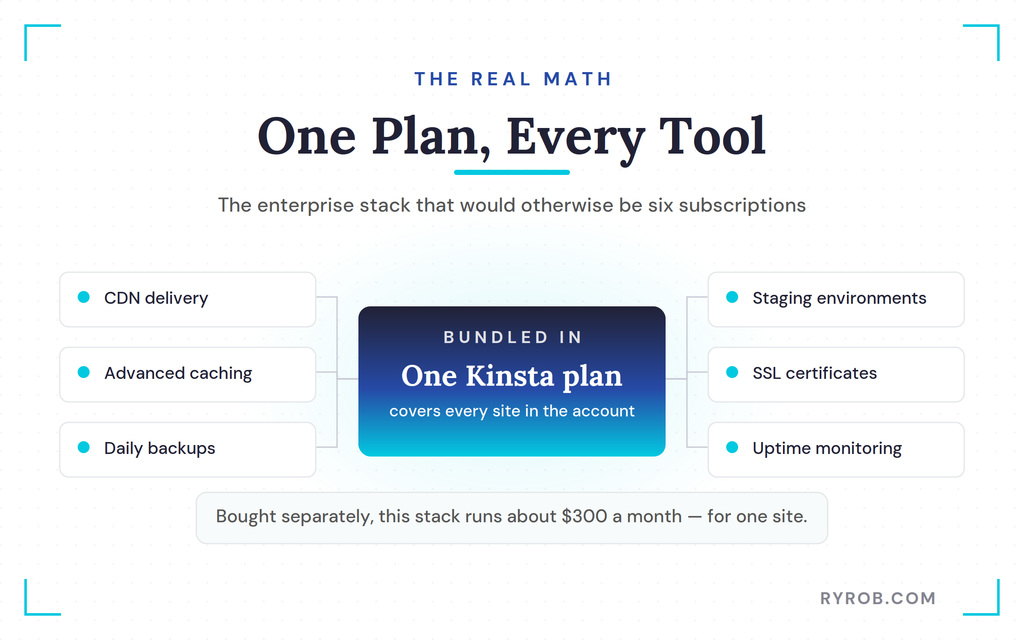
Kinsta’s performance stack may also include Cloudflare integration and edge caching, depending on the plan. Because these features can cover multiple sites, the built-in value often exceeds what you pay. That’s what quietly tips the math in your favor.
The Speed Jump I Saw After Switching
Hosting performance directly affects page loading speed. Where available, server-level caching and edge caching can deliver static assets closer to your visitors.
Kinsta states that sites can run up to two hundred percent faster after migrating to its servers. I noticed a massive performance jump after moving my blogs over.
Optimized infrastructure, data center locations, and server response time all likely played a part here. It also runs on Google Cloud’s WordPress hosting, built on Google Cloud Platform.
What Kinsta Customer Support Is Actually Like When Something Breaks
Technical issues always pop up eventually, and that’s when premium hosting proves its worth. I recently tested their live chat support by checking a plugin vulnerability across a dozen sites before pushing updates.
Instead of guessing, I received a detailed action plan from a real human within minutes.
That hands-on help aligns closely with what you expect from the best managed WordPress hosting. It’s exactly the kind of backup you want alongside Kinsta’s uptime guarantee when your business relies on uptime.
The Built-In Tools, MyKinsta Dashboard, and Free Site Migrations You Get
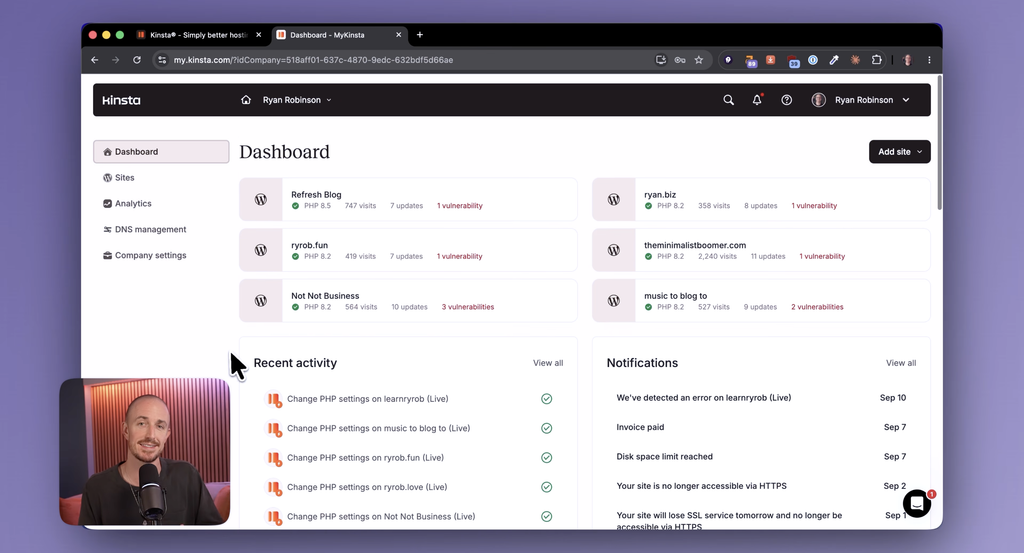
Managing multiple sites requires tools that save time and prevent costly mistakes. The MyKinsta dashboard centralizes utilities for everything from security certificates to site optimization.
If you’re comparing it to your current setup, you’ll find that free site migrations are often easier than expected.
The Tools I Reach For Most
The search and replace tool is one feature I use constantly when affiliate programs change. It lets me update links across multiple blogs at once.
You can also manage SSL certificates, adjust geolocation settings, and inspect server logs directly from the dashboard. Cloudflare integration gives you control over CDN delivery, while DDoS protection and edge caching support security and performance.
Together, these features reduce the need for bloated third-party plugins that slow down your pages.
How the Migration Actually Works
Moving web hosts is normally a nightmare that causes endless headaches. Fortunately, Kinsta handles the entire migration process for you at no extra charge. You simply fill out a short form and provide your credentials, and their team moves your sites at a steady pace of eight to ten websites per day.
I’ve moved sites in myself a handful of times over the years, and it really is that hands-off. Actually, I teamed up with Kinsta on this review, so if you’d like their team to handle your move too, you can try it with your first month free on select plans!
Who Should Skip Kinsta’s Premium Managed Hosting and Who Should Upgrade
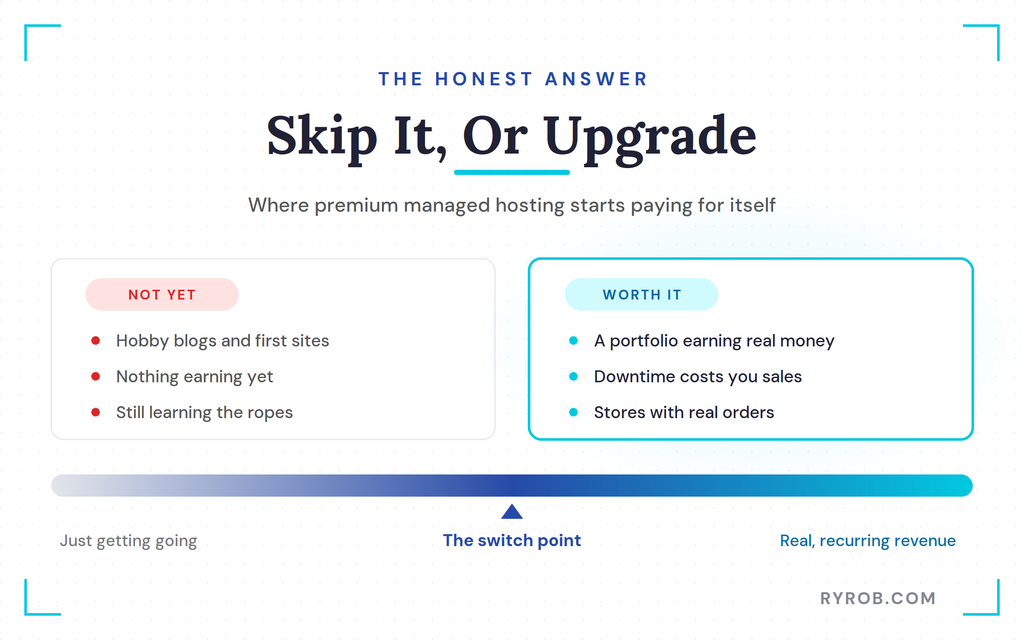
Premium hosting isn’t necessary for everyone, and it’s important to be honest about who shouldn’t buy it yet. If you’re just starting out or running a hobby blog, paying three hundred dollars a month is complete overkill.
It’s worth comparing Kinsta pricing plans and checking how much does web hosting cost before choosing a budget tier.
Start Cheaper If You Are Just Getting Going
New creators shouldn’t stretch their finances on expensive infrastructure before making money. Start with budget-friendly shared hosting to learn the ropes and establish your revenue model first.
That’s the exact path I took years ago when I started my own online business journey.
When the Price Starts Paying for Itself
The financial calculation changes once your websites generate real revenue and downtime translates directly into lost income. Stores with meaningful revenue may also justify a larger WooCommerce hosting budget.
According to Atlassian’s cost-of-downtime data, unexpected outages cost businesses significant amounts per minute. Paying more for managed hosting means server maintenance and security disappear from your daily worries. That’s a worthwhile trade-off for established operations.
If you’re comparing established managed hosts, Kinsta can serve as a WP Engine alternative.
The One Real Downside
The honest downside is simple. Kinsta is not cheap, and it’s not trying to be, so you’ll want to be sure your business model can comfortably absorb the recurring monthly expense before you commit.
Is Kinsta Worth It? My 8-Year Kinsta Hosting Review
Personally, yes. It is worth it. After spending $31,100 over eight years, I’m still paying for my Kinsta account out of my own pocket. The hands-off experience, including live chat support, helps eliminate server headaches.
Kinsta powers websites that have generated millions in revenue, with infrastructure such as edge caching supporting their performance. If you’re running a growing portfolio of revenue-generating sites, the peace of mind makes it worth every penny.
FAQs About Kinsta Managed WordPress Hosting
A few quick answers to the questions I get asked most about Kinsta.
Is Kinsta worth the money?
Yes, if your sites generate real revenue and you value hands-off server management, the bundled features and expert support justify the investment.
How much does Kinsta cost per month?
Plans vary based on your traffic and site count, scaling from entry-level options up to enterprise packages costing hundreds of dollars monthly.
Is Kinsta good for beginners?
It’s generally too expensive for brand-new hobbyists, who are better off starting with affordable shared hosting until their revenue grows.
How long does a Kinsta migration take?
Their migration team handles the entire transfer process for you, moving sites at a rate of eight to ten websites per day.
Does Kinsta have a money-back guarantee?
Yes, they offer a thirty-day money-back guarantee so you can test their platform risk-free.
What happens if a plugin update breaks my site?
Kinsta provides staging environments and daily backups, allowing you to test updates safely and roll back instantly if anything goes wrong.
Final Thoughts on Kinsta Hosting
Spending over thirty thousand dollars on web hosting sounds shocking at first glance, but eight years of reliable performance proved its value for my business.
You don’t need expensive infrastructure when you’re just launching your first project, though upgrading starts making sense once your sites generate real revenue. Take your time building your traffic, and transition to premium managed hosting when you’re ready to buy back your peace of mind.
Run Your Sites On The Hosting I’ve Trusted For 8 Years: Kinsta
I’ve paid for Kinsta out of my own pocket since 2018 and never once felt the urge to shop around. It quietly handles the backups, staging, and real human support so I never have to think about my servers. New customers get their first month free on select plans plus a 30-day money-back guarantee👇
