
I’ve built email lists for over ten years, and between my blog and SaaS business I’ve got tens of thousands of subscribers. A few weeks ago I added up what I pay every year in email marketing fees to reach them all, and the true email list cost was way higher than I’d have guessed.
Here’s what nobody warns you about when you start out. Your bill stays quiet for a while, then jumps the moment your list finally starts working, and rarely by just a little.
So I did the thing I wish someone had done for me. Here’s my full video walking you through the real numbers behind it all:
Key Takeaways for Email List Costs and Pricing
- Small lists cost nothing. Most reputable platforms let you manage a small opt-in list of about 500 subscribers for free.
- Free plans split at 2,500. They diverge sharply at this size, so pick your provider early.
- Your pricing model matters most. Contact-based, send-based, and hybrid models produce wildly different long-term costs, and how often you email your email marketing list decides which is cheapest.
- Dead weight still bills you. Inactive, unengaged, and unsubscribed contacts still count toward your paid tier unless you archive or delete them.
- Automation beats a low price. Automation depth and built-in segmentation usually drive your growth more than chasing the lowest email list pricing.
- Clean and negotiate as you scale. Audit larger lists regularly with list cleaning, and negotiate annual pricing once you grow.
The Email Tool I Actually Use and Recommend: Sender
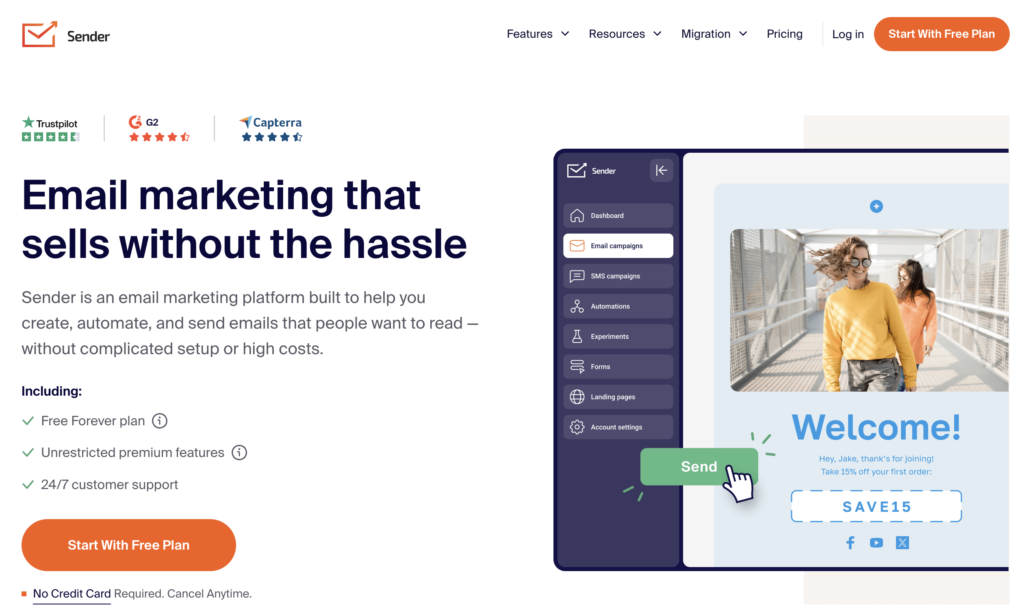
I point most people to Sender because you get real automation and a generous free tier, without paying for features you’ll never touch. For small businesses, shops, and creators, it’s an easy yes. And when you upgrade, the code RYROB gets you 20% off any paid plan!👇
How Email Platforms Charge You
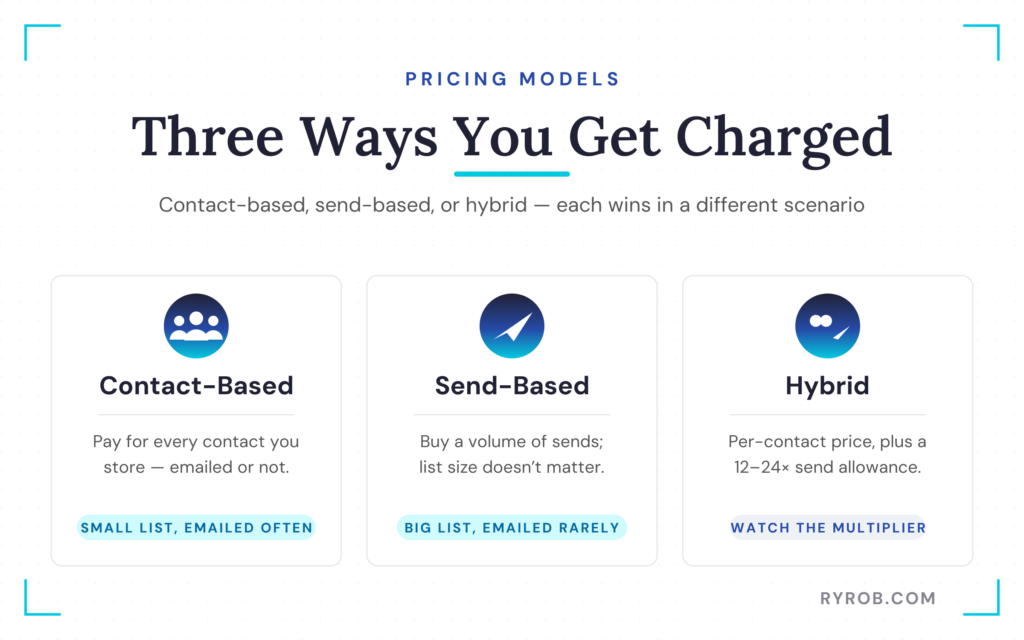
The reason email pricing feels confusing isn’t that you’re bad at math. It’s that every email list provider runs its own pricing logic. There are basically three pricing models that impact your bottom line.
Contact-Based Pricing
In this model, you pay for contacts. Every person in your contact database counts toward your total, whether or not they receive your next email campaign.
If you have a small list and you email it four times a week, this model tends to be relatively affordable. But as your contact database grows, storing inactive contacts gets expensive fast.
Send-Based Pricing
Your list can be whatever size you want in this setup. Instead, you buy a specific volume of emails you can send, and you burn through that allowance over time.
If you have a large list and you email it once a month, the send-based model is dramatically cheaper for you.
Hybrid Plans
Hybrid plans have become much more common. You pay based on your total contacts, but your plan includes a send allowance that’s a multiple of your list size, like 12 or 24 times your subscriber total.
If your sending volume creeps past that multiplier, you’ll face extra fees or forced upgrades. Effectively, this structure translates into a cost per mille, or a rate per thousand contacts, which mirrors the standard pricing unit used across digital advertising.
What Drives Your Email List Cost by List Size
Let’s look at the real numbers across four common list sizes. These figures come straight from public pricing pages, and they show why picking the right model matters before you’re locked in.
Paying Nothing at 500 Subscribers
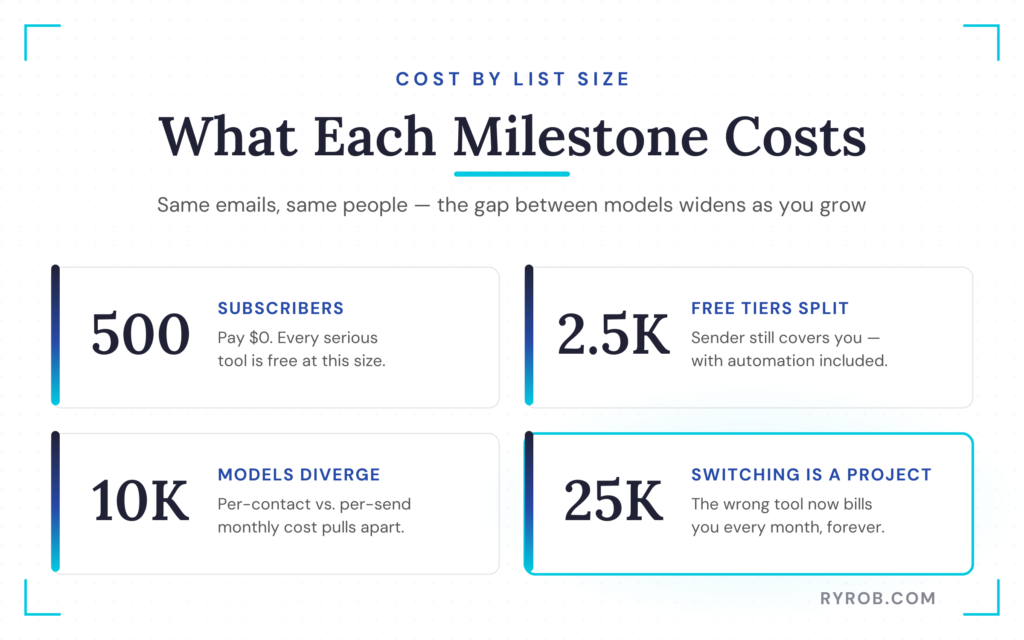
The real answer at 500 subscribers is that you should pay nothing. Every serious tool has a free tier that covers you here.
If a platform is asking you for money at 500 subscribers, you probably picked the wrong tool unless it’s a really niche-specific app. At this size, a consumer email list or a targeted email list for a small campaign fits comfortably inside free limits.
Free Plans Split at 2,500 Subscribers
This is where it gets interesting because free tiers start diverging hard. Sender’s free plan runs all the way up to 2,500 subscribers and 15,000 emails a month, which is the most generous free tier I’ve come across.
The part I care most about is that automation and segmentation are included on that free tier. Most free tiers hand you a list and a send button, then paywall the exact thing that makes email work. If you want to use intent data from a sales intelligence platform, free segmentation is essential.
Prices Diverge at 10,000 Subscribers
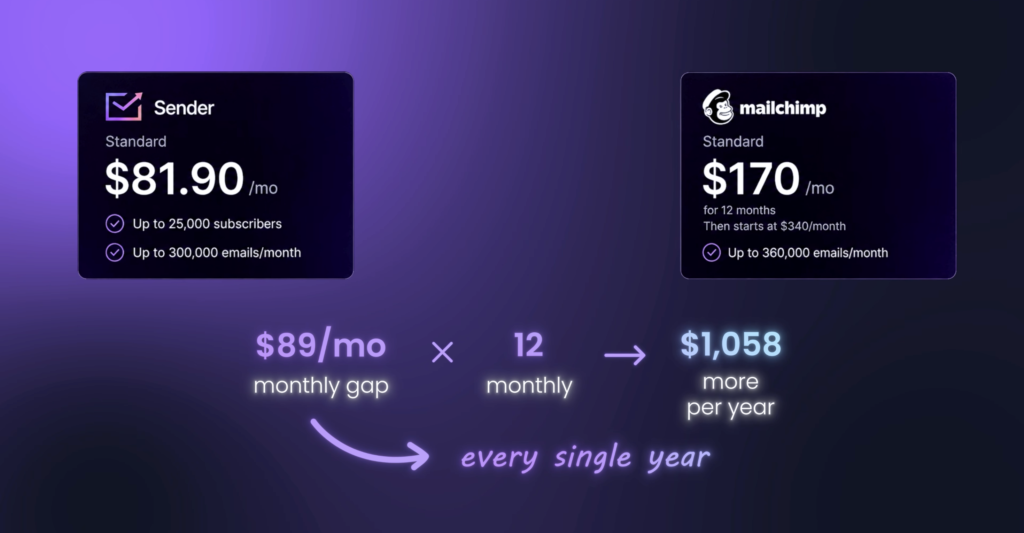
Here is where you can feel the mailing list prices pulling apart across the three pricing models. Watch the gap between the per-contact tools and the multi-tier tools, because same list, same email campaign, and the monthly numbers aren’t even close anymore.
B2B email lists often require extras like role-based filtering and regular cleaning here, so per-contact pricing can sting twice.
The Real Cost at 25,000 Subscribers
This is where you can start to feel stuck if you chose the wrong tool. Once your business email list reaches this size, switching tools becomes a real project.
That spread between the cheapest and the most expensive option on the email marketing list platforms is every single month forever for sending the same emails to the same people. Multiply it by 12, and that’s a real line item in your business. It’s a contractor, an assistant, or a year of your other blogging costs.
Hidden Contact Costs That Inflate Your Bill
When a platform says up to 2,500 contacts, what exactly is a contact? You’d assume it means people on your list who want your emails, but it usually includes much more. That difference has added significant costs to some of my lists recently.
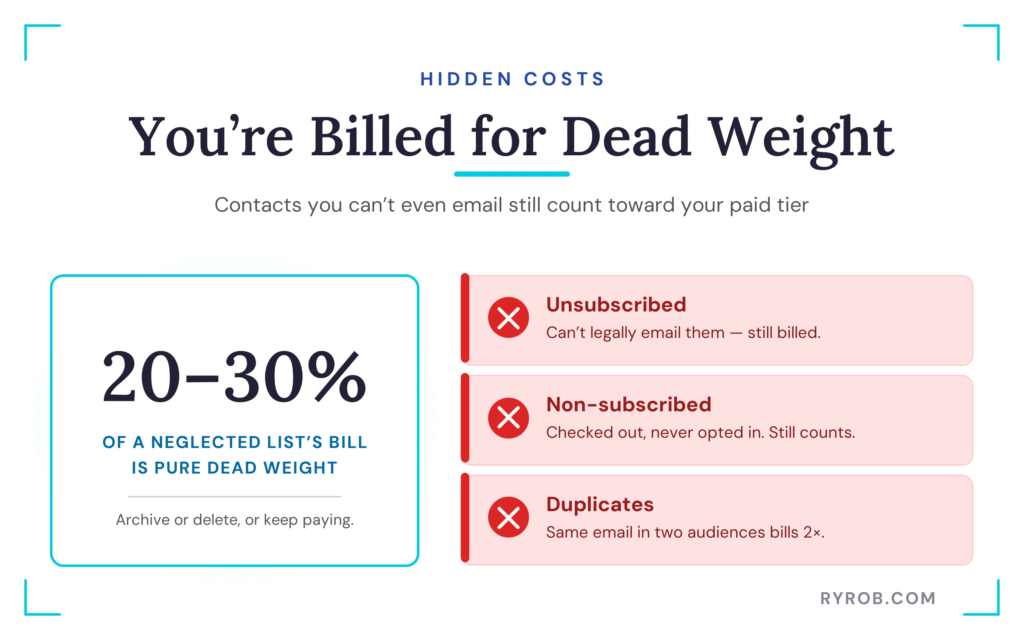
Unsubscribed Contacts Still Count
On Mailchimp, someone who unsubscribes still counts toward your contact total and your bill. They clicked unsubscribe, and you’re legally not allowed to email them, but you’re still paying unless you archive them manually.
Duplicate Records Get Billed
Non-subscribed contacts cause the same headache, and this catches many e-commerce business owners off guard. Someone checks out on your store without opting into marketing, but they can still enter your contact database as a non-subscribed contact, and that record may count toward your bill.
If the same email address sits in two different audiences, that’s two contacts, and you get billed twice. On a neglected list, these extra records can make up 20 to 30 percent of your bill.
Clean Your List Twice a Year
The amount of money spent on unengaged email addresses is wild. Review your database regularly, and use email verification to identify invalid addresses and dormant subscribers.
Regular cleanups lower your bounce rate and reduce spam complaints. They also protect your sender reputation, which supports stronger email deliverability. Keeping your contact database lean can improve engagement metrics, including open and click-through rates.
You can read these email list cleaning best practices for guidance on managing unengaged subscribers safely and keeping your conversion rates healthy.
How to Choose the Right Email Marketing Tool
The cheapest option and the best value aren’t the same thing. A low-cost plan can hurt your return on investment if essential features sit behind a higher tier. Choose a tool that supports your email marketing list as it grows.
Match the Plan to How Often You Send Emails
If you email your list once a month with a massive newsletter, a send-based model can save you money. If you send daily tips to a tight, highly targeted group, a contact-based model makes more sense. Estimate your monthly email outreach, marketing campaigns, and automated flows before you commit.
The right pricing model can improve your email marketing ROI. It also helps control customer acquisition costs as your list expands.
6 Features to Check First
Check these 6 things against the specific plan you’re buying, not just the brand name it comes from.
- Automation depth, so you can branch based on user behavior instead of running only linear drip campaigns.
- A/B testing availability, including whether it’s included in your tier or gated behind an expensive upgrade.
- Deliverability tooling, especially whether a dedicated IP is available and what it costs.
- Integrations, making sure the platform connects smoothly with your tech stack, lead magnets, and any third-party provider you rely on.
- Compliance tools, including support for the CAN-SPAM Act and GDPR compliance requirements.
- Support quality, because real expert help before a major marketing campaign can protect your return on investment.
Where Sender Fits and Where It Doesn’t
Sender is the tool I point people to because it has the best price-to-capability ratio for small businesses, e-commerce shops, SaaS companies, and creators. But it isn’t the best fit for everyone.
Skip it if you want to run a paid newsletter with built-in creator monetization, or if you need genuinely gnarly conditional automation with a dozen branches and deep behavioral logic.
If you want to get started building your audience, you can learn how bloggers can grow their email subscribers to build effective workflows.
What to Do at Each Stage
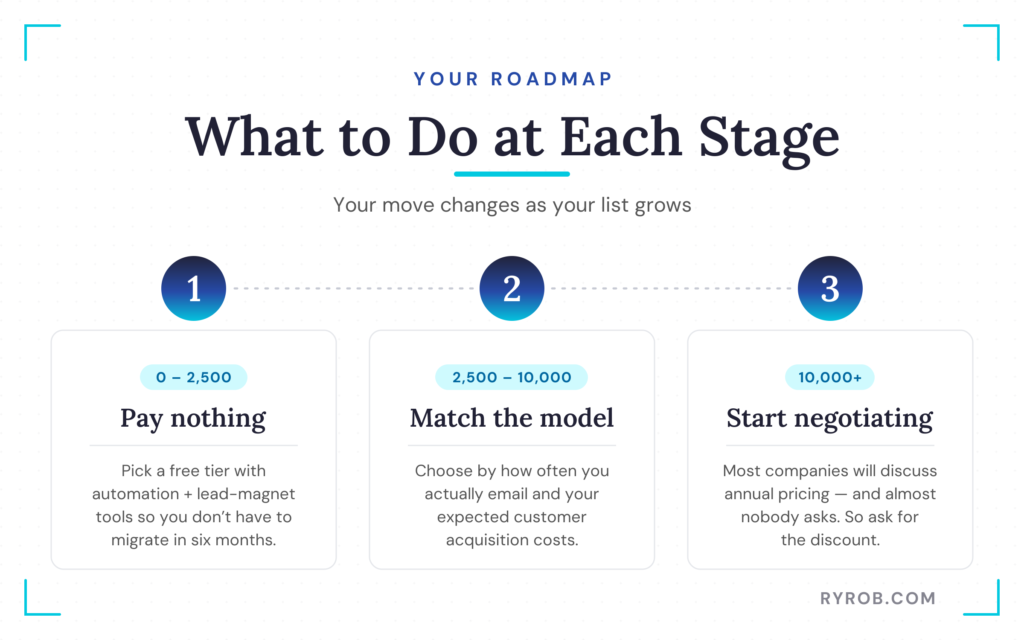
If you’re sitting between zero and 2,500 subscribers, pay nothing, but pick a free tier that includes automation and lead magnet tools so you don’t have to migrate in six months. Between 2,500 and 10,000 subscribers, choose based on your actual sending pattern and expected customer acquisition costs.
Once you cross 10,000 subscribers, start negotiating. Most companies will talk to you about annual pricing, and almost nobody asks for a discount.
FAQs About Email List Costs
Here are quick answers to the questions I hear most about email list cost.
Is email marketing really free for small lists?
Yes, most major email platforms offer a free tier for up to 500 or 1,000 subscribers. Check whether automation, reporting, and a basic sign-up form are included before signing up with a provider.
Do unengaged or unsubscribed contacts count toward my bill?
On many platforms, yes. Unsubscribed and non-subscribed contacts may count toward your total contact database unless you archive or delete them per your provider’s rules.
Which pricing model is actually cheapest?
It depends on your sending habits and list size. Send-based pricing can cost less for large lists with infrequent campaigns, while contact-based pricing is often cheaper for smaller lists that receive frequent emails.
When should I upgrade to a paid email plan?
Upgrade when your contact database outgrows the free subscriber limit, you need behavioral triggers, or you require higher monthly send volumes. You may also need a more advanced sign-up form as your audience grows.
How often should I clean my email list?
Clean your email list at least twice a year. Remove hard bounces, spam complaints, and unengaged subscribers that can increase your email list cost, since regular maintenance keeps your contact database accurate and manageable.
Final Thoughts on Email List Pricing
Email list pricing looks simple at first, but costs creep up because providers often price tiers by storage rather than value delivered. Understand each pricing model, keep your contact database clean, and choose a platform with reliable automation from day one.
Estimate your sending volume, audit billable contacts, and test a dependable free option. Prioritize building an organic email list so sustainable marketing practices keep long-term growth within reach.
Don’t buy email lists or fall back on list rental, because those contacts rarely engage. Use intent data to identify which subscribers are genuinely interested in your message.
The Email Tool I Actually Use and Recommend: Sender
I point most people to Sender because you get real automation and a generous free tier, without paying for features you’ll never touch. For small businesses, shops, and creators, it’s an easy yes. And when you upgrade, the code RYROB gets you 20% off any paid plan!👇

Great insights on email marketing costs! 📧 Choosing the right email platform and pricing model can make a huge difference for long-term growth.