
There are over 1.9 billion websites on the internet right now (!!!), and I estimate that at least half of them are making one or more of the common website mistakes I’m breaking down. Some of these errors are silently killing your traffic, while others are literally costing you money every single day your site is live.
It’s frustrating to put in the work only to see zero results, and I know exactly how that feels because I’ve been there myself. When I launched my first website back in 2010, I thought I was doing everything right… great content and a decent design, but my traffic stayed at basically zero for almost a full year because I was making three of the website mistakes on this list.
Once I fixed them, my traffic started growing and it hasn’t stopped. Now my blog here gets over 500,000 readers/month. Watch here:
In this video & guide, I’ve ranked the 10 biggest website mistakes for beginners based on their impact, so you can fix what matters first. If your site is already live, pull it up right now so you can check for these issues in real-time as you watch.
👋 One of the most common website mistakes I see beginners make is having slow web hosting. That’s mission critical. Google’s search crawlers and AI platforms like ChatGPT, Perplexity, Gemini, Claude and Google’s AI Overviews will straight up skip your site if it’s slow. That’s why I recommend choosing lightning fast (affordable) web hosting from HostPapa.
Get the Best Web Hosting for Your Site: HostPapa
Get your website hosted with the most reliable web hosting company for small business sites, today. HostPapa’s plans are budget-friendly, and come with high-performance hosting straight out of the box.
Key Takeaways for Fixing Common Website Mistakes
- Understand your target audience and ensure your layout is mobile friendly.
- Start with clarity. Define what problem your site solves and what action you want visitors to take.
- Launch before you feel ready. Perfectionism delays growth, and real improvement only happens after your site is live.
- Focus on performance first. Speed, mobile usability, and security have a bigger impact than design.
- Guide every visitor. Every page should have a clear next step through a strong call to action.
10 Most Common Website Mistakes You Should Fix First
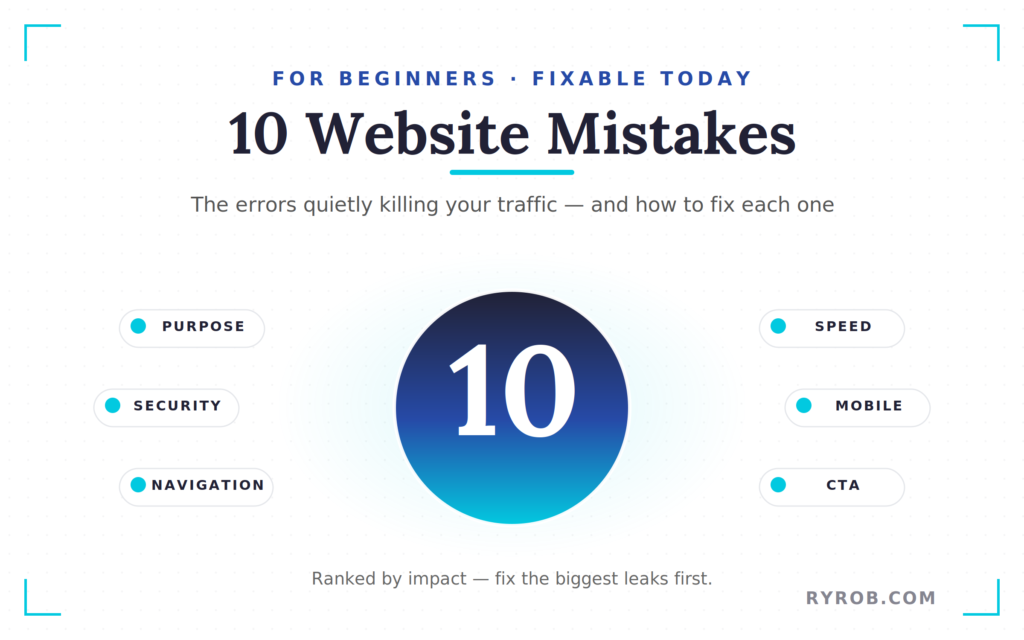
These are the website mistakes that have the biggest impact on your traffic and long-term growth. Fixing these early makes everything else on your site easier to improve.
Start here before worrying about design details or advanced strategies:
1. Not Having a Clear Website Purpose
This is the most significant mistake of all because it often triggers many of the other problems on this list. If you simply want a blog or an online presence without a specific goal, your decisions will lack direction. Your website content needs a foundation built on knowing exactly who the site is for and what specific problem it solves for them.
When you have real clarity on your purpose, building a professional brand identity becomes much simpler. You will know exactly which pages to build, what topics to cover, and how to craft your calls to action. If you are still debating your direction, it is worth evaluating if blogging is right for you before you commit to the technical work.
Write your mission statement down and keep it near your workspace. When you feel overwhelmed, returning to your core purpose will help you focus on the tasks that actually move the needle for your brand.
2. Trying to Make Everything Perfect Before You Launch
Perfectionism is often just fear wearing a productive looking disguise. I regularly see people spend months agonizing over a logo or the exact wording of an about page, and they never actually hit publish. While you want your site to look professional, it does not need perfect visual appeal to be effective.
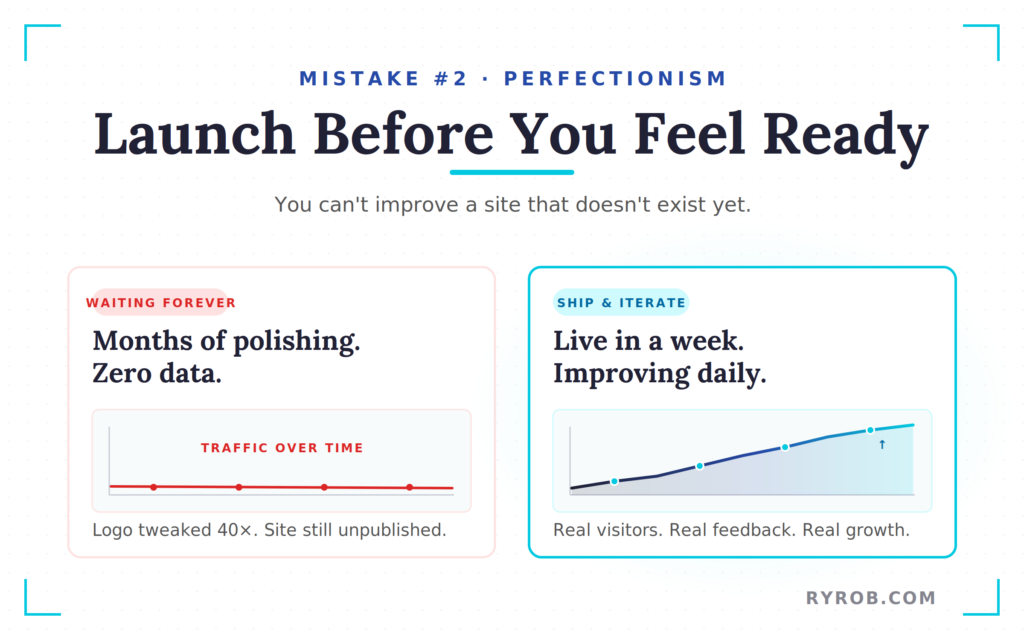
Instead of obsessing over every detail, set a “good enough” bar and launch. Your priority should be getting your website content live so you can start gathering data and seeing how visitors interact with your pages.
Instead of overthinking, focus on:
- Publishing your site
- Gathering real user data
- Improving based on feedback
You’re going to iterate and change things a hundred times anyway, but you cannot improve something that does not exist yet. Version one is just the beginning of your journey.
3. Running a Website Without Analytics
Driving a website without analytics is like driving across the country with your eyes closed. Without data, you have no way to identify common website mistakes or understand where your visitors are coming from. Relying on your gut is not a strategy; you need to see what content is actually working and where people are leaving your site.
To get started, you need a few essential tools installed on day one:
- Google Analytics
- Google Search Console
- A submitted Sitemap XML
Both tools are free and simple to set up. Monitoring these platforms allows you to track your conversion rates and see exactly where mobile traffic might be dropping off, which helps you prioritize mobile optimization.
Within a week, these tools will provide data that will completely change how you manage your site and improve your overall website strategy.
4. Slow Page Loading Speeds
One of the most common website mistakes is underestimating the impact of speed. You might not realize your site is slow because your browser has it cached, but first-time visitors will immediately notice the delay. If your site takes more than three seconds to load, over half of your visitors are gone before they even see your logo.
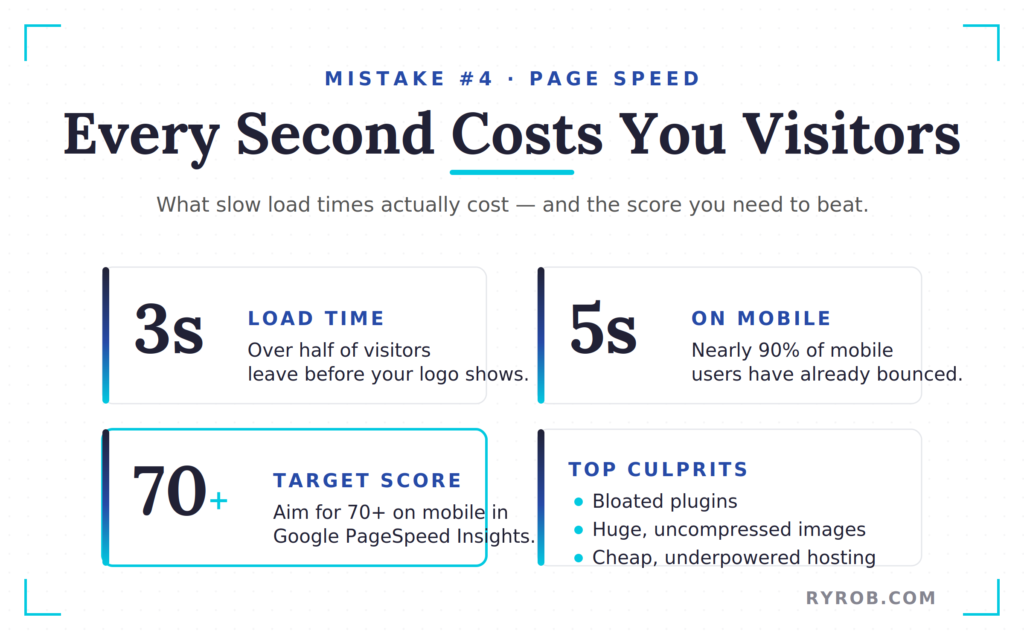
At five seconds, you have lost nearly 90% of mobile users. These slow load times do more than just frustrate visitors; they actively destroy your user experience. When a page lags, it sends a signal to both users and search engines that your site is unreliable.
Check your score on PageSpeed Insights right now. If you are below a 70 on mobile, you have some work to do.
Common culprits include:
- Bloated plugins
- Huge, uncompressed images
When you are fixing your images, remember to optimize your alt text for every file. This helps search engines understand your content while you work on reducing file sizes to improve performance.
Sometimes just switching to a better hosting provider can take your score from a 40 to a 90 overnight. You cannot out-optimize bad infrastructure, so make sure your foundation is solid before you start tweaking small settings.
5. Not Having an SSL Certificate
If your website URL starts with HTTP instead of HTTPS, you have a massive problem. That little padlock icon is one of the most important trust signals you can provide to your visitors, and it means the connection is encrypted and safe. Without this encryption, browsers like Chrome will literally label your site as “not secure,” which is a terrible first impression.
In an era of strict privacy laws, ensuring that user data is protected is no longer optional. Beyond user trust, Google has confirmed that HTTPS is a critical component of search engine optimization. Without it, you are actively hurting your SEO efforts and your visibility in search results.
Fortunately, most reputable hosting companies include a free SSL certificate with their plans, and it is usually a one-click fix in your dashboard. If the option is not easy to find, ask your host’s support team for help.
If they want to charge you a fortune for a basic certificate, it might be time to move your site. Fix this in the next five minutes; it is that important for your rankings and your credibility.
6. Writing for Yourself Instead of Your Audience
I was extremely guilty of this one when I started. I wrote about whatever I found interesting at the moment, but the problem was that nobody was searching for any of it. Your website content needs to focus on serving your target audience by answering the real questions that real people are already asking.
If you want to succeed with search engine optimization, you have to pivot from writing for yourself to writing for your readers. Spend two minutes searching for your topic on Google before you write a single word. Look at the “People Also Ask” section to see what is actually on their minds.
You can also use a free keyword research tool to find these opportunities without the guesswork. This research ensures your content eventually appears on search result pages where people can actually find it.
To maximize your visibility, focus on:
- Optimizing your page titles
- Writing strong meta tags
- Matching the intent of your readers
You should still inject your personality and stories into the work, but the heart of the topic must come from audience demand. Great content sits right at the intersection of what your audience wants and what only you can provide based on your unique experience.
7. Choosing the Wrong Hosting Provider
Hosting might sound like a technical detail, but it is one of the most critical website mistakes a business owner can make.
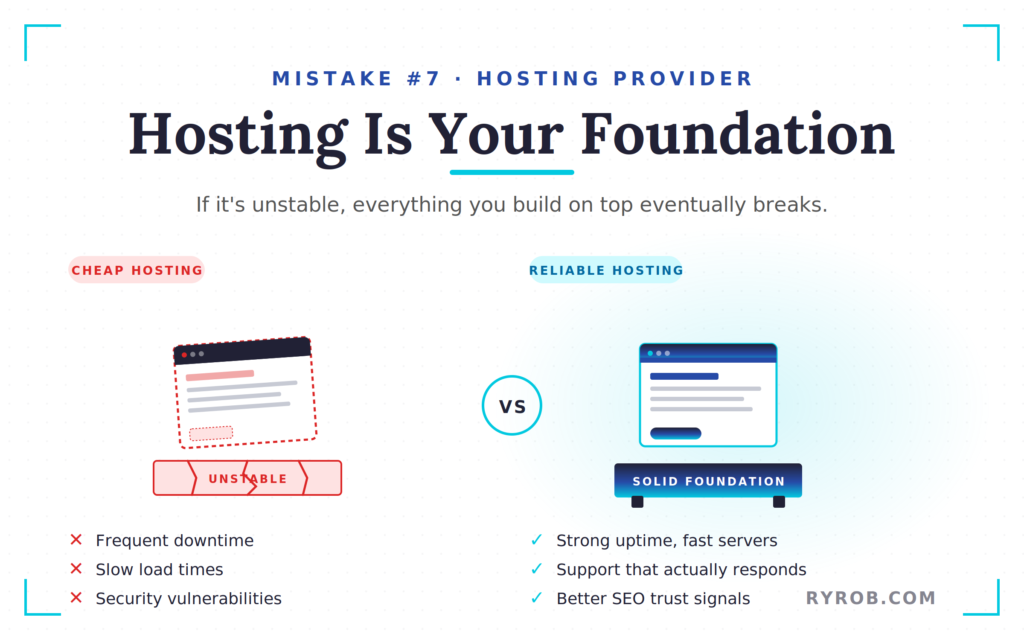
Think of hosting as the foundation your entire digital house is built on. If that foundation is unstable, everything else will eventually break. A poor hosting choice leads to slow loading times, frequent downtime, and security vulnerabilities that can destroy your brand reputation.
Reliable hosting provides essential trust signals to both users and search engines. It ensures your site is fast and secure, which are signals that search engines look for when ranking your content.
This is why I often recommend beginners look at a reliable hosting provider like HostPapa. They offer strong uptime and server performance, and their support team is actually available when you need help. You are also not paying for a bunch of features you will never use, which makes it a solid option for beginners.
If you are getting started, having that level of reliability makes a huge difference.
8. Cluttered and Confusing Navigation
Your navigation menu is a map, not a showcase for every single thing you have ever created. Poor navigation is one of the quickest ways to frustrate your audience, and if a visitor has to think about where to click, your layout has already failed them. This kind of cluttered design overwhelms users and leads to a high bounce rate.
I follow a strict rule: five to seven main navigation items maximum. Usually, this includes Home, About, your core offer, and a blog. It is also vital that your contact information is easy to find, whether it is in the main menu or clearly placed in the footer.
To keep your navigation clean, focus on:
- Limiting your main menu to 5 to 7 links
- Highlighting your most important pages
- Moving secondary content to sub-pages or the footer
Effective navigation relies on the smart use of white space to improve the overall user experience. Your navbar should be a “greatest hits” album, not your entire discography.
9. Ignoring Mobile Optimization
With over 60% of all web traffic now coming from mobile devices, most people seeing your site for the first time are using a small screen. Failing to prioritize mobile responsiveness is a guaranteed way to lose potential customers. If your site requires someone to pinch and zoom just to read a headline, they are going to leave immediately.
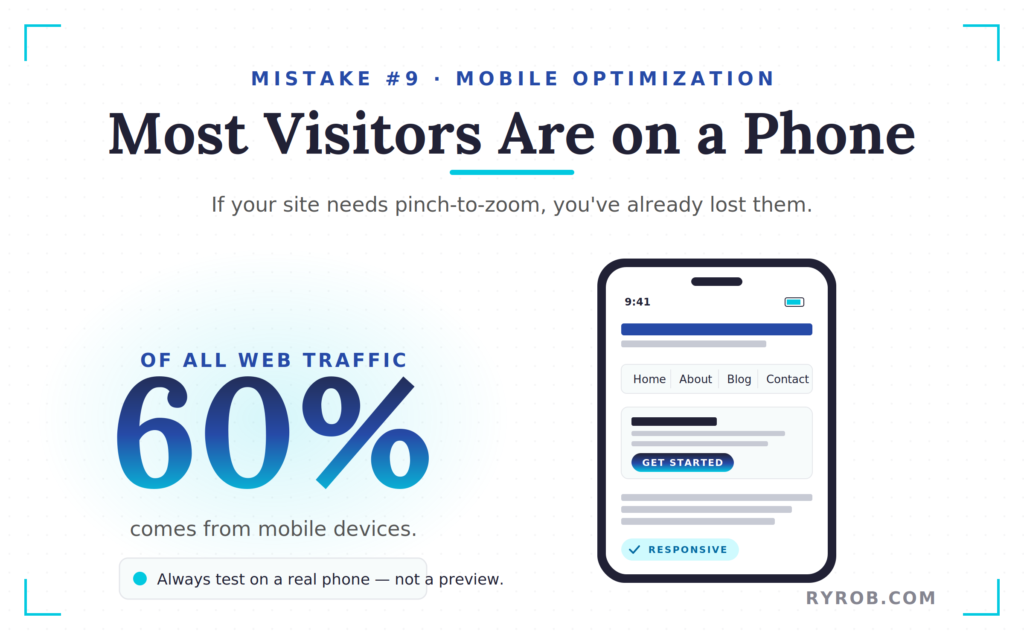
It does not matter how good your content is if your website is not mobile friendly. High quality responsive design ensures that your layout adapts seamlessly to any screen size and prevents the frustration that leads to high bounce rates.
Do not just trust the responsive preview in your desktop browser. Grab your actual phone and test your site by clicking links and filling out forms. If anything feels clunky or frustrating, your visitors will feel it even more.
10. No Clear Call To Action (CTA)
I see this constantly: someone builds a beautiful homepage, writes great content, and then the page just ends. There is no sign-up box, no “read this next” link, and no direction on how to get started. Your visitors are not going to figure out what to do next on their own; you have to tell them.
Think of it like a conversation where you finish talking and then just awkwardly walk away without saying goodbye. Every single page on your site should answer one simple question for the visitor: “Which action should I take right now?”
Whether it’s subscribing to your email list or booking a call, you need a primary goal. This is where a clear structure, like an ultimate guide to blogging for beginners, makes a difference.
To improve your conversion rates, focus on:
- Choosing one primary CTA per page
- Making it clear and specific
- Placing it where visitors can easily see it
A strong CTA guides users through your content and helps turn visitors into action.
FAQs About Common Website Mistakes
Here are some of the most commonly asked questions about fixing website mistakes.
How do I know if my website is mobile-friendly?
The best way is to use the site on your actual smartphone rather than relying on desktop simulators. Try navigating the menu and clicking buttons to see if they are large enough for a thumb to press easily.
This is also a good time to check that your contact information is easy to find and click on a small screen.
How do I improve my search engine visibility?
Start with the basics of on-page SEO. Ensure your page titles accurately describe your content and include relevant keywords.
Additionally, always add descriptive alt text to your images so search engines can understand what your visuals represent.
Is it really necessary to pay for high-end hosting?
No, you do not need the most expensive hosting plan, but you should avoid the cheapest options. Reliable hosting ensures your site stays fast, secure, and consistently available. This helps prevent traffic loss and protects your professional reputation.
Final Thoughts on Website Mistakes You Must Fix
Every one of the website mistakes we’ve covered is fixable, and most do not cost a single dime to correct. I have made almost all of these errors myself, and the biggest lesson I have learned is that clarity beats complexity. If you define your purpose and build a fast, secure website, you are already ahead of most.
Start by fixing your SSL and checking your page speed so you are not losing visitors before they even arrive. Then audit your navigation and make sure every page clearly tells visitors what to do next. Focus on accessible design so your site is easy to use.
If this guide helped you catch a mistake you did not know you were making, let me know. Remember, you do not need a perfect site, just one that works.
Get the Best Web Hosting for Your Site: HostPapa
Get your website hosted with the most reliable web hosting company for small business sites, today. HostPapa’s plans are budget-friendly, and come with high-performance hosting straight out of the box.

This is a really solid guide—honestly, most beginners don’t realize how much these “small” mistakes can impact their site.
I like that you focused on both SEO and conversions. A lot of people chase traffic but forget that if the site experience isn’t good, that traffic won’t turn into anything meaningful.
Also, the step-by-step fixes are super helpful. It’s easy to point out problems, but actually showing how to fix them is what makes content like this valuable.
One thing I’ve noticed is that issues like slow loading speed or poor mobile design are still way more common than they should be, even now. Fixing just those can make a noticeable difference pretty quickly.
Overall, really practical and beginner-friendly—definitely useful for anyone trying to improve their site without getting overwhelmed.