

A lot is changing at the intersection of WordPress and AI, thanks to tools like Elementor and their brand new AI agent, Angie. You can now interact with their AI website creator tools and build a beautiful, functional website without ever touching code or hiring a developer.
This modern AI website creation process allows anyone to generate a fully functional site using simple natural language prompts.
I know this sounds like kind of a lot, but I’m going to prove it. In this guide, I’m blowing up an old, boring WordPress site I had and rebuilding it into a real, functional professional website for my small business, with no coding knowledge required, using the latest AI tools.
The tech we’re using is a brand new product from the folks over at Elementor called Angie AI. It’s an AI agent that works right inside WordPress, which powers 43% of the internet. It sits on this open-source platform and now you have an AI built for it, from the ground up.
Get the Best AI-Enabled WordPress Theme: Elementor
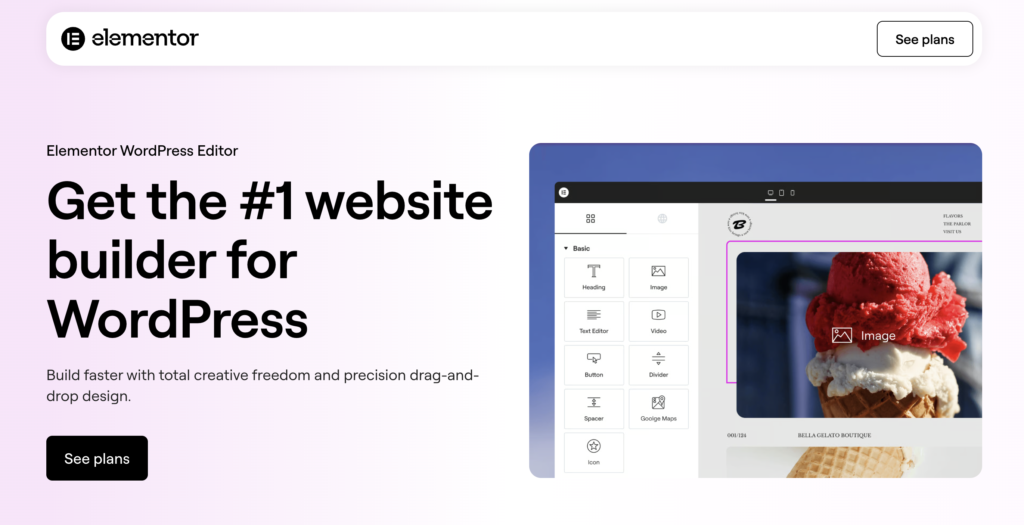
Elementor is my go-to WordPress theme for building modern, beautiful websites. Combined with their Angie AI agent, you’re equipped to easily make a website without ever touching a line of code. Get 5% off any Elementor One Annual Plan with the code RyanRob5One here
Key Takeaways for Building a Website With AI
- Speed and Efficiency: You can generate a full sitemap and wireframe structure in about 20 seconds using the right AI prompts.
- Customization Without Code: Tools like the agentic Angie AI for WordPress allow you to build custom widgets and features just by describing what you want.
- Production-Ready Results: Unlike simple chat bots, agentic AI actually builds features in a sandbox environment so you can review them before going live.
- Better Search Results: You can use AI to handle technical tasks like adding schema markup, which helps Google understand your pages.
The Problem with Building Websites Before AI
Building a website has traditionally felt like a steep technical climb. Most people were stuck choosing between spending weeks learning complex platforms or paying thousands for a professionally built site.
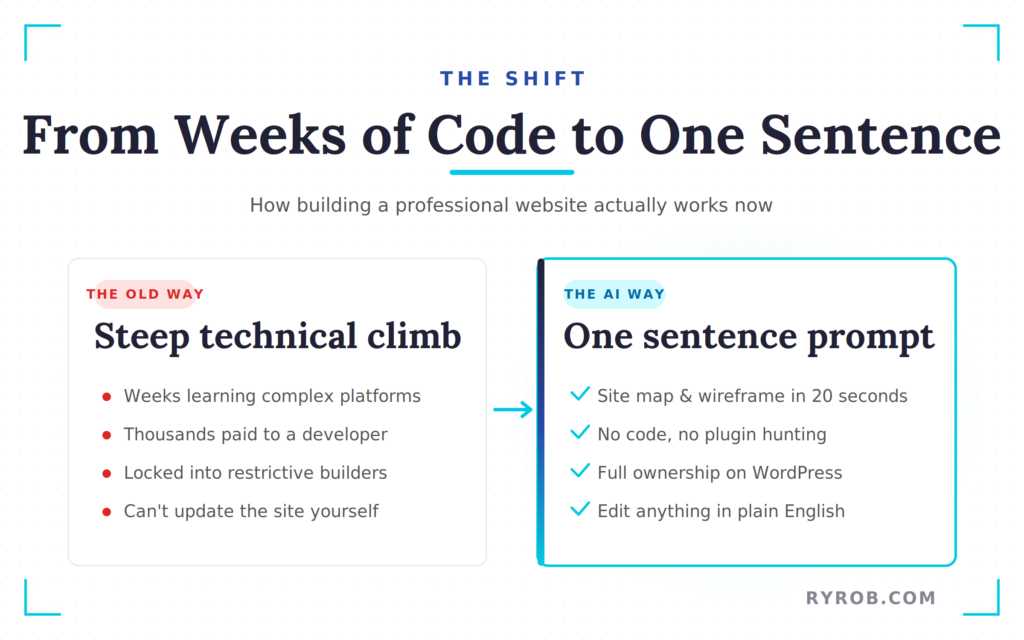
Even after investing in a professional developer, you were often left without the knowledge needed to make simple updates yourself. While traditional drag and drop tools served as a starting point, they frequently locked you into restrictive platforms.
Today, a modern AI website builder removes these limitations by utilizing artificial intelligence to streamline the build process. This shift allows you to maintain the complete freedom of WordPress while finally eliminating the technical headaches that once defined the industry.
Why WordPress Is Still the Best Choice
WordPress is the gold standard because it’s free, open source, and gives you full ownership over your content. If you’re following a guide to blogging for beginners, you’ll quickly see why it’s the foundation for most serious websites today.
By choosing this platform alongside a modern AI website creator, you ensure your site is built on a reliable framework that adapts to your growing needs.
The real shift is that we now have AI tools that integrate directly into the platform rather than being bolted on from the outside. These tools understand your themes and plugins to deliver a seamless experience.
By combining the flexibility of WordPress with modern technology, you gain a powerful professional website platform that offers far better business solutions than restrictive, proprietary website builders.
Introducing a User-Friendly Website Stack
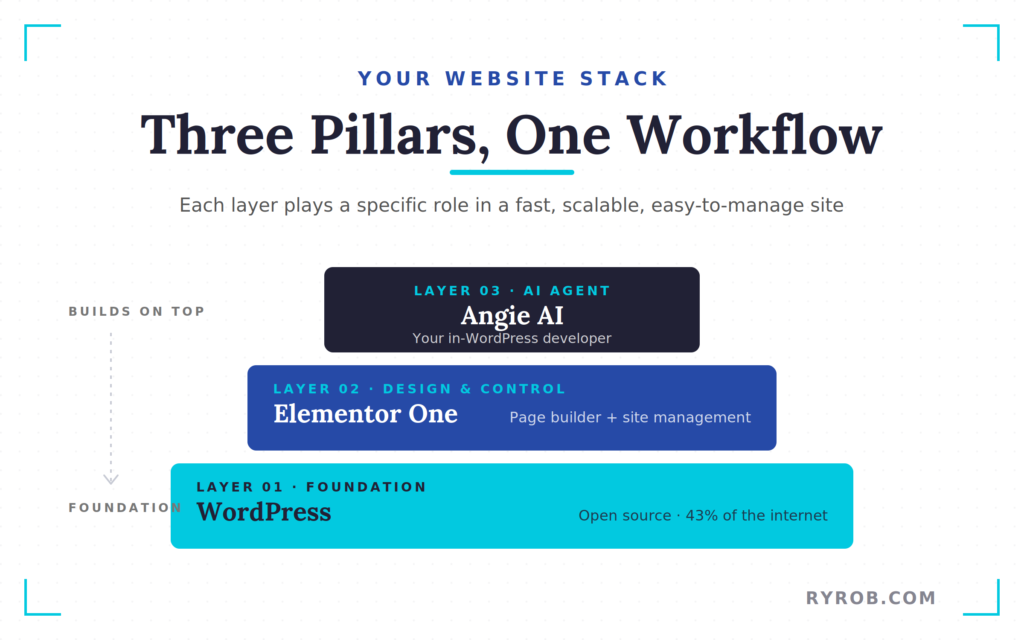
To build a site this way, you need three core pillars in your stack. Each one plays a specific role in creating a fast, scalable, and easy-to-manage website.
- WordPress as your foundation: WordPress serves as the base of your entire site. I recommend using Elementor Hosting if you want a reliable solution that includes hosting and domain in one streamlined environment. In some cases, bundled packages make the setup process feel like a free hosting experience when you factor in the overall value.
- Elementor One for design and control: Elementor One is an all-in-one subscription that combines the page builder with powerful site management features. It keeps everything simple while still giving you full control over your custom site.
- Angie AI for WordPress creation: Angie AI acts like your personal developer inside WordPress. It does not just suggest ideas, it actually performs tasks and builds for you.
Everything with Elementor and Angie stays inside one dashboard, so you’re not jumping between multiple tools while working on your custom site.
How to Build Your Website Using AI (WordPress + Elementor + Angie AI)
Together, these three tools allow you to build a complete website without writing a single line of code.
Step 1: Plan Your Site with AI Site Planner
The process starts with the AI Site Planner inside the Elementor dashboard. You can use this tool as a powerful landing page generator to create high-converting pages based on your goals.
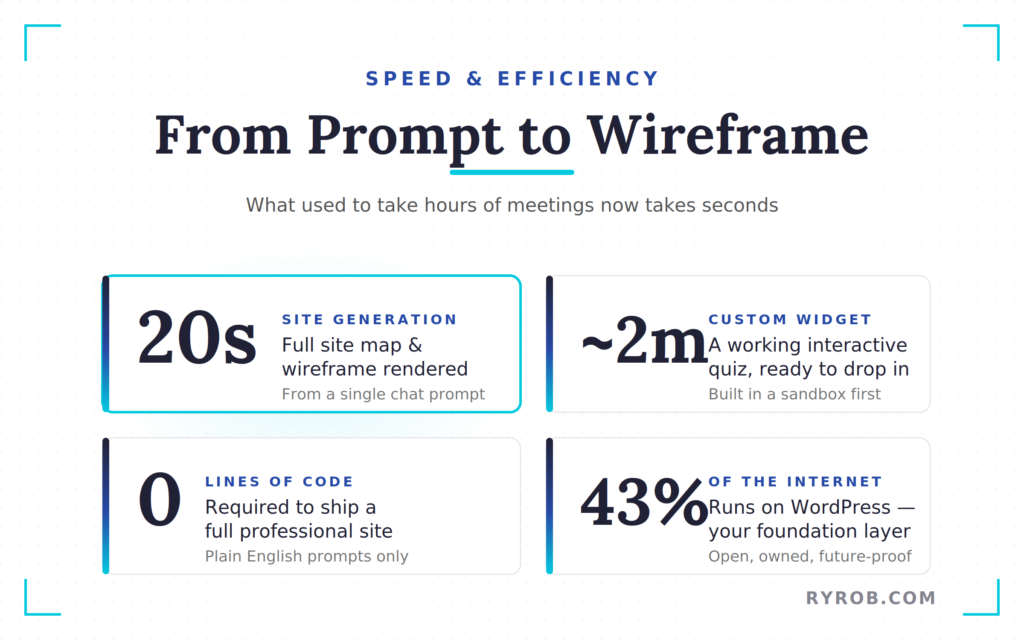
Just open the AI chat and describe what you want. For a personal brand site, you might say you need a homepage, an about page, and sections for your podcast or courses.
Once you send the prompt, the AI generates a full site map and wireframe in about 20 seconds. It maps out the sections, headers, and footers that would normally take hours or multiple meetings to figure out.
Review and Import Your Wireframes
After the wireframes are ready, this is where you shape your brand. You can tweak the design settings, adjust colors, and even use built-in tools for logo creation.
Once everything looks right, just hit the button to generate the website and apply it to your project. This turns your wireframe into a real, working site on your domain.
If you’re new to WordPress, following a step-by-step setup guide will help you get here faster. From there, you can start using these AI tools right away.
Quick Start Checklist for Site Creation
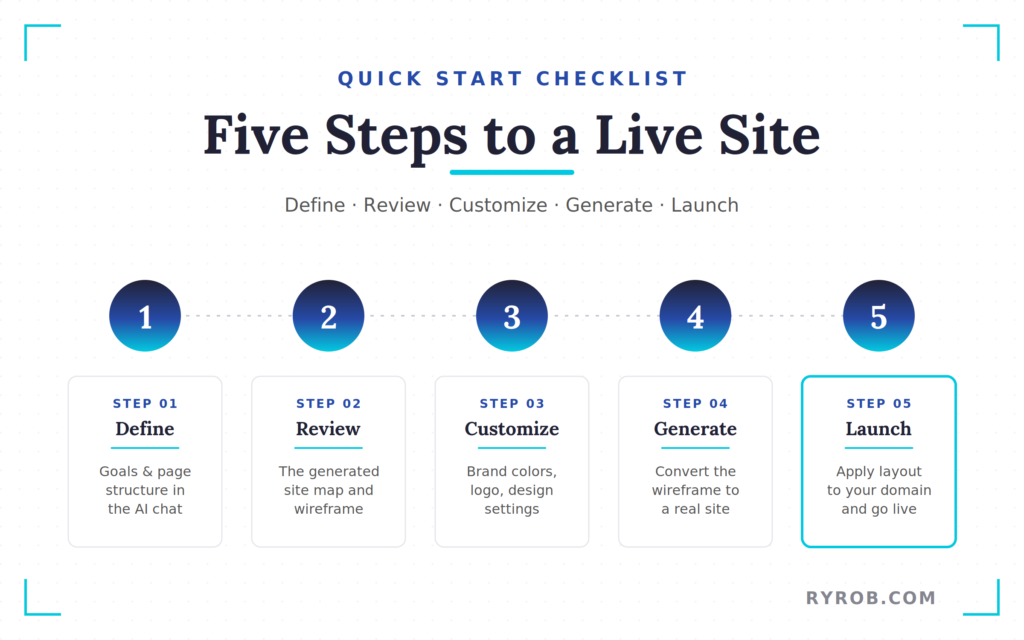
Use this checklist to create your site:
- Define your site goals and page structure in the AI chat.
- Review the generated site map and wireframe layout.
- Customize your design settings to solidify your brand identity.
- Utilize the integrated design tools for professional logo creation.
- Click the button to generate a website and launch your layout.
Step 2: Use Angie AI for Custom Site Building Without Coding Knowledge
The Angie AI plugin is free to install directly from the WordPress directory, making it the perfect solution for those with no coding knowledge who still want to build a truly custom site.
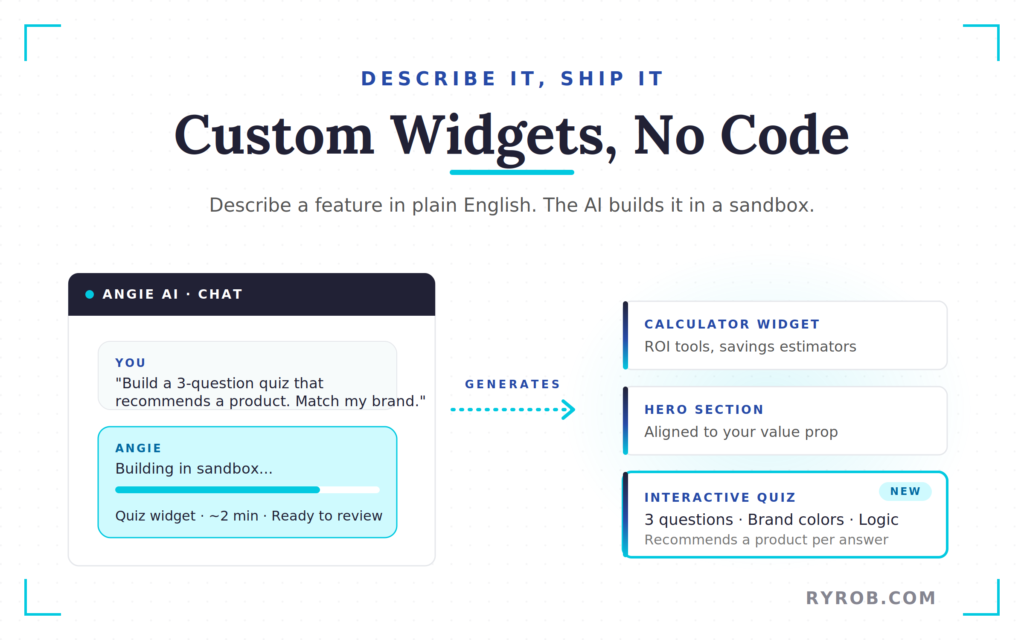
Once activated, a simple chat interface appears in your menu. Instead of struggling to build entire pages from scratch, I use Angie to generate specific features, such as a custom hero section or a specialized social proof area, tailored for a professional website.
You can direct the AI to build a hero widget aligned with your specific value proposition and color palette. Because it generates the necessary code in a secure sandbox, you can achieve a polished finish and skip the tedious plugin search phase entirely.
This method results in a responsive design that looks great on all devices, ensuring your site remains functional regardless of how visitors access it. You can even rearrange sections visually using the structure button in the editor to perfect your layout.
Generate High-Quality Images for Your Site
Stock photos often feel generic and overused, which can distract visitors from your core message. Instead, you can use the built-in AI tools to generate high-quality images that perfectly reflect your brand identity.
By creating unique visuals tailored to your specific requirements, you can easily replace those tired stock photos with professional content that is fully optimized and mobile-friendly.
Whether you need a chart illustrating website growth or a specific office scene, you can generate content by simply typing in your prompt and refining the style to match your design.
This feature saves a significant amount of time because you no longer need to spend hours hunting through external image libraries. You get custom, on-brand graphics in seconds that fit seamlessly into your site and keep everything looking consistent.
Add Interactive Features Like a Quiz
One of my favorite use cases for this platform is building custom widgets like an interactive quiz. Usually, adding this type of engagement requires hiring an expensive agency or paying for a specialized developer.
With a powerful AI website creator like Angie, you simply describe the questions and the look you want to achieve to enhance your website design.
In about two minutes, you will have a fully functional widget ready for your pages. These tools are especially effective for ecommerce functionality, like personalized product recommendation quizzes that guide visitors toward their ideal purchase.
You can drop these widgets into customizable templates and tweak the colors or text in the visual editor. This makes it easy to match everything to your brand without extra tools.
Beyond simple quizzes, this robust AI website creator can also build calculators, animations, and custom post types. These features act as real business solutions that help your site feel like a premium, professionally developed project.
Boost SEO with Schema Markup
Many beginners are unfamiliar with schema markup, but it plays a key role in modern SEO tools. This structured data acts like a translator, helping search engines like Google and AI platforms like ChatGPT understand the exact context of your content.
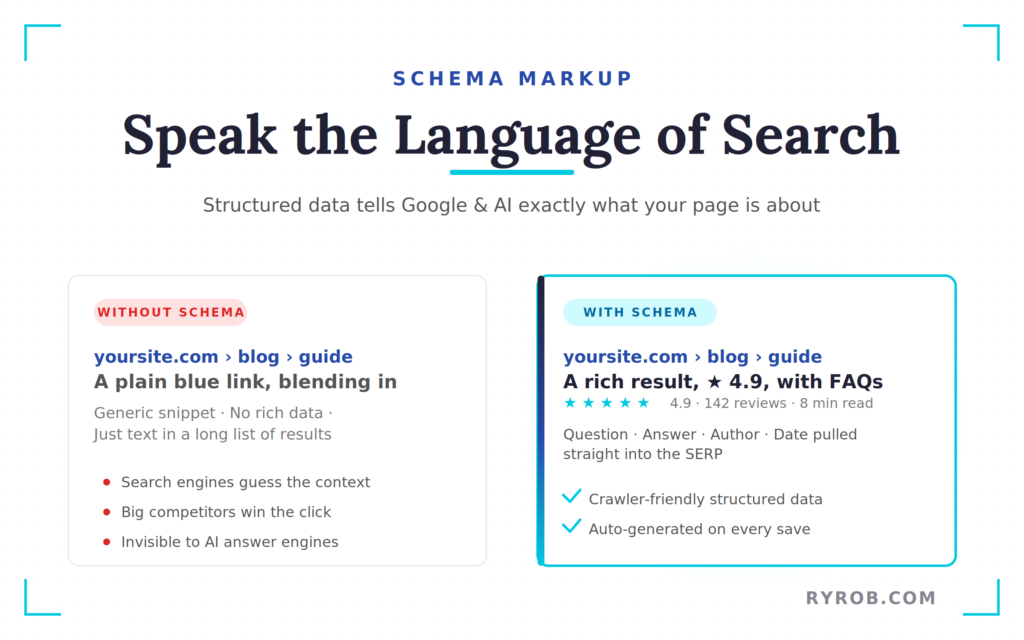
By providing this machine-readable data, your professional website can clearly communicate its purpose. This helps small businesses compete in search rankings against larger competitors that might otherwise dominate the results.
Normally, implementing this type of code requires a developer. With AI, you can simplify the process by asking Angie to generate a code snippet that auto-creates schema data for every post when you hit save.
This gives you a production-ready snippet you can review and sync directly to your site. It’s a simple way to improve visibility in search results and help your brand stand out to both humans and machines.
Publishing Your AI Built WordPress Website
Once you’ve reviewed your site structure and added your custom features, it’s time to go live. The combination of WordPress, Elementor One, and Angie AI makes the path from zero to a live site incredibly clean.
These integrated tools create a seamless hosting and domain experience, so you’re not dealing with multiple systems. This stack is what I use today because it’s one of the most beginner-friendly workflows available.
If you want to follow this exact process, I’ve put together a detailed guide to starting a WordPress site that walks through the setup. Using this kind of AI website builder lets you focus on growing your business instead of dealing with code.
FAQs About Your AI Website Creator
Here are some of the most common questions people ask when getting started with an AI website builder:
Does Angie AI work on any WordPress theme?
Yes, Angie is a standalone plugin that can work on any WordPress site, though it has special integrations that make it even more powerful when used with the Elementor editor.
Can I edit the code that the AI generates?
Absolutely. Everything Angie builds is fully editable. You can tweak it through the chat interface or use the visual tools in the editor to change styles and content.
Do I need to be a developer to use these tools?
Not at all. The entire vibe coding philosophy is based on using plain language. You describe what you want in English, and the AI handles the technical execution.
Is it expensive to use this stack?
Elementor One consolidates your costs by putting the page builder, AI tools, and management features into one subscription. It is often cheaper than paying for multiple separate services for hosting and domain management.
Will my site have a responsive design?
Yes, any site you build using this AI website builder is automatically optimized for a responsive design. Your content will look great and function perfectly on desktops, tablets, and smartphones without any extra work.
Final Takeaways on Using an AI Website Creator
Building a professional site no longer requires a degree in computer science or a massive budget for a design agency. By leveraging the fastest way to create a website in the current market, you can handle design, structure, and technical SEO in a fraction of the time.
The key is to start with a solid foundation. Once your WordPress site is set up, you can layer on tools like Angie to add the features that make your brand stand out.
Whether you are launching a simple digital business card or a complex, full-scale portal, using a modern AI website builder gives you the efficiency you need to build and scale. These tools allow you to generate content quickly while maintaining a high standard of quality across your entire platform.
What kind of website are you planning to build? Drop a comment below and let me know if you are ready to let AI do the heavy lifting!
Get the Best AI-Enabled WordPress Theme: Elementor
Elementor is my go-to WordPress theme for building modern, beautiful websites. Combined with their Angie AI agent, you’re equipped to easily make a website without ever touching a line of code. Get 5% off any Elementor One Annual Plan with the code RyanRob5One here
